1
User’s Manual
AW900XTP
Operational summary
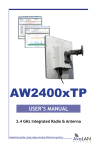
The AW900XTP Integrated Radio & Antenna allows the user to create a long-range,
wireless Ethernet network with up to 16 Subscriber Units per Access Point. The configuration may include any combination of AW900XTP and AW900XTR radios. (Please
note that older AvaLAN 900 MHz radios can exist on the same LAN but cannot be
used to form wireless links with the AW900XTP/XTR units because link encryption
protocols have changed.)
Configuring a wireless link with the AW900XTP requires the establishment of six
elements:
• Each radio must know whether it is to be an Access Point (AP) or Subscriber
Unit (SU).
• Each radio must have an IP address that is unique among all others on the
same network.
• The AP must know how many SUs are expecting communication with it.
• The AP and any given SU must agree on which radio frequency channel they
are using. This can be manually set or allowed to change automatically.
• The SU must be assigned a unique subscriber ID to specify which time division
slot it will use when communicating with the AP.
• The AP and any given SU must share a common 128-bit encryption key. APs
can exchange keys with up to 63 SUs, though only 16 can be connected at any
given time.
The AP automatically scans for the best of the 12 available radio frequency channels, encrypts Ethernet data received from the network, and transmits it wirelessly
to the correct SU. The AP is constantly monitoring the radio link and can automatically change the channel if performance is degraded due to interference. If two
AP units are physically close to one another, they may interfere if operating on
adjacent frequency channels. Place them at least 10 feet apart or manually select
non-adjacent channels for their operation. Also, the SU should be placed at least 10
feet from the AP to avoid overloading the receivers.
Any 10/100 BaseT Ethernet client device (ECD) can be connected to an AW900XTP
Subscriber Unit. Each SU encrypts Ethernet traffic received from the attached ECD
and transmits the data wirelessly to its AP. Each SU can be plugged directly into an
ECD without adding drivers or loading software. Essentially, once the AP/SU pair is
configured and running it behaves like a continuous Ethernet cable.
Technical support (650) 384-0000
PAGE 3
www.avalanwireless.com