1
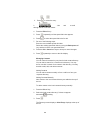
and
to access the contact, and then press
.
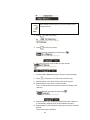
e) Press
to access the Placed Call list, use
to access the contact, and then press
and
.
At this point, the call is connected to the number to which you
are transferring them.
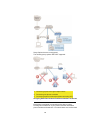
Transferring an external call to an external number ties up
two lines. If you wish to avoid tying up two lines, please refer
to
Note
“Using Network-based Call Transfer”
Call Transfer to Voicemail
You may transfer any caller to a specific voicemail box belonging
to any other user on the system.
1. During a call, press the Trans soft key.
2. Press the Blind soft key.
3. When you hear the dial tone, dial *99 plus the desired extension
number
4. Your line will hang up and the extension you transferred to the
desired voicemail box.
Using Network-based Call Transfer
This call transfer method is used when you want to transfer a call
without tying up two lines on your phone system. It uses our
network to transfer the call instead of the phone system.
1. Receive a call on your Desk Phone
2. Touch #5 to start the transfer (this will place your caller on hold)
3. At the dial tone, enter the extension or phone number you want to
transfer the caller to
4. When the transfer party picks up the phone, touch #5 again.
5. All three of you will be connected.
6. Hang up and the two parties are connected (without tying up any
of your lines)
If the transfer party does not pick up the phone, touch #6
to return to the original caller.
Note
37