1
If you have already purchased Metron, the company you purchased it from can supply you
with an “Unlock Code” which will take you out of Trial Mode and fully enable Metron.
First-Time Install of Version 5 over an Older Version of Metron
If you are upgrading from an earlier version of Metron to version 5, you will have to go
through a one-time “database conversion” operation. This operation will convert your old
database(s) into the modern format for use with Metron version 5. Please see Appendix
A for further instructions on this process.
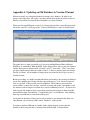
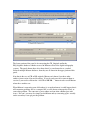
The Database Browser
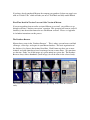
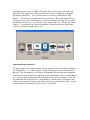
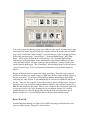
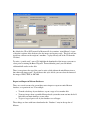
Metron always starts in the “Database Browser”. This is where you can browse and find
all images, video clips, and reports in your Metron database. The basic organization of
the database is by Owner, then Animal, then Date. Each Owner may have one or more
Animals, and each Animal may have been imaged on one or more Dates. We sometimes
use the term “Study” for all the images of a given animal on a given date. The Database
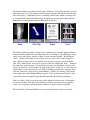
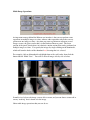
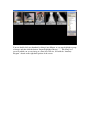
Browser always shows thumbnails (small images) for all the items in the selected study.
The Database Browser panel, and thumbnails representing all the items in a selected
study.