1
Multiple handset use
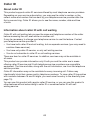
PTT to multiple handsets
When there are multiple handsets registered to the telephone system, PTT supports
one-to-group calls. PTT supports a maximum of one-to-four calls when one to five
handsets are registered, and a maximum of one-to-three calls when six or more
handsets are registered. The first four registered handsets will be able to use this
feature. Other handsets can only use PTT for one-to-one calls.
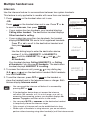
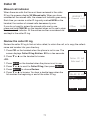
To begin a PTT call to multiple handsets:
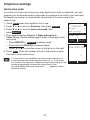
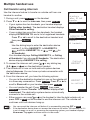
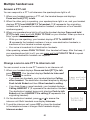
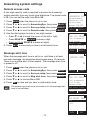
1. Press and hold PUSH TO TALK when the handset is not
in use.
• If your system has more than two handsets, press PUSH
TO TALK when the handset is not in use. Press
and
, or press q or p to highlight All handsets then press
SELECT or PUSH TO TALK.
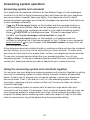
Your handset displays Connecting to All handsets for a few
seconds. When the connection is made, all handsets display
Press and hold [PTT] to talk and beep once.
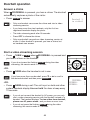
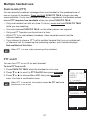
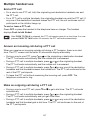
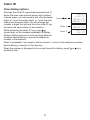
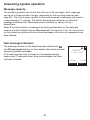
2. Press and hold PUSH TO TALK on your handset. A chirp
indicates your microphone is on. Speak towards the handset.
Your voice is broadcast to all destination handsets. While
you are speaking, the handset displays PTT To HANDSET:
followed by a list of numbers representing all
destination handsets).
3. Release PUSH TO TALK after speaking. All handsets beep
once again. After the handsets beep, you can press and
hold PUSH TO TALK to continue speaking or the destination
handsets can respond (see Answer a PTT call on page 60).
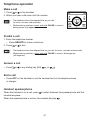
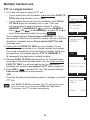
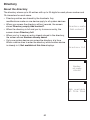
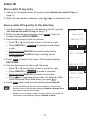
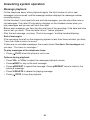
4. Press OFF or END to end the PTT call. The handset displays
Push to talk Ended for a few seconds.
-ORPlace the handset in the telephone base or charger to end the
PTT call.
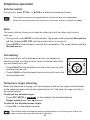
• After PUSH TO TALK is released, the PTT call remains open
for a short time. If no one presses PUSH TO TALK within
10 seconds, the PTT call ends automatically.
PUSH TO TALK
HANDSET
1
HANDSET
2
All handsets
PTT On/Off
BACK
Con necting to
All ha ndsets
END
Press a nd hold
[PTT] to talk
END
INTCOM
Push to talk
Ended
1:35a m
59
SELECT
8/20