1
16 Testing, Debugging, and Efficiency
New programs, whether developed in Maple or any other language, sometimes work incorrectly. Problems that occur when a program is run can be caused by syntax errors introduced
during implementation, logic errors in the design of the algorithm, or errors in the translation
of an algorithm's description into code. Many errors can be subtle and hard to fin by
visually inspecting your program. Maple provides error detection commands and a debugger
to help you fin these errors.
Maple has several commands to help you fin errors in procedures. Among these are commands to trace procedure execution, check assertions, raise exceptions and trap errors, and
verify procedure semantics and syntax.
Additionally, the Maple debugger lets you stop in an executing Maple procedure, inspect
and modify the values of local and global variables, and continue the execution process,
either to completion, or one statement or block at a time. You can stop the execution process
when Maple reaches a particular statement, when it assigns a value to a specifie local or
global variable, or when a specifie error occurs. This facility lets you investigate the inner
workings of a program.
Even when a program is working correctly, you may want to analyze its performance to try
to improve its efficienc . Maple commands are available to analyze the time and memory
consumption involved in running a program.
16.1 In This Chapter
• Using the Maple debugger
• Detailed debugger information
• Additional commands for error detection
• Measuring and improving program efficienc
16.2 The Maple Debugger: A Tutorial Example
The Maple debugger is a tool that you can use to detect errors in your procedures. Using
this facility, you can follow the step-by-step execution of your code to determine why it is
not returning the results that you expect.
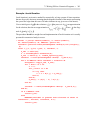
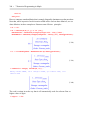
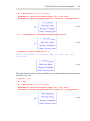
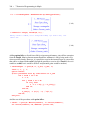
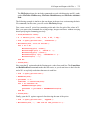
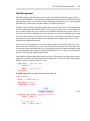
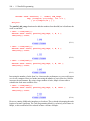
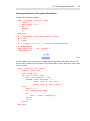
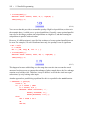
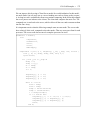
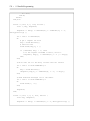
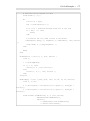
This section illustrates how to use the Maple debugger as a tool for debugging a Maple
procedure. The debugger commands are introduced and described as they are applied. For
more information about the debugger commands, see Maple Debugger Commands (page 593).
You can use the command-line Maple debugger or you can use the interactive Maple debugger available in the standard interface.
581