1
HANDLE.NET (Ver. 7) Technical Manual
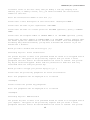
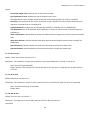
accessed a server in the site. Every time you modify a site (by changing an IP
address, port, or adding a server, etc), you should increment the version/serial
number for that site.
Enter the version/serial number of this site [1]:
Please enter a short description of this server/site: <Description HERE.>
Please enter the name of your organization: <ORG NAME>
Please enter the name of a contact person for ORG NAME (optional) [(none)]: <CONTACT
NAME>
Please enter the telephone number of CONTACT NAME or of
ORG NAME (optional) [(none)]
Please enter the email address of CONTACT NAME or of ORG NAME: <contact_name@org_name>
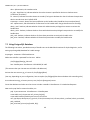
The Handle System can communicate via UDP and/or TCP sockets. Since UDP messages are
blocked by many network firewalls, you may want to disable UDP services if you are
behind such a firewall.
Would you like to disable UDP services?(y/n) [n]:
Generating keys for: Server Certification
The private key that is about to be generated should be stored in an encrypted form on
your computer. Encryption of the private key requires that you choose a secret
passphrase that will need to be entered whenever the server is started. Your private
key may be stored unencrypted. Please take all precautions to make sure that only
authorized users can read your private key.
Would you like to encrypt your private key?(y/n) [y]: y
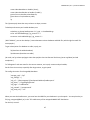
Please enter the private key passphrase for Server Certification:
Note: Your passphrase will be displayed as it is entered
oneexample
Please re-enter the private key passphrase:
Note: Your passphrase will be displayed as it is entered
oneexample
Generating keys for: Administration
The private key that is about to be generated should be stored in an encrypted form on
your computer. Encryption of the private key requires that you choose a secret
passphrase that will need to be entered whenever the server is started. Your private
13