1
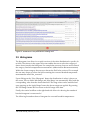
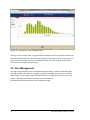
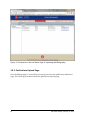
Figure 10: Screenshot of the Histogram View.
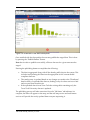
Clicking on a bar once will show, in a grid below the histogram, the list of wells that make up the
data represented by that bar. You can change the column upon which the list os sorted by clicking on the column header. You can also download the full list as CSV using the “Download as
CSV” button to the upper right of the grid.
3.6 User Management
This page is only available for users with administrator privileges. It consists of two sub-pages:
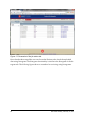
Sub-page number one is the user management page and sub-page number two is the Account
Request Page. The first page enables the administrator to manage the roles of the users in the
system, reset there password and to deactivate and delete them.
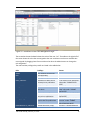
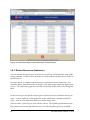
The following Screenshot shows the user management page:
14
last saved: Monday, February 10, 2014