1
4. Follow the on-screen instructions.
5. Press
Talk
➔ Help for additional information.
Google Talk is a free Windows and web-based application for
instant messaging offered by Google. Conversation logs are
automatically saved to a Chats area in your Gmail account.
This allows you to search a chat log and store them in your
Gmail accounts. For more information, refer to “Google Talk”
on page 102.
TripAdvisor
With the TripAdvisor, you can plan and have your perfect trip.
With over 75 million reviews and opinions by travelers, it is
easy to find the best hotels, restaurants, and fun things to do.
1. From the Home screen, tap
➔ TripAdvisor
.
2. Sign in with your Samsung Account if you have not
already done so, or tap Skip for now.
3. Follow the on-screen instructions to use TripAdvisor.
4. Press
for additional options.
Video
The Video application plays video files stored on your memory
card. For more information, refer to “Video” on page 80.
180
Voice Recorder
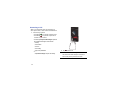
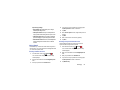
The Voice Recorder allows you to record an audio file up to
one minute long and then immediately share it using
Bluetooth, Dropbox, Email, Gmail, Messaging or Wi-Fi Direct.
Recording time will vary based on the available memory within
the phone.
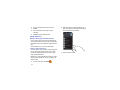
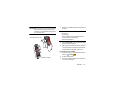
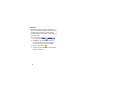
1. From the Home screen, tap
➔ Voice Recorder
.
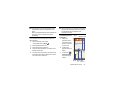
2. To start recording, tap Record
microphone.
and speak into the
3. During the recording process you can either tap Stop
to
to stop and save the recording or Pause
temporarily halt the recording. After pausing, tap Record
to resume recording. Once the audio recording
has stopped, the message is automatically saved.
Tap Cancel
to cancel the recording without
saving.
to display a list of all your voice
4. Tap List
recordings. Tap a voice recording to play it.
5. Press
to display the following options: