1
Chapter 3. VNMR-Related System Administration
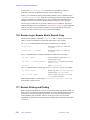
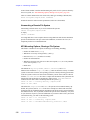
3.3 Shutting Down and Restarting UNIX
The following sections illustrate the safest methods for shutting down UNIX in an orderly
fashion so as to minimize the risk of corrupting hard disk data. It is not advisable to shut
down UNIX unless absolutely necessary, for example, system maintenance or repair,
planned power removal, or moving the system.
CAUTION: If proper shutdown procedures are not followed, system and user files
stored on hard disks can be corrupted.
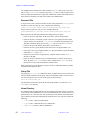
Normal UNIX Shut Down
To shut down the system, you must be logged in as root from the login: prompt or you
must have entered su command (not from a shell).
If you are currently in VNMR, exit VNMR first before starting here.
In the procedure below, entering the killacqproc command is not needed if you are
only rebooting the system; the reboot will kill Acqproc. Also, step 2 to rename the
acqpresent file is only needed if Acqproc is not wanted when rebooting; for instance,
when the NMR console will not be used.
1.
Log in as root, enter the root password (if implemented), then enter the following
commands to stop the Acqproc process:
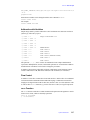
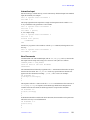
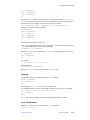
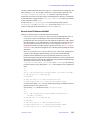
# cd /vnmr/acqbin
# ./killacqproc
The system communicates success by displaying:
Acqproc killed
Acquisition daemon terminated
If both of these messages appear, it is safe to go to step 2.
If both of the messages do not appear, repeat step 1. If both of the messages do not
appear after a second attempt to stop the Acqproc process, take the following
steps:
a.
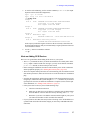
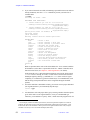
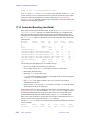
Enter the ps command to show all active processes and (optionally) the
grep command to show only the lines containing “Acq”:
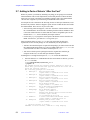
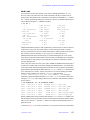
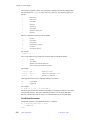
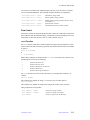
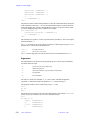
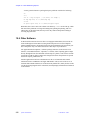
# ps -ef |grep Acq
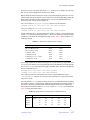
The system displays a table with five columns. Look at the entries in the
COMMAND column (the last column) until you find an “Acqproc” entry.
Then look at the number in the PID column (the first column) for the row
containing “Acqproc.”
b.
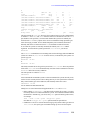
On systems other than UNITYINOVA, enter the following command, except
replace PID_number with the number you found:
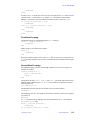
# kill -9 PID_number
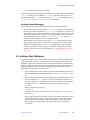
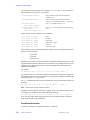
For UNITYINOVA, it is Expproc, not Acqproc, that must be killed. Instead
of the last command enter:
# kill –2 PID_number
When Expproc is killed this way, by using –2, the complete Proc family
(Expproc, Recvproc, etc.) is stopped.
c.
68
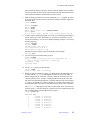
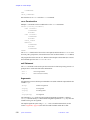
Repeat the ps command you entered in step 1a and look again in the
COMMAND column. “Acqproc” should be absent. If it still appears, repeat
the kill command in step 1b. When “Acqproc” no longer appears, the
Acqproc process has been stopped, and it is then safe to proceed.
System Administration
01-999166-00 C0503