1
8.2.1
To start the UWB Connection Manager: .................................................................................................................... 16
8.2.2
Connecting the WPC2TV to your computer..................................................................................................... 16
8.2.3
Disconnecting the WPC2TV from your computer ......................................................................................... 18
8.2.4
Radio Communications....................................................................................................................................................... 18
8.2.5
Disable/Enable radio communications ........................................................................................................................ 19
8.3
CONFIGURING EXTERNAL DISPLAYS .................................................................................................................................................. 19
8.4
DEVICE/MONITOR DETECTION ........................................................................................................................................................... 20
8.5
RESOLUTION SUPPORT ........................................................................................................................................................................ 20
8.6
WINDOWS 8 AND WINDOWS 7 - CONTROLLING THE DISPLAY .................................................................................................. 20
8.6.1
8.7
To use the DisplayLink Manager Menu....................................................................................................................... 20
WINDOWS VISTA AND WINDOWS XP – CONTROLLING THE DISPLAY ....................................................................................... 25
8.7.1
To use the DisplayLink Manager Menu....................................................................................................................... 25
8.7.2
To set the display into Extend Mode ........................................................................................................................... 28
8.7.3
Setting the Display into Mirror Mode.......................................................................................................................... 28
To set the display into Mirror mode ............................................................................................................................................... 28
8.8
WINDOWS VISTA AND XP – WINDOWS DISPLAY PROPERTIES .................................................................................................... 28
8.8.1
To open the Windows Display Properties on Windows Vista........................................................................... 28
8.8.2
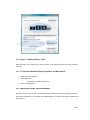
Figure 1: Display Setting - Vista...................................................................................................................................... 29
8.8.3
To open the Windows Display Properties on Windows XP ............................................................................... 29
8.8.4
Setting the Display into Extend Mode......................................................................................................................... 29
To set the display to Extend Mode using Windows Display properties ......................................................................... 30
To set the display to Extend Mode using the DisplayLink menu ...................................................................................... 30
8.8.5
Setting the External Display to Mirror the Primary Screen................................................................................. 30
To set the display to Mirror Mode using Windows Display properties .......................................................................... 30
To set the display to Mirror mode using the DisplayLink menu........................................................................................ 30
Pg 3