1
76
KG-UV123 V4 Programmer Help
result in your radio "acting funny" every time you program it. That's because
something is getting reset in the radio by a setting in this file.
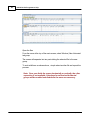
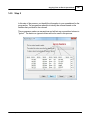
From the main screen of the Programmer, select Settings | Radio Menu Settings.
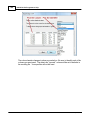
Explore these screens. If you fear you have made changes you don't want, click the
"X" at the upper right of the Settings screen. Answer No to the prompt to save. Then
click the "X" again to close. The screen will close without saving anything you have
done.
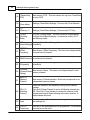
Details for the options on this page are found on several pages of this Help. Each
page contains the details for the options on that page. The pages in the TOC begin
with the words "Radio Menu Settings". The information there can help you decide how
best to customize a setting.
Once you complete your selections:
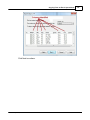
Click File | Save
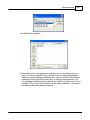
If you are working in a default file (Untitled.rsf), you will be prompted for a
filename.
Enter a name for this file. This can be the same as the name you're using
for the memory channel information or it can be a name unique to these
settings. IKf you're at a loss, use "Settings".
Click Save to close the Save dialog
Click File | Exit to close the Settings screen.
The Programmer will take it from here making sure these customized settings go to
the radio along with the memory channel information.
Creating and using multiple Global settings files
There may be global settings of the radio that you want configured differently for
different activities. You can make changes to your settings file and save it separately.
Having multiple memory channel files (."radio name") and multiple global setting files (.
rsf) gives you the ability to mix and match the features of your radio to suit your needs.
This makes it easy to customize the radio for a special event without disturbing the
original programming files. Then once the event is over, simply reprogram the radio
with the memory channel information and settings that you use everyday.
When a new file is begun, the same settings used in the last settings file saved will
appear automatically in this new file. You need not re-enter the settings each time, nor
are you forced to always begin a new file by renaming an existing file. Your settings
© 2013 RT Systems, Inc.