1
t
closue of the sateliite will affect the ability to receive sigaal so as to result in
inaccuate position, inefticiency ofmvigation opentioo md system futrction.
ry
6
Clos
Single click ro clos€ cllJmt
ks
Show lstpag€
I'
Thischapterinhoducedhowto usetbeGPSvideoplayer
SlppofrASF,Au, W,
foldd
r-H-
r.r.rFunctions and featues
L
Show next page
Vdeo
4.3 Video operationInterface
file.
t .ei_i
3GP,W4 ed FLV
2. Suppofr frrll-sqeetr playing, progress choosing md file selection;
Before using the Video player, plese copy you video file (AsF,Avl, w.
Frv ' lo my folder
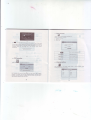
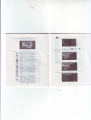
Choose the yideo to enter the playing interface as a_7
3cP,w4 -d
r.r.z Operation,
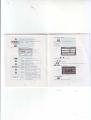
sinslectickthevideo buttotr IHH
. *,o *" u,u"ofile list asthepictue a'5,
tr
m
t\!r
t././l
CIose
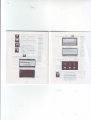
Click to close the vidm list;
PIay
It shows stop playing. Single click will conrinw
plav
b
Next
File list
Siqle
click ed
shift to video file lisl, ild
thfl
choose you favorite video.
:EE+
Shgle click volme.
It shows volme
when it shift towtrd
l€ft. mit€
wben it is shifted towdd.ighr.
10
ll
volm€
is decreasd
is increaw