1
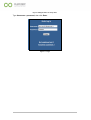
Figure 40-Supplier log in. ................................................................................................................................. 27
Figure 41-Supplier main page. ......................................................................................................................... 27
Figure 42-My catalogue menu......................................................................................................................... 28
Figure 43-Service list. ...................................................................................................................................... 28
Figure 44-Select a service. ............................................................................................................................... 28
Figure 45-Service details.................................................................................................................................. 29
Figure 46-General information section. .......................................................................................................... 29
Figure 47-Publish a service. ............................................................................................................................. 30
Figure 48-Service name from the vocabulary. ................................................................................................ 30
Figure 49-Service vocabulary........................................................................................................................... 30
Figure 50-Search vocabulary. .......................................................................................................................... 31
Figure 51-Type a keyword. .............................................................................................................................. 31
Figure 52-Search results. ................................................................................................................................. 31
Figure 53-Import a service name from the vocabulary. .................................................................................. 31
Figure 54-Functional parameter buttons. ....................................................................................................... 32
Figure 55-New numeric parameter. ................................................................................................................ 32
Figure 56-Search results. ................................................................................................................................. 33
Figure 57-New enumerative parameter button. ............................................................................................. 33
Figure 58-Options. ........................................................................................................................................... 34
Figure 59-New option. ..................................................................................................................................... 34
Figure 60-Options list. ..................................................................................................................................... 34
Figure 61-Save an option. ................................................................................................................................ 34
Figure 62-New text parameter. ....................................................................................................................... 35
Figure 63-Parameters details. ......................................................................................................................... 35
Figure 64-Modify a parameter. ....................................................................................................................... 36
Figure 65-Search vocabulary. .......................................................................................................................... 36
Figure 66-Search results. ................................................................................................................................. 37
Figure 67-New classification. ........................................................................................................................... 37
Figure 68-Taxonomy reference. ...................................................................................................................... 38
Figure 69-Select a classification....................................................................................................................... 38
Figure 70-Keyword section. ............................................................................................................................. 39
Figure 71-Add a keyword. ............................................................................................................................... 39
Figure 72-Search vocabulary. .......................................................................................................................... 39
Figure 73-Select a keyword. ............................................................................................................................ 40
Figure 74-Save a keyword............................................................................................................................... 40
Figure 75-Depending on section. .................................................................................................................... 41
4