1
Setting up the DESKAN 6 Scanner
You are now ready to select “Acquire” and begin scanning. You may also wish to
extend the paper tray by pulling it up from the top centre.
Using the Scanner: Motorized Mode
1.
Launch a TWAIN compliant application.
2.
Select the “Acquire” function.
3.
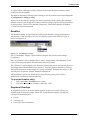
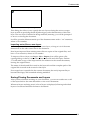
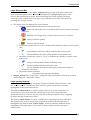
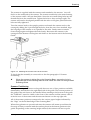
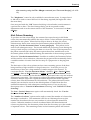
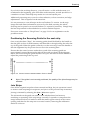
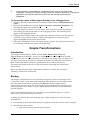
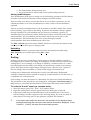
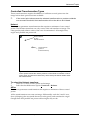
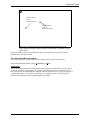
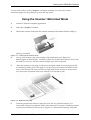
Detach the scanner head from the scanner Automatic Document Feeder (ADF) by
placing your hand
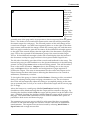
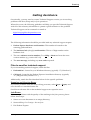
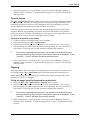
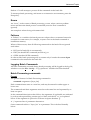
Figure 7-5 . Removing the scanner head
4.
on top of the scanner with your thumb in the indentation (see “Figure 7-5 .
Removing the scanner head”). Carefully roll the top of the head forward, away from
the ADF. Do not try to lift the scanner straight up; it will not detach.
5.
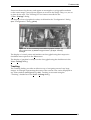
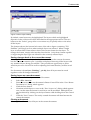
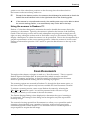
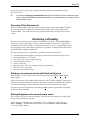
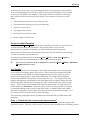
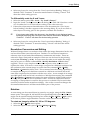
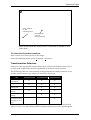
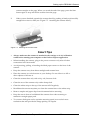
Place the scanner on the page, as shown in the figure. Make sure the page lays flat
for scanning and the part of the page you want to scan is between the marks on the
front of the scanner. Be sure you have enough cable for the scanner to move freely.
You can scan a document from top to bottom, or from side to side.
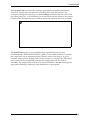
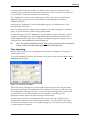
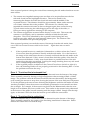
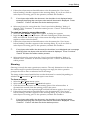
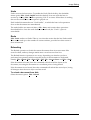
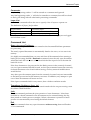
Figure 7-6. Motorized scanning
6.
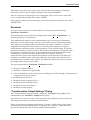
Press the purple Scan button to begin the scan. Do not push the scanner. It is
motorized; its speed is regulated, and it rolls under its own power. Guide the scanner
toward you as shown by the arrow in “Figure 7-6. Motorized scanning”. Keep the
January 2005
Deskan Express Colour v6.0
7-4