1
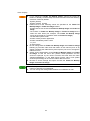
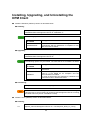
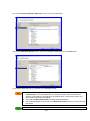
・ The meaning of each icon used in this manual is as follows:
Icon
Explanation
Important items.
These are items you need to be careful when you operate DPM not depending on
the using environment.
Cautionary items.
These are items you need to be careful in the specific environment or operations.
Supplementary items.
These are informations to use DPM more conveniently.
・ The displays and procedures of DPM may differ according to the operating system used. In the
case of Windows OS, this document is based on Windows Server 2008 and Windows 7, in
principle. Replace when you use DPM on the OS except Windows Server 2008 and Windows 7.
(There are some descriptions based on the OS except Windows Server 2008 and Windows 7.)
Example)
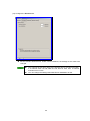
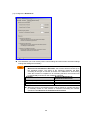
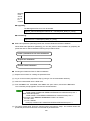
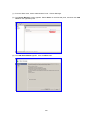
The procedure for checking the DPM version differs by operating system as follows:
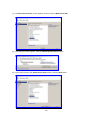
・For Windows Server 2008:
1) From the Start menu, click Control Panel -> Programs and Features.
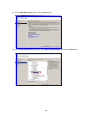
2) Select View -> Choose details.
3) On the Choose Details screen, select the Version check box and click the OK button.
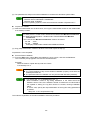
・For Windows 7:
1) From the Start menu, click Control Panel -> Programs and Features.
2) Right-click Name that appears in the center of your screen, and select More.
3) On the Choose Details screen, select the Version check box and click the OK button.
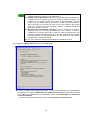
・For an OS other than the above
1) From the Start menu, click Control Panel -> Add or Remove Programs. (or
Add/Remove Programs)
2) Select the applicable component, and click Click here for support information.
・ Windows Server 2003 R2/Windows Server 2008 R2 will not be explained, so please replace
Windows Server 2003/Windows Server 2008 when you read it.
・ In descriptions of screen operation procedures, arbitrary names to be specified by the user
appear in bold and italics as follows: Scenario Group.
Example)
In the tree view, click the Resource icon -> Scenarios icon -> Scenario Group icon.
・ The version of JRE shown on the screen may not be the latest that DPM can use. Replace them
properly.
・ Please execute following procedures when Finish DPM related tasks appears in this document.
•If a scenario is running, wait until the scenario ends.
•If an automatic update is in progress, wait until the automatic update ends.
•If you are operating the Web Console or the various DPM tools, please end them.
・ 1MByte is calculated as 1024KByte.
1GByte is calculated as 1024MByte.
6