1
WARNING
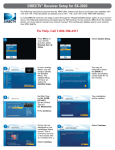
DIRECTV Receiver Setup
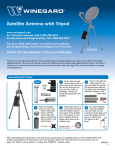
The Carryout Anser antenna is meant for stationary use only and will not function while in motion. The Anser antenna
is not intended for permanent mounting on any vehicle.
In most receivers, the setup is done through the “Repeat Satellite Setup”
option in your receiver menu. To access the “Repeat Satellite Setup” option,
go through the following steps.
The Anser antenna is not meant for use with the Carryout ladder mount. Installing the antenna on the Carryout ladder
mount may lead to serious injury and/or equipment and property damage.
TIP
Check out online receiver
setup guides for your
antenna at www.winegard.com/
receivers/setupguide.php.
The following instructions are based on a D12 receiver. If your receiver differs
from the options shown below, you may need to consult your receiver manual.
Do not install or operate the antenna in winds of 35 mph or greater. The Anser antenna will roll in winds ≥35 mph.
Do not place the antenna in water >2 inches deep, or the water may damage the electronics.
Care should be taken when transporting and setting up the Anser antenna. Do not toss or drop the antenna.
1
2
3
Do not paint this antenna. Painting the antenna may cause signal degradation and will void your warranty.
Selecting a Location for the Antenna
Choose a location with a clear, unobstructed view of the southern sky. Avoid obstructions such as trees, hills,
vehicles, or buildings—these can block the signal from the satellite.
Make sure the antenna is not placed in the path of people or vehicles; otherwise, the antenna may be knocked off of
the signal if run into, or cables may be disconnected from the unit.
Press “Menu” on your remote.
Select “Parental, Fav’s & Setup.”
4
Select “System Setup.”
5
Under the Satellite menu, choose
the option for Satellite Setup.
6
Try to select a location that will allow the Carryout Anser antenna to sit within three degrees of level.
NOTE
Satellite signal will not
pass through solid objects.
For this reason, it is vital to select a
location with a clear, unobstructed
view of the southern sky.
NOTE
A 25 foot power cable and
25 foot coaxial cable are
included with the antenna. Keep this
in mind when selecting a location
for the antenna.
Finding the Elevation Angle for the Current Location
Find the elevation angle for your current location—the elevation angle is
needed to point the antenna. To find the elevation angle for your current
location, continue with “DIRECTV Receiver Setup” or “DIRECTV HD Receiver
Setup” (depending on your programming provider and receiver type). Even
if you know the elevation angle for your current location, you must still
complete receiver setup upon first use of the antenna.
For additional help determining the elevation angle for your current
location, refer to the elevation and coverage maps included with this
unit, or download the free Winegard Mobile App compatible with your
smartphone. If using the provided maps or smartphone app to determine
your elevation angle, you must still complete receiver setup.
If required, press the DASH (-)
(underneath #7 on your remote).
7
If given the option of selecting a
switch type, select “Multiswitch.”
Set the dish type for “ROUND 18”,”
“Single LNB,” or “1 SATELLITE,”
depending on the wording used in
your receiver. Press “Continue.”
8
Select the Dish Pointing option.
Enter the zip code for your current
location. Press “OK,” and wait for the
receiver to verify your configuration.
9
Finding the elevation
just got easier!
Download the FREE
Winegard Mobile
App compatible with
your smartphone
The box will show an AZIM (Azimuth
Angle) and ELEV (Elevation Angle).
You will need the elevation angle
to point the antenna. Select “Signal
Strength” to get to the signal meter.
Select “Signal Meters.”
Do not point the antenna using the
Signal Strength screen shown above.
Receiver setup instructions are accurate at time of printing and may change without notice.
Check that you are looking at
“Satellite 101°” and “Transponder 1.”
Then, proceed with “Setting
the Elevation.”