1
3. Working principles
Double buffering
The technique called double buffering enables you to display animations without making visible
artifacts linked to the creation of the graphics. It consists in working on two layers, one visible, the
other one hidden. The images are created in the hidden layer, and once the image is complete, the
two layers are switched. In the libraries, you can find an example4 using this technique to animate a
Von Koch flake.
Using a bitmap
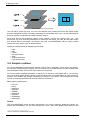
When the graphics become complex, it becomes more efficient to compute a bitmap on the host
computer and to send it to the screen. Use the drawBitmap to do this. Bitmap data are encoded in a
byte array, line by line, starting from the top left corner. In each byte, the most significant bit
represents the leftmost pixel. In the libraries, you can find an example5 computing a Mandelbrot set
based on this principle.
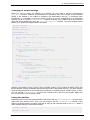
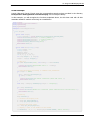
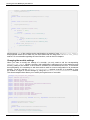
Here is the C code allowing you to draw a pixel at the (x,y) coordinates in the byte array representing
a w x h bitmap.
void putpixel(unsigned char *data, int x, int y)
{
int bytesPerLine = (w + 7) >> 3;
data[ (x >> 3) + (y * bytesPerLine) ] |= 128 >> (x & 7);
}
4 Prog-Display-DoubleBuffering
5 Prog-Display-DrawBitmap
12
www.yoctopuce.com