1
QUAD
RESPONSE DELAY (after short press): sets a certain delay time (in tenths
of a second) that QUAD will wait for, prior to sending the communication
objects corresponding to the response parameterised for short presses. In
other words, after a short press, QUAD will wait for the configured delay
before sending the corresponding value to the bus. Should this response
need to be immediate, this parameter must be set to “0”.
RESPONSE DELAY (after long press): sets a certain delay time (in tenths
of a second) that QUAD will wait for, prior to sending the communication
objects corresponding to the response parameterised for long presses. In
other words, after a long press, QUAD will wait for the configured delay
before sending the corresponding value to the bus. Should this response
need to be immediate, this parameter must be set to “0”.
LOCK: enables the “[Ix] Lock” 1-bit object, which, on the reception of the
value “1”, locks the input line, so that any press that takes place is ignored.
Once the value “0” is received, the input is unlocked back.
Actions/presses that may occur while the input is locked will not be taken into
account after the input is unlocked again.
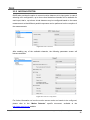
3.2.1.2 SWITCH/SENSOR
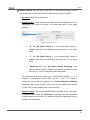
Figure 18. Switch/sensor
From the tab that becomes visible after setting a binary input as a switch/sensor (see
Figure 18) it is possible to customise how QUAD should behave regarding the signals
received from the switch/sensor connected to the input port.
http://www.zennio.com
Technical Support: http://zennioenglish.zendesk.com
20