1
Contents
6.4
Effects............................................................................... 42
6.6
FlexBass........................................................................... 45
6.5
6.7
6.8
7.
6.9
9.
10.
ASIO 2 Driver.................................................................... 49
Introduction....................................................................... 52
7.2
Find Converted Music in “PMP Music” Page.................... 56
Converting music in “Main Setting” Page.......................... 54
Ableton Live Software Guide........................................................ 57
Cakewalk Production Plus Pack Software Guide....................... 57
RMAA Test Guide........................................................................... 58
10.1
Setting Up Xonar D2 Audio Card...................................... 58
10.3
RMAA Testing Results...................................................... 66
Configuration and Test with RMAA................................... 61
Troubleshooting and FAQs........................................................... 72
[Troubleshooting]............................................................................. 72
[FAQ]
iv
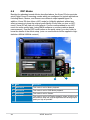
DSP Modes....................................................................... 48
7.1
10.2
11.
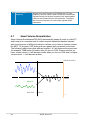
Smart Volume Normalization............................................ 46
Portable Music ProcessorTM Soft-ware Guide........................... 52
7.2
8
Karaoke/Magic Voice........................................................ 44
.......................................................................................... 75