1
PSi - GPS, DATA LOGGING AND TRANSFER
3.4
Field Data Logging
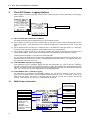
For farm record keeping and traceability purposes, you can record a summary of each job or work session in
the internal memory, and subsequently download directly to a PC, to the Data Module, or print to an RDS
ICP200 In-Cab Printer. You can store up to 75 job summaries.
Refer to section 3.5 on downloading or printing data.
3.4.1
Start recording Field Data
1.
Press the INFO key and then the
key.
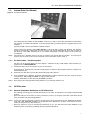
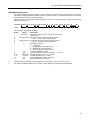
The screen will display the current logging status, the number of jobs (job summaries) stored in memory, and
the status of the data card module
2.
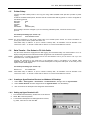
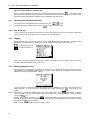
Press the START key. The JOB STARTUP page is displayed. Select the logging option "3. LOG SUMMARY
ONLY".
Memory storage
for field data
When prompted, enter the FARM NUMBER and FIELD NUMBER reference. The "EXTENDED DATA
FUNCTIONS" page is then displayed (section 3.2.4). If you don't wish to programme any extended functions.
then press
.
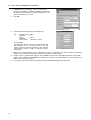
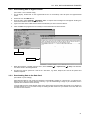
The "RECORDING A JOB SUMMARY" page appears.
NOTE: The Tag functions are not available in this logging mode.
3.4.2
Stop recording Field Data
To stop running a job, simply press the "STOP" key on the data logging screen. The job summary is saved to
the internal memory.
19