1
EJLR-1000 WITH 24V MOTOR
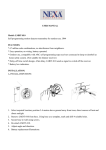
- Cut off main power before installing and wiring EJLR-1000.
-
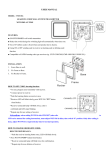
Connect shutter to EJLR-1000. (Shutter ‘A+’ wires to EJLR-1000 ‘UP
’ port, shutter ‘B+’
wires to EJLR-1000 ‘DOWN
’ port. Wire DC (24V-) to shutter)
Wire AC power line to EJLR-1000. (AC supply 230V ‘Live’ wire to ‘L’ port of EJLR-1000 and
AC supply 230V ‘Neutral’ wire to ‘N’ port of EJLR-1000.)
Connect EJLR-1000 ‘COM’ port to DC (24V+). This wire should be more than 0.75m㎡
AC earth wire to the earth.
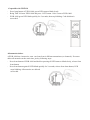
Affix EJLR-1000 to the wall (or in the wall box) by screwing.
Complete wiring and installing, turn on main power for EJLR-1000 in standby mode. And green
LED is on.
CODE LINK AND DELETE:
CODE LEARNING:
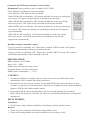
Compatible with KAPPA manual transmitters (here give
example of LYCT-505)
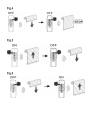
- Press learn button of EJLR-1000, green LED starts to
blink slowly.
- Bring LYCT-505 near EJLR-1000 and press ‘ON’ button. Code is sent to
EJLR-1000.
- EJLR-1000 green LED blinks quickly for 2 seconds, then stop blinking.
Code program is succeeded.