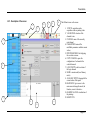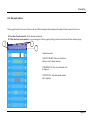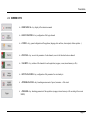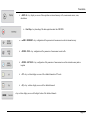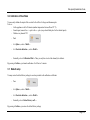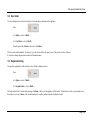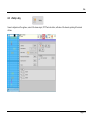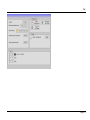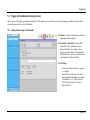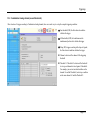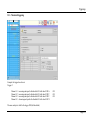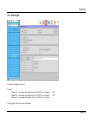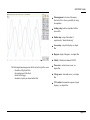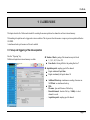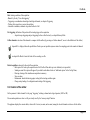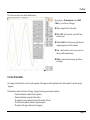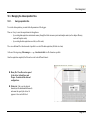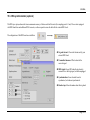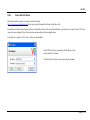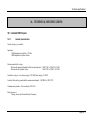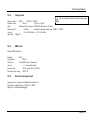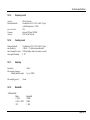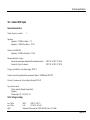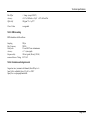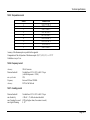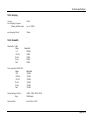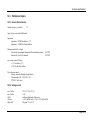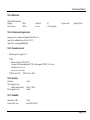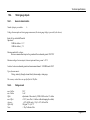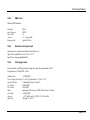
1
RECORDERS 8460-DAS1600 – DAS800-DAS801 INSTRUCTION MANUAL Edition July 2014 M1600001A/3 Thank you for buying a SEFRAM recorder and for your trust in our company. The main goal of our various teams (engineering office, production, commercial, after sales…) is to meet your requests as much as possible while designing and updating high-tech products. You will find with a recorder a CD-ROM including: The instruction manual of the 8460/DAS1600 and DAS800/DAS801 recorders The "SeframViewer" software for printing and treating record files under Windows® We ask you to read carefully this instruction manual for an optimal use of your recorder. For any additional information, our teams are at your disposal: Sales service e-mail: [email protected] After-sales service e-mail: [email protected] Technical support e-mail: [email protected] Fax: +33 (0)4 77 57 23 23 Web: www.sefram.fr Copyright Sefram, 2014. All rights reserved Any copy of this document, total or partial, requires the authorization by Sefram. GUARANTEE Your instrument is guaranteed for two years for labor and parts against any manufacturing defect and/or functioning hazard. This guarantee extends from the delivery date and ends 730 calendar days later. In case of guarantee contract, this will cancel or replace these guarantee conditions here above. The guarantee conditions by SEFRAM are available on the website www.sefram.com. The general guarantee conditions should prevail on the following conditions that they sum up. This guarantee does not cover the result of any abnormal use, handling mistake or mistake in the storage conditions outside the defined range. In case of application of the guarantee, the user shall return, at its own expenses, the relevant appliance to our factory: SEFRAM Instruments & Systèmes Service Après-Vente 32, Rue Edouard MARTEL BP 55 42009 SAINT-ETIENNE CEDEX 2 And add a description of the observed breakdown to the appliance. The standard supplies provided with the appliance (cables, outlets…), the consumables (batteries …) and the optional supplies (suitcases…) are guaranteed for 3 months against any manufacturing defect. Such items as a LCD screen or a touchpad are guaranteed only for a normal use. The guarantee does not cover wearing, accidental breaks or consecutive to a shock or any abnormal use. The factory options integrated to the appliance are guaranteed for the same duration as the appliance itself. In case of replacement or repair of the product, the remaining guarantee duration shall be: - The remaining duration of the guarantee if the appliance is still under guarantee - If the guarantee duration is less than 90 days, the replaced part is guaranteed for 90 days Any replacement part becomes the property of the user and the exchanged parts become the property of SEFRAM. In case of intervention by an insurance company, the product becomes the property of the insurance company upon its exclusive request. Else, it shall remain property of the user. The guarantee covers exclusively the materials manufactured and provided by SEFRAM. Any intervention by the user or any third party without prior authorization by the company voids the guarantee. The user shall be responsible for the return of its appliance to our site. Hence, it shall provide for a conditioning that shall correctly protect the appliance while shipping. It shall subscribe, at its own expenses, any insurance required for the transport. The SEFRAM company reserves the right to refuse any product wrongly conditioned and not to take in charge any break consecutive to the transport. Particular case of the battery: There is a Li-ion battery as a standard equipment of this appliance. It shall not be transported outside the appliance. In no case shall the user replace it. Its replacement in the factory is necessary to check the charge system and the protective securities. What to do in case of malfunction? In case of malfunction or for any advice for use, please contact the technical support by SEFRAM Instruments & Systèmes: 0825 56 50 50 / 2 A technician shall answer you and give you any information required to solve your problem. What to do in case of failure? In case of failure of your appliance, please contact the technical support: 0825 56 50 50 / 2 Some advice! Some technical help! SEFRAM Instruments & Systèmes commits itself to help you on the phone about the use of your appliance. Please call or Technical Support: Or e-mail: [email protected] We thank you for your trust. CONTENT 1. IMPORTANT INFORMATION ........................................................................................................................................................................................................................... 1.1 1.1. PARTICULAR PRECAUTION MEASURES .............................................................................................................................................................................................................1.1 1.2. SECURITY INSTRUCTIONS .................................................................................................................................................................................................................................1.2 1.3. SYMBOLS AND DEFINITIONS .............................................................................................................................................................................................................................1.2 1.4. CONFORMITY AND LIMITATIONS OF THE APPLIANCE ........................................................................................................................................................................................1.3 2. PRESENTATION................................................................................................................................................................................................................................................... 2.1 2.1. GENERAL ......................................................................................................................................................................................................................................................2.1 2.2. DESCRIPTION...............................................................................................................................................................................................................................................2.2 2.2.1. Description of the screen ................................................................................................................................................................................................................................2.5 2.2.2. Bar graph patterns..........................................................................................................................................................................................................................................2.6 2.3. SCREEN KEYS ..............................................................................................................................................................................................................................................2.7 2.4. UPDATING THE INTERNAL SOFTWARE ...............................................................................................................................................................................................2.10 2.5. USE OF THE 8460 STAND ..........................................................................................................................................................................................................................2.10 3. SET-UP AND PRECAUTIONS OF USE ............................................................................................................................................................................................................. 3.1 3.1. 8460 INSTALLATION OF RECORD PAPER ...........................................................................................................................................................................................................3.1 3.2. POWER ..........................................................................................................................................................................................................................................................3.2 3.2.1. Turning on the instrument ..........................................................................................................................................................................................................................3.3 3.3. CONFIGURATION AT START-UP ..............................................................................................................................................................................................................3.4 3.4. CONNECTION TO THE MEASUREMENT NETWORKS ..........................................................................................................................................................................3.5 3.4.1. Voltage measurement .................................................................................................................................................................................................................................3.5 3.4.2. Temperature measurement with a thermocouple .......................................................................................................................................................................................3.5 3.4.3. Gauge strain measurement.........................................................................................................................................................................................................................3.6 3.4.4. Temperature measurement with PT100 and PT1000 .................................................................................................................................................................................3.8 3.4.5. Intensity measurement ................................................................................................................................................................................................................................3.9 3.4.6. Earth...........................................................................................................................................................................................................................................................3.9 3.5. ROUTINE MAINTENANCE ................................................................................................................................................................................................................................3.10 3.6. CALIBRATION OF THE OFFSETS ......................................................................................................................................................................................................................3.11 3.7. DEFAULT SETUP .............................................................................................................................................................................................................................................3.11 3.8. USER MODE....................................................................................................................................................................................................................................................3.12 3.9. KEYBOARD LOCKING .....................................................................................................................................................................................................................................3.12 4. USE .......................................................................................................................................................................................................................................................................... 4.1 4.1. 4.2. 4.3. 4.4. “MODE DITECT” KEY .......................................................................................................................................................................................................................................4.1 « MODE MEMORY » KEY .................................................................................................................................................................................................................................4.1 « MODE FILE » KEY .........................................................................................................................................................................................................................................4.2 « GO/NO-GO » KEY ..........................................................................................................................................................................................................................................4.2 4.5. « USER MANUAL » KEY ....................................................................................................................................................................................................................................4.2 4.6. « POWER ANALYSIS » KEY ..............................................................................................................................................................................................................................4.2 4.7. « SETUP ANALYZER » KEY ..............................................................................................................................................................................................................................4.2 4.8. « SETUP » KEY .................................................................................................................................................................................................................................................4.4 4.9.1. Analogical channels .......................................................................................................................................................................................................................................4.9 4.9.2. Functions between channels .........................................................................................................................................................................................................................4.13 4.10. « LOGIC CHANNELS » KEY .............................................................................................................................................................................................................................4.20 4.11. « VALIDITY » KEY .........................................................................................................................................................................................................................................4.21 4.12. « F(T) » KEY ..................................................................................................................................................................................................................................................4.22 4.13. « XY » KEY ...................................................................................................................................................................................................................................................4.26 4.14. « NUMERIC » KEY ..........................................................................................................................................................................................................................................4.27 4.15. « TRIGGER » KEY ...........................................................................................................................................................................................................................................4.28 4.16. « REPLAY » KEY ............................................................................................................................................................................................................................................4.29 4.17. « START/STOP » KEY .....................................................................................................................................................................................................................................4.30 4.18. « SCREEN COPY » KEY ...................................................................................................................................................................................................................................4.31 4.19. « HOME » KEY ...............................................................................................................................................................................................................................................4.31 5. TRIGGERS ............................................................................................................................................................................................................................................................. 5.1 5.1. TRIGGER WITH COMBINATION ANALOG CHANNEL ..........................................................................................................................................................................................5.2 5.1.1. Analog channel (only one threshold) .........................................................................................................................................................................................................5.2 5.1.2. Combination Analog channel (several thresholds) ....................................................................................................................................................................................5.3 5.1.3. Threshold triggering ..................................................................................................................................................................................................................................5.5 5.1.4. Slope trigger ...............................................................................................................................................................................................................................................5.6 5.2. TRIGGER WITH LOGICAL CHANNELS................................................................................................................................................................................................................5.7 6. MATHEMATICAL CALCULATIONS ............................................................................................................................................................................................................... 6.1 6.1. DEFINITIONS ....................................................................................................................................................................................................................................................6.1 6.2. TYPES DE CALCULATIONS ................................................................................................................................................................................................................................6.2 7. DIRECT MODE ..................................................................................................................................................................................................................................................... 7.1 7.1. OUTLINE SETUP................................................................................................................................................................................................................................................7.1 7.2. OUTLINE TRIGGERING ......................................................................................................................................................................................................................................7.2 7.3. REARMAMENT OF THE OUTLINE .......................................................................................................................................................................................................................7.5 7.4. INFORMATION WRITINGS..................................................................................................................................................................................................................................7.5 8. MEMORY MODE.................................................................................................................................................................................................................................................. 8.1 8.1. SET-UP AND TRIGGERING OF THE DATA ACQUISITION ......................................................................................................................................................................................8.1 8.2. SAMPLING PERIOD ...........................................................................................................................................................................................................................................8.3 8.3. INTERNAL MEMORY, BLOCKS ...........................................................................................................................................................................................................................8.4 8.4 TRIGGER POSITION ................................................................................................................................................................................................................................................8.4 9. CALIBER MODE .................................................................................................................................................................................................................................................. 9.1 9.1. SET-UP AND TRIGGERING OF THE DATA ACQUISITION ......................................................................................................................................................................................9.1 9.2. CREATION OF THE CALIBER..............................................................................................................................................................................................................................9.2 9.3. USE OF THE CALIBER........................................................................................................................................................................................................................................9.3 10. FILE MODE ......................................................................................................................................................................................................................................................... 10.4 10.1. SET-UP AND TRIGGERING OF THE DATA ACQUISITION ....................................................................................................................................................................................10.4 10.2. ANNOTATION .................................................................................................................................................................................................................................................10.6 10.3. LIMITATION ...................................................................................................................................................................................................................................................10.6 10.3.1. Binary file ............................................................................................................................................................................................................................................10.7 11. POWER ANALYSER .......................................................................................................................................................................................................................................... 11.1 11.1. GENERAL ....................................................................................................................................................................................................................................................11.1 11.2. INSTALLATION: "SET-UP ANALYZER" MENU .................................................................................................................................................................................................11.2 11.3. DISPLAY OF THE SIGNAL: ...............................................................................................................................................................................................................................11.4 11.4. TRIGGER MENU .............................................................................................................................................................................................................................................11.6 11.4.1. Parameter acquisition file ...................................................................................................................................................................................................................11.7 11.4.2. Acquisition file of the harmonics .........................................................................................................................................................................................................11.7 11.4.3. Recordable parameters .......................................................................................................................................................................................................................11.7 11.5. RECORD .........................................................................................................................................................................................................................................................11.8 11.6. MEASUREMENT METHOD ...............................................................................................................................................................................................................................11.9 12. FILE MANAGEMENT ........................................................................................................................................................................................................................................ 12.1 12.1. GENERAL .......................................................................................................................................................................................................................................................12.1 12.2. MANAGING THE SET-UP FILES ........................................................................................................................................................................................................................12.2 12.2.1. Saving set-up files ................................................................................................................................................................................................................................12.3 12.2.2. Loading set-up files .............................................................................................................................................................................................................................12.3 12.3. MANAGING THE DATA ACQUISITION FILES .....................................................................................................................................................................................................12.4 12.3.1. Saving acquisition files ........................................................................................................................................................................................................................12.4 12.3.2. Loading acquisition files .....................................................................................................................................................................................................................12.5 12.4. RECYCLE BIN .................................................................................................................................................................................................................................................12.5 13. PRINTING ............................................................................................................................................................................................................................................................ 13.1 13.1. SET-UP AND START OF THE PLOT ....................................................................................................................................................................................................................13.2 13.2. SELECTION OF THE PRINTER ...........................................................................................................................................................................................................................13.3 13.3. PRINTER FOR USB CONNECTION ....................................................................................................................................................................................................................13.4 14. INPUT / OUTPUT ................................................................................................................................................................................................................................................ 14.1 14.1. ADDITIONAL INPUT / OUTPUT CONNECTOR ...................................................................................................................................................................................................14.1 14.2. LOGICAL INPUTS ............................................................................................................................................................................................................................................14.2 14.2.1. Use .......................................................................................................................................................................................................................................................14.2 14.3. ALARM OUTPUTS ...........................................................................................................................................................................................................................................14.3 14.3.1. Use .......................................................................................................................................................................................................................................................14.3 14.4. POWER SUPPLY OUTPUT .................................................................................................................................................................................................................................14.3 14.5. EXTENSION BOX FOR INPUT/OUTPUT INTERFACE............................................................................................................................................................................................14.4 14.5.1. Use .......................................................................................................................................................................................................................................................14.6 15. INTERFACE ........................................................................................................................................................................................................................................................ 15.1 15.1. ETHERNET INTERFACE ...................................................................................................................................................................................................................................15.1 15.1.1. General ................................................................................................................................................................................................................................................15.1 15.2. NTP PROTOCOL .............................................................................................................................................................................................................................................15.3 15.3. IRIG SYNCHRONIZATION (OPTIONAL) ............................................................................................................................................................................................................15.4 15.4. WIFI CONNECTION ........................................................................................................................................................................................................................................15.6 15.5. CREATE A WIFI HOTSPOT ................................................................................................................................................................................................................................15.9 15.6. OPERATING SOFTWARE ................................................................................................................................................................................................................................15.10 15.6.1. File transfer under FTP.....................................................................................................................................................................................................................15.10 15.6.2. Display under SeframViewer .............................................................................................................................................................................................................15.11 15.6.3. Control with VNC Viewer: ................................................................................................................................................................................................................15.12 16. TECHNICAL SPECIFICATIONS ..................................................................................................................................................................................................................... 16.1 16.1. ISOLATED 1000V INPUTS ...............................................................................................................................................................................................................................16.1 16.1.1. General characteristics .......................................................................................................................................................................................................................16.1 16.1.2. Voltage record .....................................................................................................................................................................................................................................16.2 16.1.3. RMS record..........................................................................................................................................................................................................................................16.2 16.1.4. Derivative and integral record ............................................................................................................................................................................................................16.2 16.1.5. Frequency record ................................................................................................................................................................................................................................16.3 16.1.6. Counting record ..................................................................................................................................................................................................................................16.3 16.1.7. Sampling ..............................................................................................................................................................................................................................................16.3 16.1.8. Bandwidth............................................................................................................................................................................................................................................16.3 16.2. ISOLATED 500V INPUTS .................................................................................................................................................................................................................................16.5 General characteristics ..........................................................................................................................................................................................................................................16.5 16.2.2. Voltage recording .......................................................................................................................................................................................................................................16.5 16.2.3. RMS recording............................................................................................................................................................................................................................................16.6 16.2.4. Derivative and integral record ...................................................................................................................................................................................................................16.6 16.2.5. Temperature record ....................................................................................................................................................................................................................................16.7 16.2.6. Frequency record .......................................................................................................................................................................................................................................16.7 16.2.7. Counting record ..........................................................................................................................................................................................................................................16.7 16.2.8. Sampling .....................................................................................................................................................................................................................................................16.8 16.2.9. Bandwidth ...................................................................................................................................................................................................................................................16.8 16.3.1. General Characteristics..............................................................................................................................................................................................................................16.9 16.3.2. Voltage record ............................................................................................................................................................................................................................................16.9 16.3.3. RMS record ...............................................................................................................................................................................................................................................16.10 16.3.4. Derivative and integral record .................................................................................................................................................................................................................16.10 16.3.5. Temperature record ..................................................................................................................................................................................................................................16.10 16.3.6. Sampling ...................................................................................................................................................................................................................................................16.10 16.3.7. Bandwidth .................................................................................................................................................................................................................................................16.10 16.4. STRAIN GAUGE INPUTS .................................................................................................................................................................................................................................16.11 16.4.1. General characteristics .....................................................................................................................................................................................................................16.11 16.4.2. Voltage record ...................................................................................................................................................................................................................................16.11 16.4.3. RMS record........................................................................................................................................................................................................................................16.12 16.4.4. Derivative and integral record ..........................................................................................................................................................................................................16.12 16.4.5. Strain gauge record ...........................................................................................................................................................................................................................16.12 16.4.6. Temperature record ...........................................................................................................................................................................................................................16.13 16.4.7. Sampling ............................................................................................................................................................................................................................................16.13 16.4.8. Bandwidth..........................................................................................................................................................................................................................................16.13 16.5. ADDITIONAL INPUTS / OUTPUTS ..................................................................................................................................................................................................................16.14 16.5.1. Logic channels ...................................................................................................................................................................................................................................16.14 16.5.2. Alarm Outputs ...................................................................................................................................................................................................................................16.14 16.5.3. External power supply .......................................................................................................................................................................................................................16.14 16.6. CIRCUIT ANALYSIS .......................................................................................................................................................................................................................................16.15 16.6.1. Ranges and Accuracies Voltage and Intensity...................................................................................................................................................................................16.15 16.6.2. Frequency ..........................................................................................................................................................................................................................................16.16 16.6.3. Power factor ......................................................................................................................................................................................................................................16.16 16.6.4. Peak factor ........................................................................................................................................................................................................................................16.16 16.6.5. Harmonics rate calculated in power analysis ...................................................................................................................................................................................16.16 16.7. DISPLAY ......................................................................................................................................................................................................................................................16.17 16.8. MEMORY ACQUISITION ................................................................................................................................................................................................................................16.17 16.9. ACQUISITION ON FILES .................................................................................................................................................................................................................................16.17 16.10. COMMUNICATION INTERFACE .................................................................................................................................................................................................................16.17 16.11. THERMAL PAPER .....................................................................................................................................................................................................................................16.18 16.12. MISCELLANEOUS ....................................................................................................................................................................................................................................16.18 16.12.1. USB connector ...................................................................................................................................................................................................................................16.18 16.12.2. Screen connector ...............................................................................................................................................................................................................................16.18 16.13. ENVIRONMENTAL CONDITIONS FOR THE 8460 RECORDER .......................................................................................................................................................................16.19 16.14. ENVIRONMENTAL CONDITIONS DAS 1600/DAS800/DAS801 ................................................................................................................................................................16.20 16.4.1. Weather conditions ...................................................................................................................................................................................................................................16.20 16.4.2. Mains ........................................................................................................................................................................................................................................................16.20 16.14.3. Dimensions and weight ...........................................................................................................................................................................................................................16.20 16.15. ELECTROMAGNETIC COMPATIBILITY, SECURITY .....................................................................................................................................................................................16.21 16.15.1. Electromagnetic compatibility DAS1600/DAS800 ............................................................................................................................................................................16.21 16.15.2. Electromagnetic compatibility 8460 ..................................................................................................................................................................................................16.22 16.15.3. Security, Isolation Class, Installation Category ................................................................................................................................................................................16.23 16.16. MISCELLANEOUS ....................................................................................................................................................................................................................................16.24 16.16.1. Internal saving battery ......................................................................................................................................................................................................................16.24 16.17. ACCESSORIES ..........................................................................................................................................................................................................................................16.25 16.17.1. Accessories provided with the appliance ...........................................................................................................................................................................................16.25 16.17.2. Accessories and options ....................................................................................................................................................................................................................16.26 16.17.3. Consumable items..............................................................................................................................................................................................................................16.26 16.18. BATTERY OPTION ....................................................................................................................................................................................................................................16.26 16.19. IRIG BOARD OPTION ...............................................................................................................................................................................................................................16.27 17. APPENDIX ........................................................................................................................................................................................................................................................... 17.1 17.1. INFORMATION ABOUT THE CALIBER OF THE INPUTS .......................................................................................................................................................................................17.1 17.1.1. Inputs of isolated voltage type .............................................................................................................................................................................................................17.1 17.1.2. Inputs of multiplexed card voltage type ...............................................................................................................................................................................................17.2 17.1.3. Input of thermocouple type ..................................................................................................................................................................................................................17.2 17.2. ACCURACY OF THE THERMOCOUPLE MEASUREMENTS ...................................................................................................................................................................................17.3 17.3. MEASUREMENT ACCURACY FOR PT100 .........................................................................................................................................................................................................17.5 17.4. ACCURACY OF INSTANT MEASUREMENT ACCORDING TO THE FILTERS ...........................................................................................................................................................17.7 17.5. NOTE ON THE MEASUREMENT UNITS FOR A GAUGE STRAIN ............................................................................................................................................................................17.8 17.5.1. Conversion rules..................................................................................................................................................................................................................................17.8 17.5.2. Calculation details ..............................................................................................................................................................................................................................17.8 17.5.3. Display of the characteristics of the bridge in mV/V .........................................................................................................................................................................17.10 17.5.4. Example of unit change .....................................................................................................................................................................................................................17.10 17.6. ACCURACY CLASS – CLASS INDEX ...............................................................................................................................................................................................................17.11 Important information 1. IMPORTANT INFORMATION Please read carefully the following instructions before using your recorder. 1.1. Particular precaution measures Do not use the product for any other use than specified. Use normalized cables to connect the appliance to the measurement points. Use the provided power cable to avoid any degradation of the appliance and guarantee its characteristics in measurement. To prevent any risk of electric shock, do not plug or unplug the measurement cables when connected to the power supply. Do not use in a wet environment. Do not use in an explosive environment. In case of defect or for the maintenance, only a qualified personal should be allowed to work on the appliance. In this case, it is necessary to use Sefram spare parts. Do not open the appliance when live. Page 1.1 Important information 1.2. Security instructions For a correct use of the appliance, the users must abide by the security and use requirements as described in this manual. Specific alert signals appear all along this manual. In case of need, there are alert symbols on the appliance: This is a CLASS 1 appliance: in case of any electrical or external defect during use, the current is evacuated to the earth to protect the user. You MUST NOT disconnect the protective of the appliance. 1.3. Symbols and definitions Symbols appearing in this document: Caution: potential danger for the user. Attention: potential danger for the appliance and/or the connected equipment. Remark: important information. Page 1.2 Important information Symbols on the appliance: Danger (High Voltage): immediate corporal danger. Attention: refer to the instruction manual. Potential damages to the appliances connected to the instrument or to the instrument itself. Earth: accessible parts connected the earth of the appliance. 1.4. Conformity and limitations of the appliance The 8460/ DAS1600/ DAS800/DAS801 recorders are conform to the norm CEI 61010-1 (2001-02). See chapter "Technical specifications ". Attention: Never apply a voltage higher to the maximum admissible voltage between the channels and between a channel and the earth. Page 1.3 Presentation 2. PRESENTATION 2.1. GENERAL The 8460/DAS1600/ DAS800 and DAS801 are programmable recorders that allow to measure and record voltages, intensities, temperatures etc.... as well as on 16 logic channels. The DAS1600 can be configured with 6 boards maximum (72 channels max), universal isolated or isolated strain jauge, or non-isolated multiplexed. The DAS800 has not an integrated thermal printer and possesses just 1 board. The 8460 can be configured with 3 boards maximum. You have 3 available types of inputs: - isolated universal inputs through 6-channel module, up to 6 modules - non-isolated differential inputs, multiplexed through 12-channel module, up to 6 modules - isolated strain gauge through 6-channel modules - 1000 V inputs through 6-channels modules Several work modes are available: - a Memory mode for acquisition on internal fast memory - a File mode for acquisition on an internal hard drive or USB stick - a Template mode for acquisition on a pre-recorded template - a Circuit Analysis mode to make measurements on the circuit Only the File mode is available for the DAS801. The "operator-recorder" dialog is made easier thanks to very clear menus on a wide LCD screen. The measurement parameters can be easily configured: you can do it with the keyboard on the touch screen, with a stylus or with a mouse and an external keyboard. The recorders can be fully programmed through Ethernet link. Page 2.1 Presentation 2.2. DESCRIPTION The recorders have the same input-output connectors on the rear side. 1234567- a RJ45 connector for the ETHERNET 10/100/1000BaseT interface a SUB-D 15-pin connector for monitor output 4 USB-2 ports at the rear and 2 USB ports at the edge for the DAS800/DAS801/DAS1600 a SUB-D 25-in connector for the 16 logic inputs and the alarm outputs access to the 3 A, B and C input modules (isolated or non-isolated according to the configuration of the appliance) an earth pole Power supply ON/OFF switch. In the case of a device with the battery option, this button doesn‟t switch ON or OFF the DAS but only switch on or off the battery charge. 8- a mains plug 9- (Battery option) Device ON/OFF. 10- (IRIG option) BNC plug to connect the external IRIG clock Isolated universal input modules have 2 safety terminals for each input: - 1 red terminal: “+” input - 1 black terminal: “-” input Non-isolated differential input modules have 5 screw terminals for each input: - 2 terminals marked as “+” and “-” for the voltage input - 2 terminals marked as “I+” and “I-” for the PT100 input - 1 earth terminal connected to a ground For other input/output poles, see chapter “Inputs/Outputs”. Page 2.2 Presentation DAS1600 – DAS800 –DAS801 9 5 6 3 2 8 10 7 1 4 Page 2.3 Presentation 8460 1 3 2 4 10 6 7 5 8 Page 2.4 Presentation 2.2.1. Description of the screen 12 1 5 10 8 1- STATUS: acquisition mode, acquisition status or printing status 2- VALIDATION: selection of the channels to use 3- CHANNEL: name of the currently used channel 4- PARAMETERS: name of the modifiable parameters and their current values; 5- PRINTING SCREEN: for displaying the recorder on screen 6- COPY CHANNEL: copies the configurations of a channel to the selected channels 7- LOGIC INPUTS: real time status of the logic channels 8- MODE: current mode (here Memory mode) 9- ANALOGIC INPUTS: bargraph of the current values of the inputs 10- MAIN MENU: gives access to the main menu to change the mode, the function, access to the notice... 11- GRAPHICAL ZONE: visualization of the printings 12- SHORTCUTS 3 2 9 7 4 The different zones on the screen: 6 11 Page 2.5 Presentation 2.2.2. Bar graph patterns The bar graph, located in the screen‟s left corner, has two different running mode depending on the number of board connected to the device. Less than 3 board connected : All the channels are displayed More than three board connected : A new menu appears at the bar graph top letting you choose between three different channels groups 2 1 3 Visualization modes: 1-SORT BY BOARD: Choose the board from which you want to display channels 2-CHANNELS ON: Only selected channels will be displayed 3-FUNCTIONS : Only mathematical channels will be displayed Page 2.6 Presentation 2.3. SCREEN KEYS « USER MANUAL » key: display of the instruction manual « LOGIC CHANNELS » key: configuration of the logic channels « CONFIG » key: general configuration of the appliance (language, date and time, alarm outputs, software updates…) « CHANNEL » key: access to the parameters of each channels, access to the functions between channels « VALIDITY » key: selection of the channels for each acquisition (on paper, screen, internal memory or file) « SETUP ANALYZER » key: configuration of the parameters for circuit analysis « POWER ANALYSIS » key: launching measurements of power, harmonics... of the circuit « TRIGGER » key: launching parameters of the acquisitions (on paper, internal memory or file according to the current MODE) Page 2.7 Presentation « REPLAY » key: display on screen of the acquisitions on internal memory or file, measurement cursors, zoom, calculations « Start/Stop » key: launching of the data acquisition under the all MODES « MODE : MEMORY » key: configuration of the parameters of measurement record into internal memory « MODE : FILE » key: configuration of the parameters of measurement record on file « MODE : GO/NOGO » key: configuration of the parameters of measurement record into internal memory under a template « XY » key: real time display on screen of the validated channels in XY mode « F(t) » key: real time display on screen of the validated channels « NUMERIC » key: real time display on screen of the digital values of the validated channels Page 2.8 Presentation Specific to 8460: “DIRECT MODE” key: configuration of the parameters of the outline in real time on thermal paper “PAPER”: parameters of the outline on thermal paper Page 2.9 Presentation 2.4. UPDATING THE INTERNAL SOFTWARE The internal software is regularly updated with its latest evolutions. These updates are available on our website. To update the software, copy the file provided onto an USB stick. Plug it on one of the USB ports at the rear of the appliance. Press the key, then select the « Modification Version/Option » parameter line and validate « Charge ». A window pops up; select « modif » on the line « Modification Version ». The internal software copies automatically the required files to the new version. Turn off and on when the update is finished. 2.5. USE OF THE 8460 STAND The stand below the 8460 recorder allows to use the instrument vertically with a slight slope backwards for a better visual comfort. CAUTION: You must lock the stand. To do this, when it is in place, press hard on the upper sides in order to block it on its means of retention. To close it, pull both sides simultaneously. Page 2.10 Set-up and precautions of use 3. SET-UP AND PRECAUTIONS OF USE 3.1. 8460 Installation of record paper The thermal paper required to 8460 is delivered with a sharpened end to make its installation easier. In a case of used roller, it is recommended to give it again this shape. NOTE: only one face of the paper is sensitive in a thermal way. Reversing during the installation will result in the absence of any writing. Actions to perform: - Tip the gate towards you - Introduce the paper axle in the roller - Put the paper axle set and the roller at the bottom of the tray. The “no of ref” inscription must be on the left. - Introduce the paper tip in the crack noticed on the stainless steel tray. - Get back the paper by the tip above the feed roller, below the small ruler that cuts the paper. - Pull the paper of few centimeters to place it in a good way. - Close the table A bad unreeling of the paper may be harmful for the motor and the thermal print head. So install it very carefully. Installation of the paper roller The recorder must always have paper in it because the thermal print head is damaged by a prolonged direct contact with the roller. Page 3.1 Set-up and precautions of use Recordings Storage precautions In order to preserve the quality of paper recordings, it is recommended to observe the precautions of use: - Plastic pouches are forbidden - Store away from the light and in a dry and fresh place It is recommended to use cardboard pouches. 3.2. POWER The recorders work on normalized mains (See chapter Technical specifications). They are designed for indoor use. MAINS CONNECTION These instruments must be connected to the mains with the provided cord. SECURITY These instruments are security class I according to the classification CEI1010 (NF EN 61010) Security rules for electrical appliances for measurement, regulation and laboratory. They must be powered ob a 1-phase circuit according to the installation category II (overvoltage category). GROUNDING These instruments must be connected to the earth with the provided cord. Page 3.2 Set-up and precautions of use It is FORBIDDEN to interrupt the grounding inside or outside the instrument: it would make the instrument DANGEROUS. In case of more than three 500V board are plugged to the device, it is obligatory to connect the two protection grounds (the auxiliary protection earth and the power cord‟s earth The interruption of one of this ground, in the device or outside the device is FORBIDDEN and make it DANGEROUS.. The use of the battery requires imperatively to plug the device‟s protection earth or the power supply wire for safety reasons For the devices plugged to 500V board the maximum number of board authorized is lowered to 3.. 3.2.1. Turning on the instrument You turn the recorders on at the rear of the appliance, by triggering the ON/OFF switch to "I". Battery option: press the (9) key at the rear of the instrument to start and stop the recorder. This key allows you to start the appliance by supplying it directly with the battery if the mains switch (indication 7 on the figure) is on 0 or with a main power supply if the mains key is on 1. Page 3.3 Set-up and precautions of use The switch (1) must be on 1 to charge the battery when the instrument is switched on or switched off. After starting up the internal software, the recorder displays a homepage specifying: - the software version: - the number of channels: Version x.y 6, 12, 18 or more Then switches automatically to a visualization mode « F(t) » or « XY » (oscilloscope). 3.3. CONFIGURATION AT START-UP At power up, les appliance starts with the configuration at the latest stop (voluntarily or after power shortage). If the configuration has changed at the power-up, contact the after-sales service. If the initial configuration is wrong, you can start with the default configuration: You must then press several times the top right of the appliance at the start-up until the homepage shows up (at the place of the main Menu key under normal conditions). Page 3.4 Set-up and precautions of use 3.4. CONNECTION TO THE MEASUREMENT NETWORKS 3.4.1. Voltage measurement Isolated input module 500V: The voltage measurement is made between the red and black poles of the inputs with wires equipped with male security banana plugs (according to CEI 1010). Isolated input module 1000V: Voltage measurement is made between the red and white poles. Non-isolated differential input module: The voltage measurement is made between the « + » and « - » poles of the inputs with wires on the screw terminal block. Isolated strain gauge input module: The voltage measurement is made between the « + » and - » poles of the inputs with wires on the screw terminal block. 3.4.2. Temperature measurement with a thermocouple Isolated input module: The voltage produced by the thermocouple effect must be measured between the red and black poles of the concerned input. To guarantee a right measurement, connect directly both ends of the thermocouple cord on banana plugs. Plug these two banana plugs onto the input you want with respect for the polarity. Do not use male banana plugs for welding: the soldered joint would alter the thermocouple effect. Non-isolated differential input module and Isolated strain gauge input module: The voltage produced by the thermocouple effect must be measured between the « + » and « - » poles of the inputs with wires on the screw terminal. To guarantee the right measurement, plug directly both ends of the thermocouple cord on to the input you want with respect for the polarity. Page 3.5 Set-up and precautions of use 3.4.3. Gauge strain measurement Only possible with the isolated strain gauge input module. Signals of the connector 1: measurement input – 1 2: measurement input + 2 3: ground of the measurement drawer (connection of the cable shield) 3 4 4: - pole of the powering of the strain gauge bridge (-1V or -2.5V) 5 5: control of the powering – of the field (6-wire mode) 6 6: + pole of the powering of the strain gauge bridge (+1V or +2.5V) 7 7: control of the powering + of the field (6-wire mode) 8 8: I+ pole Wiring of a complete 4-wire bridge: Programming the channel in « gauge » « complete bridge » type (see chapter Channel) Wiring of a complete 6-wire bridge: Programming the channel in « gauge » « complete bridge » type (see chapter Channel) Page 3.6 Set-up and precautions of use Wiring of a half bridge: Programming the channel in « jauge » « half bridge » typ (chapter Channel) The other half bridge is internal to the appliance (2 resistances 10 kΩ 0.1% 10 ppm) 10K 10K Measurement of a voltage: Programming the channel in « voltage » type (chapter Channel) Apply the measurement between « – » and « + » Page 3.7 Set-up and precautions of use 3.4.4. Temperature measurement with PT100 and PT1000 The PT100 probe must be connected on the « I+ » and « I- » poles (1 mA current generator output) (I+ and ground for the input strain gauge module). The PT100 probe is only possible on the isolated strain gauge input module (0.1 mA output). The voltage produced by the PT100 must be measured between the « + » and « - » poles with one of the following assemblies: 2 wires, 3 wires or 4 wires. The 4-wire mounting makes the measurement value independent from the resistance of the line. 2-wire mounting: 3-wire mounting: 4-wire mounting: You only have to select the type of measurement PT100 2, 3 or 4 wires on the configuration of the corresponding channel; See chapter « Channels ». (PT100 3 wires not possible on the isolated strain gauge module input) Page 3.8 Set-up and precautions of use 3.4.5. Intensity measurement Isolated input module: it is possible to make intensity measurements with a shunt between the red and black poles of the treated input. Non-isolated differential input module: it is possible to make intensity measurements with a shunt between the « + » and « - » poles of the treated input. In this case, select the "current" type in the parameters of the selected channel. Connect the measurement wires to the poles of the shunt. The results are displayed directly in A or mA according to the caliber of the selected channel. 3.4.6. Earth For measuring very low voltage values, the problem of the parasite voltages induced by electromagnetic fields or ordinary mode voltages are all the more important than the selected sensitivity is high. Hence, it is important that the outer cables are correctly settled. There are various causes to such difficulties: - uncertainty about the true origin of the disturbing voltages and impedances - uncertainty about the parasite capacities of the circuits and cables - no access to the point of injection of the ordinary mode voltage from the circuit providing the signal to record - non-conformity of some appliances to the valid norms - sometimes, ignorance of the source impedances of the signals to record. Page 3.9 Set-up and precautions of use IT IS ADVISABLE TO RESPECT THE FOLLOWING PRESCRIPTIONS 1/ The mechanical groundings of every appliances must be earthed. The mechanical grounding of the recorder is connected to the earth through the cord of the mains or thanks to the protective wire. However, if the other appliances of the mounting do not include this possibility, it is advisable to gather their mechanical groundings with the one of the recorder, since it is available on a bush at the rear of the appliance. 2/ If the source of the signal to record has a low internal impedance, you will use twisted wires. If the source of the signal to record has a high internal impedance, you will use shielded wires. 3/ When gathering the groundings of the various items of the measurement chain, you‟d better check that there is no differential ground potentials between them in order to prevent any short-circuit. In case of doubt, use a voltmeter to measure it after placing a weak charge (i.e. 1 kΩ) between the poles. 3.5. Routine maintenance The maintenance is not restricted to cleaning the outside of the appliance. Any other operation requires some qualified personal. Unplug the appliance before any intervention. Do not leave water flow into the appliance, to prevent any risk of electric shock. Regularly clean the recorder in respect with the following instructions: - use water and soap to cleanse the front and rear plates - never use any product made of essence, benzene or alcohol that would attack the silk-screenings - wipe with a soft lint-free cloth - use an antistatic product to cleanse the screen Page 3.10 Set-up and precautions of use 3.6. Calibration of the offsets You can easily calibrate the inputs of the recorder for the offsets of voltages and thermocouples. To do so: - Let the appliance work for 20 minutes (ambient temperature between 20 and 25 °C). - On each input, connect the « + » pole to the « - » pole (resp. red and black poles for the isolated inputs). - Validate every channel 'ON' - Push . - At « Option », select « Modif. ». - At « Electrical calibration », select « Modif. ». - Eventually, select « Calibration Offset ». Then, you only have to select the channel(s) to calibrate. By pressing « Confirm », you launch a calibration. It will last ca. 5 minutes 3.7. Default setup You may restore the default factory settings to cancel any mistake in the calibration coefficients: - Press - At « Option », select « Modif. ». - At « Electrical calibration », select « Modif. ». - Eventually, select « Reload Factory coeff. ». By pressing « Confirm », you restore the default factory settings. Page 3.11 Set-up and precautions of use 3.8. User mode You can configure the recorder in User mode to lock some keys or functions of the appliance: - Press - At « Option », select « Modif. ». - At « User Mode », select « Modif. ». - Enter the password « Sefram », then select « Confirm ». The User mode is then launched. To deselect it, you only have to follow the same process. The password is also « Sefram ». If you wish to change the password, contact the Sefram assistance. 3.9. Keyboard locking You can also completely lock the recorder: no key will be available any more. - Press - At « Option », select « Modif. ». - At « Keypad locked », select « Modif. ». The keyboard will lock 5 seconds after pressing « Confirm ». All keys of the appliance will be locked. To unlock the recorder, you must push two or three times in a row on « Home ». This touch is displayed as a yellow padlock when the keyboard is locked. Page 3.12 Use 4. USE The chapter describes in details the effect of each key of the front side screen. These actions are also available with a mouse of an external PC-type keyboard (see chapter Presentation) The description of the keys and their actions is valid for each appliance. If not (specificities), the text will specify the type of appliance. 4.1. “Mode Ditect” key Outline on paper of measured signals in real time (only for 8460) - Use: immediate outline on paper, slow long-time data acquisition - Possibilities: complex trigger of the outline, action after data acquisition, simultaneous record on internal memory or on a file 4.2. « Mode Memory » key Quick data acquisition into internal memory of the measured signals - use: quick short-time data acquisition (transitory) possibilities: complex start of the data acquisition, action after data acquisition, simultaneous record on a file Page 4.1 Use 4.3. « Mode File » key Quick data acquisitions on internal hard drive of the measured signals - use: quick long-time data acquisition (only restricted to the size of the memory) possibilities: complex starts, action after the data acquisition, acquisition of very big amounts of data 4.4. « Go/No-go » key Quick data acquisition into internal memory of the measured signals - use: quick short-time data acquisition (transitory) to detect non-repetitive events possibilities: complex starts, in particular with exceeding pre-recorded template from a channel, action after the data acquisition, simultaneous record on a file 4.5. « User manual » key This key gives you easy access to the user manual of the recorder. 4.6. « Power Analysis » key The circuit analysis option makes it possible to measure powers and harmonics. The measured values can be displayed in real time or recorded. See chapter Circuit Analysis. 4.7. « Setup Analyzer » key This key gives you access to the circuit analysis configuration. See chapter Circuit Analysis. Page 4.2 Use The circuit analysis option makes it possible to measure powers and harmonics. The measured values can be displayed in real time or recorded. See chapter Circuit Analysis. Page 4.3 Use 4.8. « Setup » key General configuration of the appliance, control of the alarm outputs, TCP/IP network address, calibration of the channels, updating of the internal software. Page 4.4 Use Page 4.5 Use Language: selection of the language of the appliance Screen shut off: turning off the backlighting of the LCD screen, configuration of the delay Date & Hours: date and hour of the appliance (for NTP, see 16.1.2) Modification Version/Option: updating the internal software (see chapter Presentation) Additionnal options:: - Bargraph: max on the right to reverse the maximum and the minimum of the bargraph. - Possibility to switch to User mode - Lock the keyboard - Calibrate the offsets and restore the default factory coefficients (see 3. Set-up and precautions of use) - Calibrate the touchscreen - You may also add an e-mail address to warn you when the data acquisition is over and test a network by adding the address... You can also modify the text acquisition file structure from the menu. “File format→text”. Page 4.6 Use Number format: Depending on the software you want to use to process the text file, the separator between the integer part and the decimal part could be a point or a coma. Delimiter: Character used to separate all the different data in the text file. Network : Change of the various IP and options - DHCP validity - IP address of the appliance - Address mask - Gateway address - DNS and NTP address Set Up: initialization of the appliance in its typical configuration, save / recovery into internal ROM, internal hard disk or USB stick ATTENTION: the current configuration will be lost Alarm A: use of the A alarm output (relay contact) - Disabled: no condition controls the contact; it remains always open - Trigger: control through a combination of analogical or logic channels on several thresholds (See chapter Triggers) - On the record triggering: control through triggering of a data acquisition - Paper error: control through lack of paper or opening of the printing block Page 4.7 Use - Automatic add of markers in recordings In all cases, the contact is open if the condition is true. Alarm B: use of the B alarm output (logic output 0-5 V) In all cases, the contact is low (0 V) if the condition is true. Alarm C: same as Alarm B Page 4.8 Use 4.9. Channel key Configuration of the channels. After pressing this key, you select a module, then a channel to access its parameters. You can also access this menu by selecting a channel on the left of the screen. 4.9.1. Analogical channels Name of the channel: give a name to the channel (26 characters max.) Color: allows you to change the color of the display on screen Page 4.9 Use Thickness: changes the thickness of the measurement curve on screen and on paper, from 1 to 8 pixels Type: selection of the type of measurement on the input For isolated universal input module - voltage, intensity, frequency, thermocouple or counter - direct, RMS, derivative or integral - value of the shunt for intensity measurement - selection of the type for thermocouple, compensation, unit For multiplexed non-isolated input module - voltage, intensity, thermocouple, PT100 - direct, RMS, derivative or integral - value of the shunt for intensity measurement - selection of the type for thermocouple, compensation, unit - PT100 4-wire, 3-wire or 2-wire For isolated strain gauge input module - voltage, courant, thermocouple, jauge, PT100, PT1000 (2-wire or 4-wire) - direct, RMS, derivative or integral - value of the shunt for intensity measurement - selection of the type for thermocouple, compensation, unit - voltage of the strain gauge bridge 2 V or 5 V - complete bridge or half bridge - initialization of the strain gauge (zeroing) - gauge coefficient Derivative of integral input: the user selects according to the signal with an integration time filter (this time is the same for all channels) and a channel filter. In integral mode, a setup allows a zeroing of all channels. External sensor: Assigns an external sensor to the selected channels Calibration Sensor: For calibration of the minimum and maximum values for the selected channels Page 4.10 Use Filter: positioning of a filter on the input - Of 10kHz, 1kHz, 100Hz, 10Hz for analogical filters - 1Hz, 10s, 100s or 1000s for digital filters (according to the type of signal and to the card) Function: assigns a mathematical function to the channel - Without: no function - Change of unit: changes the unit of the measurement made on the channel; you will be able to program a couple of dots X1, Y1 and X2, Y2 for a scaling - Calculation: available mathematical functions, associated parameters and unit (the ax+b function is identical to the change of unit, but instead of producing a couple of dots, you give a intercept (b) and the slope (a). Range: settling of the caliber The caliber is the measurement range matching the total width of the screen, where the channel is displayed. You can settle finely the value of the caliber in order to take advantage of the whole width of the display on screen or paper. Centre zero: zero adjustment of the channel The zero (or center or offset) is the central value of the measurement. You can settle finely the value of the caliber in order to take advantage of the whole width of the display on screen or paper. N.B: When using a mathematical function or a scale change, the zero matches the zero in the selected unit. Position: position of the zero on screen or paper, between -100 and 100%: ex. In RMS mode, it is interesting to have the zero at the minimum value (-100%): the maximum value will be equal to the caliber. The lower zone of the LCD screen shows the min. and max. values (limits) possible for the measure values and the zero position. A warning message shows up on the right when the analogical thresholds are out of measurable range. Trigger T1: display of the position of the triggering threshold #1 on screen and paper Page 4.11 Use Trigger T2: same for the threshold #2 When the logarithm sensor option is selected the previous window lets appear new range of configurations: Maximum decade value: Maximum in the ordinate axis Number of decade: Ordinate axis‟ division number. Corresponding voltage: Maximum voltage corresponding to the value entered in the Maximum decade value menu. Slope volt per decade : Slope associated with the sensor Page 4.12 Use 4.9.2. Functions between channels Up to 24 mathematical channels can be added from the menus below: Enable/disable mathematical channels Add or delete a mathematical function Mathematical function names from FA to FX A mathematical function consists in a text file called script which contains the mathematical instructions. Function‟s script is accessible by clicking on its name in the bar graphe. Click here to edit the script Edit function parameters Page 4.13 Use 4.9.3. Script editor Functions: Shortcut to add easily a basic mathematical function in the script Channels: Select in the list the channel name you want to add to the script Copy to: Copy the script and the configuration of the currently edited script to another mathematical channel Erase : Erase all the text of the currently edited script Examples : A basic script examples list Exit: Return to the channel configuration menu. Page 4.14 Use Scripts syntax Mathematical scripts„syntax is inherited from the programming language C. Programming scripts is a rigorous exercise which imply to respect some elementary rules to avoid error messages. The three fundamental rules are: Rule 1 : Every instructions or calculation must end with a semi-colon ; Rule 2 : Channels name must be written between simple quotes like (the number of spaces must also be respected) „Channel A1‟ Rule 3 : Each variable must be declared only once with the keyword var. Example: var MyVariable=3; Rule 4: The result is stored in the current function channel by using the keyword function. Example : function=2; By respecting these four rules, a basic script adding the Channel A1, Channel A2 and Channel A3 will look like: Rule 4: The current channel is FA. The function keyword will thereby store the result in FA. Rule 1: The calculation end with a Rule 2: Channels name are between simple quotes For long scripts it will be better to use intermediate variables to ease the maintenance or the future modifications. As mentioned in the rule 3, each variable must be declared before its use: ; Page 4.15 Use Rule 1: The semi-colons end the different calculation. Rule 3: Variable a is declared Rule 3: Variable b is declared Addition of a and b, the current function being FA the result is store in FA. The keyword var is no more used to refer to the already declared variable. Variable names must only contain alphanumeric character and at the opposition of channels‟ names they must not be written between simple quotes. In addition to the linear mathematical operators as +, -, x, /, it is possible to use non linear mathematical function with variables and channels. The list of these functions can be found in the menu Function in the editor‟s toolbar. A function is used by writing its name followed by a list of parameters between parentheses separated with comas. Example: The channel rise to the 3th power: Page 4.16 Use Mathematical functions cosinus sinus tangent arccosine arcsine arctangent Neperian logarithm Decimal logarithm exponential Square root x^y Hyperbolic cosine Hyperbolic sine Hyperbolic tangent Syntax cos(b) sin(b) tan(b) acos(b) asin(b) atan(b) log(b) log10(b) exp(b) sqrt(b) pow(x, y) cosh(b) sinh(b) tanh (b) Examples a=cos(b) ; or function=cos(„Voie A1‟) ; a=sin(b) ; or function=sin(„Voie A1‟) ; a=tan(b) ; or function=tan(„Voie A1‟) ; a=acos(b) ; or function=acos(„VoieA1‟) ; a=asin(b) ; or function=asin(„Voie A1‟) ; a=atan(b) ; or function=atan(„Voie A1‟) ; a=log(b) ; or function=log(„Voie A1‟) ; a=log10(b) ; or function=log10(„Voie A1‟) ; a=exp(b) ; or function=exp(„Voie A1‟) ; a=sqrt(b) ; or function=sqrt(„Voie A1‟) ; a=pow(x,y) ; or function=pow(„Voie A1‟,2) ; a=cosh(b) ; or function=cosh(„Voie A1‟) ; a=sinh(b) ; or function=sinh(„Voie A1‟) ; a=tanh(b) ; or function=tanh(„Voie A1‟) ; It is possible to realize the nth root by using the mathematical equation thereby the 3th root of a variable X will be written in the script: var X=2; Y=pow(X, 1/3) ; Page 4.17 Use 4.9.4. Error messages Scripts start running as soon as the text editor is closed. If the current script contains an error, a contextual window will inform you at the editor‟s close. Example: The lack of a semi-colon at the calculation end The line number indication is not always right Common errors are Lack of a semi-colon A bad channel‟s name has been entered. Channel‟s names must be entered exactly as they were named ( with the same number of spaces, the same case …) A variable has not been declared A variable is used without being initialized The script depends on another script Page 4.18 Use Script editor advanced use Adding channel‟s names to the script is eased by the menu Channels in the toolbar. With a simple click the selected name will appear in the script editor with the good structure, case and spaces. It is strongly advised to use this functionality instead of writing manually the channel name The replacement of a channel name by another is accessible by clinking on an already written channel in the script editor and by choosing another in the menu Channels in the toolbar Page 4.19 Use 4.10. « Logic channels » key Logic channels: selection of the color of the channel on screen and its name Validity: validation of the data acquisition and printing of the logic channels. Selection of the number of logic channels between 1 and 16. Attention: the number of displayed channels may be lower if the height of the display zone is too low. Logic channel "1": doubles the thickness and selects a color for the channel when reaching the value 1. This function makes it clearer whether a channel is equal to 1 and not 0. Page 4.20 Use 4.11. « Validity » key Selection of the channels displayed on screen, printed on paper or recorded on memory or file. After pressing this key, select the channels you want to display on screen, print or record into the internal memory or on file. Check or Uncheck Select All to select all or unselect all a board‟s channels. Proceed the same way to validate the functions between channels (treated as additional channels). Mathematical functions with script errors are printed in red. You have 4 pages more for visualization of channels (in these pages only channel recorded is allowed) Page 4.21 Use 4.12. « F(t) » key Real time display of the measurements on the LCD screen with 1000 dots. The F(t) display mode (oscilloscope mode) allows you to visualize the validated channels in real time on screen, make measurements with cursors, add automatic measurements for amplitude and time, then save into a file or print on the acquisition paper when finished. Setup Screen: Configuration of the measurement display on screen - Display F(t), Display XY - Calculation validity opens up a small window where you can select the number of channels concerned with the calculations and the selected function. You can move this window by pressing on the top left of it. You access the adjustments by pressing on the top right of it. - - Display boundary to display the limits on screen. Vertical screen. Display of the nouns, of the digital values, possibility to show up a window for the digital values. Possibility to customize the screen by changing the background colors, reticules and cursors. Possibility to display your own background. Page 4.22 Use Diagram: Display on screen of diagrams. - You may display logic channels outside the screens above (top) or below (bottom) and adjust the height of the logic channels. - 1/2 screens: you can display diagrams on 1 or 2 screens - Number of screen: change the number of the screen(s) - You can display diagrams in logarithmic mode. - Number of divisions: number of divisions of the screen or of the paper, up to 20. - Position of channel: dispatch of the channels in the diagrams; select the channel you want and press the arrows to move it. Print screen: You can print the displayed screen. Fullscreen mode: The menu is no more displayed and all the screen space is used by the graph. To return to a normal visualization click anywhere on the screen. Validity: gives you direct access to the « Validity » key to select the channels to display. Freeze screen: freezes the measures on screen to make measurements with cursors, calculations, saves or to print measurement son screen (1000 dots) under F(t) mode. You will also have access to: - Restart screen: unfreezes the screen - Cursors Time displays the horizontal cursors (2) to make time measurements on the display; move the cursor by selecting 1 or 2, then turn the code-selection switch, or click on the cursor with the mouse if connected - Cursors Voltage displays the vertical cursors (2) to make amplitude measurements on the display; proceed as for the time cursors to move them. You may also change the caliber / zero to zoom or move your measurement on screen, zoom between cursors, manually select the values of the calibers and restore the original calibration. By clicking on the window associated with time cursor, the way the information is displayed can be changed: -Values follow the curves: Time values are directly displayed on the graph -Transparency: Choose if curves or cursor values must be printed in the foreground. Page 4.23 Use Time base: change the time base of scan under F(t) display from 100µs/div to 10min/div; each division includes 100 display dots, hence a sampling cadency of 1 Mech/s (1µs) at 0,16 ech/s (6 s). . Auto Set: Allows an auto set of the pending display. Under F(t) mode (oscilloscope mode), the scan is in « triggered » mode for time bases < 100 ms/div, and in « scrolling » mode above. In « triggered » mode, you can set the trigger of the displayed data acquisition. You can then select: - the triggering channel - the triggering active edge - the vertical and horizontal positions of the trigger. Page 4.24 Use Analyzer FFT: This mode makes it possible to determine the frequency response of the selected signal. Pressing this key opens a window with a few settings: - Opacity: you can adjust the opacity of the FFT analysis by using the arrows to increase or decrease - Window: you can adjust a window (Hann, Blackmann, Hamming) to increase the efficiency of the analysis - Sample number: to change the number of samples - Sample: to adjust the time of the signal You can also change the parameters of the reticule and select the channel to analyze. By pressing on the window, icon series appear and allow you to zoom, shift and directly call the window of data changes. The FFT analysis can‟t be performed during the acquisition. Page 4.25 Use 4.13. « XY » key The XY display mode allows you to visualize the validated channels in real time on screen in comparison with each other. One of the channels defines the horizontal axis; the other channels define the dots according to the vertical axis. Setup Screen: Configuration of the measurement display on screen - Visualization F(t), Visualization XY - Display boundary to display the limits on screen. - Dot or Vector: Display either of the true dot or of the vector between the dots. If the frequency of the channels is higher than the frequency of dot display (0.1 Hz), you may see false pictures. - Possibility to customize the screen by changing the background colors, reticules and cursors. Possibility to display your own background. - Print screen: You can print the signal displayed on screen Setup Plot : Print options Pen down (yes or no): If you press Yes, the current curves show up; if you press no, the display does not stop, but remains hidden (the display keeps on but is not visible) Reset: This key allows you to erase the curve and relaunch on a blank page Channel X: selection of the channel on the horizontal axis (screening) Channel Y: selection of the channel on the vertical axis; you may select several ones. Cursor: Displays the vertical and horizontal to make the measurements. Page 4.26 Use 4.14. « Numeric » key The Numeric display mode makes it possible to visualize the digital values of the validated channels in real time on screen. You can call directly channels by pressing on a channel window. By pressing outside channels, you can choose: - Channels filtration (avoid important visualization leaps) - Page to visualize (page of channels to record or page 1 to 4) Page 4.27 Use 4.15. « Trigger » key Channels data acquisition programming in Memory, File and Go/Nogo modes. Selection of the actions after data acquisition or display and validation in real time of the data back-up. The programming of the triggers is different according to the current mode (Direct, Memory, Template or File). Page 4.28 Use See the chapter about the current mode for a more detailed description. 4.16. « Replay » key Display on screen of the data acquisitions available in the internal memory or in files in the hard drive or a USB stick. This function has nearly all the same commands as the display functions « XY » and « F(t) ». The only differences comes from « File manager » command that allows you to select a file or save the current display into a file and the « Load set up » menu that will load the configuration and the scripts associated to the displayed file. Files manager: - Load file: selection of the file to display - Save data to disk: saves the current display into a file (internal memory / USB stick) When the size of the acquisition data to display is important, it may take time to load and display dots. In this case, the display is made in 2 steps: Page 4.29 Use - one quick phase for the display of the general shape of the curve : some dots may not appear one phase where all data acquisition dots are displayed: an indication of the percentage of advancement is displayed at the bottom of the screen 4.17. « Start/Stop » key This key has various effects according to the current mode of the appliance. Direct Mode: printing on paper if the trigger is set on manual Start; or appliance waiting for the trigger condition. Memory mode: launching the data acquisition into internal memory; the appliance waits for the initial trigger condition Go/Nogo mode: launching the data acquisition into internal memory; the appliance waits for the initial trigger condition File mode: launching the data acquisition to file; the appliance waits for the initial trigger condition In any case, you only have to press the « Start/Stop » key once again to stop the record before the condition of Stop. In Memory, Go/Nogo or File mode, the appliance switches automatically to the display of the current data acquisition The following items appear on top left of the screen: - the number of the current block, if possible - the current sampling rate - the state of acquisition (waiting for trigger, acquisition xx%, …) - the opening of a back-up file, if required Page 4.30 Use 4.18. « Screen copy » key You can copy the display on screen to a file: The file will be created either onto an USB stick, if present, or onto the hard disk. The name of the file will be PNGxxxxx.PNG (incrementing name). On the hard disk, the files will be saved into the FolderPNG directory. You can either copy this directory onto an USB stick or delete it. You can use a ftp link to download or erase the files. 4.19. « Home » key This key gives you access to the main menu with all the keys. Page 4.31 Triggerings 5. TRIGGERS This chapter describes all triggers available in this appliance. You can use them with: - « Setup » key, parameters « Alarm A, B and C » - « Trigger » key, parameters « Start » and « Stop » edge/level trigger on an edge: you need a change of state Example: channel A1, positive edge, threshold = 0 V: trigger when the signal turns from negative state to positive state. on a level: you don‟t need to pass a threshold Example: channel A1, high level, threshold = 0 V: trigger if the signal is positive Alarms only have level triggers. Analog / Logical channels: trigger according to analogical or logic channels Analog channel (only one threshold) / Combination Analog channel (several thresholds): - triggering from only one channel and one threshold - or complex triggering from several channels and several thresholds; see description below. Such complex triggering is only possible with analogical channels. Page 5.1 Triggerings 5.1. Trigger with Combination Analog channel After selection of the triggering on analogical channels, the following line on screen allows you to set up the triggering condition. It depends on the selection between only one or several thresholds. 5.1.1. Analog channel (only one threshold) Channel: selection of the channel on which the triggering threshold is applied Threshold 1 / Threshold 2: selection of the threshold to set up; each channel is tested against 2 thresholds. For example, you can program an initial condition on the channel A1 and the threshold 1, and a stop condition on the same channel A1 and the threshold 2. Level/Edge: - Level: Select of the level, either > superior, or < negative. Front: Selection of the active front of the channel against the threshold. For example: the condition A1 (s1)↑ 0.500A becomes TRUE when the channel A1 becomes higher than 0.5 A. Page 5.2 Triggerings 5.1.2. Combination Analog channel (several thresholds) After selection of a trigger according to Combination Analog channel, there are several ways to set up the complex triggering condition: One threshold (OR): the first achieved condition validates the trigger All thresholds (AND): all conditions must be simultaneously achieved to validate the trigger Slope (OR): trigger according to the slope of signals; the first achieved condition validates the trigger Channel: selection of the channel of the triggering threshold Threshold 1 / Threshold 2: selection of the threshold to set up; each channel is tested against 2 thresholds. For example, you can test an initial condition on the channel A1 and the Threshold 1, and a stop condition on the same channel A1 and the Threshold 2. Page 5.3 Triggerings Level/Edge: - Level: Selection of the level, either > superior, or < negative. - Edge: Selection of the active edge of the channel against the threshold. For example, the condition A1 (s1)↑ 0.500A becomes TRUE when the channel A1 becomes higher than 0.5 A. Add: Allows you to add an additional channel. To suppr ess a channel, press its value (for example 0.00 V) in the table on the left and select « Erase ». Page 5.4 Triggerings 5.1.3. Threshold triggering Example: the trigger here above is Trigger if Channel A1 Channel A2 Channel A2 Channel A3 increasing and equal to the threshold S1 with value 0.500 A increasing and equal to the threshold S1 with value 0.500 V increasing and equal to the threshold S2 with value 0.500 V decreasing and equal to the threshold S1 with value 0.500 V OR OR OR The same analysis is valid for the trigger AND (all thresholds). Page 5.5 Triggerings 5.1.4. Slope trigger Example: the trigger here above is Trigger if Channel A1 Channel A2 Channel A3 increasing with a positive slope of 0.500 V over a 1s period increasing with a positive slope of 0.500 V over a 1s period increasing with a positive slope of 0.500 V over a 1s period OR OR This triggering mode is not used with alarms. Page 5.6 Triggerings 5.2. Trigger with Logical Channels After selection of the triggering on Logic Channels, the following line allows you to set up the triggering condition. The 16 logic channels can be used in the triggering instruction: - either active at 0 state (less than 1.6 volt) or active at 1 state (higher than 4.0 volts) or not used at X. AND/OR: the mathematical function And/Or is applied on each channel. Page 5.7 Direct mode 6. MATHEMATICAL CALCULATIONS You can make mathematical calculations on the results of the data acquisitions. You can access them from the « F(t) » function and the « Replay » if a data acquisition is displayed on screen. 6.1. Definitions Press the key « Setup Screen », then select « Calculation validity » to open the calculation window. Press on top right of the window to access the set-up: - Opacity: to adjust the level of opacity of the window - Mathematical calculation: to set the number of simultaneous calculations (max. 6). - Select the name of the channels to which you want to assign the calculation function, then select the calculation function for each channel. 20 various mathematical calculations are suggested in 3 categories: - Amplitude: min. value, max value, peak to peak, low, high, amplitude, on oscillations - Time: frequency, period, increase time, decrease time, positive width, negative width, positive and negative cyclic ratio - Calculation: average, cyclic average, RMS and cyclic RMS Up to 6 calculations can be displayed on screen simultaneously. The values are displayed in rectangles above the diagrams where appear: - the number of the channel (with the corresponding color) - the type of calculation - the value of calculation The calculations are made in real time; their result is updated every 300 ms. The calculation is made on the 1000 dots displayed on screen. Hence, the time resolution is 0.1%. Page 6.1 Direct mode Calculations can be made on every channel. However, you cannot made calculations: - on addition channels functions of other channels (example F3=A1+B2) - if the channels have not been recorded (validation ON/OFF) 6.2. Types de calculations Page 6.2 Direct mode Explicative scheme Math. function Calculation Observation Minimum The lowest value of the negative voltage Maximum The highest value of the positive voltage Peak to Peak Max-Min Low The most frequent value under the median High The most frequent value above the median Amplitude High-Low Positive overoscillation Max High 100 Amplitude Negative overoscillation Low Min 100 Amplitude Frequency 1 Period Average frequency Period Duration of N periods N Average duration of a complete cycle as calculated on as many periods as possible Page 6.3 Direct mode Time of increase Time of decrease Positive impulsion width T1 = 10% Amplitude T2 = 90% Amplitude Time of increase = T2 - T1 T1 = 90% Amplitude T2 = 10% Amplitude Time of decrease = T2 - T1 Measurement of the time of the 1st positive impulsion made at 50% of the amplitude Negative impulsion width Measurement of the time of the 1st negative impulsion made at 50% of the amplitude Positive cyclic ratio positive impulsion duration period Negative cyclic ratio negative impulsion duration period Average Calculation on the whole graphic window N: total number of dots Cyclic average Calculation on as many periods as possible N2-N1: number of dots between full periods RMS Calculation on the whole graphic window Cyclic RMS Page 6.4 Memory mode 7. DIRECT MODE This chapter describes the Direct mode of the 8460 recorder made for tracing performed measures on channels on thermal paper in real time. The outline starts and stops can be triggered under several conditions. A simultaneous saving of measures in the internal memory or in a file can be enabled. This mode doesn‟t exist for 1600/800 models. 7.1. Outline setup Title : title programming (124 characters max.) for the print. It appears at the top of the paper. Time : time reference type, printed at the beginning of the outline and at each annotation. absolute: hour and date in real time. relative: set to zero at the beginning of the outline, inscription of the past time at each new annotation. Reticule : definition of the reticule traced on the paper none, every 5 mm, 10 mm or by an integer number of divisions thin or big, that is to say with or without sub-divisions Pole : possibility of writing pole of each channel (min-max), and the position of zero at the end of the outline too. . Page 7.1 Memory mode Annotation : possibility of having annotations during the printing - Without - Start of the outline: you choose what you want to display, the channel name, the channel number, the annotation type (with, value, size, scale (/cm), min/max. - On alarm: always choosing what you want to display, you add an alarm (A,B or C). - Length of the paper: you also can choose a length of paper for the print. For the annotations, the following possibilities are proposed: - Number of channels (follows the curves) - Name of channels with an annotation type - The position of annotations is automatic or adjustable: in that case, you choose the position of the annotation of each channel in the configuration page of channels - Automatic outline of a BMP file (bitmap Windows): files have to be in monochrome (2000 dots maximum of high). The file has to be on the disk. You can copy the file via an USB or via a ftp link. The first point of the file (upper left corner)will be placed at the bottom of the outline. Manual outline - Outline of cartridge - Outline of a BMP format file 7.2. Outline triggering Press on “trigger” key. Programming of starting and stopping conditions of the outline. Choosing actions after the outline and the validation of the saving in real time. Page 7.2 Memory mode Mode: selection of printing mode - F(t): printing of a graph depending on time - Numeric: printing of numeric values of measures in a table Speed of the paper: speed of the print - Internal regular lead of 1mm/h to 100 mm/s - External regular lead by the 16 logic channel Start: starting condition of the outline - Manual: by the “recorder” key - Trigger: on combination of analogical or logic channels (see chapter 5 Trigger) - Waiting: after a period or at a precise date and hour Stop: stopping condition of the outline Page 7.3 Memory mode - Manual: by the “recorder” key Trigger: on combination of analogical or logic channels (see chapter 6 Trigger) Waiting: after a period or at a precise date and hour Length of the paper: after the writing of a programmed length of paper Back-up of additional file: simultaneous recording of measures on a file (if the file is valid) - Name of the file: place and name of the backup file - Recorded channels: shortcut for “Valid” key to select channels to record. - Acquisition period: sample speed of channels See chapter Mode File to know the limits of recordings on a file. Rest of acquisition: actions after the end of simultaneous acquisition in memory - Sending an email: this option will be available if you added a mail address before in “additional options” in the “Config” menu. - Stop: no action - Rearmament: launches the outline; waits for the starting condition - Change Config: loading of a configuration and waiting for the trigger If a speed was programmed before the start, the paper will move with this speed during the waiting of the trigeer. User can force the trigger at any moment by pressing the “recorder” key during the waiting of the starting trigger. If the outline is in progress, pressing on this key will cause the stop of the outline. In the case of a mains stop during the outline, the recorder starts in the same condition (waiting or outline) at the restarting Page 7.4 Memory mode 7.3. Rearmament of the outline In rearmament mode, the waiting for the start of the outline is launched automatically when the stopping conditions occur. To stop the cycle, force the stop of the outline by pressing the “recorder” button during the outline in progress. 7.4. Information writings At the beginning of each outline, the date, hour and programmed title appear at the bottom of the paper. The number of each channel appears on the outline. Page 7.5 GO/ NOGO mode 8. MEMORY MODE This chapter describes the Memory Mode to record the calculations made on the channels in real time into internal memory. You can launch the data acquisition under various conditions. The acquisition Stops when the measures exceed a previous acquisition as defined as a Go/Nogo. You can activate a simultaneous back-up of the measurements onto a file. Number of blocks: parting of the internal memory into blocks 8.1. Set-up and triggering of the data acquisition - 1, 2, 4, 8, 16, 32, 64 or 128 - Erase blocks: deleting all blocks: the pending block Press the « Trigger » key. is #1 Set-up of the data acquisition into internal memory with a template. Sample Rate: sampling rate of the channels - advancement paced internally from 1 µs to 10 min - advancement paced externally through the logic channel 16 save secondary file: simultaneous record of the measurements on a file - Without: no simultaneous back-up - With: - File name: directory and name of the back-up file - Record channels: shortcut of the « Validity » key to select the channels to record - Sample Rate: sampling rate of the channels Page 8.1 GO/ NOGO mode Start: Start condition of the data acquisition - Manual: with the F2 key « Forcing Trigger » - Trigger: on combination of analogical and logic channels ; See chapter Triggers - Awaiting: after a delay or at a specific date and hour - Automatic: immediate; automatic stop when the block is full Pre trigger: set-up of the position of the start trigger of the data acquisition - acquisition before and after triggering; See chapter « Memory mode » Channels for Go NoGo: selection of the channels to compare with the template (when pressing the « Go/Nogo channels » key, you have access to the definition of the template « Impossible » shows up when all possibilities of back-up are exceeded: reduce the sample rate or the number of channels See chapter File Mode to know the restrictions of the record on file. Next . . .: actions after the end of the data acquisition - Save in file: save the data acquisition to a file of the real time back-up has not been validated (or is impossible) - Send Email: this option shows up if you previously added an e-mail address in the « Additional Options » in the « Setup » menu - Plot: drawing the simultaneous data acquisition into memory - Stop: no action - Rearm: restarts the acquisition; return to waiting the launching condition - Change setup: loading a configuration; return to waiting the launching condition Page 8.2 GO/ NOGO mode 8.2. Sampling period When input signals frequency is too high, it is necessary save the measured signals with a high acquisition speed: it is the Memory mode. The sampling consists in taking the instantaneous value of a signal with regular intervals, each of these values is saved in the memory. For a satisfactory periodic signal, you must select a sampling period compatible with the signals frequency on the input terminals of the recorder. A 10 points definition per signal period is a minimum for getting a satisfactory drawing. Page 8.3 GO/ NOGO mode 8.3. Internal memory, blocks The memory available on the recorder can be separated in blocks which are filled successively during each acquisition. The acquisition depth is N/(B*V) N= total memory B= number of block V= number of channel to get Example: 128 Mechants memory, 32 blocks and 4 „ON‟channels, so N= 128,000,000/(16*3)=1,000,000 echants/voies Every new acquisition is placed automatically in the first free block (in ascending direction). When all acquisitions are busy, a new one causes the gap of previous blocks in the N-1 block; the first block will be lost. The new acquisition, as a result, will take the place of the last block. 8.4 Trigger position The acquisition in a memory block is based on the principle of “cine memory”: - the memory is filled from the starting condition - the memory is filled as long as the stopping condition is not valid; if the memory is full, the filling starts at the beginning of the memory zone (block) The memory block always has the N last samples. User can select the moment when the present samples in memory will be freezed; to do this, he has to define a period which separates the trigger moment of the beginning of the effective back-up. This period can be positive or negative, so the memorized samples can be before, after, or on both sides of the trigger moment. You can also not inhibit the trigger: it allows you to test the trigger during the pre triggering phase in case of the trigger arrives before the end of this phase. In case of repetitive signals, the trigger is inhibited. Page 8.4 GO/ NOGO mode Back up with a period of -50% In relation with the beginning of the memory Back up with a period of +50% In relation with the beginning of the memory 8.5. Double Trigger Mode In this mode, a starting trigger and a stopping trigger are used. You will record measures between these two triggers. The acquisition will stop automatically: - when the stopping condition is valid - when the memory block is full An information window sums the general setup of the acquisition: - channels ans functions between validated channels for the acquisition - number of points per channels (function of the number of blocks) - acquisition total time (function of acquisition speed) - trigger position (function of pre triggering) Page 8.5 GO/ NOGO mode 8.6. Recording The acquisition launch is performed by pressing the “recording” key. The following information appear on the top and on the left of the screen: - the number of block in progress if there is some - the current sampling speed - the acquisition condition (waiting of the trigger, filling xx%...) - the opening of a file of back up, if theres is some If the acquisition time is below 2 minutes, the total acquisition is visualized. In that case, you cannot exit from this page: the acquisition must stop to change of menu. For long acquisition times, you can zoom on a part of the data or change of page. When you change the menu page, you can return to acquisition by pressing the “recording” button. Page 8.6 GO/ NOGO mode Additionnal keys of the menu: Display : Total : the entire memory depth is displayed and refreshed during acquisition Zoom : the filling rate allows you to know the acquisition condition, you can access to time and voltage cursors. Running : presents the acquisition in progress. Force the triggering: cause the channel triggering. You cannot visualize another block than the block in progress, perform an outline or save on the acquisition file as long as the acquisition is not over. At the end of acquisition, the appliance switches to the mode “memory output”. 8.7. Memory output Visualization of acquisitions available in internal memory or in files. Possibility of launching an outline on acquisition paper. Page 8.7 GO/ NOGO mode File management : selection of the memory block or the file to observe, possibility of saving the acquisition Loading setup : load the setup linked with the observed file Outline setup : setup of the outline of acquisition, key “launch the drawing” Screen setup : setup of the display; see chapter Use Diagram : display of diagrams ; see chapter Use Validity : Validation of channels ON/OFF The following information appear on the left and on the top of the screen: - the number of displayed block - the sampling speed of the block - the date of the trigger - the number of points per channel in this block Time cursor : vertical cursors, zoom ; see chapter Use Voltage cursor : horizontal cursors ; see chapter Use FFT analysis: determine the response of signal frequency, see chapter Use Page 8.8 File Mode 9. CALIBER MODE This chapter describes the Caliber mode intended for recording the measures performed on channels in real time in internal memory. The launching of acquisition can be trigger under various conditions. The stop occurs when the measures overpass a previsou acquisition defined as CALIBER. A simultaneous back up of measures on file can be enabled. 9.1. Set-up and triggering of the data acquisition Press the “Trigerring” key. Definition of acquisition in internal memory on caliber. Number of blocks : parting of the internal memory into blocks 1, 2, 4, 8, 16, 32, 64 ou 128 Erase blocks : deleting all blocks: the pending block is n°1 Acquisition period : sampling speed of the channels Regular in intern of 1µs à 10mn Regular in extern by the logical channel 16 - Additional file back up : simultaneous recording of measures on file Without : no simultaneous back up With : File name : place and file name of the back up Recorded channels : shortcut of the key « Validity » to select channels to record. Acquisition period : sampling speed of channels Page 9.1 File Mode Start: starting condition of the acquisition -Manual: by the key “Force the triggering” - Triggering: on combination od analogical and logical channels, see chapter Triggering - Waiting: after a period or a precise date and hour - Automatic: immediate; automatic stop when the block is full Pre triggering: definition of the position of the starting trigger in the acquisition - Acquisition pre triggering and post triggering (before or after the start), see chapter Memory Mode Caliber channels: selection of the channels to compare with the caliber (by pressing on “caliber channels”; access to the definition of the caliber) “Impossible” is displayed when the possibilities of back up are not possible anymore: reduce the sampling speed or the number of channels See chapter File Mode to know the limits of the recording on a file. Rest of acquisition: actions after the end of the acquisition - Back up in a file: back up the acquisition in a file if the Real Time back up is not validated (or is impossible) - Sending an email: this option will appear if you added a mail address before in “additional options” in the Config. Menu; - Drawing: drawing of the simultaneous acquisition in memory - Stop: no action - Rearmament: launch the drawing again; waiting for the starting condition again - Change setup: loading of a configuration and waiting of the triggering 9.2. Creation of the caliber Set the parameter “caliber channels” in the page “triggering” selecting a channel and a logical operator (AND or OR) Do a normal acquisition or observe a file previously saved by the “memory output” function. The appliance displays the current caliber, shown with 2 curves (one min, and one max) aroung the selected channel as reference for the caliber. Page 9.2 File Mode The 2 curves are saved in non volatile internal memory. By pressing on « file management » and « Modif. Caliber », you will access to this page : Color : change the color of the caliber DX and DY : these keys allow you to build 2 min and max curves Start and End: limit of the memory depth where the stopping triggering test will be performed Save : when the caliber is correct, you can save it in the non volatile internal memory Return : return to the previous page, the caliber is no changed 9.3. Use of the caliber The comparison with the caliber is used to stop the acquisition. This comparison will be performed on the “caliber channels” selected in the page “triggering”. The information window at the bottom of the page “triggering” sums the general setup of acquisition: - Channels and functions validated for the acquisition - Channels and functions compared with the caliber - The number of points per channels (function of the number of blocks) - The total time of acquisition (function of acquisition speed) - The position of the trigger (function of pre triggering) Page 9.3 File Mode The acquisition is performed as previously (see chapter Memory mode). When the memory block is full, the appliance checks that all points got on caliber channels are situated between the 2 min and max curves of reference that constitute the caliber. If all points are inside the curves, the acquisition starts again (in the same block). Otherwise, the acquisition is stopped. 10. FILE MODE This chapter describes the File Mode to record the calculations made on the channels in real time into a file. The start and stop of the plot can be triggered under various conditions. 10.1. Set-up and triggering of the data acquisition Push the « Trigger » key. Set-up of the data acquisition to a file. Page 10.4 File name: directory and name of the data acquisition file File Mode Add a title to REC files: Possibility to add a title to a file which will appear in the upper toolbar when the file is displayed. Save secondary file: simultaneous record of the measurement to a file - Without: no simultaneous back-up - With: - File name: directory and name of the back-up file - Record channels: shortcut of the « Validity » button to select the channels to record - Sample Rate: sampling rate of the channels (5KHz max) Start: Start condition of the data acquisition - Manual: with the F2 key « Forcing Trigger » - Trigger: on combination of analogical and logic channels ; See chapter Triggers - Awaiting: after a delay or at a specific date and hour - Automatic: immediate; automatic stop when the block is full Stop: stop condition of the data acquisition Page 10.5 File Mode - Automatic: when the block is full Trigger: on combination of analogical and logic channels; see chapter « Triggers ». See chapter Triggerings. Double Trigger start mode; see chapter Memory Mode. Pre-trigger: set-up of the position of the start of the data acquisition (300Kechant max) - Pre-trigger of the acquisition (before start) ; See chapter « Memory Mode » - The trigger during the pre trigger can be inhibited. Post- trigger: set-up of the position of the start of the data acquisition - Post-trigger of the acquisition (after start) ; See chapter « Memory Mode » Next . . .: actions after the end of the simultaneous data acquisition - Send Email: this option shows up if you previously added an e-mail address in the « Additional Options » in the « Setup » menu - Plot: drawing the data acquisition - Stop: no action - Rearm: restarts the drawing; return to waiting the launching condition - Change setup: loading a configuration; return to waiting the launching condition 10.2. Annotation During the data acquisition, you can annotate the file; a vertical line associated with a text will be integrated to the file when the user presses the F9 key (Annotation). In case of power shortage, if the file has not been correctly closed, the annotations will be lost). The SeframViewer software makes it possible to display these annotations onto a PC. 10.3. Limitation The real time data acquisition onto a file is limited by the transfer rate between the inputs and by the hard drive write speed. It is advisable not to create too big files: they are long to read. As an example, circa 5 min are required to read a 170 Mo "REC" file with the Flexpro software. Page 10.6 File Mode 10.3.1. Binary file The maximum transfer rate onto a hard drive is 6 Msample/s. To know the number of channels that you can record at a given acquisition period, follow the following formula: *number of channels = 6 000 000 x acquisition period Example: acquisition period: 10 µs Number of channels = 6 000 000 x 10 µs = max. 60 channels « Impossible » shows up when all possibilities of back-up are exceeded: reduce the sample rate or the number of channels Page 10.7 File Mode Page 10.8 Power analyser 11. POWER ANALYSER 11.1. GENERAL The circuit analysis option makes you possible to measure powers and harmonics. The measured values can be displayed in real time or recorded. The channels that are not used for the measurements of power or energy values keep on working normally. For example, in case of three-phase current, you may have interest to record the neutral current on other channels. It is also possible to record logic channels. THIS FUNCTION IS NOT POSSIBLE FOR APPLIANCES THAT DO NOT INCLUDE AN ISOLATED 6-CHANNEL INPUT CARD Launching the circuit analyzer includes: Start: Press the « POWER ANALYSIS » key Description of the circuit and cables: « Setup Analyzer » menu Selection of the selected type of analysis and value: « Trigger » menu Display (Oscilloscope, Numeric, Harmonics) : « Visualization real time » menu Data acquisition: « Start/Stop» key Attention: The connection of the inputs on the installation to test should be made by an authorized personal. Connect the earth pole before connecting the live lines. Page 11.1 Power analyser 11.2. Installation: "Set-up Analyzer" Menu In the main menu, by pressing the « POWER ANALYSIS » key, you directly access the configuration page of the channels. You can also access this page through the « Setup Analyzer » key. In this page, you select the type of circuit and the parameters of the inputs. Type of circuit: - selection of the basis set-up of the circuit (Singlephase, three-phase (Star / Delta / Delta Aaron)). - Selection of the frequency (< 60 Hz / < 500 Hz / < 1000 Hz) - Reset: to set up the channels in a basis configuration. Voltage: - « Direct » or « Transformer ». Select this set-up if the circuit voltage is submitted to a transformer. You have to type the transformation ratio. - Nominal Voltage: The appliance automatically selects the right caliber. You only have to specify the nominal voltage of the circuit. Attention: if this value is too far from the true voltage value, it may induce excessive or inaccurate caliber values. Page 11.2 Power analyser Current: The same is worth as for the voltage; you select the type of current input (clamp, transformer, shunt). In each configuration, you must select the associated parameters: - for « Current clamp »: Primary current, Secondary voltage (these are intensity/voltage clamps) - for « C.T. (Transfo.) » (transformer + shunt): Primary and secondary currents and value of the shunt - for « Shunt »: value of the shunt, in Ohms - the nominal current is also defined like the nominal voltage - possibility to assign an external sensor to the selected channels. The data acquisitions are synchronized with the calculation of the frequency on channel 1. In three-phase mode, the circuit is symmetrical: you can only have 2 used intensity inputs; hence, the third one will need to be calculated. Cables and check: The cables of the circuit are directly displayed. Any mistake with the cables may lead to false measurement values. The color of the channels matches the color of each input. You can see that the U1, U2 and U3 voltages are linked with the odd inputs A1, A3 et A5. The I1, I2 and I3 intensities are linked with the even inputs A2, A4 et A6. For example, in Aaron Triangle mode, the free channels will be A5 and A6 Fresnel diagram: You can check the accuracy of the cable assembly by displaying the Fresnel diagram. The length of the vectors is not proportional to the effective value of the intensities: the user needs to check the consistency of what is specified. The position of the voltage vectors is calculated with reference to the V1 voltage. Attention: The angles are of the significant voltages/intensities either for the shape factor (P.F) or of the fundamental values. Hence, you can know whether the connection is direct or reverse. The intensity vectors are calculated with reference to the corresponding voltages. Attention: Mistakes may have been done even if nothing weird appears. In any case, the cable mounting must be achieved with caution by a qualified personal. Warning messages: These messages lay appear in red at any moment on top of the screen: Impossible to synchronize the signal: the frequency is wrong, the signal is too weak or too noisy. Page 11.3 Power analyser Caliber overrun: The voltage or the intensity is too high for the specified nominal value; you have to change the value or use another probe. 11.3. Display of the signal: By pressing the Direct Display key, you get access to the following parameter windows. You can access this page even during data acquisition. Each of these windows can be devalidated. Display Fresnel: display of the signal and the RMS values and frequency for the inputs (see the previous paragraph) Display Parameters: display of the values of each defined parameter (see the following paragraph) Display Harmonics: This window is updated ca. 4 times per second. Selection of the channels: you can select either all voltage channels (U1,U2,U3), all current channels (I1,I2,I3), all circuit channels (U1,U2,U3+I1,I2,I3) or only one channel (these channels are also used to record harmonics (see paragraph 11.4.2)) Display Oscilloscope: The oscilloscope mode makes it possible to recognize the exact shape of the signals and helps find cable mounting errors. The time base depends on the frequency of the signal (at least one rotation) You can add additional channels and new screens Page 11.4 Power analyser The used calibers are indicative and do not reflect the true values of the inputs (the min. and max. positions match the maximum authorized values) Analyse file: You can open a new text file (RT_Analyse.txt) that contains the data of the parameters and instant harmonics. Record a new value: to record a value at the very moment when you press the key Open a new file: pressing the INIT key updates the page and clears every previous values Read file: displays all recorded values. You can copy the screen any time into a bmp file. Page 11.5 Power analyser 11.4. Trigger Menu When the appliance is set up, you have to select the type of measurement to make: power analysis or energy analysis. You select the parameters by pressing directly the channel you want on the left of the screen. Page 11.6 Power analyser 11.4.1. Parameter acquisition file You first have to set up the acquisition period, the length and the name of the file and the directory of use. Contrarily to the file mode, there is no trigger: as soon as the recording is started, the parameter values are recorded; the data acquisition will stop when pressing the « Acquisition Stop » key. 11.4.2. Acquisition file of the harmonics At the same time, you can record harmonics of the signals in text mode. You select the acquisition period of the harmonics (from 1 second to 1 hour). The recorded channels are the same as specified in the « Display » page (chapter 11.3). The file that you create has the same name as the parameter file, but with the .txt extension. A text editor or Excel will be able to read it (but not SeframViewer). 11.4.3. Recordable parameters Number of parameters: the possible values are 1 to 24. Validity parameter: to select the validated channels. Parameter: To select the channel to parameter. You can choose: - Voltage and Current: rms: RMS dc: average value (DC offset) Crest: maximum value between the max. and min. peak values Crest Factor: ratio between the crest value and the RMS (1.414 for a sinusoid signal) Harmonic distortion rate THD: specifies the total presence of harmonics as a ratio to the fundamental component of the signal Distortion factor DF: DF% specifies the total presence of harmonics as a ration to the true efficient value of signal. Page 11.7 Power analyser - - Power: P: Active Q: Reactive S: Apparent Energy: cumulative value; initialization at page « Display » Power/factor Frequency: the calculation of frequency is made on the input U1 Harmonics: selection of the channels, whose harmonics you want to display Other channels: to select another input channel. Standard acquisition channel: you can choose any available channel Logic channel: only the last parameter can be set up this way. In voltage and intensity mode, you can select each line (example U1, I2) or the global value of the circuit (Ut, It) For each parameter, you can change the following values: Color: color of the displayed parameter on a graph. For additional and logic channels, the colors are as defined for each of those channels. Caliber: the caliber is defined with the nominal values of voltages and intensities. For example, for a nominal voltage of 230 V, the caliber shall be 400 V centered around 200 V (hence, 0 to 400 V). You can change the minimum and maximum for better accuracy. For example, you can display the signal U1 between 220 V and 240 V 11.5. Record You launch the data acquisition by pressing the « Record » key. It is paced at the rate of the integration period. You can also record the parameters into a file (real time save on a hard disk). Unlike the normal record mode, there is only one block and the complete data acquisition is displayed in real time. During the data acquisition, you cannot change the data acquisition parameters, but you can change the display parameters (zoom, color, validity of display, etc.). You can also display the signals under scope mode or display the parameters under numeric mode. To stop the data acquisition, press « Stop Acquisition ». In case of power shortage during the data acquisition, the registered file is correctly closed. At re-energizing, any new data acquisition will be made with possible opening of a new file. Page 11.8 Power analyser 11.6. Measurement method Root Mean Square: Average value: Active Power: Apparent Power: Reactive Power: S U *I Power Factor: Crest Factor: Distortion Rate: Distortion Factor: Total Active Power: Total Reactive Power: Total Apparent Power: Total voltage: Energy: the cumulative value of power P; you can clear this value in the Display page Attention: the maximum value of the energy in acquisition mode is limited to E= Pn*H Pn=nominal power H=12 hours Total Intensity: Total Power Factor Page 11.9 File management 12. FILE MANAGEMENT 12.1. General For all possible files, the appliance has an internal hard disk and can receive an USB stick that makes it possible to: - save or reload the total set-up of the recorder - save or display a data acquisition. The set-up files have a *.CNF extension. The data acquisition files have a *.REC extension. You can create directories and save files into them. To do so, press the « Set-up » key in File mode, then select « Save on Disk ». Press « Add Folder » when suggested. USB key: read / write to an USB stick (if connected at the start-up of the appliance) Add Folder: creation of a directory; you can type its name with an alphanumeric keyboard on screen. Visualisation Recycled: gives access to deleted files in case of recovery. Page 12.1 File management It is very advisable to work under a directory and not at the root of the hard disk. When you delete a directory, all files within are deleted. 12.2. Managing the set-up files The page to manage the set-up files is linked to the "Set-up" key. Their name has a *.CNF extension. Reset Set up: initialization of the appliance under a standard set-up Save on Disk: back-up of a set-up to a file on the internal hard disk or an USB stick Load on Disk: loading a set-up from a file on the internal hard disk or an USB stick Page 12.2 File management 12.2.1. Saving set-up files Press the « Save on Disk » key. You can type the name of the file with an alphanumeric keyboard on screen, or with an external PC-type keyboard if connected. 12.2.2. Loading set-up files Press the « Load on Disk » key. Select the directory, then the file to load, and click « Load ». Attention: You will lose the current set-up. Page 12.3 File management 12.3. Managing the data acquisition files 12.3.1. Saving acquisition files To save the data acquisition, you must define the parameters of the triggers. There are 2 ways to save data acquisitions into the appliance: - by recording data acquisitions into internal memory through the blocks in memory mode and template mode (see the chapters Memory mode and Template mode) - by recording the data acquisitions on a disk (see File mode). The « save additional file » function makes it possible to record all the data acquisition (all blocks at a time). At the save file stage using «Files manager» «Save data to disk» two file formats are possible: Once the acquisition completed, the files can be saved in two different formats : Binary file: These files can be opened by the device, SeframViewer and Flexpro. It contains all the data and configurations. Fichier text: Only save the physical channels (not the mathematical channels) and cannot be open by the device. Its purpose is to be used with Excel. Page 12.4 File management 12.3.2. Loading acquisition files Press « Replay » then « Files manager ». Press once again on « Load file », then select the file you want to load. Select the directory and the name of the file to load to display it on screen. You can load the set-up of the channels (type, name, functions etc.…) and their validations: to do so, validate « Load Set-up » 12.4. Recycle bin When you erase a file, it is saved in a hidden directory. The content of the recycle bin is limited to a little more than 5 Go. In case of overrun, the oldest files are definitively erased. To display this recycle bin, you only have to open the Directory page and press « Visualisation Recycled »: the files show up in blue. You will be able to open the files, save them to an external stick or a FTP Link or read/erase them. You can also empty the bin. Page 12.5 Printing 13. PRINTING This chapter describes the direct printing of the results on a local printer or a connected one (LAN or WIFI). You start the printing with the « Print » key from the following functions: - « F(t) » and « XY », « Set-up Plot » key (stopped scan) - « Replay » and « Start/Stop », « Set-up Plot » key You can create a file copying the display on screen: Screen Print key of a PC keyboard Screen Print key of the recorder The file will be created either on the USB stick, if present, or on the hard disk. The name of the file will be bmpxxxxx.bmp (incremental name) On the hard disk, the files will be saved into the FolderBMP directory. You will be able either to copy this directory on an USB stick or to delete it. You will also be able to use a ftp link to recover these files or delete them. Page 13.1 Printing 13.1. Set-up and start of the plot Press the « Set-up Plot » key from the « F(t) », « XY », « Start/Stop » or « Replay » functions. Under « XY » or « F(t) », the scan must be stopped ( « Freeze screen » key) to access to this key. Under « Replay » or « Start/Stop», a memory block or a file must be displayed on screen to access to this key. For the 8460, there are 2 possibilities: - Internal printer: the internal printer of the recorder is selected, you just have to choose the length of the paper - External printer: the printing will be performed on an external printer You have to set up a few parameters to use an external printer: Printer Set-up: selection of the type of printer in a list; see the following chapter. Margin: width of the margin in millimeters (depends on the selected printer) Launch plot: starts the printing Page 13.2 Printing 13.2. Selection of the printer The « Set-up Printer » key launches a printer selection software in the list of existing printers. Click the « Add » button to find the local printer. Page 13.3 Printing Click a small arrow on the left of « Network Printer ». The software will look for the printers connected to the network. Select the manufacturer and the model of the printer, then click on « Forward ». The software will search the drivers. You will have to select the right driver. If the software does not find the right drivers for a PostScript driver, you‟d better find drivers as close as possible from the local printer: If your printer does not appear in the selection list, you can try any similar printer by the same manufacturer – its driver will probably be the same. You can check the driver used with your printer on the website: http://openprinting.org/printer_list.cgi Example: For the TOSHIBA e-STUDIO255 printer, you can use the driver of the TOSHIBA e-STUDIO205 printer . 13.3. Printer for USB connection You can connect the recorder to a printer with a USB connector. In this case, the connected printer will show up directly on screen: Page 13.4 Printing In case of problem by the set-up of a new printer, you can reboot the basis printer in the « Set-up » page Page 13.5 Input / Output 14. INPUT / OUTPUT 14.1. Additional Input / Output Connector The connector is at the rear (SUB-D 25 male pins). The ground of the power supply is the mechanical earth of the casing of the SUB-D25 Pin no 13 25 12 24 11 23 10 22 9 21 8 20 7 19 6 18 5 17 4 16 3 15 2 14 1 I/0 I I I I I I I I I I I I I I I I O O O Nom des signaux Logic channel 1 Logic channel 2 Logic channel 3 Logic channel 4 Logic channel 5 Logic channel 6 Logic channel 7 Logic channel 8 Logic channel 9 Logic channel 10 Logic channel 11 Logic channel 12 Logic channel 13 Logic channel 14 Logic channel 15 Logic channel 16 Ground Ground Ground Power 9-15V 0.2A Ground Alarm A Alarm A Alarm B Alarm C Page 14.1 Input / Output 14.2. Logical inputs The non-connected inputs have the following circuit: The non-connected inputs are 0 V potential (level 0). Number of logic channels: from 1 to 16. TTL level: 3.3 V (protected until 24 V) To create a rising edge, you only have to create a connection between the power supply 12 V input and the output of the connector. Similarly, to create a falling edge, you only have to remove this connection. You can also use a TTL 3.3 V output signal. 14.2.1. Use Plot and display: These channels are plotted on the left or the right side of the paper according to the selected format. They are displayed at the top or the bottom of the screen according to the selected position. They are numbered from the right to the left. Each channel is plotted between two dotted lines that specify the limits. The height of the reticules is min. 2mm for the plot. External clock: You can use the channel #16 (pin #21 on the connector) to synchronize the channels in all modes (Memory, Go/Nogo and File). The max. speed of the paper is ca. 12 mm/s. In « Text » writing of the measurements, the paper scroll is made the same way. In this case, the transcription frequency is restricted to 1 Hz. In other modes, the data acquisition is up to 500 KHz. Page 14.2 Input / Output Triggers: You can use the external channels to trigger the plot and the data acquisitions (start or stop) (Mode AND or OR). See chapter « Triggers ». 14.3. Alarm outputs Contacts and outputs available at the rear connector (A1 / A2), B and C. The A1/A2 contact is a « off voltage contact » with no potential (24 V /200 mA). The B and C outputs are TTL 5 V. When the appliance is off voltage, the contact A1/A2 is open and the B and C outputs have a 5 kΩ impedance. 14.3.1. Use Signalizing internal events toward the outer environment to the recorder (triggers on analogical or logic channels, states of the printing block…) See chapter « Use », paragraph « « Set-up » key ». 14.4. Power supply output There is a power supply output +12 V limited to 0.2 A on the pin #23 of the connector. The grounding of the power supply is the mechanical earth. You can also use this output to supply energy to a sensor or an electric circuit to manage the logic inputs. The 12 V may disappear in case of intensity overload (> 0.2 A). In such a case, You have to turn off the appliance a few minutes before switching it on again. Page 14.3 Input / Output 14.5. Extension box for input/output interface The extension box makes it possible to detect a voltage and convert it into a logic signal for all 16 logic channels. The inputs are isolated between each other and from the ground. The « green » terminal block of each channel is isolated from the red and black bushes of the same channel. The 10-pin terminal block (non-isolated) makes it possible to supply energy under 3.3 V, 5 V or 12 V to an external circuit and to connect alarm outputs. Use: Connect the 25-wire cable between the I/O connector of the recorder and the box (4 on figure 1). Connect the signals according to the case: 90 V to 250 V AC or DC, red and black bushes (1 on figure 1) 10 V to 48 V AC or DC, pins #1 and #3 of the « green » terminal block (2 on figure 1) < 10 V AC or DC, between pins #1 and #2 of the « green » terminal block (3 on figure 1) 4 10V 3 48V 2 250V 1 Fig 1 Page 14.4 Input / Output The extension box for input/output interface option (code 984405500) makes it possible to: convert an alternative voltage (example: 230 V 50 Hz) into a logic signal 1 easily connect inputs from the 16 logic channels isolate the 16 logic inputs (250 V=~ between channels, 250 V=~ between channels and ground) easily connect alarm outputs with a screw terminal supply energy to an external accessory with 3.3 V, 5 V or 12 V with a screw terminal Connection of the logic channels according to the signal voltage: 0 to 250 V =~ Through a banana plug isolated between the red and black bushes Max. voltage available: 250 V AC or DC Typical trip threshold (AC or DC): 48 V Frequency: 45 to 440 Hz Non-detected low threshold (AC or DC): 0 to 10 V Detected high threshold (AC or DC): 60 V to 250 V Isolation: 250 V=~ between channel and ground 0 to 48 V=~ Through pole and screw between the dots #1 and #3 of the screw terminal Max. voltage available: 48 V AC or DC Frequency: 45 to 440 Hz Typical trip threshold (AC or DC): 9 V Non-detected low threshold (AC or DC): 0 to 2 V Detected high threshold (AC or DC): 10 V to 48 V Isolation: 50 V=~ between channel and ground Page 14.5 Input / Output 0 to 10 V=~ Through screw terminal between the dots #1 and #2 of the screw terminal Max. voltage available: 10 V AC or DC Frequency: 45 to 440 Hz Typical trip threshold (AC or DC): 2.2 V Non-detected low threshold (AC or DC): 0 to 1 V Detected high threshold (AC or DC): 3 V to 10 V Isolation: 50 V=~ between channel and ground Response time: To detect the alternative signal, the signal of the logic channels is rectified and filtered Typical delay for a rising edge: 10 ms Typical delay for a falling edge: 50 ms 14.5.1. Use Link the box to the input/output connector of the appliance with the 25-pin connector provided with the option. Connect the logic channels to record with respect to the max. authorized voltages Masse 3.3V 5V 12V Masse Alarme A contact 1 Alarme A contact 2 contact3.3V Alarme B Alarme C Masse Power supplies / Alarms: 1 2 3 4 5 6 7 9 10 8 max. current 3.3 V: 200 mA max. current 5 V: 200 mA max. current 12 V: 200 mA Alarm A contact 1 and 2: open in case of alarm, isolation 50 Vmax / ground Alarme B: logic output 0 V / 5 V non-isolated Alarme C: logic output 0 V / 5 V non-isolated 1 Page 14.6 Interface 15. INTERFACE 15.1. Ethernet interface 15.1.1. General You can remotely use the recorder with its Ethernet interface through the TCP-IP protocol. Plug the recorder onto your network with a straight cable on the 10/100 BASE-T connector (RJ45) at the rear of the appliance. You can use the recorder with a 10 Mbit/s or 100Mbit/s Ethernet network. If your network includes a BNC cable, you need an external hub to convert the BNC signal into RJ45 signal (use a straight cable). If your PC has no network, you can also use a crossover cable directly between the PC and the recorder. Crossover cable Connector 1 Connector 2 Broche Signal Broche Signal 1 TX+ 3 RX+ 2 TX- 6 RX- 3 RX+ 1 TX+ 6 RX- 2 TX- The recorder uses the TCP/IP protocol to dialog with the PC. You can then give it an IP address with a subnet mask. Ask your network administrator for an IP address with the corresponding subnet mask. Type the values, then turn off and on the appliance to validate the new address. Page 15.1 Interface If you have no network administrator: Check that the TCP/IP driver is installed on your machine. For a PC under Win 95 or Win 98: From the Windows browser, go to "Workstation" then "Configuration panel" then "Network". Check that the TCP/IP protocol is installed, then check the IP address and the subnet mask. You must take care to define an IP address and a subnet mask compatible with the remote computer. The port used by the recorder is Port #23. Case with DHCP: if you use a DHCP server, it will automatically assign an address to the recorder; you can read this address in the « Set-up » page. Case with manual IP: For example, in I mode, you can have: PC IP=192 135.20.00 Recorder IP=192.135.20.01 mask = 255.255.255.0 mask = 255.255.255.0 Refer to the definition of the classes of IP addresses. Programming: You can create your own software under Visual Basic, Visual C++, etc. for example with the Winsock.dll driver by Microsoft. Then, you will only have to send the appliance instructions designed in the following paragraphs. Page 15.2 Interface 15.2. NTP Protocol Using the NTP clock (network time protocol) gives triggers with accuracy better than 50 milliseconds. For that, you need to install the recorder in your computer network with a fix IP. Go to the Set-up page, then to the Ethernet page: 0.0.0.0 Give the recorder: The address of the gateway (IP of the router) (no use with DHCP) 2 addresses IP DNS (domain name system). The default addresses are Open DNS (208.67.222.222 and 208.67.220.220). Else, you can use DNS addresses by your Internet provider (for some servers, you only have to type the IP address of the gateway) (inutile en DHCP). a NTP server; the defaults server if the French NTP server: fr.pool.ntp.org. For more information, visit the website http://www.ntp.org/ You can use an internal NTP server inside your network or a server close to your home (preferably use secondary servers (layer 2) for France). You will find the list of the French servers in http://www.cru.fr/NTP/serveurs_francais.html Once the appliance restarted, you can test if it can communicate with the various IP addresses. In the Set-up page, go to the Date page: You can select either the internal date or the synchronization of the appliance under NTP. In this case, you must also tell the recorder your time shift and the possible use of daylight saving time (Europe only). France and western Europe are in the GMT+1 zone. After restarting the appliance, the recorder will synchronize with the NTP server. The date in the date window is displayed red when searching. As soon as the synchronization process begins, the date is displayed blue. If the date never turns blue, check the cables and the various IP addresses in the Ethernet page: you can test the link with the "test" line. Page 15.3 Interface 15.3. IRIG synchronization (optional) The IRIG sync option, enhance the time measurement accuracy of data recorded in files mode (for sampling period >=1ms). The recorders equipped with IRIG board have and additional BNC connector, on the rear panel to assure the link with the external IRIG clock. The configurations of the IRIG board are available in: Irig code format : Choose the format used by your external IRIG clock Transmitter timezone: Offset in hour for the received signal. IRIG signal: Green LED when the irig board is connected to a valid irig signal, red when unplugged. Synchronization: Green when the board is synchronized, red when not synchronized. Board set up: More information about the irig board Page 15.4 Interface Synchronization indicator: The internal clock is fully synchronized when the hour is displayed in blue in the state bar: If the hour remains in red color, then the clock is not yet synchronized In the case of a non correctly configured device, the hour will remains in black color. Go back in the precedently showed menu to configure the irig synchronization. Page 15.5 Interface 15.4. WIFI connection You can also connect the appliance through a Wifi tick (SEFRAM thick only) by plugging it into a USB port. The wifi routed is used without encrypted key. Securify is guarented by using MAC address. Once the stick inserted, go to the « Set-up » menu. Under Network, you should see a second line with « no more network ». Pressing the « Modif. » key opens a utility program to activate the Wifi link. Then, go to the « Devices » tab and check that your Wifi stick has been identified. Page 15.6 Interface Then, click « New » and select Wireless connection, then « Forward ». The name of your Wifi stick shows up. Select it, then click « Forward ». On this page, you must type the network parameters. On the « network name (SSID): » line, you must select « Specified » and type the name of your network. If the wifi is protected by a wep key just enter it in the key subsection. Then, you only have to follow the last steps of set-up and apply it. Page 15.7 Interface After that, you Wifi peripheral should be visible in the list of configurable peripherals. In the « Modify » tab, you must : check "Activate the peripheral at start-up": the peripheral will automatically start up at energizing of the computer. In the second tab you can see the MAC address of your wifi key Don‟t forget to save the setup ( files -> save) . In case of trouble at setting up, click « Help » and then « Content » to display the help guide. Once the network activated, and after a restart its name should show up in the Set-up menu under the Ethernet connection. Page 15.8 Interface 15.5. Create a wifi hotspot A wifi hotspot can be launched in your device to make a direct connection between the DAS and any other wifi device such as PC, tablet, smartphones …. The hotspot is OFF. To turn on the wifi hotspot click on the off button. . Validate your choice and restart the DAS with the wifi key plugged in. The wifi key must be plugged when the device is started. When the wifi hotspot is on, it is not possible to connect the DAS to other wifi networks. To be able to do such a thing, turn off the hotspot. The hotspot configuration is: Hotspot name Password :SeframRecorder :sefram00 Page 15.9 Interface 15.6. Operating software You can transfer the data acquisitions files to a PC computer. The SeframViewer software is provided on a CD-ROM with the appliance. It displays the recorded files. It works under win XP, 2000, Vista,Win7 with Framework 2.0 Using files on a PC requires two steps: Transfer the files from the appliance to the PC with the FTP protocol with your Internet browser, for example Display of the files with the SeframViewer software 15.6.1. File transfer under FTP Use FileZilla ( see the CD) This process is recommended because the date of the transferred files will be identical with the date of the initial files. In addition, the transfer speed will be optimal Using the explorer of Windows (IE9 for example ) Go to Tools → Connect a network reader Click « Open a storage session or a network server » Under « Internet network address », type ftp:// and the IP address of your recorder You can give a name to this link; it will always remain active among the « network favorites » Using a web browser (internet explorer, firefox, opera etc.) Launch your browser and type the connection address (See chapter Set-up): « Ftp:// » and the IP address of your recorder then press « Enter » from your computer. You have direct access to the directories of your recorder, including the data acquisition files: HD: main directory on the internal hard disk of your appliance Transfer your files to your computer to use them with the provided SeframViewer software or FLEXPRO. Page 15.10 Interface 15.6.2. Display under SeframViewer Launch the SeframViewer software (or double-click on a file) then open a .REC file. You can select: - the channels to display - the f(t) or xy mode - the autocalibration of the channels. Your data acquisition file is displayed on screen. All functions of SeframViewer are available. Use the user manual included with the software to discover all the available functions of SeframViewer by clicking the last icon « Detailed help ». In command mode of Windows®, you can also directly create a result file (text or Excel file) by typing the following line (see Menu sub-menu Options of the help): SeframViewer myfiler.rec /x creates an Excel file SeframViewer myfile.rec /t creates a text file. Page 15.11 Interface 15.6.3. Control with VNC Viewer: This software makes it possible to remotely control the recorder. http://www.realvnc.com/download/vnc/ allows you to easily download the software. Select the.exe file. You only have to follow the instructions of the site to install the software. At the end of the installation, you can choose a version for your VNC viewer (some versions are charged). Select the version you want according to the desired applications. You only have to open the « VNC viewer » where you downloaded it. On the VNC Server line, you must type the IP address of your recorder and click « Connect » You will be able to control your recorder with your computer. Page 15.12 Technical specifications 16. TECHNICAL SPECIFICATIONS 16.1. Isolated 1000V inputs 16.1.1. General characteristics Number of inputs per module 6 Impedance : 11MΩ impedance for calibers < 10Volts 10MΩ impedance for other calibers Maximum admissible voltage: Between the measured channel and the mecanical ground : 1000 V DC or 1000 V AC 50 Hz Between the two channels‟ poles : 1000 V DC ou 1000 V AC 50 Hz Installation category: overvoltage category : III-1000V and category IV-600V Isolation: Between the ground and the measurement channels: >100 MΩ for 1500 V DC. Common mode parasites: Test according to EN 61143 Kind of measures: Voltage, current (with external shunt), frequency Page 16.1 Technical specifications 16.1.2. Voltage record This is a visualization window and not an input range Maximum caliber 4000 V (-2000 V to +2000 V) Minimum caliber 100 mV (-50 mV to +50 mV) Offset Adjustment of the center per 1/5000 of the full scale or 1/2 caliber Maximum offset + 5 calibers. (without exceeding the range from -2000V to + 2000V) Accuracy +/-0.2 of the full scale +/- 0.2% of the offset Offset shift 100ppm/°C 16.1.3. RMS record Software RMS calculation Sampling 200 µs Max frequency 500 Hz Peak factor 2,2 and 2000 V max. instantaneous Accuracy +/- 1 % (sinusoïdal signal) Response delay 100 ms typical ( 40 ms @ 50 Hz) Max measurable voltage 1000V AC 16.1.4. Derivative and integral record Integration time: (common to all channels) from 200 µs to 1 s Input Caliber: adjustable from ± 0.50 mV to ± 2000 V Input filters: see bandwidth paragraph Page 16.2 Technical specifications 16.1.5. Frequency record Accuracy Decision threshold: min. cyclic ratio Frequency Accuracy 16.1.6. Counting record Decision threshold: min. Sensitivity: max. Counting for record: max. digital Counting: 16.1.7. 100 mV rms min. Variable from -99 V to 99 V with 0.1 V steps (valid for frequencies < 10 Hz) 10% between 10 Hz and 100 kHz. 0.02% of the full scale Variable from -99 V to 99 V with 0.1 V steps +100 mV + 1% of the decision threshold 65536 (at higher values, the counter is zeroed). 4. 109 Sampling Resolution : Max sampling frequency: Memory and File modes: Max sampling period. : 16.1.8. 14 bits 1 µs (= 1 MHz) 10 min Bandwidth -3 dB bandwidth: Caliber >= 100 V >=10V et <100V <10V Bandwidth 26 KHz 20 kHz 3 kHz Page 16.3 Technical specifications Internal analog filters: Slope : Sofware digital filters: 10 KHz ,1 KHz, 100 Hz, 60 dB/décade programmable from 50Hz to 0.01Hz Page 16.4 Technical specifications 16.2. Isolated 500V inputs General characteristics Number of inputs per module 6 Impedance: Impedance > 25 MΩ for calibers <= 1 V Impedance = 1 MΩ for the calibers > 2 Volts Optional card 984402300: Impedance = 10 MΩ for the calibers > 2 Volts Maximum admissible voltages: between the measurement channel and the mechanical ground: between the 2 poles of a channel: + 500 V DC or 500 V AC 50 Hz + 500 V DC or 500 V AC 50 Hz Category of installation: overvoltage category: III 600 V Isolation: between the ground and the measurement channel: >100 MΩ under 500 V DC. Parasites of common mode: test according to the norm EN 61143 Type of measurements: Voltage, intensity (through external shunt) Frequency Thermocouple J, K, T, S, B, N, E, C, L 16.2.2. Voltage recording max. Caliber min. Caliber Offset 1000 V (-500 V to +500 V) 1 mV (-0.5 mV to +0.5 mV) Adjustment of the center per 1/5000 of the full scale or 1/2 caliber Page 16.5 Technical specifications Max Offset Accuracy Offset shift + 5 range (except 1000 V) ± 0.1% of full scale ± 10 µV ± 0.1% of the offset 100 ppm/°C ± 1 µV/°C Classe C index see appendix 16.2.3. RMS recording RMS calculation with the software Sampling Max. Frequency Peak factor Accuracy Response delay measureable max. Voltage 200 µs 500 Hz 2.2 and 600 V max. instantaneous ± 1 % (sine signal) 100 ms typical (40 ms @ 50 Hz) 424 V AC 16.2.4. Derivative and integral record Integration time: (common to all channels) from 200 µs to 1 s Input Caliber: adjustable from ± 0.5 mV to ± 500 V Input filters: see paragraph bandwidth Page 16.6 Technical specifications 16.2.5. Temperature record Sensor J K T S B E N C L Domain of use -210°C to 1200 °C -250°C to 1370 °C -200°C to 400 °C -50°C to 1760 °C 200°C to 1820 °C -250°C to 1000 °C -250°C to 1300 °C 0°C to 2320 °C -200°C to 900 °C Accuracy of the thermocouples as specified in the appendix Compensation of the cold junction of the thermocouples J, K, T, S, N, E, C, L: ± 1.25 °C Calculation every ca. 5 ms. 16.2.6. Frequency record Accuracy Decision threshold: min. cyclic ratio Frequency Accuracy 100 mV rms min. Variable from -99 V to 99 V with 0.1 V steps (valid for frequencies < 10 Hz) 10% between 10 Hz and 100 kHz. 0.02% of the full scale 16.2.7. Counting record Decision threshold: min. Sensitivity: max. Counting for record: max. digital Counting: Variable from -99 V to 99 V with 0.1 V steps +100 mV + 1% of the decision threshold 65536 (at higher values, the counter is zeroed). 4. 109 Page 16.7 Technical specifications 16.2.8. Sampling Accuracy: max. Sampling Frequency: Memory and File modes: 14 bits max. Sampling Period: 10 min 1 µs (= 1 MHz) 16.2.9. Bandwidth Bandwidth at -3 dB: Caliber >1V > 50 mV 20 mV 10 mV 5 mV Bandwidth 100 kHz 50 kHz 30 kHz 30 kHz 20 kHz Carte optionnelle 984402300 : Caliber >10V > 500 mV > 50 mV 20 mV 10 mV 5 mV Bandwidth >20 kHz >10 kHz >50 kHz >30 kHz >30 kHz >20 kHz Internal analogical Filters: Slope : 10 kHz ,1 kHz, 100 Hz, 10 Hz 20 dB/decade Software Filters: from 50Hz to 0.01Hz Page 16.8 Technical specifications 16.3. Multiplexed inputs 16.3.1. General Characteristics Number of inputs per module 12 Inputs of type non-isolated differential Impedance: Impedance >10 MΩ for calibers ≤ 2 V Impedance = 2 MΩ for all other calibers Maximum admissible voltages: between the measurement channel and the mechanical ground: between the 2 poles of a channel: 48 V DC 48 V DC max. common mode Voltages: ± 3 V for calibers ≤ 2 V ± 50 V for all other calibers Type of measurements: Voltage, intensity (through external shunt) Thermocouple J, K, T, S, B, N, E, C, L PT100 2, 3 or 4 wires 16.3.2. Voltage record max. Caliber min. Caliber Offset Accuracy Offset shift 50 V (-25 V to +25 V) 1 mV software adjustment of the center ± 0.1% of full scale ± 10 µV ± 0.1% of the offset 100 ppm/°C ±1 µV/°C Page 16.9 Technical specifications 16.3.3. RMS record Software RMS calculation Sampling Max. Frequency 200 µs 100 Hz Peak factor Accuracy 2.2 ± 1% (sine signal) Response delay typically 100 ms 16.3.4. Derivative and integral record Integration time: (common to all channels) from 200 µs to 1 s Input Caliber: adjustable from ±0.5 mV to ±25 V Input Filters: see paragraph Bandwidth 16.3.5. Temperature record - Thermocouple: see chapter 16.1.4 - PT100: Domain of use from -200 to 850 °C Accuracy of the thermocouples and PT100: see the appendix, PT100 2, 3 or 4 wires. Calculation every ca. 5 ms max. corrective resistance: PT100 2 wires: 30 Ω - PT100 3 wires: 100 Ω - 16.3.6. Sampling Resolution: Max. Sampling Period: Memory and file modes: Max. Sampling Period: 16 bits 200 µs (= 5 kHz) 10 min 16.3.7. Bandwidth Bandwidth at -3 dB Software Filters only: 1 kHz from 50Hz to 0.01Hz Page 16.10 Technical specifications 16.4. Strain gauge inputs 16.4.1. General characteristics Number of inputs per module : 6 Voltage, thermocouple and strain gauge measurement (the strain gauge bridge is powered by the drawer) Inputs of type isolated differential Impedance: 2 MΩ for calibers <= 1 V 1 MΩ for calibers ≥ 1 V Maximum admissible voltages: Between a measurement input or the ground and the mechanical ground: 200 V DC Maximum voltages between inputs, between input and drawer ground: ± 50 V Isolation: between mechanical ground and measurement channel: >1000 MΩ under 500 V Type of measurements: Voltage, intensity (through external shunt), thermocouple, strain gauge The accuracy values below are specified for the 1Hz filter. 16.4.2. max. Caliber min. Caliber Offset max. Offset Accuracy Offset shift Noise Voltage record 50 V 1 mV adjustment of the center by 1/5000 of full scale or 1/2 caliber ± 50 V (zero offset ± 5 calibers without changing the caliber) ± 0.1% of full scale ± 10 µV ± 0.1% of the offset 100 ppm/°C ±1 µV/°C < 20 µV without a filter Page 16.11 Technical specifications 16.4.3. RMS record Software RMS calculation Resolution max. Frequency Peak factor Accuracy Response delay 16.4.4. 200 µs 500 Hz 2,2 ± 1 % (sine signal) typically 100 ms Derivative and integral record Integration time: (common to all channels) from 200 µs to 1 s Input Caliber: adjustable from ± 0.5 mV to ± 25 V Input Filters: see paragraph Bandwidth 16.4.5. Strain gauge record The selected unit is µSTR (micro strain). Gauges also express the measurement in mV/V The equivalence is: 2000 µSTR = 1 mV/V Automatic Zero Power Voltage of the bridge Gauge Coefficient max. Caliber min. Caliber Offset max. Offset Accuracy Offset shift ± 25000 µSTR 2 V and 5 V (symmetrical ± 1 V and ± 2.5 V) 2 (adjustable between 1.8 and 2.2) 50 000 µSTR 1000 µSTR adjustment of the center by 1/5000 of full scale or 1/2 caliber ± 50000 µSTR ± 0.1% of full scale ± 5 µSTR ± 0.1% of the offset 100 ppm/°C ±1 µV/°C Page 16.12 Technical specifications 16.4.6. Temperature record - Thermocouple: see chapter 17.1.4 - PT100: Domain of use from -200 to 850 °C Accuracy: see appendix PT100 2 or 4 wires Calculation every ca. 5 ms Max. corrective Resistance: 2-wire PT100: 30 Ω 16.4.7. Sampling Accuracy: max. Sampling Period Memory and File modes: 16.4.8. 16 bits 10 µs (= 100 kHz) Bandwidth Bandwidth @ -3 dB Analogical low-pass Filters 60 dB / decade Software low-pass Filters >18 kHz 1 kHz, 100 Hz, 10 Hz from 50Hz to 0.01Hz Page 16.13 Technical specifications 16.5. Additional Inputs / Outputs 16.5.1. Logic channels Number of channels Input Impedance Sampling Frequency max. admissible Voltage 16.5.2. 16 4.7 kΩ same as the main inputs 24 V Alarm Outputs Alarm A Alarms B and C voltage-free contact (relay) (24 V / 100 mA). TTL outputs 5 V Voltage-free appliance when the circuits are open. 16.5.3. External power supply nominal Voltage max. Intensity 12 V / mechanical ground 0.2 A restricted by reloading fuse Page 16.14 Technical specifications 16.6. Circuit analysis The specified accuracies require that the nominal values are correct. 16.6.1. Ranges and Accuracies Voltage and Intensity RMS Voltage: Range: from 1 mV rms to 400 Vrms Accuracy: 0.5% of the nominal voltage RMS Intensity: Range: the intensity is always to be referred to a corresponding voltage: the input value must be within the limits specified for the voltage. In most cases, the instrument you are using to measure the intensity conditions the measuring range. Accuracy: 0.5% of the nominal intensity + error margin of the measuring instrument Active power: Accuracy: Intensity error margin + Voltage error margin Example Measurement of a 230 V voltage and a 10 A intensity with a SP221 clamp (1% accuracy; input 1 A yields output 100 mV on the circuit analyzer). Voltage: accuracy 0.5 % Intensity: accuracy 0.5%+1%=1.5% Power: accuracy 0.5%+1.5%=2% Power supply voltage and frequency of the appliance: In the case where the recorder is in nominal functioning conditions (see chapter 10.7), the influence errors resulting from the power supply voltage and frequency are negligible within 10% distortion and ± 2% frequency variation (in case of circuit power supply by generating unit). Magnetic fields: The current sensors must compulsory be in conformity with the valid norms and have the CE mark. Their influence on the recorder is negligible for a field 100 A/m @ 50 Hz. As far as possible, keep the sensors away from any magnetic source when used. Page 16.15 Technical specifications 16.6.2. Frequency Ranges: Accuracy: Sensitivity: from 10 to 100 Hz 0.01 Hz 5% of the nominal voltage 16.6.3. Power factor Accuracy: measurement value ± 0.05 16.6.4. Peak factor Peak accuracy: Peak factor: 400 Hz ± 20% Harmonics rate calculated in power analysis Range: THD: from 0 % to 600 % FD: from 0 % to 100 % measurement value ± 2.5% Harmonics: Range: Accuracy: 1000 Hz ± 20% 0.5% of the nominal voltage or intensity accuracy 1 % up to 5 16.6.5. Accuracy: - ca. 2 up to order 50 from 0 % to 600 % measurement value + 1 % up to the 30th harmonics; measurement value + 1.5 % from the 31st up to the 50th harmonics Page 16.16 Technical specifications 16.7. Display Screen total Accuracy TFT 15.4 inches, color, back-lighted LED 1280x800 dots 16.8. Memory acquisition Memory length max. Sampling Period max. Sampling Frequency Accuracy 128 Msample (partible up to 128 blocks) 10 min 1 MHz 50 ppm Position of the triggers -100% to +100% 16.9. Acquisition on files Internal hard disk size max. transfer rate Accuracy 500 Go min. 6 Msample /s 50ppm The true transfer rate depends on the number of channels to get and on the current mode. 16.10. Communication interface Communication (remote control) only through Ethernet. possible DHCP Speed 10/100/1000 base-T Connector RJ45 Protocol TCP/IP Connection port 23 (Use the EMI filter) Page 16.17 Technical specifications 16.11. Thermal paper Paper dimension Drawing dimension 270mm 256mm Running speed of the paper Re-transcription of the memory Fast lead Text mode XY mode from 1mm/h to 100mm/s or external speed 10mm/s max 100mm/s period of 1second/line to 1 line/hour 100x100, 200x200, 250x250 mm Resolution and accuracy: In X axle: 8 points per mm In Y axle: 16 points per mm to 50 mm/s 8 points per mm beyond In XY mode: 8 points per mm on the 2 axles Accuracy of the running speed: 0,5 (<100mm/s) 16.12. 16.12.1. Miscellaneous USB connector For a keyboard, a mouse for printer and memory sticks or wifi sticks Type 4 connectors USB-2 at the rear + 2 connectors USB-2 at the front 16.12.2. Type Screen connector DB15, 15 dots high density Page 16.18 Technical specifications 16.13. Environmental conditions for the 8460 recorder 16.13.1. Environmental conditions Working temperature max. relative humidity Storage temperature 16.13.2. Voltage range Frequency Inrush current Consumption 16.13.3. Height Width Depth Weight 0°C to 40°C 80 % condensation-free -20°C to 60°C Mains/Power supply 100VAC to 264 VAC 47 to 63 Hz < 38 A peak 230 W max. (60W without drawing) Dimensions and weight 195 mm 440 mm 370 mm 11 kg Page 16.19 Technical specifications 16.14. Environmental conditions DAS 1600/DAS800/DAS801 16.4.1. Weather conditions Working temperature max. relative humidity Storage temperature 0°C to 40°C (0°C to 30°C for the DAS1600SV option and DAS800SV and DAS801SV) 80 % condensation-free -20°C to 60°C 16.4.2. Mains Voltage range Frequency Inrush current Consumption 99 V AC to 264 V AC 47 to 63 Hz < 40 A peak 55 W max. Internal fuse not accessible to the user: contact the after-sales service by SEFRAM 16.14.3. Dimensions and weight Height Width Depth Weight DAS1600 298 mm 394 mm 218 mm 8 kg With extension: Depth Weight DAS1600 295mm 10kg Page 16.20 Technical specifications 16.15. Electromagnetic compatibility, security 16.15.1. Electromagnetic compatibility DAS1600/DAS800 * Test conditions: connection of the tested equipment with a cable connected to the ground pole of the frame (benchmark 9, paragraph 2.2.1); see paragraph 3.4.6 Earth Assessment criteria for the function applied during the test: Criterion A: Normal behavior within the limits of specification. Criterion B: Temporary self-recoverable deterioration or loss of function. Criterion C: Temporary deterioration or loss of function requiring an intervention by the user or a reset of the system. This is a class A device. Class A devices are meant to be used in an industrial environment. Electromagnetic compatibility is not ensured in others environments. Page 16.21 Technical specifications 16.15.2. Electromagnetic compatibility 8460 Page 16.22 Technical specifications Test conditions: EUT connection (equipment under test) thanks to a line connected to the chassis earth ground (indication 9, section 2.2.1); see section 3.4.5 ground connection Operating evaluation standards applied during the test: Criterion A: normal performance in the specification limits Criterion B: temporary degradation or loss of auto-recyclable function Criterion C: temporary degradation or loss of function or performance which needs an user action or a reset. This instrument is a Class A appliance. Class A appliances are intended to use in industrial environments, you can face potential difficulties to ensure the electromagnetic compatibility in other environments because of conducted and spread disturbances. 16.15.3. Security, Isolation Class, Installation Category Class 1 product Security Pollution degree conform with EN61010-1 2 Installation category (overvoltage category) Mains input category II Measurement input category III 600 V, overvoltage 6000 V Particular precautions are necessary to preserve the conformity of the product, particularly the use of shielded cables. Page 16.23 Technical specifications 16.16. Miscellaneous 16.16.1. Internal saving battery Saving the configurations and the clock Battery Preservation of the data lithium 3.0V button battery min. 5 years The user cannot change it: contact the after-sale service. Page 16.24 Technical specifications 16.17. Accessories 16.17.1. Accessories provided with the appliance User manual Help CD with software and notes Common accessories: 1 mains cable 1 female 25-pin connector 1 connector hood 1 mouse 1 RJ45 filter 241510312 214200251 214299014 298505112 Accessories isolated 6-channel module: 1 black banana plug per channel 1 red banana plug per channel Accessories multiplexed differential 12-channel module: 1 screw terminal block per channel Accessories isolated gauge strain 6-channel module 1 screw terminal block per channel 984401100 215508020 215508021 984402100 315018045 984402550 315018048 Page 16.25 Technical specifications 16.17.2. Accessories and options Universal 6-channel module see the after-sales service Universal 6-channel module (10 MΩ inputs) 984402300 Gauge strain 6-channel module see the after-sales service Multiplexed 12-channel module see the after-sales service 1000V 6-channel module see the after-sales service Transportation case 984167000 Rack 19" (DAS800/1600) 916007000 Crossed Ethernet connection 910007300 FLEXPRO software basis 910008100 FLEXPRO software complete 910008200 16.17.3. 910007200 989006000 912008000 989007000 207030301 207030500 Consumable items Kit for 6-channel module Kit for 12-channel module Roller paper 30m (standard) Roller paper 30m long duration Roller paper 30m high sensitivity Pre-cut Roller paper A4 16.18. Shunt 0.1 Ω 1% 1 A plug-in Shunt 1 Ω 0.1% 0.5 A plug-in Shunt 10 Ω 0.1% 0.15 A plug-in Shunt 50 Ω 0.1% 0.05 A plug-in Shunt 0.01 Ω 0.5% 30 A external (plugs) Shunt 0.001 Ω 0.5% 50 A external (terminals) 984010000 984402100 837500504 837500510 837500521 837500522 Battery option DAS 1600/800/801 can be equipped with and an optional battery preventing the loose of data in case of power shutdown. The option specifications are detailed below: Battery charging time with the DAS turned off Battery charging time with the DAS turned on Battery autonomy <3h <6h >2h Page 16.26 Technical specifications The front LED of the battery powered devices has three operating modes: -LED lights up: The device is ON (Push button ON). -LED is off: The device is off and not connected to an external power source (Back switch button OFF, and push button OFF) -LED is blinking: The device is off and connected to an external power source. (Back switch button ON, and push button OFF). The led is not a battery charge indicator. To check the battery charge, use the charge icon in the device„s status bar when this one is turned on. The The battery is charging. The device is powered by the battery. The use of the battery requires imperatively to plug the device‟s protection earth or the power supply wire for safety reasons For the devices powered by a battery, plugged to 500V board, the maximum number of board authorized is lowered to 3.. 16.19. IRIG board option Synchronize your data with an external IRIG clock to enhance time measurement accuracy. Accuracy of trigger date 5ms Sampling time accuracy 10 E -12 (only for sampling rate >= 200µs )(<5KHz) Page 16.27 Technical specifications IRIG formats IRIG-A133, A132, A003, A002, B123, B122, B003, B002 and AFNOR NFS 87-500 IRIG signal amplitudes from 600mVpp to 8Vpp Input impedance 50 Ohms Page 16.28 Appendix 17. APPENDIX 17.1. Information about the caliber of the inputs Reminder: The caliber is the difference between the max. and min. displayable value on screen or paper. The origin is the middle of the screen or paper. 17.1.1. Inputs of isolated voltage type CALIBER 1 mV 2 mV 5 mV 10 mV 20 mV 50 mV 100 mV 200 mV 500 mV 1V 2V 5V 10 V 20 V 50 V 100 V 200 V 500 V 1000 V Origin offset ±5 mV ±10 mV ±25 mV ±50 mV ±100 mV ±250 mV ±500 mV ±1 V ±2.5 V ±5 V ±10 V ±25 V ±50 V ±100 V ±250 V ±450 V ±400 V ±250 V 0 Min. Measurable -5.5 mV -11 mV -27.5 mV -55 mV -110 mV -275 mV -550 mV -1.1 V -2.75 V -5.5 V -11 V -27.5 V -55 V -110 V -250 V -500 V -500 V -500 V -500 V Max. measurable +5.5 mV +11 mV +27.5 mV +55 mV +110 mV +275 mV +550 mV +1.1 V +2.75 V +5.5 V +11 V +27.5 V +55 V +110 V +250 V +500 V +500 V +500 V +500 V These inputs are equipped with an analogical offset system of the origin that may reach up to ± 5 times the caliber value. Hence, you have to shift the measurement limits without changing the resolution up to 5 times the caliber value. The software allows you to program any caliber and any offset; then, it selects the real analogical caliber and the best adapted offset according to the table below (closest caliber and origin offset with upper value) Page 17.1 Appendix 17.1.2. Inputs of multiplexed card voltage type These inputs do not have any analogical offset: offsets are calculated by the software. The real caliber is the one, whose range includes the programmed range. CALIBER 1 mV 2 mV 5 mV 10 mV 20 mV 50 mV 100 mV 200 mV 500 mV 1V 2V 5V 10 V 20 V 50 V 17.1.3. MEASUREMENT RANGE -500µV to +500µV -1 mV to +1 mV -2.5 mV to +2.5 mV -5 mV to +5 mV -10 mV to +10 mV -25 mV to +25 mV -50 mV to +50 mV -100 mV to +100 mV -250 mV to +250 mV -500 mV to +500 mV -1 V to +1 V -2.5 V to +2.5 V -5 V to +5 V -10 V to +10 V -25 V to + 25 V Input of thermocouple type Thermocouple measurements are treated as voltage measurements. For a given temperature measurement range, the software determines the voltage caliber the following way: - « T » being the absolute value of max. measurable temperature, in °C - Add 40°C to take the max. cold solder temperature into account - Search the corresponding voltage U in the thermocouple table - Programming the caliber, whose measurement range includes U - For isolated channels, no offset is used Example: You can program a measurement range between -50 and +50°C with a J thermocouple max. absolute value T = 50°C adding 40°C T + 40 = 90°C corresponding voltage U according to the table ThJ U = 4.726mV Caliber: 10mV (measurement range: -5 mV to +5 mV) Page 17.2 Appendix 17.2. Accuracy of the thermocouple measurements The following measurement inaccuracies are given as max. values: the typical values are 2 to 3 times weaker. The measurement accuracy for temperature is the addition of several possible inaccuracy sources: Pl: accuracy of linearization Ps: accuracy of cold solder Pm: accuracy of measurement of the equivalent voltage The total accuracy is then: Pt = Pl + Ps + Pm For the recorder: Pl = + 0.25 °C for all thermocouples Ps = + 1.25 °C for all thermocouples Pm = (0.1% of the voltage caliber + 10 µV) divided by the thermocouple slope in µV/°C Measurement accuracy: Pm The measurement accuracy Pm depends on the voltage caliber used by the appliance (see the previous paragraph) and on the slope of the thermocouple. You will use the slope for the thermocouple at 0°C, since it varies according to the temperature; but the variation is generally of the second order for the accuracy calculation. Slope of the thermocouples: J K 50 µV/°C (@ 0°C) 40 µV/°C (@ 0°C) E 60 µV/°C (@ 0°C) N 26 µV/°C (@ 0°C) T 40 µV/°C (@ 0°C) C 18 µV/°C (@ 1000°C) S B 10 µV/°C (@ 500°C) 9 µV/°C (@ 1000°C) L 50 µV/°C (@ 0°C) Page 17.3 Appendix Example of accuracy calculation We make a measurement between -50°C and +50°C with a J thermocouple with compensation for cold solder. Pt = Pl + Ps + Pm + Pd Pl = + 0.25 °C (linearization accuracy) Ps = + 1.25 °C(compensation for cold solder) Used caliber Accuracy for voltage measurement Slope of thermocouple J Accuracy Pm Total accuracy 10 mV (see the previous example) 0.1%*10 mV + 10 µV = 20 µV 50 µV/°C Pm = 20/50 = 0.4°C Pt = 0.25 + 1.25 + 0.4 = 1.9°C Page 17.4 Appendix 17.3. Measurement accuracy for PT100 The following measurement inaccuracies are given as max. values: the typical values are 2 to 3 times weaker. The measurement accuracy for temperature is the addition of several possible inaccuracy sources: Pl: accuracy of linearization Pz: accuracy of the zeroing Pm: accuracy of measurement of the equivalent voltage Pd: accuracy of the measurement offsets The total accuracy is then: Pt = Pl + Pz + Pm + Pd For the recorder: Pl = + 0.1 °C for all PT100 Pz = + 0.25 °C for all PT100 Pd = + 0.10 % of the offset Pm = data in the tables Measurement accuracy: Pm The measurement accuracy Pm depends on the voltage caliber used for the appliance. The measurement error margin, in °C, will be the voltage error margin divided by the slope, in V/°C. For all voltage calibers, the accuracy is ± 0.1% ± 10 µV. Slope as a function of temperature: Temperature (°C) Slope (µV/°C) -200 378 -100 354 0 342 200 321 400 301 600 281 800 260 Page 17.5 Appendix Measurement accuracy of the equivalent voltage at 0°C: Example of accuracy calculation We make a measurement around 240°C on the 500°C caliber centered on 0°C with a PT100 probe. Pt = Pl + Pz + Pm + Pd Pl = + 0.1 °C (accuracy of linearization) Pz = + 0.25°C (accuracy of zero) Pd = 0 (no offset) Calculation of Pm: Calculation of the slope at 240°C: 321 + (301-321) x (240-200) / (400-200), which means 317 µV/°C, thus Pm = 210 / 317 = + 0.66°C max. total accuracy: Pt = 0.1 + 0.25 + 0.66 = + 1.01°C Page 17.6 Appendix 17.4. Accuracy of instant measurement according to the filters The accuracy of instant measurement is specified with a 10 Hz filter: ± 0.1% of full scale ± 10 µV ± 0.1% of the offsets For higher frequency filters and for weaker calibers (high gain), the noise will be stronger (the product gain x bandwidth is constant): you have to add a noise specification. For example, you cannot get an instant accuracy of 0.1% on a 1 mV caliber without a filter. The table below gives you the typical noise peak to peak for various calibers and filters, as a % of the caliber. The measurements are made on a continuous voltage source « - » grounded to the source of voltage to get free from the common mode. Caliber 1 mV 2 mV Filter 1 kHz 1 kHz Typical noise 3% 1.5% 5 mV 1 kHz 0.7% 10 mV 20 mV 50 mV 100 mV 10 kHz 10 kHz 10 kHz w/o 1% 0.6% 0.2% 0.6% 200 mV >200 mV w/o w/o 0.5% 0.3% The noise is proportional to the square root of the bandwidth. To know the noise level on other filter positions, you only have to calculate the square root of the bandwidth ratio. Example: Noise at 10 mV with a 10 Hz filter? Noise = 1% with a 10 kHz filter Ratio = square root (10000/10) = 32 Thus, the noise level will be lowered by a 32 factor Noise = 0.03% with a 10 Hz Page 17.7 Appendix 17.5. Note on the measurement units for a gauge strain The basis unit selected for the measurements on gauge stain is µS (micro Strain) applied to a complete bridge equipped with only one constraintsensitive resistance. If the bridge is equipped with 2 or 4 constraint-sensitive resistances, or if the characteristics of the bridge are given in mV/V, you can easily change of unit by using the change-of-unit function. Fundamentally, the measurement is always a measurement of voltage. 17.5.1. Conversion rules Complete bridge with 1 active resistance active: constraint = default measurement (µS) Complete bridge with 2 active resistances: constraint = default measurement divided by 2 (µS) Complete bridge with 4 active resistances: constraint = default measurement divided by 4 (µS) Display in mV/V: use the unit change 1 mV/V 2000 µS Display in V (if excitation = 2 V and G =2): 1 µV 1 µS 17.5.2. Calculation details Casa of the complete bridge with only one variable resistance (default case) Vin R R R+ R R Vout Vin: excitation voltage of the bridge G: gauge factor R: resistance of the gauge strain Vout: voltage measured between the middle point of the bridge S = ΔL/L: lengthening of the gauge or constraint (strain) Page 17.8 Appendix For a bridge with 4 identical resistances, where one resistance changes with a variation ΔR, you can demonstrate: Vout # (Vin / 4) * (ΔR/R) We have : ΔR/R = G * ΔL/L Vout = (Vin / 4) * G * ΔL/L (1) Vout = (Vin / 4) * G * S (1) In the general case G = 2, we get: for Vin = 2 V Vout = S for Vin = 5 V Vout = 2.5 *S 1 µV 1 µS 2.5 µV 1 µS Case of the complete bridge with 2 variable resistances Vin R R R+ R R Vout Vout = (Vin / 2) * G * S Case of the complete bridge with 4 variable resistances Vin R R R+ R R Vout Vout = (Vin) * G * S Page 17.9 Appendix 17.5.3. Display of the characteristics of the bridge in mV/V For some bridges, the characteristics are given in mV/V The equation (1) is equivalent to: Vout/Vin = G * S / 4 For G = 2, we get Vout/Vin = S/2 Hence 1mV/V 2000 µS 17.5.4. Example of unit change A weighting gauge strain system shows: 0.89 mV/V Conversion into µS (G=2) 0.89*2000 1780 µS for 600 g for 600 g Using a change of unit with the parameters: Unit: gram X1=0 Y1=0 X2=1780 µS Y2=600 g The display is now directly in grams. Page 17.10 Appendix 17.6. Accuracy class – class index This is a key concept of the CEI recommendation; it tends to alleviate the list of specifications. For that, it introduces the notion of ACCURACY CLASS function of the CLASS INDEX C. The normalized values of the class index are: C = 0.1; 0.25; 0.5 and 1. The inherent error (in the reference conditions) should not exceed + C % (the manufacturer can also specify the inherent error restriction as an absolute value (for example + 5 mV) for the first calibers). The variations (of the measured value), when an influence value varies in the nominal domain of use, will not exceed: - C % for the position for the externally induced magnetic induction and for the parasite voltages - 0.5 C% for the power supply source - 0.3 C% according to the class index for the ambient temperature (0.15 % for the class 0.25). In addition, the insensitivity range must not exceed: - C% in the reference conditions - 1.5C% for the maximal resistance of the external measurement circuit - 2C% for the parasite voltages At last, the overrun must not exceed 2C% (4C% for the limits of the power source). Page 17.11