1
Financial Statements 9
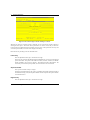
If no entry was made in Description and a ‘T’ was entered in Total/Detail, no description will
be printed.
Print Column
Enter a positive number with 1 digit.
In a noncomparative financial statement (a statement whose format is defined to have only 1
logical column in the Statement Printing definition, e.g. a Balance Sheet), enter the number of
the column (1 through 13) in which the amount is to appear. In a comparative financial statement (a statement defined with more than 1 logical column in the Statement Printing definition, e.g. a Budget vs. Actual Income Statement), the print columns are defined in the Statement Printing file and any entry here will be ignored.
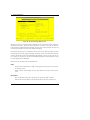
Suppress Items
Enter an upper case alphanumeric field, 1 character sin length. Only letters are acceptable.
Valid entries are Z, A and N. The initial default value is ‘N’. In ADD mode, this field will
automatically be saved from one record to the next.
This entry allows you to suppress the printing of the statement line. The options are:
N: No, do not suppress any items in the range.
A: Suppress all items in the range.
Z: Suppress the line if the column amount is zero. (In a comparative statement, all columns
must have a zero amount.)
Underline
Enter an upper case alphanumeric field, up to 13 characters in length. Only numbers are
acceptable.
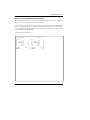
Each entry position in the field designates the line/column to be underlined when the statement is printed. The options are:
‘ ‘: No underlining is to be performed for this line/column position.
1: A single underline is printed in this line/column position.
2: A double underline is printed in this line/column position.
Note: Each character in this field represents a column. For example, if the first two characters are blank and the next two are ‘2’, the first two columns will not be underlined and the
third and fourth will be double underlined.
Reverse Sign - Accum?
Enter ‘Y’ (Yes) or ‘N’ (No). The initial default value is ‘N’. This field is required.
General Ledger User Manual
231