1
Basics
Using the touch screen
Use only fingers to operate the touch screen.
•
Do not allow the touch screen to come into contact with other electrical devices. Electrostatic
discharges can cause the touch screen to malfunction.
•
To avoid damaging the touch screen, do not tap it with anything sharp or apply excessive
pressure to it with your fingertips.
•
The Gear may not recognize touch inputs close to the edges of the screen, which are outside
of the touch input area.
•
Leaving the touch screen idle for extended periods may result in afterimages (screen burn-in)
or ghosting. Turn off the touch screen when you do not use the Gear.
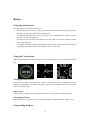
Using the Clock screen
While using the Gear, press the Power button to open the Clock screen. Tap screen to switch clock
type.
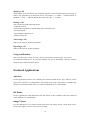
Viewing the Home screen
View the Gear’s Home screen when you connect it to the mobile device. It displays the clock,
shortcuts to applications, and others. The Home screen can have multiple panels. To view other
panels, scroll left or right.
Apps screen
The Apps screen displays icons for all applications. To view other panels, scroll left or right.
Changing the Theme
The Gear has three sets of theme. You can change the theme by tapping into the “Theme” icon.
Using calling features
13