1
jobsched_cmd user manual: Marks Job Scheduler is copyright Mark Dickinson 2001-2011
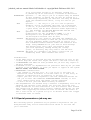
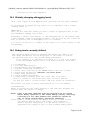
2.3 Recommended security settings
NEVER setuid the jobsched_cmd program, not even on a development
system or this would give the development system full admin rights
to all your production systems also.
Only add user records within the job scheduler environment on
those systems the user is expected to perform scheduler tasks on.
DO NOT set up adduser scripts that add users enterprise-wide.
If you use the supplied html pages to monitor the scheduler a
userid must be created allowing autologin to the operator level
for the unix userid running the web server (ie: apache).
ALWAYS ENSURE THE SHELL SCRIPT FILES TO BE EXECUTED ARE TIGHTLY SECURED.
It serves no purpose to lock down who can add jobs to the server, if
anybody can edit the script file that is to be executed with their own
desired commands.
It is strongly recomended that your system administrators be assigned
individual user records with administrator access. If this is not
done then all their work will have to be done under the root userid
making the audit trail useless.
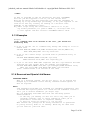
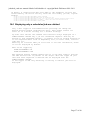
2.4 Default users
There are always two default users in the database, those are the
'guest' and 'auto-login' users. You may never delete these, if these
users are not present the server will attempt to recreate them, and if
not possible will refuse to run.
Guest provides a documented profile for guest users, while not essential
I have decided it must remain.
auto-login is used by the root user, and must always be present.
The root user needs this for such things as the init.d shutdown
scripts.
YOU MAY NOT REMOVE the default users. The server will refuse to delete
the auto-login id. While the guest may be deleted there is a sanity
check done each newday processing that will add it back again if it is
missing. If both newday users do not exist, or cannot be recreated at
the newday processing time the job scheduler server will become
inoperable.
As part of the install you should have also added an entry for the
unix userid that runs your web server. If this user does not exist
then the browser pages will not function.
Page 7 of 40