1
5. How to perform an X-ray absorption calculation
3
2. Runs the external executable in batch-mode grabbing the screen output messages, any error message and keeping trace of all the output data files
3. Rearranges all the grabbed data so that they are available to the user in separate windows of the
main program
After running all the required programs related to a specific calculation, the user can access a postprocess
phase where a series of useful plots are generated. In particular this option is available via the export
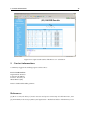
to an HTML archive: a web-ready hierarchical document is created with links to a summary of the
input/output data of each call and to high quality PDF plots and plot-ready raw files of spectra and
other useful functions.
5
How to perform an X-ray absorption calculation
This section details which steps must be followed to perform a calculation of X-ray absorption in the
case where the initial and the final state are characterized by one configuration only.
5.1
RCN program
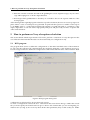
The program RCN allows to define the configurations of the initial and final states of the transition.
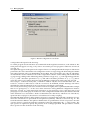
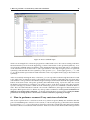
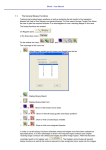
To call it use the Add RCN call command from the Application menu bar, or the N button (see Fig. 2).
Use the Configure button to define the configurations of the initial and final state of the transition. Each
Figure 2: RCN program main panel.
configuration is called Card for obvious historical reasons.
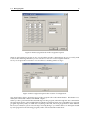
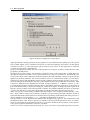
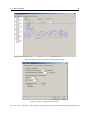
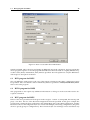
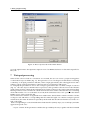
To create a configuration card use the New... button from the screen shown in Fig. 3. Under the General
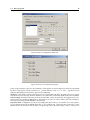
tab you must specify the element and can give a label to the element that you are investigating, for
instance Ni2+ (see Fig. 4). Do not worry about all the other parameters, they are fine as they are. Under