1
Device Settings
●
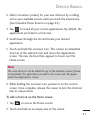
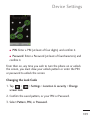
PIN: Enter a PIN (at least of four digits) and confirm it.
● Password: Enter a Password (at least of fourcharacters) and
confirm it.
From then on, any time you wish to turn the phone on or unlock
the screen, you must draw your unlock pattern or enter the PIN
or password to unlock the screen.
Changing the Lock Code
1. Tap
>
screen lock.
> Settings > Location & security > Change
2. Confirm the saved pattern, or your PIN or Password.
3. Select Pattern, PIN, or Password.
109