1
Accounts and Messaging
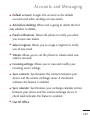
Multimedia message limit Sets the maximum number of
multimedia messages that can be stored on the device (per
conversation).
●
Signature Tap this to automatically add signature (green
checkmark dsiplays).
●
Callback Number Check this to automatically add callback
number (green checkmark displays).
●
Set priority Select Normal or Urgent.
●
Message Reassembly Enable this option (green checkmark
displays) so that multi-segment messages can be
reassembled and shown as a single message. Each segment
will still count toward your usage.
●
Preset Message Select a present message, such as "Call me"
or "Where are you?"
●
Auto-retrieve Enable this option to automatically retrieve
the entire content of your MMS message. When checked,
the MMS message header, message body, and any
attachments will automatically download to your device.
●
●
If you disable this option, only the MMS message header
will be retrieved and displayed.
157