Download ABSTRACT :

Transcript
Assembling & Programming a robot for pharmaceutical purposes
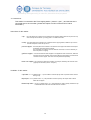
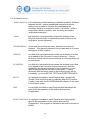
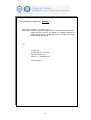
IF / THEN :
Description:
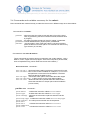
This command is used in an EasyLab statement to make a decision regarding program
flow based on a result returned from an expression. The change in program flow can
incolve jumping to another program line, executing another program or module action,
performing a calculation, specifying a module action, or pausing system operation.
Normally, EasyLab program lines are executed in the order they appear in the program.
When the IF/THEN statement involves jumping ro another program line, a line number
is used. Line numbers (which can range 1 to 65535) are used only as reference points

for program branching by IF/THEN and GOTO statements.
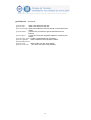
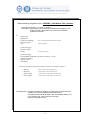
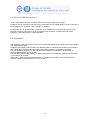
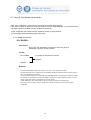
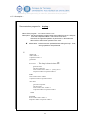
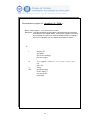
Format:
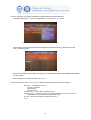
IF expression comparator expression THEN statement
where expression is either a constant, a real data variable, or a
module command variable (input or bi-directional only)
where comparator is either =, <>, >, < , <= or > =
where statement is either a line number, module command, program, math
expression, or an EasyLab language command (except an IF/THEN statement or
DO LOOP) .
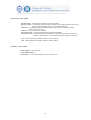
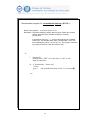
Remarks:
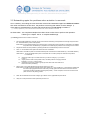
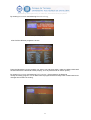
If the condition is not satisfied, the statement following “THEN” is ignored. Program
execution continues with the next statement in the EasyLab program.
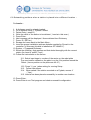
IF/THEN statements are program-level sensitive when the statement following “THEN”
refers to a numered statement. When “THEN” is followed by a number, the numbered
statement must appear within the same program as the IF/THEN statement and be
preceded with the line number specified.
If a line number is calculated following “THEN”, and a non-integer value results, that
value is rounded to the nearest integer.
If a line number is calculated following “THEN”, the “THEN” mus be followed by
“GOTO”.
If a line number is specified following “THEN”, “GOTO” is not necessary if a constant is
used.
A line number specified by an IF/THEN statement must label a statement apearing
within THAT program.
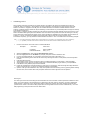
The same line number may be used in several different programs. Branching always
occurs within the same program.
If the same line number appears multiple times in a single EasyLab program, the first
occurrence of that number from the beginning of the program is the one referenced.
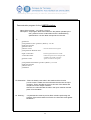
There are 5 spaces reserved at the beginning of each statement for line numbers.
A line number may appear before each statement in EasyLab program, but a program
may be written without any line numbers.
A line number does NOT cause an EasyLab program to be excluded by sequential line
numbers.
Line numbers are used as reference markers for program braching statements.
80