1
4Ch 120FPS Digital Video Recorder – Operation Manual
5.2 Password Setup
5.2.1 Basic Password
This password is to protect the unit’s operation from unauthorized use. Basic password system is 4-digit password to protect anyone who
tries to enter Main Menu.
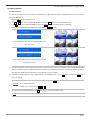
1)
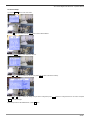
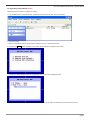
Press the Menu button to enter main menu.
2)
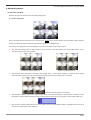
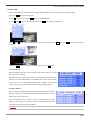
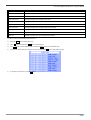
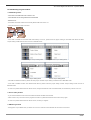
Use ∧ and ∨ button to select ‘PASSWORD SETUP’ and press the Enter button to enter ‘PASSWORD SETUP’.
3)
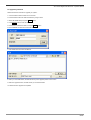
Press ∨ button to select ‘NEW PASSWORD’ and press the Enter button, then small box appears on the screen.
4)
Password is 4 digits and put your password from combinations of 1, 2, 3, 4 buttons.
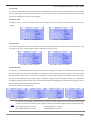
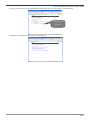
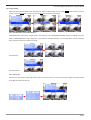
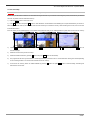
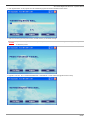
If the two passwords match, then the screen as shown on the
right can be seen.
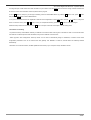
If the two passwords do not match, then the screen as shown
on the right can be seen.
5)
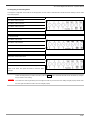
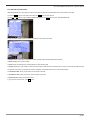
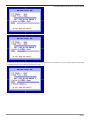
You will be prompted to verify your password by entering it for the second time. If the two passwords match, ‘PASSWORD SETTING’
appears on the screen and then ‘PASSWORD SETUP’ reappears. If the password does not match, ‘INVALID PASSWORD’ appears on
the screen, then please follows the instruction from the beginning to put new password.
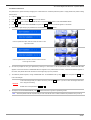
6)
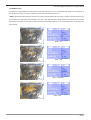
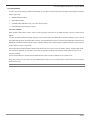
To enable the password system, change ‘PASSWORD: OFF’ to ‘PASSWORD: ON’ by using -, + buttons. And press the Enter button
to save the changes.
To save the changes that you made in the menu, press the Enter button. If you do not save the changes then DVR
CAUTION
won’t recognize the setting.
Default value of the password is 1, 1, 1 and 1.
7)
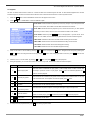
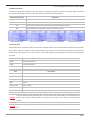
To escape from the PASSWORD MENU, press Esc button twice to go back to previewing screen.
NOTE
Basic password will be required when you enter into ‘MAIN MENU’. Please remember the password once you set up.
21/66