1
4Ch 120FPS Digital Video Recorder – Operation Manual
6.13 HDD and SYS Information
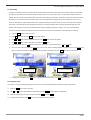
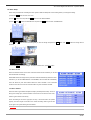
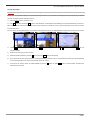
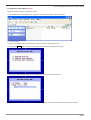
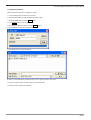
HDD INFORMATION is to view HDD and system information including size of installed HDD and current position of recording.
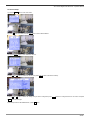
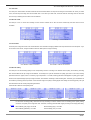
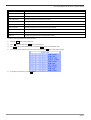
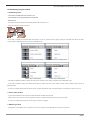
1) Press the Menu button to enter main menu and press Enter button to enter ‘SETUP’.
2) Use
and
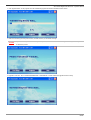
button to select ‘HDD INFORMATION’ and press the Enter button to enter ‘HDD INFORMATION’.
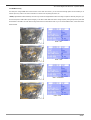
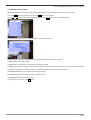
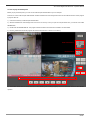
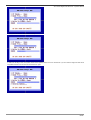
3) See the HDD and DVR system information. Description of each field is as follows;
=> Model: Display model name and its model number (example: WDC-Western Digital, Maxtor-Maxtor)
=> Serial: Display serial number of HDD.
=> Total: Display the total capacity of HDD available for video storage in GB.
=> Usage: Display the current position of HDD. R2 means that the HDD has been overwritten twice. And P15.2 means that the HDD has used
15.2 percent of its memory. If the HDD has not been overwritten, the USAGE will be shown in GB and percentage.
=> First Record Date: Show you the date of the first image on the disk
=> First Record Time: Show you the time of the first image on the disk
=> System Version: Display the firmware version.
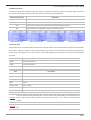
4) To go back to previous menu, press Esc button.
51/66