1
Web and Data
Your phone’s data capabilities let you wirelessly access the Internet or your corporate network through a variety of connections, including Wi-Fi, 4G, 3G, and Virtual Private Networks (VPN).
The following topics address your phone’s data connections and the built-in Web browser. Additional data-related features can be found in Accounts and Messaging, Apps and Entertainment, and Tools and Calendar.
Wi-Fi
Wi-Fi provides wireless Internet access over distances of up to 300 feet. To use your phone’s Wi-Fi, you need access to a wireless access point or “hotspot.”
The availability and range of the Wi-Fi signal depends on a number of factors, including infrastructure and other objects through which the signal passes.
Turn Wi-Fi On and Connect to a Wireless Network
Use the Wireless & networks setting menu to enable your phone’s Wi-Fi radio and connect to an available Wi-Fi network.
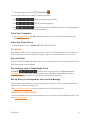
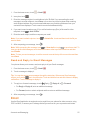
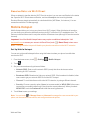
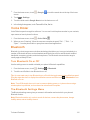
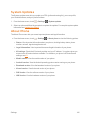
1. From the home screen, touch > Settings
> Wi-Fi.
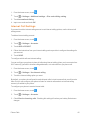
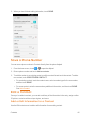
2. Touch the Wi-Fi slider to turn Wi-Fi on. The phone will scan for available wireless networks and the network names and security settings of detected Wi-Fi networks are displayed.
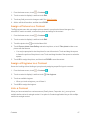
3. Touch a Wi-Fi network to connect. If you selected an open network, you will be automatically connected to the network. If you selected a network that is secured with a password, enter the password and then touch Connect.
Depending on the network type and its security settings, you may also need to enter more information or choose a security certificate.
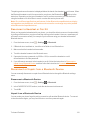
When your phone is connected to a wireless network, the Wi-Fi icon (
) appears in the status bar.
If Network notification in Advanced Wi-Fi settings is enabled, this icon ( ) appears in the status bar whenever the phone detects an available open wireless network within range.
Note: The next time your phone connects to a previously accessed secured wireless network, you will not be prompted to enter the password again, unless you reset your phone to its factory default settings or you instruct the phone to forget the network.
Note: Wi-Fi networks are self-discoverable, which means no additional steps are required for your phone to connect to a Wi-Fi network. It may be necessary to provide a user name and password for certain closed wireless networks.
Check the Wireless Network Status
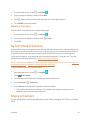
Check the status of your current wireless network, including speed and signal strength, through the Wi-Fi settings menu.
Web and Data
81