1
CHAPTER 4.
PROGRAMMING DETAILS
45
CDC ACM Device
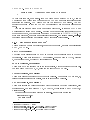
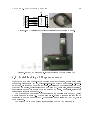
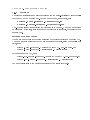
The PC is connected to the uC through the USB to Serial Converter IC, MCP2200. This
chip implements the Communication Device Class (CDC) protocol of USB and is classied
as an Abstract Control Model (ACM) device. It apprears as a virtual COM port to the
application program. They get the device names /dev/ttyACM0, /dev/ttyACM1 etc. in
the order in which they are plugged in. Remember to close the application programs
before disconnecting the device, otherwise it will get higher numbers when connected
again.
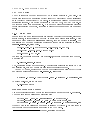
4.1.1 Batch les
Since a lot of command line arguments are required to specify the compiler, linker and
loader options, it is convenient to put them in small batch les or shell scripts. These
les can be found inside the microhope directory, once the package is installed. The
compilation of C code and generation of Intel Hex format le for uploading is done by
compile-mega32.sh, listed below.
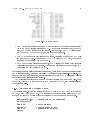
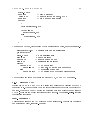
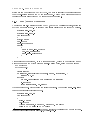
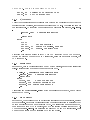
$ avr-gcc -Wall -O2 -mmcu=atmega32 -Wl,-Map,$1.map -o $1 $1.c
$ avr-objcopy -j .text -j .data -O ihex $1 $1.hex
$ avr-objdump -S $1 > $1.lst
For example, to compile a program named 'hello.c', it should be invoked from the command line as;
$./compile-mega32.sh hello
The .c extension should not be specied. The script also generates the linker MAP le
and a listing le, that may be used for examining the generated output.
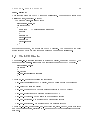
Under GNU/Linux, microhope on the USB port will appear as le '/dev/ttyACM0'1
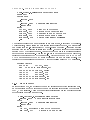
and program uploading is done by mh-upload.sh, listed below
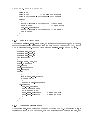
$ avrdude -b 19200 -P /dev/ttyACM0 -pm32 -c stk500v1 -U flash:w:$1.hex
To upload hello.hex, use the command
$./mh-upload hello
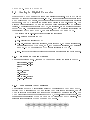
Running from DOS prompt
Use a text editor like notepad to edit the source program and save it with a .c extension.
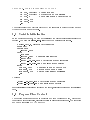
The commands for compilation and uploading are:
C:\> avr-gcc -Wall -O2 -mmcu=atmega32 -o blink blink.c
C:\> avr-objcopy -j .text -j .data -O ihex blink blink.hex
C:\> avrdude -b 19200 -P COMxx -pm32 -c stk500v1 -U flash:w:blink.hex
Where COMxx is the virtual com port number assigned by Windows. We have found it
very dicult due to the arbitrary numbering of the COM ports.
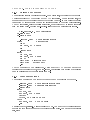
1 For
the old model of microhope using FT232 IC, this will be /dev/ttyUSB0