1
Contents
Contents
1
2
3
4
5
5.1
6
6.1
6.2
Introduction
Getting Started
Overview
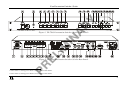
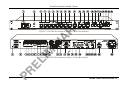
Your Presentation Switcher / Scaler
Connecting your Presentation Switcher / Scaler
Connecting a PC
Presentation Switcher / Scaler Buttons
Switching an Input
The PIP Button Feature
1
1
2
4
11
13
14
14
15
6.3
6.4
7
7.1
7.2
7.3
7.4
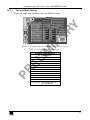
Locking and Unlocking the Front Panel
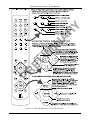
The Infra-Red Remote Control Transmitter
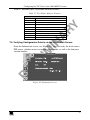
Configuring the VP-724xl via the OSD MENU Screens
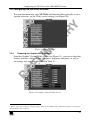
Controlling the Brightness and Contrast
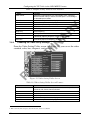
Controlling the Gamma and Color
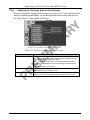
Selecting the Source
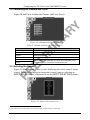
Controlling the Scale Geometry
19
19
22
23
24
24
25
7.5
Configuring via the Utility Screens
29
Verifying Configuration Details via the Information Screen
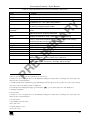
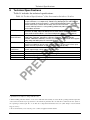
Technical Specifications
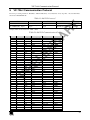
VP-724xl Communication Protocol
37
38
39
6.2.1
6.2.2
6.2.3
6.2.4
6.2.5
6.2.5.1
6.2.5.2
7.4.1
7.4.2
7.4.2.1
7.4.2.2
7.5.1
7.5.2
7.5.3
7.5.4
7.5.5
7.5.6
7.5.7
7.5.7.1
7.5.8
7.5.9
7.6
8
9
Selecting the PIP Source
Activating the PIP Feature
The PIP Source (Orange) Frame
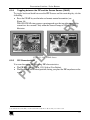
Toggling between the PIP and the Screen Source (SWAP)
PIP Characteristics
Resizing the PIP
Moving the Position of the PIP
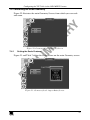
Setting the Scale Features
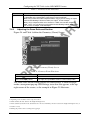
Adjusting the Zoom Ratio and Position
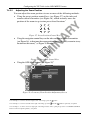
Adjusting the Zoom Ratio
Adjusting the Zoom Position
Choosing the Graphic Utility Settings
Choosing the Video Utility Settings
Choosing the Audio Utility Settings
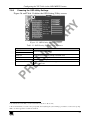
Choosing the PIP Utility Settings
Choosing the Seamless Switch Utility Settings
Choosing the OSD Utility Settings
Choosing the Output Utility Settings
The User Mode Setting
Choosing Factory Reset
Choosing Advanced Utility Settings
15
16
16
17
17
18
18
25
26
27
28
29
30
31
31
32
33
34
35
36
36
i