1
DIR-615
Quick Installation Guide
Example of Connection via VLANs
If your ISP provides:
•
access to the Internet via the VLAN with the tag (VLAN ID) 2, the
PPPoE connection type, the login user, and the password
user_password,
•
access to IPTV service via the VLAN with the tag (VLAN ID) 10,
•
access to IP telephony via the VLAN with the tag (VLAN ID) 20,
and your set-top box is connected to the LAN port 3, your VoIP phone is
connected to the LAN port 4 of the router, then follow the next steps to
configure the router.
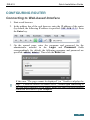
1. Go to the Net / WAN page, select the WAN connection and click the
Delete button on the opened page.
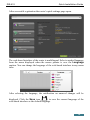
2. Go to the Advanced / VLAN page.
3. Select the lan group.
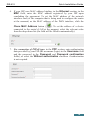
4. Select the line port3 in the table at the bottom of the page and click the
Delete port button.
5. Select the line port4 and click the Delete port button.
6. Click the Save changes button.
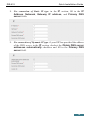
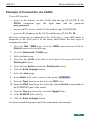
7. Select the wan group.
8. In the Name field, enter a name for the group (INTERNET).
9. From the Type drop-down list, select the NAT value.
10. From the Port drop-down list, select the value internet (corresponds to
the INTERNET port of the router).
11. From the Tag drop-down list, select the tagged value.
12. In the VLAN ID field, enter 2.
13. Click the Save changes button.
You have created the group of ports for connection to the Internet.
23