1
Chapter 3. Remote Connection via Internet Explorer (Web
Browser)
Search and Playback Internal Video Recordings
3.4. Search and Playback Internal Video Recordings
Annexxus 301C/301C2M models support internal video recording to the internal storage device (SD card). The video
stored on the Annexxus device can be played back and backed up onto the local storage (local HDD, network HDD, or
USB storage device).
A number of settings will affect how many minutes/hours of video recording can be stored on the internal storage device
and how long these recordings will be stored for:
Note
This function is not supported by Annexxus
301, 304 and 301D2M devices. For the
Annexxus 316, a user may search and
playback internal video recordings only if
using SRX-Pro or IP-Pro software, NOT
through web interfaces.
• Overwrite mode setting
• Video Recording Schedule settings
• Video settings (e.g. resolution, frame rate)
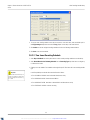
Tip
The internal storage device must be
formatted and inserted into the Annexxus
device. Video Recording settings must be
properly configured in the Channels setup
tab.
• Internal storage device size (Annexxus devices support SD cards up to 8GB)
3.4.1. Search Mode Window
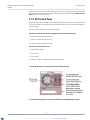
To search video recordings stored on the Annexxus local storage device, connect to the Annexxus device through Internet
Explorer.
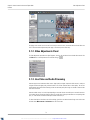
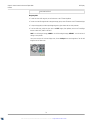
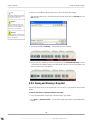
In the Annexxus Browser window, click the Search
button. The Search window will be displayed.
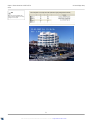
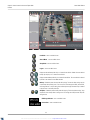
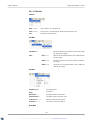
Annexxus web browser Search window contains the following buttons and areas:
1. Switch to Live Mode
8. Backup. Enabled only when a backup video file is playing
2. Search Mode (Currently Open). Supported only with 9. Search Panel
Annexxus 301C and Annexxus 301C2M models)
3. Switch to Setup Mode
10. Playback Control Panel
4. Logout
11. Audio Settings Panel. Mute or adjust volume of the
backup recording.
5. Single Camera Screen Division
12. CPU Usage Indicator
6. Quad Screen Division (default)
13. Current User
7. Snapshot. Enabled only when a backup video file is 14. Current Date and Time
playing.
82
XML to PDF by RenderX XEP XSL-FO Formatter, visit us at http://www.renderx.com/