1
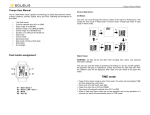
How to change the fuse
Press here
dfgdfgdfsg
fger open
the front
1.Turn OFF the main power supply.
cover
2. Open the front of cover switch by press
the place that shown by the arrow .
1. Open the fuse cover by using screwdriver (no need to open all
of fuse cover)
2. Then replace the broken fuse with new 2 Amp fuse.
Features
Wall Switch AND Remote Control Buttons
You can choose to manually turn ON the switch or use the Remote Control (up to 15 meters)
Set Your Own Buttons:
You can turn ON/OFF any set of lights by assigning a single load or a group of loads to any
button on the remote control
Turn ON one or more loads by pressing a single button
Sleep Timer:
<DKSwitch> has a Sleep Timer, designed to switch OFF the lights after a period of time. (15, 30, 45, 60 minutes
interval)
Suitable for switching off lights at night.
Open Circuit:
<DKSwitch> is designed with open circuit detection.
If one or more gang at the <DKSwitch> is an open circuit, the gang would not function when turn ON.
However, if other gangs that are functioning are turned ON, the open circuit gang can be turned ON.
Open circuit gangs would not cause hazard or wastage.
Power Failure:
<DKSwitch> is design to keep current on/off states throughout period of power failure.
Under cases where power supply recover from failure, the switched would be brought back to their state before power
failure happen; gangs that were ON would be brought back ON automatically within 3 to 12 seconds.
1
Remote Control features
Red LED
Green LED
ON All
OFF All
Channel A
Channel B
0 to 9 Button
Sleep Timer
Cancel
Shows that Remote Control is functioning.
Shows that Sleep Timer is activated?.
To (switch) ON all of the <DKSwitch> at the same time.
To (switch) OFF all of the <DKSwitch> at the same time.
Setting the <DKSwitch> from 1 to 10 (I dont get it).
Setting the <DKSwitch> from 11 to 20.
ON/OFF <DKSwitch>.
To switch OFF the lights after a period of time. (15, 30,
45, 60 minutes interval)
To Cancel the settings.
2
3
5
7
4
2
6
8
9