1
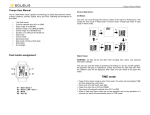
How to switch ON/OFF:
1
2
3
To switch ON/OFF a load, press the switch according to the gang it is
connected to.
4
or
Press the button on the
remote control.
.
Before you can use your remote control to control your lightings, you have to set the buttons according to
the lights you wish to turn ON.
1.Press and HOLD
2. Wait until the switch starts blinking,
the desired switch
1
2
3
4
press number 1 button on the
remote control or any other
preferred button while still holding
the wall switch button. When the
blinking stops, the button is set
1 or any
3. To group 2 or more loads to
one button, press the 2nd switch;
Repeat step two.
1
3
2
4
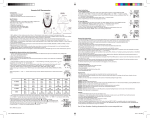
How to Use the Sleep Timer:
1. To activate the Sleep Timer you 2. Next, press the button on the remote
need to press the TIMER SELECT
button to select the timer (15, 30,
45, 60 minutes time interval)
control unit you want to set the timer to. 3.
The wall switch button will blink indicating1.
that it has the timer set
3
3. To cancel the timer simply
press the button that you set to use
the sleep timer