1
English
6. Installation
6.1 Installation set up
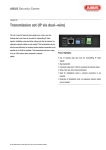
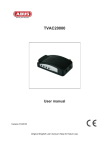
On the device which is connected to the network camera, first set DIP switch 1 to OFF. Connect the IP
camera and the device using a network cable.
Please only use the power supply units supplied for the installation of the devices.
Depending on the type of device, now connect the two devices using a coaxial cable (RG59) or a dualwire or telephone line (twisted pair dual-wire cable, min. AWG24).
Warning:
Please observe that if coupled cables are used, data loss could occur during
transmission.
Dual-wire cable connection set up
Warning:
Please observe that connection could take up to 30 seconds.
1. If the “Link” LEDs on both devices flash simultaneously, a data connection is being set up.
2. If both “LINK” LEDs light up continuously, a connection has been successfully
set up.
21