Transcript
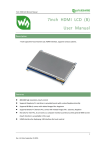
Easy to install First download from this link: (http://pan.baidu.com/s/1c0eXy2O) You may not understand Chinese, but you can select Unzip the file to your computer Now, you need to format your sd card as follow: Go to: software/Panasonic_SDformatter/SDFormatter Choose your sd and confirm to format it. After SD format, you can write the system to your sd card as follow: Go to: Software/Win32DiskImager/Win32DiskImager Choose img file”2014-09-09-wheezy-raspbian-mzj35h” to your sd card. A moment later, it will show write successfully. Now, you can insert the sd card to your raspberry pi, connect the keyboard and the mouse. Connect the screen to the raspberry pi with GPIO. Power up your raspberry pi at 5V 2A. The ACT light on raspberry pi board flash green and the screen will turn on with white backlight. Several seconds later, the screen will show programming progress.It will show a ask-answer page, just select finish and enter to go ahead. Installation is done. It only take half of a minute to complete. Note: To make screen touchable, you need to rewrite kernel by yourself. Here is a share video. Model B (http://player.youku.com/player.php/sid/XODA0MTUzNTky/v.swf) Model B+ (http://player.youku.com/player.php/sid/XODA3ODgyNDQ0/v.swf) Enjoy the screen! Assistance Skype id: yms755