1
Cello GSM Data Logger
User Manual
Version 4
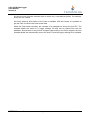
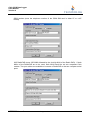
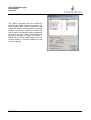
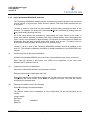
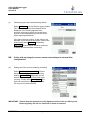
First, tick the box Enable regular wake-up.
Second, enter the number of the host PC communications device that will receive the data
into the SMS Data field. For Cellos using the UK Vodafone network, this will be 23533900
followed by the six-digit NUA of the RadioPad e.g. 23533900123456. For UK TMSC
customers this will be 81714.
If required, the Logger Wake-Up Hour can be changed.
Once completed click Update Logger to return to the Cello Setup Window.
(v)
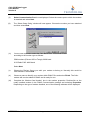
Setting the Cello clock
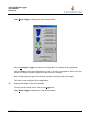
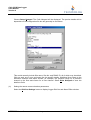
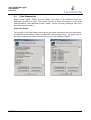
The Cello clock can be set at any time during the setup procedure by clicking on the
General Settings option in the Cello Setup window and choosing Sync to PC Time.
IMPORTANT:
Do not exit before ensuring the PC clock is correct. For UK systems ensure
the PC is set to GMT at all times.
UM583000 Issue 4
Page 21 of 45
DMR 3512