1
SECTION 3
3. HOW TO CREATE, EDIT, EXECUTE, AND SAVE A PROGRAM
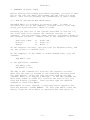
A BASIC program is a stored sequence of instructions to the
computer. This section tells how to enter a program into the
computer, view the text of the program and alter it, execute the
program, save it for future use, and retrieve it from storage.
3.1. CREATING A PROGRAM
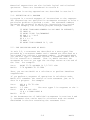
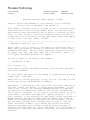
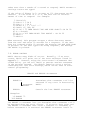
To create a program, simply type the statements of the program
in BASIC. Precede each statement with a statement number and
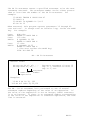
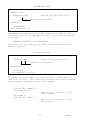
follow it with a carriage return. For example:
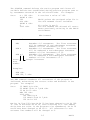
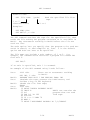
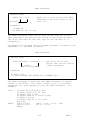
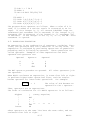
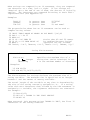
User:
10 INPUT X,Y,Z <CR>
20 PRINT X+Y+Z <CR>
A program now exists in BASIC. When executed the program will
accept three numbers from the terminal and then print their sum.
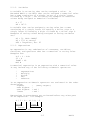
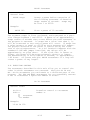
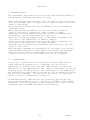
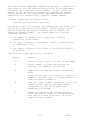
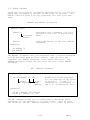
When entering statements be careful not to create lines that
will be too long when formatted by BASIC. BASIC will expand
abbreviated statements; for example P. will become PRINT in a
listing or edit. BASIC will insert blanks to improve
readability, if the program was typed without them. These two
factors can expand a line beyond the limit set by the
SET LL = length command or statement. For more information
about line length errors, see "LL" in Appendix 3.
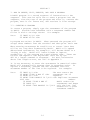
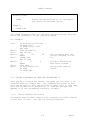
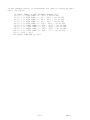
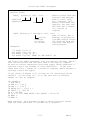
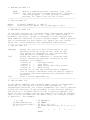
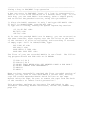
It is not necessary to enter the statements in numerical order.
BASIC will automatically arrange them in ascending order. To
replace a statement, precede the new statement with the
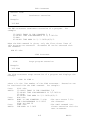
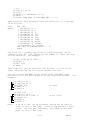
statement number of the line to be replaced. For example:
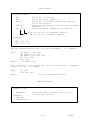
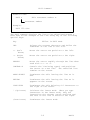
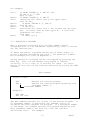
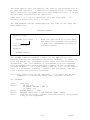
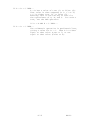
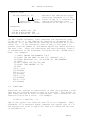
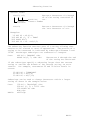
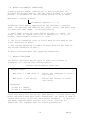
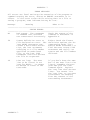
User:
20 INPUT X,Y <CR>
The user enters the
10 PRINT "TYPE X AND Y" <CR>
statements out of
30 PRINT X*Y <CR>
sequence.
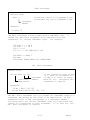
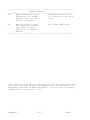
30 PRINT "THE PRODUCT IS ",X*Y <CR> Duplicate statement
LIST <CR>
number.
10 PRINT "TYPE X AND Y"
BASIC orders the
20 INPUT X,Y
statements and keeps
30 PRINT "THE PRODUCT IS ",X*Y only the last line
entered for a given
statement number.
3-1
BASIC