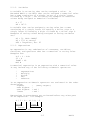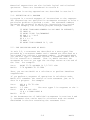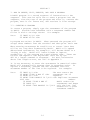
1
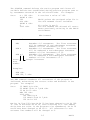
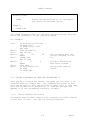
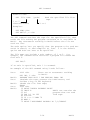
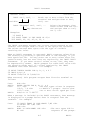
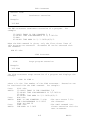
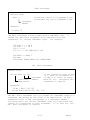
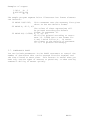
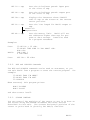
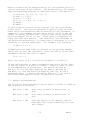
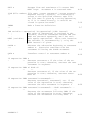
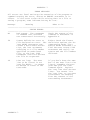
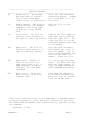
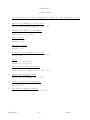
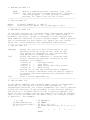
Value of EOF
Meaning
0
1
2
3
4
5
6
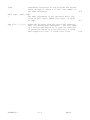
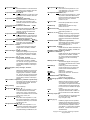
File number was not declared.
The last operation was FILE.
The last operation was READ.
The last operation was PRINT.
The last operation was REWIND.
Not used.
The last operation was READ EOF.
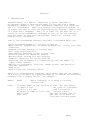
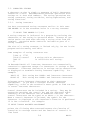
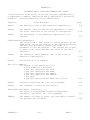
5.6. CONTROLLING THE FORMAT OF NUMERIC OUTPUT
In Section 4 the PRINT statement was described in its simplest
form, in which the output is automatically formatted. Additional format specifiers may be added to the PRINT statement
which give great control over the format.
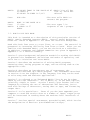
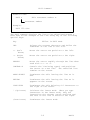
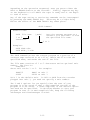
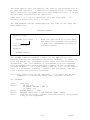
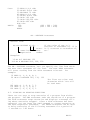
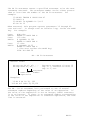
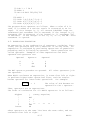
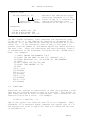
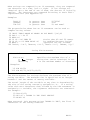
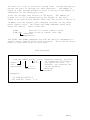
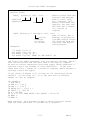
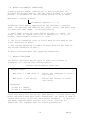
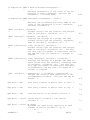
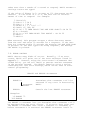
Formatted PRINT Statement
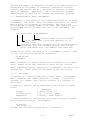
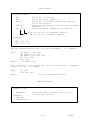
General form:
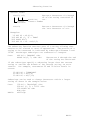
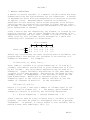
PRINT exp, exp, ... format element, exp, exp, ...
expressions not
affected by the
format element
expressions
affected by the
format element
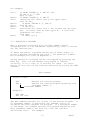
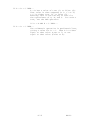
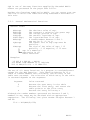
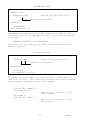
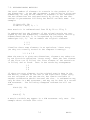
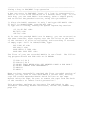
Or more generally:
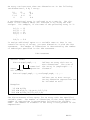
PRINT ele, ele, ele, ele....
commas or semicolons may separate
elements
elements consisting of:
numeric expressions,
string expressions, or
format elements
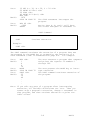
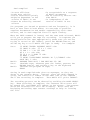
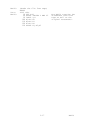
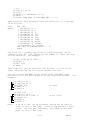
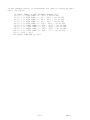
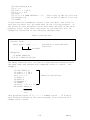
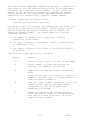
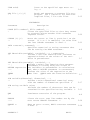
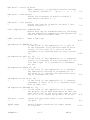
Examples:
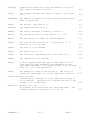
10 PRINT A; %C8I; SQR(2 + C); %#10F3
20 PRINT %Z5F1; ((A=12) AND B), %D, A, B,
30 PRINT %; A(1, 1); "next is"; B(2,2)
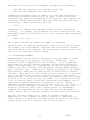
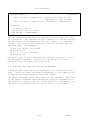
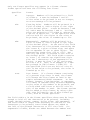
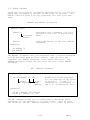
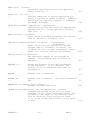
The general form consists of zero or more expressions to be
printed according to default format, followed by a format
element, followed by one or more expressions to be printed according to the format specified in the format element. The same
PRINT statement can also contain additional format elements
which control additional expressions which follow them. The format element produces no printed results of its own; it controls
5-24
BASIC