1
Table of Contents
Setup Your Gateway using a PPP Connection . . . . . . . . . . . . . . 57
LAN . . . . . . . . . . . . . . . . . . . . . . . . . . . . . . . . . . . . . . . . . . . . . . . . . . . 59
WAN . . . . . . . . . . . . . . . . . . . . . . . . . . . . . . . . . . . . . . . . . . . . . . . . . . 62
Multiple VCs . . . . . . . . . . . . . . . . . . . . . . . . . . . . . . . . . . . . . . . . . . . . 63
Advanced. . . . . . . . . . . . . . . . . . . . . . . . . . . . . . . . . . . . . . . . . . . . . . . 65
Configure Specific Pinholes . . . . . . . . . . . . . . . . . . . . . . . . . . . . 68
Planning for Your Pinholes . . . . . . . . . . . . . . . . . . . . . . . . . . . . . 68
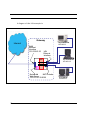
Example: A LAN Requiring Three Pinholes . . . . . . . . . . . . . . . . 68
Pinhole Configuration Procedure . . . . . . . . . . . . . . . . . . . . . . . . 71
Configure the IPMaps Feature . . . . . . . . . . . . . . . . . . . . . . . . . . . . . . 75
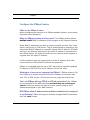
What are IPMaps and how are they used? . . . . . . . . . . . . . . . . . 75
What types of servers are supported by IPMaps? . . . . . . . . . . . 75
Can I use IPMaps with my PPPoE or PPPoA connection? . . . . . 75
Will IPMaps allow IP addresses from different subnets to
be assigned to my Gateway? . . . . . . . . . . . . . . . . . . . . . . . . . . . 75
IPMaps Block Diagram . . . . . . . . . . . . . . . . . . . . . . . . . . . . . . . . 76
Configure a Default Server . . . . . . . . . . . . . . . . . . . . . . . . . . . . . 77
Typical Network Diagram . . . . . . . . . . . . . . . . . . . . . . . . . . . . . . 78
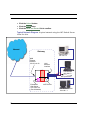
NAT Combination Application . . . . . . . . . . . . . . . . . . . . . . . . . . . 79
Configuring for Bridge Mode . . . . . . . . . . . . . . . . . . . . . . . . . . . . . . . . 84
Security . . . . . . . . . . . . . . . . . . . . . . . . . . . . . . . . . . . . . . . . . . . . . . . . 92
Create and Change Passwords . . . . . . . . . . . . . . . . . . . . . . . . . 92
Install . . . . . . . . . . . . . . . . . . . . . . . . . . . . . . . . . . . . . . . . . . . . . . . . . . 95
Updating Your Gateway’s CaymanOS Version . . . . . . . . . . . . . . 96
Task 1: Required Files . . . . . . . . . . . . . . . . . . . . . . . . . . . . . . . . . . . . . 97
Task 2: CaymanOS Image File . . . . . . . . . . . . . . . . . . . . . . . . . . . . . . 97
Background . . . . . . . . . . . . . . . . . . . . . . . . . . . . . . . . . . . . . . . . . . . . 100
Obtaining Software Feature Keys . . . . . . . . . . . . . . . . . . . . . . . . . . 100
Procedure - Install a New Feature Key File . . . . . . . . . . . . . . . . . . . . 100
CHAPTER 5
Advanced Troubleshooting . . . . . . . . . . . . . . . . . . . . . 104
Home Page . . . . . . . . . . . . . . . . . . . . . . . . . . . . . . . . . . . . . . . . . . . . 105
CHAPTER 6
Command Line Interface . . . . . . . . . . . . . . . . . . . . . . . 118
Overview
. . . . . . . . . . . . . . . . . . . . . . . . . . . . . . . . . . . . . . . . 119
Starting and Ending a CLI Session
. . . . . . . . . . . . . . . . . . . . 122
Logging In . . . . . . . . . . . . . . . . . . . . . . . . . . . . . . . . . . . . . . . . . . . . . 122
Ending a CLI Session . . . . . . . . . . . . . . . . . . . . . . . . . . . . . . . . . . . . 122
Saving Settings . . . . . . . . . . . . . . . . . . . . . . . . . . . . . . . . . . . . . . . . . 123
5