1
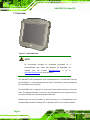
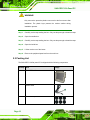
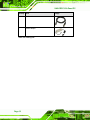
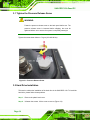
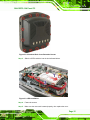
SAILORPC-12A Panel PC WARNING: When installing the SAILORPC-12A, make sure to: Turn the power off: Chance of electrocution. Turn off the monitor and unplug it from the power supply. Only let certified engineers change the hardware settings: Incorrect settings can cause irreparable damage to the product. Install the monitor with assistance: The product is very heavy and may be damaged by drops and bumps. Two or more people should install the panel PC. Take anti-static precautions: Electrostatic discharge can destroy electrical components and injure the user. Users must ground themselves using an anti-static wristband or similar device. The installation steps below should be followed in order. Step 1: Unpack the flat panel PC Step 2: Check all the required parts are included Step 3: Install the hard drive (optional) Step 4: Install the CompactFlash® card (if not included) Step 5: Mount the flat panel PC Step 6: Connect peripheral devices to the bottom panel of the flat panel PC Step 7: Connect the power cable Step 8: Configure the system Step0: 2.1 Unpack the Panel PC To unpack the flat panel PC, follow the steps below: Page 9