1
Application
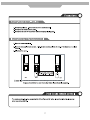
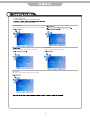
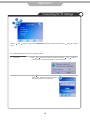
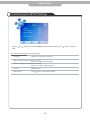
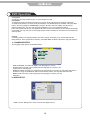
Customizing the EXTRAS Settings
Use the
menu.
and
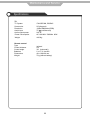
buttons to select the EXTRAS menu(as the picture above), press
button to enter the
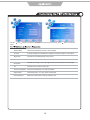
The EXTRAS menu includes the following options :
Set Password
Child Lock
Sleep Timer
Set pin code. The default is 0000. If the Pin code has been changed you
must enter the present code.
New : Enter the new password.
Confirm: Enter the new password and press OK to complete the change.
Lock the channel, you have to enter the code to view the channel. Use Ÿź
button to select the channel, and press the green button on the remote control
to set, and there will be a “ ” on the channel, press the green button again to
cancel.
Allows you to setup the sleep timer among: 10min, 20min, 30min, 60min, 90min,120min,
180min, 240min and off.
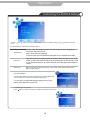
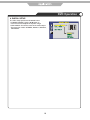
First Time Installation
* Please ensure that the aerial is connected to the connector labelled “RF”
on the rear of the TV. Press “OK” to start the tuning process.
* You can select “Language”(OSD display language), When you have
selected, pressŻŹbuttons to select “OK”.
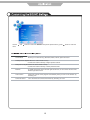
PC Setup(only in VGA mode)
Press
button to enter the submenu to adjust the picture of the screen.
15