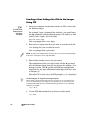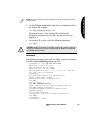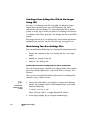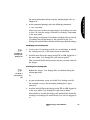
1
® Horizon Multi-media Dry Imager ® Technical Manual Codonics™ Catalog Number HORIZON-MNLT January 2012 Version 3.0.0 USB Flash Drive Version 2.1.1 ZIP Disk Codonics, Inc. 17991 Englewood Drive Middleburg Heights, OH 44130 USA 440-243-1198 Phone 440-243-1334 Fax Email [email protected] www.codonics.com Copyright © 2012 by Codonics, Inc. All rights reserved, worldwide. Printed in the U.S.A. Part Number 905-021-008. No part of this document may be copied or reproduced in any form by any means without prior written consent of Codonics, Inc., 17991 Englewood Dr., Middleburg Heights, Ohio 44130 U.S.A. Although every effort has been made to ensure the accuracy of this document, Codonics, Inc. assumes no responsibility for any errors that may appear. Codonics, Inc. makes no commitment to update nor to keep current the information contained in this document. The Horizon imager is protected by the following patent numbers: US Patent No. 6,249,299; 6,825,864; 7,116,343, 7,264,323; 7,375,737; 8031347; and 8063925. All other patents are pending. Horizon, DirectVista, ChromaVista, the Codonics logo, and “We bring the future into focus” are registered trademarks, and Codonics, Variable Multiformatting, VMF, Fixed Multiformatting, FMF, Medical Color Matching, MCM, SlideMaker, and Bracketing are trademarks of Codonics, Inc. Windows and Windows NT are registered trademarks of Microsoft Corporation. Intel is a registered trademark of Intel Corporation or its subsidiaries in the United States and other countries. PostScript is a registered trademark of Adobe Systems Incorporated. Apple and Macintosh are trademarks of Apple Computer, Inc., registered in the U.S. and other countries. UNIX is a registered trademark of The Open Group. Linux is a registered trademark of Linus Torvalds. Sun and Solaris are trademarks of Sun Microsystems, Inc. IBM and AIX are trademarks of International Business Machines Corporation in the United States, other countries, or both. SGI and IRIX are registered trademarks of Silicon Graphics, Inc. Zip is a registered trademark of Iomega Corporation. StuffIt is a trademark of Aladdin Systems, Inc. PKZIP is a registered trademark of PKWARE, Inc. PANTONE is a registered trademark of Pantone, Inc. TRUMATCH is a registered trademark of TRUMATCH, Inc. Trinitron is a registered trademark of Sony Corporation. ViewSonic is a trademark of ViewSonic Corporation. All other registered and unregistered trademarks are the property of their respective owners. CAUTION Approved FDA Class 2 device - Federal law restricts this device to be sold for use by or on the order of a physician. European Authorized Representative: CEpartner4U BV Esdoornlaan 13, 3951 DB Maarn The Netherlands Tel.: +31 6.516.536.26 -ii Contents Contents Preface Conventions Used in This Manual ................................................................ xv Bulleted Lists.......................................................................................... xv Numbered Steps .................................................................................... xv Control Panel Navigation ...................................................................... xvi Control Panel Keys ............................................................................... xvi Control Panel Menu Options ................................................................. xvi Notes and Tips ...................................................................................... xvi Cautions and Warnings........................................................................ xvii Text Files and Displayed Text.............................................................. xvii User Data ............................................................................................. xvii Important Information and Filenames ................................................. xviii New Terms.......................................................................................... xviii Purpose and Scope ..................................................................................... xix Product Information ...................................................................................... xx Warnings and Limitations of Use ................................................................. xxi Location of Safety and Compliance Labels........................................... xxi Voltage Warning................................................................................... xxii Dangers Electriques............................................................................ xxiii Laser Warning..................................................................................... xxiv Dangers au Laser................................................................................. xxv Temperature Warning ......................................................................... xxvi Dangers Température ......................................................................... xxvi Compliance ........................................................................................ xxvii Serial Number, Configuration, Date Code, and Modification Codes .. xxviii ESD Caution ....................................................................................... xxix Potential for Radio Frequency Interference on Imager Operation ...... xxix Potential for Radio and Television Interference ................................... xxx Horizon Imager Technical Manual iii Safety Precautions .............................................................................. xxxi Précaution d’Emploi ........................................................................... xxxiii Location Precautions.......................................................................... xxxv Environnement de Fonctionnement .................................................. xxxvi Cleaning Precautions ........................................................................ xxxvii Précautions d’Entretien ..................................................................... xxxvii Media ............................................................................................... xxxviii Codonics Paper/White Film Media.................................................... xxxix File Transfer via FTP and LPR.......................................................... xxxix Color Management............................................................................ xxxix Image Scaling ......................................................................................... xl Hardware Variations................................................................................ xl Disposal Requirements ................................................................................ xli Conditions et Règles d’Utilisation........................................................... xli European Disposal Requirements ......................................................... xli Indications for Use ....................................................................................... xlii Chapter 1: Introduction Welcome and Congratulations ................................................................... 1-1 Imager Features ......................................................................................... 1-2 State-of-the-Art Printing Technology .................................................... 1-2 Small Footprint ..................................................................................... 1-2 Wide Variety of Media Types and Sizes ............................................... 1-3 Easy Access from a Variety of Image Sources .................................... 1-3 Support for Major Image File Formats ................................................. 1-4 Image Formatting and Enhancement Capabilities ............................... 1-5 Adding Captions to Printed Sheets ...................................................... 1-5 Easy Feature Upgrade ......................................................................... 1-5 Easy Imager Personality Swap ............................................................ 1-6 Easy Software Updates and Configuration Backups ........................... 1-6 iv Contents Chapter 2: Network Settings What Is a Complex Network? ..................................................................... 2-1 Contents Simple Networks .................................................................................. 2-1 Complex Networks ............................................................................... 2-2 Gateways ............................................................................................. 2-3 IP Addressing Basics.................................................................................. 2-4 IP Addresses........................................................................................ 2-4 Determining What IP Addresses to Use............................................... 2-4 Subnetworks and Subnet Masks.......................................................... 2-6 The Horizon Imager and DHCP ........................................................... 2-8 Assigning Multiple IP Addresses with IP Aliasing ................................ 2-9 Specifying the Imager’s IP Addresses ...................................................... 2-10 Specifying the Network Speed ................................................................. 2-12 IP Addresses for Other Devices ............................................................... 2-13 Chapter 3: Imager Preferences Chapter 4: Configuring DICOM Printing Configuring DICOM Information ................................................................. 4-1 Methods for Selecting Media ...................................................................... 4-3 Application Allows Media Selection of Supported Horizon Types and Sizes .......................................................................................... 4-3 Media Selection Supported, but Not Horizon Types or Sizes .............. 4-5 Brief Overview of Job Settings Files .............................................. 4-5 Using Job Settings Files to Specify Media Type and Size............. 4-6 Using the Default Media Menu to Specify Media Type and Size ... 4-7 Horizon–DICOM Print Information .............................................................. 4-7 Horizon–DICOM Print Parameter Mapping.......................................... 4-7 Printable Area of Sheets ...................................................................... 4-9 Horizon Imager Technical Manual v Chapter 5: Configuring PostScript Printing PostScript Printing—Windows .................................................................... 5-1 Applications That Generate Non-Standard PostScript ......................... 5-2 Solution for Processing Non-Standard PostScript File .................. 5-4 PostScript Printing—Macintosh .................................................................. 5-7 PostScript Printing—UNIX .......................................................................... 5-8 PostScript Printing from UNIX.............................................................. 5-8 Methods for Selecting Horizon Media Type and Size .......................... 5-9 Sample Implementation ..................................................................... 5-11 General PostScript Information ................................................................ 5-12 Horizon Logical Devices That Support PostScript Jobs..................... 5-12 Logical Devices 1 and 2............................................................... 5-12 Logical Device 7 .......................................................................... 5-13 Image Cropping with PostScript Jobs ................................................ 5-14 Correct PostScript Page Size and Maximum Printable Areas for Horizon Media............................................................................ 5-16 Horizon Print Parameters in DSC Comments .................................... 5-19 Specifying Horizon Media in a PostScript File ............................. 5-24 Sample Horizon DSC Comments in a PostScript File ................. 5-25 Chapter 6: Job, Sheet, and Image Parameters Job Parameters .......................................................................................... 6-3 Media Type........................................................................................... 6-3 Media Size ........................................................................................... 6-4 Receive Tray ........................................................................................ 6-5 Priority .................................................................................................. 6-5 How the Imager Determines the Supply Slot ....................................... 6-5 Sheet Parameters....................................................................................... 6-6 Overview of the Horizon Sheet Layout................................................. 6-6 Background .......................................................................................... 6-8 Border Fill............................................................................................. 6-8 Captions ............................................................................................... 6-9 Coverage.............................................................................................. 6-9 Dmax.................................................................................................. 6-10 vi Contents Dmin................................................................................................... 6-11 Film View............................................................................................ 6-12 Contents Image Warnings ................................................................................. 6-12 LUT .................................................................................................... 6-13 Image Parameters .................................................................................... 6-14 Antialias.............................................................................................. 6-14 Contrast.............................................................................................. 6-15 The Contrast Curves.................................................................... 6-16 Gamma .............................................................................................. 6-17 Why Use Gamma Correction?..................................................... 6-17 Choosing the Best Gamma Value................................................ 6-18 Combining Gamma and Contrast....................................................... 6-19 Medical Color Matching (MCM).......................................................... 6-20 How Colors Are Produced ........................................................... 6-21 The Challenge of Color Matching ................................................ 6-21 Codonics Medical Color Matching ............................................... 6-22 The Imager Is Changed, Not the Monitor .................................... 6-22 Nudge................................................................................................. 6-22 Polarity ............................................................................................... 6-23 Using Negative Gamma to Specify Negative Polarity (for NP Series Legacy Support) ............................................... 6-23 Rotate................................................................................................. 6-23 Saturation........................................................................................... 6-24 What Is Saturation? ..................................................................... 6-24 Why Use Saturation?................................................................... 6-25 Choosing the Saturation Value .................................................... 6-25 Scaling ............................................................................................... 6-25 Scaling Overview ......................................................................... 6-26 Choosing the Right Scaling Filter ................................................ 6-26 Parameter Selection Process ................................................................... 6-28 Media Selection Process.................................................................... 6-29 Media Selection Process for DICOM ........................................... 6-31 Horizon Imager Technical Manual vii Chapter 7: Custom User Settings User Settings File Parameters.................................................................... 7-2 Creating User Settings Files ....................................................................... 7-3 Creating a User Settings Text File........................................................ 7-3 Example......................................................................................... 7-5 Sending a User Settings Text File to the Imager Using FTP................ 7-6 FTP Example ................................................................................. 7-7 Sending a User Settings Text File to the Imager Using LPR................ 7-8 Maintaining Your User Settings Files ................................................... 7-8 Viewing the Current User Settings File for a User Login Name..... 7-8 Modifying a User Settings File ....................................................... 7-9 Deleting a User Settings File ......................................................... 7-9 Using User Settings for Print Jobs............................................................ 7-10 Chapter 8: Custom Job Settings What Are Job Settings? .............................................................................. 8-1 Parameters That Can Be Included in Job Settings Files...................... 8-2 System Job Settings Files.................................................................... 8-3 Custom Job Settings Files ................................................................... 8-3 Custom Job Settings—Control Panel ......................................................... 8-4 Creating Custom Job Settings Files from the Control Panel................ 8-5 Viewing or Editing Custom Job Settings Files from the Control Panel. 8-7 Copying Custom Job Settings Files from the Control Panel ................ 8-8 Deleting Custom Job Settings Files from the Control Panel ................ 8-9 Custom Job Settings—Text Files ............................................................. 8-11 Creating a Job Settings Text File ....................................................... 8-11 Example....................................................................................... 8-13 Sending a Job Settings Text File to the Imager Using FTP................ 8-14 Sending a Job Settings Text File to the Imager Using LPR ............... 8-17 Maintaining Your Job Settings Files Using Text Files......................... 8-18 Modifying a Job Settings File Using a Text File ........................... 8-18 Deleting a Job Settings File Using a Text File ............................. 8-18 viii Contents Chapter 9: Logical Devices and Sheet Formatting Understanding Logical Devices .................................................................. 9-2 Contents Specifying a Logical Device ................................................................. 9-5 Printing Single-Image Sheets ..................................................................... 9-6 Printing Single Scaled Images ............................................................. 9-6 Printing Single Scaled Images Using FTP..................................... 9-7 Printing Single Scaled Images Using LPR..................................... 9-7 Printing Single Unscaled Images ......................................................... 9-7 Printing Single Unscaled Images Using FTP................................. 9-8 Printing Single Unscaled Images Using LPR................................. 9-8 Using Fixed Multiformatting ........................................................................ 9-9 How Images Are Placed on the Sheet ............................................... 9-10 Orientation ................................................................................... 9-11 Creating FMF Command Files ........................................................... 9-12 FMF Command File Conventions ................................................ 9-12 Setup Command File Contents.................................................... 9-13 Print Command File Contents...................................................... 9-16 Cancel Command File Contents.................................................. 9-16 Using FMF During an FTP Session ................................................... 9-16 Using FMF with LPR .......................................................................... 9-17 Using Variable Multiformatting.................................................................. 9-18 Creating VMF Command Files........................................................... 9-19 VMF Command File Conventions................................................ 9-20 Canvas Command File Contents................................................. 9-21 Fill Command File Contents ........................................................ 9-24 Place Command File Contents .................................................... 9-25 Print Command File Contents...................................................... 9-30 Cancel Command File Contents.................................................. 9-30 Sample VMF Command Session................................................. 9-30 Using VMF During an FTP Session ................................................... 9-32 Using VMF with LPR .......................................................................... 9-33 Using the 35mm SlideMaker Format ........................................................ 9-34 How Images Are Placed on the Sheet ............................................... 9-34 Printing Images Using the SlideMaker Format................................... 9-35 Horizon Imager Technical Manual ix Chapter 10: Sending Print Jobs Using FTP Printing Single-Image and FMF Sheets.................................................... 10-2 Sample FTP Sessions for Single-Image and FMF Sheets................. 10-7 Printing VMF Sheets................................................................................. 10-9 Sample FTP Sessions for VMF Sheets............................................ 10-12 Chapter 11: Sending Print Jobs Using LPR LPR, Logical Devices, and Job Settings................................................... 11-2 Using LPR with UNIX and Linux ............................................................... 11-3 Creating Horizon Imager LPR Printers Using /etc/printcap................ 11-3 Adding Horizon Imager Entries to /etc/printcap ........................... 11-3 Creating the Spooling Directories ................................................ 11-6 Creating the Horizon Imager LPR Printers Using Administrative Utilities .. 11-6 Using LPR to Print Sheets ................................................................. 11-7 Examples of Printing Single-Image or FMF Sheets..................... 11-7 Examples of Printing VMF Sheets ............................................... 11-8 UNIX System V LP-Equivalent Commands ....................................... 11-9 Setting Up Horizon Imager Configuration with lpadmin ............... 11-9 Using LPR with Windows ....................................................................... 11-11 Chapter 12: Printing from Backup Media Setting Up Images on Backup Media ....................................................... 12-1 Creating Image File Print Sets ........................................................... 12-1 Backup Media File System Structure Requirements .......................... 12-2 How Images Are Processed for Printing ............................................ 12-3 Printing Images on Backup Media............................................................ 12-4 Backup Media Printing Example............................................................... 12-6 x Contents Chapter 13: Installing and Maintaining Captions How Captions Are Added to Sheets ......................................................... 13-2 Contents Caption Placement............................................................................. 13-2 Unscaled Single-Image Sheets .......................................................... 13-2 Scaled Single-Image Sheets .............................................................. 13-3 Considerations When Using Captions ............................................... 13-3 Storing and Removing Captions ............................................................... 13-5 Storing Captions Using FTP............................................................... 13-5 FTP Example ............................................................................... 13-6 Storing Captions Using LPR............................................................... 13-6 LPR Example............................................................................... 13-7 Removing All Captions from the Imager ............................................ 13-7 FTP Example ............................................................................... 13-7 LPR Example............................................................................... 13-8 Turning Captions On and Off.................................................................... 13-8 Chapter 14: FTP and LPR Bracketing Sheet Printing Printing the Bracketing Sheet—FTP......................................................... 14-2 Printing the Bracketing Sheet—LPR ........................................................ 14-3 Chapter 15: Enabling Imager Features Chapter 16: Updating Software Chapter 17: Horizon Smart Card Information Stored on the Smart Card...................................................... 17-2 Events That Update the Smart Card ........................................................ 17-2 Using Smart Card vs. Backup Media........................................................ 17-3 Smart Card and Swap Imager .................................................................. 17-4 Horizon Imager Technical Manual xi Chapter 18: Log Files and Status Information Log Files ................................................................................................... 18-1 Viewing Error Log Entries at the Control Panel.................................. 18-2 Copying Log Files to Backup Media................................................... 18-3 Viewing Status and Logs Using Telnet ..................................................... 18-5 Special Imager Telnet Logins ............................................................. 18-6 Viewing Current Status Information.................................................... 18-7 Sample Status Listing .................................................................. 18-7 Viewing the Main Log ......................................................................... 18-9 Sample Main Log Listing ............................................................. 18-9 Viewing the DICOM Attributes Log File............................................ 18-10 Sample DICOM Attributes Log Listing ....................................... 18-11 Chapter 19: Log Files and Status Information Internal Densitometer Calibration ............................................................. 19-2 Calibrating for Blue and Clear Film .................................................... 19-2 Printing a Calibration Test Print.......................................................... 19-3 Measuring and Recording Density Block Readings ........................... 19-5 Entering Density Values into the Imager ............................................ 19-6 Resetting Density Values to the Factory Settings .............................. 19-7 Thermal Print Head Calibration ................................................................ 19-8 Resetting Thermal Print Head Calibration to the Factory Settings..... 19-9 Print Length Calibration .......................................................................... 19-10 Resetting Print Length Calibration to the Factory Setting ................ 19-11 Automatic Compensations...................................................................... 19-12 Thermal Effects ................................................................................ 19-12 Sensitometry Compensation ............................................................ 19-12 xii Contents Appendix A: Supported Media Contents Appendix B: System Job Settings Files Chapter C: Parameter Names in Job Settings Files Index Horizon Imager Technical Manual xiii Preface Conventions Used in This Manual Bulleted Lists Bullets are used to display a list of nonprocedural items. For example: Preface The control panel contains: • A display panel • Keys • Indicators Numbered Steps 8 The icon indicates the beginning of a procedure. The steps in a procedure are numbered. For example: 8 To access the Main Menu and scroll through menu options 1. Press the MENU key. The Main Menu displays on the control panel. The selector arrow ( ) automatically points to the first menu option. 2. To scroll through the menu options, press the and keys. The selector arrow ( ) moves up and down through the list. The bottom portion of the control panel display shows a message associated with the currently selected menu option. Horizon Imager Technical Manual xv Control Panel Navigation Menu paths are used in some procedures instead of documenting every step needed to navigate to a specific menu option. For example: From the Main Menu, select the following options: Default Media Grayscale DV Film Blue Control Panel Keys Control panel keys are shown in small black ovals to resemble the actual keys, for example, “Press the ENTER key.” Control Panel Menu Options Control panel menu options are shown in bold type, for example, “Select the Gamma menu option.” Notes and Tips Notes contain additional information related to a topic or procedure. For example: 3 NOTE: If your network is managed by a network administrator or an information technology (IT) department, it would be considered a complex network. You should have the responsible person perform any network-related administrative tasks. Tips provide additional insights about a topic or procedure (such as, why you may want to do something or a faster way to perform an operation). For example: / xvi TIP: Specifying print settings in a multi-user environment If the Horizon imager is accessed by multiple users, it is typically better for individual users to enter print values through the DICOM application interface rather than change the default settings through the control panel. Preface Cautions and Warnings Cautions alert you to actions or situations that could cause harm to equipment or data. For example: CAUTION Any changes you make to the imager default settings will also affect prints made by other users. Use caution when changing default settings. Warnings alert you to actions or situations that could result in personal injury. For example: WARNING With the imager cover open, touch only those internal components that are colored green. Preface Text Files and Displayed Text is used for the contents of an ASCII file or machine text displayed in a terminal command window. Monospaced type User Data is used to indicate specific characters or words that you enter at a host workstation when performing advanced imager operations. If the type is also italicized, it indicates variable text. For example: Bold monospaced type 8 To query imager status using Telnet 1. From your workstation, open a UNIX or MS-DOS command window. 2. Enter the command telnet hostname or telnet IP Address (using either the Horizon imager hostname or IP Address). 3. At the login prompt, enter the command status. Horizon Imager Technical Manual xvii Important Information and Filenames Bold type is used for emphasis, command names, and paths or filenames. For example: • The Horizon imager default settings can be changed both at the control panel and using text files. • The hostname and IP Address must be added to the /etc/hosts file. New Terms Italic type is used when a term is introduced and defined. For example: • xviii Preface The Horizon imager has a complete set of default settings that contain preconfigured values for every aspect of a printed sheet. Purpose and Scope Refer to this Technical Manual for procedures on how to perform advanced imager operations, including: Specifying network settings for complex networks • Specifying general imager preference settings • Configuring support for DICOM printing • Configuring support for non-Windows PostScript printing • Understanding job, sheet, and image parameters • Understanding media selection • Creating, managing, and using User Settings files • Creating, managing, and using Job Settings files • Using Horizon logical devices to print scaled and unscaled single images, and to print sheets using Fixed Multiformatting™ (FMF™), Variable Multiformatting™ (VMF™), and the 35mm SlideMaker™ • Sending print jobs using FTP and LPR • Printing images stored on backup media • Specifying and enabling the use of captions • Using Bracketing™ to achieve a desired image appearance • Enabling feature keys • Reinstalling and updating software stored on installation media • Using backup media for copying configurations from one imager to another • Using the Horizon Smart Card to move the imager’s settings and information to another Horizon imager Horizon Imager Technical Manual Preface • xix • 3 Viewing detailed information about the imager’s current state, and working with log files NOTE: This manual is current to the Horizon imager v3.0.0 software. Some features and functions described here may not apply to older versions of the software. If you need information on Horizon basic operations (for example, navigating the control panel) or how to perform day-to-day operations, refer to the Horizon Imager User’s Manual (Catalog no. HORIZON MNLU). The User’s Manual serves as a companion document to this manual. Product Information For information about Codonics products and prices, call the Codonics “On Call” Technical Support System at the following number: Phone: 440-243-1198 The “On Call” Technical Support System provides for around-theclock availability of qualified technical support personnel. General product information can also be requested by sending e-mail to: [email protected] Please include your postal mailing address and telephone number in the e-mail message. Basic product information is returned via e-mail. Complete product literature and sample prints are sent by postal mail. xx Preface Warnings and Limitations of Use Location of Safety and Compliance Labels The following figure shows the locations of the imager’s safety and compliance labels. Shock warning label UPS CONSOLE NETWORK Preface Compliance label Le présent appareil numérique n'émet pas de bruits radioélectriques dépassant les limites applicables aux appareils numériques de la Classe B prescrites dans le Réglement sur le brouillage radioélectrique édicté par le ministére des Communications du Canada. 530-040-004 This product is in conformity with the requirements of EC Council directive 93/42/EEC on the approximation of the laws of the Member States relating to medical devices. This product satisfies the Class B limits of EN 55011 and CISPR 11. HORIZON MEDICAL PRINT IMAGER EN 60601-1 CODONICS, INC. 17991 ENGLEWOOD DR. MIDDLEBURG HTS., OH 44130 U.S.A. MADE IN THE U.S.A. Patents Pending, All Rights Reserved AR: CEpartner4U, 2635 HL 33.NL Tel: +31(0)6-516.536.26 MEDICAL ELECTRICAL EQUIPMENT UL.2601-1, CAN/CSA C22.2 NO.601.1 31EB COMPLIES WITH 21 CFR 1040.10 AND 1040.11 REV 02 This equipment has been type tested and found to comply with the requirements in part 15 of FCC rules and Canadian Department of communications for a Class B computing device. See instruction manual. Operation in a residential area may cause unacceptable interference to radio and TV reception requiring the operator to take whatever steps are necessary to correct the interference. 100-120V , 50-60Hz, 6.0A 230V , 50-60Hz, 3.0A ESD label Hot surface warning label Laser warning label 2 CLASS OPEN AND 2 LASER RADIAT DO NOT INTERLOCKS ION WHEN STARE DEFEAT INTO BEAM ED Laser warning label 1 LASER AVOID FROM RADIA EXPOSURE THIS TION IS APER EMITT TURE ED ! Horizon Imager Technical Manual xxi Voltage Warning The lightning flash with arrowhead symbol, within an equilateral triangle, is intended to alert the user to the presence of uninsulated “dangerous voltage” within the product’s enclosure that may be of sufficient magnitude to constitute a risk of electric shock. The exclamation point within an equilateral triangle is intended to alert the user to the presence of important operating and maintenance (servicing) instructions in the literature accompanying this imager. NO USER-SERVICEABLE PARTS INSIDE. REFER SERVICING TO QUALIFIED SERVICE PERSONNEL. REMOVAL OF LABELS, COVERS, OR ENCASEMENT FASTENERS VOIDS THE WARRANTY. THIS APPARATUS MUST BE ELECTRICALLY GROUNDED. TO PREVENT FIRE OR SHOCK HAZARD, DO NOT EXPOSE THIS IMAGER TO RAIN OR MOISTURE. EQUIPMENT IS NOT TO BE USED AS A COMPONENT OF A LIFE SUPPORT SYSTEM. Life support devices or systems are devices or systems that support or sustain life, and whose failure to perform can be reasonably expected to result in a significant injury or death to a person. A critical component is any component of a life support device or system whose failure to perform can be reasonably expected to cause the failure of the life support device or system, or to affect its safety or effectiveness. WARNING Grounding reliability can be achieved only when the Horizon is connected to a receptacle marked “Hospital Only” (that is, “Hospital Grade”). WARNING The power cord connected to the Horizon is the main disconnect for the system. xxii Preface WARNING To disconnect overall power to the Horizon prior to servicing it, power off the system (refer to the Horizon Imager User’s Manual for procedures on how to power off the imager). Dangers Electriques L’éclair fléché dans un triangle équilatéral, est destiné à alerter l’utilisateur de la présence d’une "tension dangeros" dans l’enceinte du produit qui peuvent être d’une ampleur suffisante pour constituer un risque de choc électrique. Preface Le point d’exclamation situé à l’intérieur d’un triangle représente un point d’instruction important dans l’utilisation ou l’entretien de cette appareil. AUCUNE PIECE N’EST REPARABLE PAR L’UTILISATEUR. POUR SOUTIEN ADRESSEZ-VOUS AU PERSONNEL QUALIFIE. LE RETRAIT DE LES ETIQUETTES, LES COUVERTURES, OU LES ATTACHES PEUT ANNULENT LA GARANTIE. CET APPAREIL DOIT ETRE ELECTRIQEMENT RELIE A LA TERRE. N’EXPOSEZ PAS CET APPAREIL À LA PLUIE OU L’HUMIDITÉ, EN RAISON DU RISQUE DE FEU OU DE DÉCHARGES ÉLECTRIQUES. Cet appareil ne doit pas être utilisé comme composant d’un système d’assistance vitale. Les devis ou les systèmes vitale sont quelque devis ou système qui assistent ou soutiennent la vie, et si les devis ou systèmes échouent, on peut attend raisonnablement la mort ou la blessure. Cet appareil ne doit pas être utilisé dans des conditions où la défaillance de l’appareil pourrait entrainer la blessure ou la mort de quelqu’un. ATTENTION Une mise à la terre fiable est possible seulement pendant que le Horizon est connecté aux appareils marqué "Hospital Only" (de qualité hositalière). Horizon Imager Technical Manual xxiii ATTENTION Le fil électrique connecté à le Horizon est le système de coupure principal de l’appareil. ATTENTION Pour débrancher le fil électrique avant le soutien, se déconnecter et puis éteint le système (renvoyer à " Powering Off the Imager " sur la page 3-9). Laser Warning The Horizon imager uses a laser to read barcode information on the media cassettes. The laser module is a 650 – 670-nm device of 1.26 mW or less. As such it has been found to comply with the 21 CFR 1040.10 and 1040.11 and IEC 60825 laser standards as a low power Class 1 device. For safety reasons, the laser is turned on only for a short time when a cassette is inserted. Still, one should use caution and never stare at the laser beam, should avoid exposure to the laser, and should never override any of the interlocks and safety mechanisms. These measures are taken for your protection. WARNING Use of controls or adjustments to the performance of procedures other than those specified in this manual may result in hazardous radiation exposure. The laser apertures are marked with a single label, shown below. There are three apertures that correspond to the three cassette locations, one for each, on the same side of the Horizon imager as this label. AVOID EXPOSURE LASER RADIATION IS EMITTED FROM THIS APERTURE xxiv Preface ! Safety interlocks are marked by the following label. They are located on the same side of the Horizon imager as this label. CLASS 2 LASER RADIATION WHEN OPEN AND INTERLOCKS DEFEATED DO NOT STARE INTO BEAM The locations of the two laser labels are shown in the figure on page xxi. Dangers au Laser Preface L’imageur Horizon utilise un laser pour lire les informations de codes à barres sur les cassettes des médias. Le module laser est un appareil 650 à 670 nm de 1,26 MW ou moins. Comme tel, il a été jugé conforme à la norme CFR 21 1040.10 et 1040.11 et les normes IEC 60825 comme un laser de classe 1 de faible puissance appareil. Pour des raisons de sécurité, le laser est activé uniquement pour une courte durée quand une cassette est insérée. Pourtant, on devrait faire attention et de ne jamais regarder le faisceau laser, devrait éviter l’exposition au laser, et ne doit jamais remplacer l’un des verrouillages et des mécanismes de sécurité. Ces mesures sont prises pour votre protection. ATTENTION L’utilisation de commandes ou de réglages à l’exécution de procédures autres que celles spécifiées dans ce manuel peut entraîner une exposition à des radiations dangereuses. Les ouvertures laser sont marqués d’une étiquette unique, illustré cidessous. Il ya trois ouvertures qui correspondent aux trois endroits cassette, une pour chacun, sur le même côté de l’imageur Horizon que cette étiquette. AVOID EXPOSURE LASER RADIATION IS EMITTED FROM THIS APERTURE ! Horizon Imager Technical Manual xxv Verrouillages de sécurité sont marqués par l’étiquette suivante. Ils sont situés sur le même côté de l’imageur Horizon que cette étiquette. CLASS 2 LASER RADIATION WHEN OPEN AND INTERLOCKS DEFEATED DO NOT STARE INTO BEAM Les emplacements des deux étiquettes laser sont présentés dans la figure sur page xxi. Temperature Warning Because the Horizon imager is a thermal print device, the surface of the thermal print head heat sink gets hot. Avoid directly touching any components not colored green when accessing the interior of the imager if the imager has been printing. (During some preventative maintenance tasks, you will be touching internal components with cleaning pads or swabs.) The temperature warning label is shown below. Dangers Température Parce que l’imageur Horizon est un appareil d’impression thermique, la surface du dissipateur de chaleur de tête d’impression thermique est chaud. Évitez de toucher directement des composants non colorés en vert lors de l’accès à l’intérieur de l’imageur, si l’imageur a été en usage. (Au cours de certaines tâches d’entretien préventif, vous serez toucher les composants internes avec des tampons de nettoyage ou de tampons.) L’étiquette d’avertissement de température est indiqué ci-dessous. xxvi Preface Compliance Codonics is in compliance with various regulations, of which details are listed in the Horizon Imager User’s Manual. The Compliance label, which is affixed at the back of the imager, is shown below. Preface This equipment has been type tested and found to comply with the requirements in part 15 of FCC rules and Canadian Department of communications for a Class B computing device. See instruction manual. Operation in a residential area may cause unacceptable interference to radio and TV reception requiring the operator to take whatever steps are necessary to correct the interference. Le présent appareil numérique n'émet pas de bruits radioélectriques dépassant les limites applicables aux appareils numériques de la Classe B prescrites dans le Réglement sur le brouillage radioélectrique édicté par le ministére des Communications du Canada. This product is in conformity with the requirements of EC Council directive 93/42/EEC on the approximation of the laws of the Member States relating to medical devices. This product satisfies the Class B limits of EN 55011 and CISPR 11. HORIZON MEDICAL PRINT IMAGER CODONICS CODONICS, INC. 17991 ENGLEWOOD DR. MIDDLEBURG HTS., OH 44130 U.S.A. MADE IN THE U.S.A. Patents Pending, All Rights Reserved AR: CEpartner4U, 2635 HL 33.NL Tel: +31(0)6-516.536.26 EN 60601-1 MEDICAL ELECTRICAL EQUIPMENT UL.2601-1, CAN/CSA C22.2 NO.601.1 31EB COMPLIES WITH 21 CFR 1040.10 AND 1040.11 100-120V~, 50-60Hz, 6.0A 230V~, 50-60Hz, 3.0A Compliance label — Horizon with Zip drive Compliance label — Horizon with no Zip drive Horizon Imager Technical Manual xxvii Serial Number, Configuration, Date Code, and Modification Codes The Serial number label is placed onto the Compliance label. It includes the following information. • The serial number (SN), which uniquely identifies the unit. • The Configuration number (CNFG), which details the build configuration. • The modifications codes, which are to the right of the CNFG number and are a series of 20 numbers. When any of these numbers are blocked out, that identifies a modification that was made to the unit. • The date code in YYYY-MM format below the factory date code symbol. Serial number Configuration number xxviii Preface Date code Modification codes ESD Caution CONSOLE UPS UPS CONSOLE Preface NETWORK Connections to other pieces of equipment are made at the rear of the Horizon imager. These connectors are marked with a precautionary ESD warning symbol, as shown below. Do not touch any of the pins of these connectors. When making connections to the imager, it is best done while the imager is plugged in but not powered on. ESD may cause erratic behavior of the imager when powered on. Should this occur, power to the imager may have to be cycled. It is recommended that all staff involved in making connections to the imager be aware of these ESD precautions. Rear panel — Horizon with Zip drive Rear panel — Horizon with no Zip drive Potential for Radio Frequency Interference on Imager Operation Both portable and mobile RF communications equipment can affect medical electrical equipment, including the Horizon imager. Keep such RF communications equipment out of the immediate area. Horizon Imager Technical Manual xxix Potential for Radio and Television Interference The Horizon imager generates and uses radio frequency energy, and if not installed and used properly, that is, in strict accordance with the manufacturer’s instructions, may cause interference to radio and television reception. It has been type tested and found to comply with Class B emission limits for a computing device in accordance with the specifications in Subpart J of Part 15 of FCC Rules, which are designed to provide reasonable protection against such interference when operating in a commercial environment. Operation of the equipment in a residential area is likely to cause interference, in which case the user, at his own expense, will be required to take whatever measures may be appropriate to correct the interference. If your imager does cause interference to radio or television reception, you are encouraged to try to correct the interference by one or more of the following measures: • Reorient the receiving antenna • Relocate the imager with respect to the receiver If necessary, you should consult Codonics technical support or an experienced radio/television technician for additional suggestions. You may find the following booklet prepared by the Federal Communications Commission helpful: How to Identify and Resolve Radio-TV Interference Problems. This booklet is available from the U.S. Government Printing Office, Washington, D.C. 20402, Stock No. 004-000-00345-4. Le présent appareil numérique n’émet pas de bruits radioélectriques dépassant les limites applicables aux appareils numériques de la Classe B prescrites dans le Réglement sur le brouillage radioélectrique édicté par le ministére des Communications du Canada. xxx Preface This product is in conformity with the requirements of EC Council directive MDD93/42/EEC on the approximation of the laws of the Member States relating to medical devices. This product satisfies the Class B limits of IEC60601-1 and CISPR 11. A declaration of conformity with the requirements of the Directive has been signed by the Director of Operations. Horizon is approved for export via FDA Certificates to Foreign Government and registered as a medical device for import. A current list of countries is available on request. Safety Precautions Never connect this imager to any outlet or power supply that has a voltage or frequency different than that specified on the rear of the imager. • When servicing the imager, always power it off using the (power) key at the control panel, then turn the rocker switch in the back to the 0 (off) position, then unplug the imager. • Damage to the power cord may cause fire or shock hazard. When unplugging the power cord, hold it by the plug only and remove the plug carefully. • If the power cord needs to be replaced, replace it only with another Codonics power cord manufactured specifically for your imager’s power configuration. • If the imager is smoking or making unusual sounds, power off and unplug the imager immediately. • Do not insert foreign objects of any kind into the imager; doing so can constitute a safety hazard and cause extensive damage. Horizon Imager Technical Manual Preface • xxxi • Do not place any liquid containers on the imager. If, for some reason, liquid seeps into the imager, power off the imager and unplug the power cord from the source outlet. If used without corrective measures, the imager may be damaged. • Do not use the imager near flammable gases. • With the imager top cover open or the receive trays removed, touch only those internal components that are colored green (shown in the following figure). Remove rings, ties, jewelry, and other items, and tie back hair, so that they do not fall into or get caught in the imager. Top cover releases Upper fender releases (up position) Upper fender releases (down position) Top cover master release Spring-loaded spindles Media guides Spool wheels Picker (lift here) Diverter Internal Components That Are Colored Green (called out in the illustration) Are Safe to Touch xxxii Preface Précaution d’Emploi Ne connectez jamais cet imageur à une prise ou d’alimentation qui a une tension ou une fréquence différente de celle indiquée à l’arrière de l’imageur. • Lors de l’entretien de l’imageur, toujours l’éteindre à l’aide de la touche (power) à partir du panneau de contrôle, puis tournez le commutateur à bascule à l’arrière pour le 0 (off), puis débranchez l’imageur. • D’endommager le cordon d’alimentation peut provoquer un incendie ou d’électrocution. Lorsque vous débranchez le cordon d’alimentation, tenez-le par la fiche et retirez le bouchon avec précaution. • Si le cordon d’alimentation doit être remplacé, il ne remplacer que par une autre cordon d’alimentation Codonics fabriqués spécialement pour la configuration de la puissance de votre imageur. • Si l’imageur est fumeur ou en faisant des sons inhabituels, éteignez et débranchez l’imageur immédiatement. • Ne pas insérer d’objets étrangers dans l’imageur; cela peut constituer un danger pour la sécurité et de causer des dommages importants. • Ne pas placer de récipients de liquide sur l’imageur. Si, pour quelque raison, liquide pénètre dans l’imageur, éteignez l’imageur et débranchez le cordon d’alimentation de la prise source. S’il est utilisé sans mesures correctives, l’imageur peut être endommagé. • Ne pas utiliser l’imageur à proximité de gaz inflammables. Horizon Imager Technical Manual xxxiii Preface • • Avec le couvercle ouvert ou les plateaux reçoivent retiré, ne touchez que les composants internes qui sont colorés en vert (montré dans la figure suivante). Enlever les bagues, cravates, bijoux et autres objets, et s’attacher les cheveux, afin qu’ils ne tombent pas dans ou à se coincer dans l’imageur. fermoir principal du couvercle supérieur Fender fermoir du haute (position supérieure) Fender fermoir du haut (position basse) Fermoir principal du couvercle supérieur Ressort broches Guide de media Bobines roues Cueilleur (ascenseur ici) Diverter Les composants internes qui sont colorés en vert (marque dans l’illustration) sont sûre au toucher xxxiv Preface Location Precautions • The imager’s operating ambient temperature range is 15–30ºC (59–86ºF), with a relative humidity of 10%–80%. • If the imager is moved quickly from an extremely cold place to a warmer one, condensation is likely to form. Do not use the imager if condensation has formed. Wait until the condensation has evaporated. You can speed up the evaporation time by moving the imager to a dryer location. • Ventilation slots and holes are provided on the sides and rear of the imager. Place the imager on a hard level surface and locate it at least 10 cm (4 in.) from walls to ensure proper ventilation. Preface CAUTION Adequate ventilation is required for proper operation of the imager. • Do not place imager in a high humidity or high dust area. Airborne dirt particles can cause image quality problems. Avoid placing the imager in areas where ventilation ducts, open doors, or frequent passers-by might expose the imager and media to high levels of debris. • Do not locate the imager in hot-springs areas where hydrogen sulfide and acidic ions are likely to be generated. • Do not locate the imager where there are oily fumes and vapors. • Do not locate the imager in direct sunlight. • Do not locate imager near sources of high RF energy. • Do not locate the imager where it might be subject to jarring or vibrations, such as a table or desk in a high-traffic area. Jarring and vibrations can affect the print quality of images. • Horizon satisfies the electrical safety limits of IEC60601-1 and CISPR 11 and is suitable for patient care area location. Check with local ordinances and installation guidelines to confirm approved location requirements. Horizon Imager Technical Manual xxxv Environnement de Fonctionnement • Les conditions normales d’utilisation de l’appareil sont : une température de 15 à 30ºC et une humidité relative de 20 % à 80 %. • En cas de variation rapide de la température, de la condensation peut se former. En ce cas la n’utilisez pas l’appareil, attendez que la condensation se soit évaporée. Vous pouvez accélère cette évaporation en déplacent l’appareil dans un endroit sec. • Fentes de ventilation et les trous sont prévus sur les côtés et l’arrière de l’imageur. Placez l’imageur sur une surface plane et dure et de le localiser au moins 10 cm (4 po) du mur pour assurer une bonne ventilation. ATTENTION Une ventilation adéquate est nécessaire pour le bon fonctionnement de l’imageur. xxxvi • Toujours placez l’appareil dans une zone propre et non-humide. Des particules de poussières peuvent causer des disfonctionnements de la qualité d’imprimante. Évitez de placer l’appareil à proximité d’une bouche de ventilation, d’une porte, ou d’un endroit très fréquenté car cela pourrait exposer l’appareil ainsi que les étiquettes à la poussière. • Ne placez pas l’appareil à proximité d’une source de chaleur ou de substances acides. • Ne placez pas l’appareil dans une endroit où il y a des vapeurs huileuses et grasses. • N’exposez pas l’appareil à la lumière directe du soleil. • Ne placez pas l’appareil près d’une source haute fréquence. • Ne placez pas l’appareil dans un lieu où il pourrait être exposé à des vibrations, car cela peut nuire l’impression des média. Preface • Horizon satisfait aux limites de sécurité électrique de la norme IEC60601-1 et CISPR 11 et est adapté à l’emplacement des soins du patient. Vérifiez avec les ordonnances locales et les directives d’installation pour confirmer les exigences endroit approuvé. Cleaning Precautions Many plastic components are used in the imager’s construction. Coat flecking and deformation is likely to occur if the imager is wiped with chemical dusters, benzene, thinners, insecticides, or other solvents. Rubber and PVC materials left in contact with the imager for extended times will cause damage. Never use petroleum-based solutions or abrasive cleaners. • To clean the imager cover, first power off the imager using the (power) key at the control panel, then turn the rocker switch in the back to the 0 (off) position, then unplug the imager. Clean the cover with a soft cloth slightly moistened with a mild soap and water solution. Allow the cover to completely dry before operating the imager again. Précautions d’Entretien • Il y a beaucoup des choses plastiques utilisant avec la fabrication de l’imageur. L’emploi des chiffons chimiques, de benzène, des diluants, des insecticides, ou des autres solvants peuvent causer les dommages à l’extérieur ou les déformations. Le caoutchouc ou le PVC qui ont beaucoup de contact avec l’imageur causeront les dommages. N’utilisez jamais les nettoyeuses avec pétrole ou les nettoyeuses abrasives. • Pour nettoyer la couverture d’imageur, première éteignant l’imageur en utilisant la touche (alimentation) au panneau de contrôle, puis tournez l’interrupteur à bascule à l’arrière au 0 (OFF) position, puis débranchez l’imageur. Nettoyez le couvercle avec un chiffon doux légèrement humidifié avec une solution de savon doux et d’eau. Laisser la couverture de sécher complètement avant d’utiliser l’imageur à nouveau. Horizon Imager Technical Manual xxxvii Preface • Media xxxviii • For ChromaVista® color prints, the consumed ribbon contains facsimiles of any patient images printed to ChromaVista color sheets. Therefore, you must properly dispose of or destroy consumed ribbon to ensure the confidentiality of patient images. • The optical density of reflective and transmissive prints have a nominal range of: Dmin = 0.10 OD (reflective), 0.11 OD (transmissive) to Dmax = 2.10 OD (reflective), 3.1 OD (transmissive). Actual optical densities may vary based on media variations and on the instrument being used to measure density. For example, DirectVista® Clear film may have a lower Dmin and Dmax than DirectVista Blue film. • The Horizon imager includes a built-in densitometer. The builtin densitometer is designed to produce consistent prints by compensating for variation from one film cassette to another and one imager to another. For applications that require absolute control of the maximum density, the results should be checked against a bench-top commercial densitometer. The internal densitometer can be calibrated to a desktop unit. Refer to Chapter 19 for more information. • DirectVista media is optimized for grayscale prints, while ChromaVista is optimized for color prints. If ChromaVista is not giving you satisfactory results with grayscale images, you may want to consider using DirectVista media for those applications. • Media variations between different production lots may produce subtle differences in image quality and color. These variations most often occur in color ribbons and are characterized as a slight color hue in grayscale images. • Codonics film media is designed to be viewed using a light box suitable for viewing medical diagnostic images. • Codonics paper/white film media is designed to be viewed under cool-white, fluorescent light. Spectral differences and intensity variations in the viewing light sources can change the apparent color of images printed on paper/white film. Preface • Printed images that are subject to prolonged exposure to sunlight, ultraviolet light, or extreme heat may degrade in image quality. (For example, printed sheets should not be stored in an automobile on a sunny day.) Precautions should be used to avoid prolonged direct exposure. Codonics Paper/White Film Media The terms “white paper” and “white film” are synonymous references and used interchangeably in this manual. File Transfer via FTP and LPR Different users who share a user name when transferring files to the imager may cause unpredictable and erroneous printed output. The imager associates information with the user name. Each user should have a unique user name when connecting to the imager via FTP and LPR. Preface • Color Management • Image settings—including gamma, contrast, Dmax, saturation, and MCM™ (Medical Color Matching™)—are intended to compensate for differences that may occur between image acquisition and image printing. These filters allow you to accurately render the final printed image. You should use care when applying these filters to avoid over compensation. • The Default User Settings set at the control panel will potentially affect prints made by all users. Use caution when changing the default settings. Horizon Imager Technical Manual xxxix Image Scaling • Scaling an image will filter the original image data and add or remove information, which may affect the accuracy of the final printed image. The amount of information added or removed will also vary with the magnitude of the scale factor applied. This can also affect the accuracy of the final printed image. You should be aware of the properties and limitations of each scaling algorithm and select the appropriate algorithm for the task. Hardware Variations 3 xl • Components used in the imager may vary, causing differences in image quality. The thermal process of producing a print utilizes many components that are calibrated to provide consistency between imagers. There are subtle differences between imagers that can cause print variations. These differences usually apply to thermal print head calibration. Other factors such as age, usage, heat, mechanical wear, and shipping can affect image color and quality. • The type of media used to install software updates and to backup imager configuration settings depends on hardware variations. If the imager has a built-in Zip drive, installations and backups are performed using 100-MB Zip disks. If the imager does not have a built-in Zip drive, USB flash drives are used with the USB ports on the rear panel. Throughout this manual, Zip disks and USB flash drives are referred to as installation media or backup media, depending on the operation being performed. NOTE: If the imager has both a ZIP drive and a USB port, always use the ZIP disk to install software and save configuration settings. Preface Disposal Requirements Disposal of this product and consumables shall be in accordance with all applicable laws and regulations in effect at the locality at the time of disposal. Conditions et Règles d’Utilisation L’utilisation de ce produit doit être conforme à toutes les lois et règlements applicables sur le lieu d’utilisation. Preface European Disposal Requirements Codonics imagers and electronic accessory devices are not to be discarded or recycled; rather they are to be returned to the manufacturer. Contact Codonics directly or by the link provided for the latest information concerning: • Identification of the country-specific Importer/Distributor/Producer • Product return and treatment of our electronic products Manufacturer: Codonics Inc. 17991 Englewood Drive Middleburg Heights, OH 44130 USA Phone: +1 440.243.1198 Fax: +1 440.243.1334 E-mail: [email protected] www.codonics.com Horizon Imager Technical Manual xli Codonics electronic products and accessories bearing the following symbol are subject to European Directive on Waste Electrical and Electronic Equipment (WEEE) 2002/96/EC, amended by Directive 2003/108/EC. The EN 50419 symbol indicates separate collection and return required. EN 50419 symbol Indications for Use CAUTION Approved FDA Class 2 device - Federal law restricts this device to be sold for use by or on the order of a physician. The intended use of the Horizon Series Imagers is high-resolution hardcopy imaging of digital image source material and through the conversion of electronic signals from a wide variety of direct/indirect medical imaging modality outputs. The hardcopy output includes, however is not limited to, digital radiography, nuclear medicine, ultrasound, CT, MRI, CR, and Radiation Therapy planning. Images are suitable for medical image diagnosis use and referral. The system is intended for use by medical radiologists, imaging modality specialists, and communications to referring physicians. The Horizon Series Imagers are dry, thermal, grayscale (G, GS,GS-s,GS-Rad, G1, and G2 models) and grayscale/color (Ci, Ci-s, Ci-RAD, and SF models) direct thermal printer/imagers. xlii Preface The Horizon XL is a special model adding 14 x 36-in. and 14 x 51-in. true size “long” media that permits digital direct orthopaedic application hardcopy, including diagnosis and analysis of scoliosis, weight bearing spine/hip/knee, and long bone/hip prosthetic and orthopedic appliances work-up and surgical planning. Horizon XL is applicable to true-size hardcopy of whole body CT, MRI, and Angiographic and Venous flow imaging procedures. Horizon Imagers are 510(k) cleared to market as FDA Class 2 devices, Regulation number 892.2040, Classification Product Code LMC: Horizon Series Medical Multimedia Dry Imagers K021054 and Horizon XL Medical Long Film Imager Hardcopy Multimedia K060440. Preface Horizon Imager Technical Manual xliii 1 Introduction Welcome and Congratulations Congratulations on your purchase of the Horizon Multi-media Dry Imager—the most compact, versatile imager in the world! We are pleased you chose the Horizon imager from Codonics. We are confident that your new imager will provide fast, reliable printing for your demanding imaging applications. The Horizon imager is capable of printing images with outstanding clarity and detail. Introduction Horizon Imager Technical Manual 1-1 Note that there are several models of the Horizon imager, each with different features. This manual describes all of the available features, so some may not apply to your model. Imager Features State-of-the-Art Printing Technology Codonics DirectVista grayscale paper/white film and film, and ChromaVista color paper/white film, are state-of-the-art imaging media that are ideally suited to CT (computed tomography), MRI (magnetic resonance imaging), digital radiography, fluoroscopy, PACS (picture archiving and communication system), ultrasound, nuclear medicine, portable X-ray, mammography, dental, and other imaging applications. DirectVista grayscale direct thermal technology produces stunning, diagnostic-quality grayscale prints without the need for chemicals or ribbons. The unique ChromaVista color dye-diffusion process transfers dyes from a multi-patch color ribbon onto specially coated paper/white film. Different levels of heat are used to regulate how much dye is transferred. The paper/white film is precisely registered in the imager so that it stays aligned during each pass, resulting in diagnostic-quality color prints. As an added benefit, you do not have to remove the color ribbon when printing to DirectVista grayscale media. Small Footprint The small footprint of the Horizon imager makes it ideal for desktop applications, allowing it to be located close to a user’s workspace. Its size and weight also make the imager ideal for mobile applications. 1-2 Introduction Wide Variety of Media Types and Sizes The Horizon imager supports output to paper/white film and film media in a wide variety of sizes. For a complete list, refer to Appendix A. Easy Access from a Variety of Image Sources The Horizon imager can print extraordinary images from a variety of image sources, including: DICOM Print Service Class-compliant image capture or viewing applications. This option is explained in the Horizon Imager User’s Manual. • Windows and Macintosh applications via PostScript. This option is explained in the Horizon Imager User’s Manual. • FTP and LPR. Support for these sources comes standard with the imager. FTP and LPR are considered advanced printing methods, typically used by system integrators and only with UNIX applications. They are fully explained in Chapters 10 and 11. • Backup media (either a 100-MB Zip disk or a USB flash drive). This option is explained in Chapter 12. • Codonics SA-2000 Analog Framegrabber. Instructions for using the SA-2000 are explained in the SA-2000 Operator Manual. Introduction • Via its TCP/IP–Ethernet connection, the Horizon imager can support printing requests coming simultaneously from multiple devices on the network: • DICOM (up to 24 simultaneous connections) • DICOM Lite 1 (1 simultaneous connection) • DICOM Lite 2 (1 or 2 simultaneous connections) • PostScript (up to 11 simultaneous connections) Horizon Imager Technical Manual 1-3 3 • FTP (up to 12 simultaneous connections) • LPR (up to 11 simultaneous connections) NOTE: The number of connections may vary, depending on the imager features that you purchased. Support for Major Image File Formats The Horizon imager supports printing images that are in the following image file formats: • DICOM (including DICOM images submitted via FTP or LPR) • PostScript • DEFF (considered a variant of TIFF) • TIFF • PCX • BMP • Sun Raster (RAS) • GIF • SGI • JPEG (JFIF and Exif subtypes) • TGA • PNM • XWD • PNG Note that your particular configuration of the imager may not include all of the format types listed above. If your imager does not support an image file format that you need, contact your Codonics representative. 1-4 Introduction Image Formatting and Enhancement Capabilities The Horizon imager offers powerful image processing capabilities: • Image conversion, image scaling, and grayscale and color management are performed by a high-performance Intel processor. • The Horizon imager eliminates the pixelation often seen when enlarging images by using sophisticated scaling algorithms such as Lanczos, Bilinear, Bicubic, and Mitchell. These scaling techniques provide flexibility for applications from medical imaging to photo reproduction. • Image processing can be controlled through default image and sheet settings, custom settings entered from DICOM applications, in PostScript print settings, or settings associated with a selected Job Settings file. This provides maximum flexibility of output for each user accessing the imager. • The Horizon imager will produce diagnostic-quality images with an optical density of 3.0 or greater on DirectVista grayscale film. Adding Captions to Printed Sheets Introduction Custom images can be installed in the imager for use as captions, which are added to a sheet when it is printed. This feature can be enabled and disabled for each user. For more information, refer to Chapter 13. Easy Feature Upgrade The imager can be easily upgraded to support additional features by entering feature keys. For more information about how to purchase additional features, contact your Codonics representative. Horizon Imager Technical Manual 1-5 Easy Imager Personality Swap The Horizon imager has a “personality”—its configuration and feature information—that is stored on a Smart Card. This allows you to instantly transfer the imager’s personality to another imager—say, one being swapped with an existing imager that requires service— minimizing imager downtime. For more information about the Smart Card, refer to Chapter 17. Easy Software Updates and Configuration Backups The Horizon imager includes a Zip drive or ports for a USB flash drive to support software updates and backing up imager configuration information. This provides the following benefits: 1-6 • Software and firmware releases and updates can be loaded from installation media, making system upgrades easy. • Imager configuration information can be restored to the imager from backup media, saving you from having to reenter configuration information manually. • Imager configuration information can be copied to another Horizon imager, saving you from having to configure other imagers manually from scratch. Introduction 2 Network Settings This chapter explains how to configure the imager’s network settings if it is going to be part of a complex network. What Is a Complex Network? This manual and the Horizon Imager User’s Manual refers to simple and complex networks, as defined in the next two topics. Simple Networks A simple network is a local-area network (LAN) that is not connected to another LAN or wide-area network (WAN). A WAN would include a connection to the Internet. (Connections to another LAN or a WAN are typically done through a device called a gateway.) Network Settings A simple network typically comprises several devices connected by Ethernet UTP (unshielded twisted pair) cable through an Ethernet hub. It could also be simpler yet—a workstation or imaging device connected directly to the Horizon imager using an Ethernet crossover cable. Connecting the Horizon imager to a simple network is covered in the Horizon Imager User’s Manual. Horizon Imager Technical Manual 2-1 Imaging Device View Workstation Horizon Imager Ethernet Hub Simple Network with Ethernet Hub Ethernet Crossover Cable View Workstation Horizon Imager Simple Network with Ethernet Crossover Cable Complex Networks A complex network is a network with one of the following configurations: • Multiple LANs, connected by routers or gateways • One or more LANs connected to remote LANs (that is, a WAN) • One or more LANs connected to the Internet via an Internet service provider (ISP) In addition to physically connecting an Ethernet cable to the imager, you have to define an IP (Internet Protocol) address for the imager. This address uniquely identifies the imager on the network. 2-2 Network Settings Imaging Device Horizon Imager View Workstation Ethernet Hub Ethernet Hub View Workstation Gateway Wide Area Network Gateway Ethernet Hub View Workstation View Workstation View Workstation Local Area Network Remote Network Complex Network For complex networks, there are advanced ways of setting up networking schemes behind a firewall [such as NAT (Network Address Translation)]. Consult with your network administrator to see if your network has such a scheme. Gateways A gateway (sometimes also referred to as a router) is a device that interconnects two or more networks and passes data from one to another. Network Settings Note that each gateway on a network is treated as a host, and so is assigned its own unique IP address. For the Horizon imager to be able to accept print jobs from other networks, the IP address for its network gateway must be defined in the imager. For information about how to define the gateway IP address for the Horizon imager, refer to “Specifying the Imager’s IP Addresses” on page 2-10. Horizon Imager Technical Manual 2-3 IP Addressing Basics IP Addresses IP addresses are used to uniquely identify hosts on a TCP/IP network. IP addresses are 32-bit binary numbers, consisting of four octets. For example: 10000000 00001010 00000010 00011110 To make these addresses readable for us, they are typically expressed in dotted decimal notation. For example, the dotted decimal notation of the binary address shown above is: 128.10.2.30 The values in each of the four sections of the dotted decimal address can range from 0 to 255, because that is the range of an 8-bit binary number. Determining What IP Addresses to Use Determining what IP addresses you can use for devices on your network depends on the following conditions: 2-4 Network Settings • Your network is not connected to any other network (for example, another LAN or the Internet). If this is the case, it does not matter what IP addresses are assigned to the devices, as long as they are unique within your network. If you want to follow the IP standard, the organization that controls assigning IP addresses has designated that the first two numbers of the address be 192.168 (for example, 192.168.1.200) for isolated networks. • Your network is connected to the Internet. In this case, your IP addresses must be unique within the entire Internet. These numbers are assigned to companies and Internet service providers (ISPs). If your network is handled by a network administrator at your organization, you should see the network administrator for the IP address to use for the Horizon imager. If you are handling the network and connecting to the Internet through an ISP, the ISP will provide you with a block of IP addresses to use for the devices on your network. • Your network is part of a WAN (that is, there are multiple LANs or subnets). In this case, unless your network is behind a firewall, your IP addresses must be unique within the entire WAN. If your network is behind a firewall, the IP addresses must still be unique for all devices in the network behind the firewall. These IP addresses are typically assigned by a network administrator at your organization. You should see the network administrator for the IP address to use for the Horizon imager. Network Settings Horizon Imager Technical Manual 2-5 Subnetworks and Subnet Masks Many organizations with multiple LANs assign IP addresses according to those physical networks. In such a configuration: • A portion of the IP address represents the Internet part (for example, the first two dotted decimal numbers) and the physical network part (for example, the third dotted decimal number). This is referred to as the subnetwork or subnet portion of the address. • A portion represents the host (for example, the fourth dotted decimal number). For example, say an organization has been assigned the IP network address 95.200.0.0. This is the address that hosts on the Internet at large would use. Internally, the organization assigns addresses based on the physical network to which a host is connected. For example, all hosts on one physical network would be assigned addresses in the form 95.200.1.xxx, where xxx is the unique host ID portion of the address. Hosts on another physical network would be assigned addresses in the form 95.200.2.xxx, and so on. 2-6 Network Settings Horizon Imager View Workstation 95.200.1.2 95.200.1.3 View Workstation 95.200.1.1 Network 95.200.1.0 Ethernet Hub Rest of Wide Area Network All traffic to 95.200.0.0 Gateway Ethernet Hub View Workstation View Workstation 95.200.2.1 95.200.2.2 Network 95.200.2.0 Subnet Addressing Horizon Imager Technical Manual Network Settings The IP standard specifies that all devices have a subnet mask defined. In the subnet mask, the bits that uniquely identify the subnet are set to 1; the bits that correspond to the unique host ID portion are set to 0. Referring to our previous example, the organization’s subnet mask would be 255.255.255.0 (11111111.11111111.11111111.00000000 in octet format). 2-7 To determine what subnet mask to use for the Horizon imager: • If your network is maintained by a network administrator, see the administrator for the subnet mask used at your site. • If you are managing a network that is connected to the Internet through an ISP, your ISP will provide you with the subnet mask to use. If you are managing an isolated network not connected to any others, use the Horizon default subnet mask 255.255.255.0. • For information about how to define the subnet mask for the Horizon imager, refer to “Specifying the Imager’s IP Addresses” on page 2-10. The Horizon Imager and DHCP Dynamic Host Configuration Protocol (DHCP) is an Internet protocol that allows the dynamic assignment of IP addresses from a DHCP server. DHCP saves a network administrator from having to manually configure an IP address to each host on a network. When a host connects to the network, the DHCP server automatically assigns it an IP address. When the host disconnects from the network (for example, shuts down), the address is returned to the pool of available addresses to be assigned to other hosts. With DHCP, a host will typically get a different IP address each time it connects to the network. Since it is a printing device, the Horizon imager needs a static, explicit address. This allows remote hosts to know exactly what address to use to send print jobs. For this reason, the Horizon imager does not support the DHCP protocol; its IP address must be manually defined. 2-8 Network Settings Assigning Multiple IP Addresses with IP Aliasing One effective way to use the Horizon imager’s ability to print on multiple media types and sizes is to configure the sending workstation with several “virtual” printers with the Horizon imager’s IP address. Each of these virtual printers can then be assigned to use a different Horizon media type and size. Chapter 4 provides detailed explanations of how to do this for DICOM. Unfortunately, some systems do not allow multiple printers to be defined with the same IP address. To address this limitation, the Horizon imager includes a feature called IP Aliasing that allows the imager to have up to five IP addresses assigned to it. This is done by defining a base IP address and then the number of IP addresses you want to assign. The imager will then be assigned a block of IP addresses by incrementing the last octet of the base IP address by one. For example, if you define a base address of 192.168.1.1 and the total number of IP addresses at 3, then the imager will assign itself the IP addresses 192.168.1.1, 192.168.1.2, and 192.168.1.3. For more information about how to define a block of IP addresses, refer to “Specifying the Imager’s IP Addresses” on page 2-10. 3 NOTE: The Horizon imager will not allow a combination of the base address plus the number you want to assign to result in invalid addresses. Network Settings Horizon Imager Technical Manual 2-9 Specifying the Imager’s IP Addresses Refer to the following table for guidelines as to when you need to define a specific IP address, gateway IP address, and subnet mask for the imager. Network Address Setting Base IP Address (for the imager) When to Define Always. If defining only one IP address for the imager, this will be its address. If defining multiple IP addresses for the imager, this will be the base (first) address in the block of addresses that are assigned. Gateway If the imager is going to receive print jobs from remote hosts that are not on the local network. Otherwise, use the default value 0.0.0.0. Subnet Mask If the imager is going to receive print jobs from remote hosts that are not on the local network. Otherwise, use the default value 255.255.255.0. Number of IP Addresses If defining multiple IP addresses for the imager, enter the number of addresses. If defining only one IP address for the imager, use the default value 1. 8 To specify the imager’s IP address(es), gateway address, and subnet mask 2-10 1. At the imager’s control panel, press and hold the while holding it press the MENU key. The Main Menu with administrative options displays. 2. Select the following menu options: Network Settings Addresses Network Settings key, and The Network Addresses menu displays: Network Addresses Base IP Address: [0].0.0.0 Gateway: 0.0.0.0 Subnet Mask: 255.255.255.0 Number of IP Addresses: 1 Set base IP address Old value: 0.0.0.0 UP/DOWN to alter octet, LEFT/RIGHT to change octets Press MENU to exit menus Note that bold square change brackets are displayed around the first IP address octet value of the base IP address. The bracketed portion of the address is the portion that can currently be changed. 3. Use the (increment) or (decrement) key to enter the desired value, then use the key to move the change brackets to the next address position. To move to the change brackets to the next or previous setting, continue pressing the or keys. 4. When you are done entering the network addresses, press the ENTER key to save your entries. A message states that the imager will automatically reboot when you press the MENU key to exit the Main Menu. NOTE: Optionally, to exit the screen without saving your changes, press the 5. Press the ENTER CANCEL key. Network Settings 3 key to acknowledge the message. Horizon Imager Technical Manual 2-11 6. When you are finished specifying the network settings and want to exit the Main Menu, press the MENU key. The imager reboots. 3 NOTE: You can reset the network settings to their default values at any time by selecting the Reset Network Settings in the Network Settings menu. Specifying the Network Speed The Horizon imager supports three network speed/duplex settings: • Auto-Sense. This setting will cause the imager to negotiate for the fastest speed available on the network. The fastest possible speed is 1000 Mbps (megabits per second) at full duplex. • 10-Base T and 100-Base T. These two settings are optimized to match the speed of 10- and 100-Mbps Ethernet networks, running at half-duplex. To set the network speed, first use the Auto-Sense setting. If this setting does not work (some networks may have problems running at 100 Mbps and/or full duplex), then try using the 100-Base T or 10-Base T setting, as appropriate for your network’s actual speed. 8 To specify the imager’s network speed option 1. At the imager’s control panel, press and hold the while holding it press the MENU key. key, and The Main Menu with administrative options displays. 2. Select the following menu options: Network Settings Speed 3. Use the (increment) or (decrement) key to select the desired speed option, then press the ENTER key to save your entry. 2-12 Network Settings 3 NOTE: Optionally, to exit the screen without saving your changes, press the CANCEL key. A message states that the imager will automatically reboot when you press the MENU key to exit the Main Menu. 4. Press the ENTER key to acknowledge the message. 5. When you are finished specifying the network settings and want to exit the Main Menu, press the MENU key. The imager reboots. 3 NOTE: You can reset the network settings to their default values at any time by selecting Reset Network Settings in the Network Settings menu. IP Addresses for Other Devices For each device in the network that will be sending print jobs to the Horizon imager, you must: • Define that device’s IP address, gateway IP address, subnet mask, and so on • Add the Horizon imager’s IP address to the list of IP hosts with which the device will communicate Just how you do this varies, depending on the device and its operating system. For this reason, you will have to refer to the documentation that comes with the device for specific instructions. Network Settings Horizon Imager Technical Manual 2-13 Imager Preferences 3 Imager Preferences There are several imager preference settings that you can modify: • Auto-film calibration on/off • Entry timeout • Resume timeout • Speaker volume • Key beep on/off • Fault tone on/off • Key backlight on/off • Display backlight on/off • Display contrast This chapter includes the general procedure for changing these settings. Horizon Imager Technical Manual 3-1 8 To change imager preferences 1. At the imager’s control panel, press and hold the while holding it press the MENU key. key, and The Main Menu with administrative options displays. 2. From the Main Menu, select the Preferences option. The Preferences menu lists the preference settings currently stored on the imager. Menu Preferences Auto Film Calibrate... Entry Timeout [10]... Resume Timeout [60]... Speaker Volume [High]... Key Beep [On]... Fault Tone [On]... Turn automatic film calibration on or off. Press MENU to exit menus Table 3-1 on page 3-3 describes all of the imager preference settings. 3. To change a preference setting, select it and then enter or choose the appropriate value. 4. To save that change, press the ENTER key. You are prompted to confirm the save. 5. Press the cancel it. 8 To reset the imager preferences to the factory defaults 3-2 ENTER key to confirm the save, or the CANCEL key to 1. From the Preferences menu, select the Reset Preferences option. You are prompted to confirm the reset. 2. Press the Imager Preferences ENTER key. All Preferences settings are changed back to the factory defaults. Imager Preferences Table 3-1. Imager Preference Settings Preference Description Auto Film Calibrate When on, calibrates the imager for each new DirectVista grayscale film cassette. When off, uses a default calibration stored in the imager. Entry Timeout When the Main Menu is displayed on the control panel, the number of seconds the imager waits for a user to key an entry before automatically returning to the Status screen and turning off the key backlighting. The range is 1 to 15 minutes. Resume Timeout If the imager was paused using the control panel PAUSE key but is able to resume, a prompt to resume printing will display after this configurable timeout period. After another minute, with no user intervention, the imager will automatically resume printing. The range is 60 to 300 seconds, or disabled. If the imager is coming out of being paused due to a fault state, it will automatically resume normal operation without operator intervention after a few seconds (that is, this Resume Timeout will be ignored). Speaker Volume Sets the imager’s speaker volume. Possible values are: • Off • Low • High Key Beep When on, sounds a beep anytime a user presses a key. When off, pressing a key does not sound a beep. Fault Tone When on, sounds a tone when the imager requires operator intervention. When sounding, you can stop the tone by pressing any control panel key. When off, the fault tone will not sound when the imager requires operator intervention. Horizon Imager Technical Manual 3-3 Table 3-1. Imager Preference Settings (cont.) Preference Description Key Backlight When on, lights the keys on the control panel. When off, the keys will not light. NOTE: You may want to turn key backlighting off if using the imager in a dark room. Display Backlight When on, lights the control panel display. When off, the control panel display will not light. 3-4 Display Contrast Adjusts the control panel display contrast, allowing you to optimize the display readability (which can be affected by lighting conditions, viewing angle, and temperature). Reset Preferences Changes the preferences back to the factory-default settings. Imager Preferences 4 Configuring DICOM Printing 3 • Configure the Horizon imager’s DICOM information in the DICOM user application. The Horizon imager configuration information is provided in the next topic. • Determine the method for allowing users to select the features supported by the Horizon imager. For more information, refer to “Methods for Selecting Media” on page 4-3. Configuring DICOM Printing To support sending print jobs from DICOM applications, you must: NOTE: If you are running DICOM Lite on the imager and see connection errors at the console or workstation from which you are sending print jobs, you may require more connections than DICOM Lite provides. Contact Codonics technical support (for contact information, refer to page xx in the Preface) for assistance. Configuring DICOM Information To properly configure a DICOM application to support printing to the Horizon imager, you need its TCP port number and the Called AE Titles that can be used to identify the imager: • The imager’s TCP port number is 104. • The Called AE Titles are listed in Table 4-1 on page 4-2, which also describes how they are used. Horizon Imager Technical Manual 4-1 Table 4-1. Called AE Titles Supported by the Horizon Imager Called AE Title Description Print_SCP This is the default DICOM Called AE Title for the imager. With this Called AE Title used, if the media type or size is not included in the DICOM print job fields, the imager detects the image type and selects the media type and size as follows: • For grayscale images, uses the media defined for Grayscale in the Default Media menu at the control panel. • For color images, uses the media defined for Color in the Default Media menu at the control panel. The media defined for each of these could be grayscale or color. For more information on defining the default media for grayscale and color images, refer to the Horizon Imager User’s Manual. 3 4-2 DefaultGrayscale Causes the imager to use the media type and size defined for Grayscale in the Default Media menu at the control panel. This could actually be grayscale or color media. DefaultColor Causes the imager to use the media type and size defined for Color in the Default Media menu at the control panel. This could actually be grayscale or color media. The name of a system or custom Job Settings file For printing with Job Settings files, in which the media type and size can be specified, among other print parameters. For more information about Job Settings files, refer to Chapter 8. For a complete listing of the system Job Settings files that come preloaded in the imager, refer to Appendix B. SpecialBracket For printing bracketing sheets. For more information, refer to Chapter 14. SpecialSlide For printing 35mm slides. For more information, refer to “Using the 35mm SlideMaker Format” on page 9-34. NOTE: Called AE Titles are case-insensitive. Configuring DICOM Printing Methods for Selecting Media Configuring DICOM Printing The Horizon imager supports features and settings that may not be implemented in existing DICOM user applications. An example of this is the wide variety of media type and size combinations supported by the Horizon imager. In this topic, we examine some of the possible implementations for selecting media type and size, and present solutions for working within potential DICOM application limitations. For more information about the Horizon print parameters and how they map to DICOM attributes, refer to “Horizon–DICOM Print Information” on page 4-7. The Horizon imager can receive print parameter values from a variety of sources, including the DICOM attributes sent with the print job, Horizon Job Settings files, and the Default Media and Default User Settings menus at the control panel. To fully understand how to implement Horizon printing solutions, you need to understand how the imager determines which parameters to use if they are coming from multiple sources. For more information about this topic, refer to “Parameter Selection Process” on page 6-28. Application Allows Media Selection of Supported Horizon Types and Sizes If the DICOM application already supports selecting media types and sizes (say, from drop-down lists), and they include the types and sizes supported by the Horizon imager, no alternate implementations are needed. Users would simply select the desired Horizon media type and size from within the application. Horizon Imager Technical Manual 4-3 If the DICOM application allows you to define multiple printers, all pointing to the Horizon imager, you could also: • Create a printer for each combination of media type/size supported by your Horizon imager, and set the defaults for each printer accordingly. For example, let’s say your imager supports 14 x 17-in. blue film and 8 x 10-in. clear film. You could create two printers, name them “Horizon Blue Film 14x17” and Horizon Clear Film 8x10,” and set their media type and size accordingly. Users would then know which printer to use for both available media. • Create a printer for each media type, but let users select the size. For example, let’s say your imager supports all sizes of blue and clear film. You could create two printers, name them “Horizon Blue” and “Horizon Clear,” and set their default media types accordingly. Users would then know which printer to use for a given media type, but select the appropriate size themselves. If you are defining multiple printers that point to the Horizon imager, you would have to configure the following parameters for each printer: • The Horizon imager’s IP address • The Horizon imager’s TCP port number—104 • The Called AE Title (for the Horizon imager, the default Called AE Title is Print_SCP) If the application or operating system does not allow you to define multiple printers with the same IP address, you could use the Horizon imager’s IP Aliasing feature. This feature allows you to assign multiple IP addresses for the same imager. For more information, refer to “Assigning Multiple IP Addresses with IP Aliasing” on page 2-9. 4-4 Configuring DICOM Printing Media Selection Supported, but Not Horizon Types or Sizes It is possible that the DICOM application allows users to choose a media type and size, but one or more types or sizes supported by the Horizon imager are not in the list of choices. The solution you use to overcome this limitation depends on the type of user you are: If you are a developer [for example, for a value-added reseller (VAR) or system integrator], you may be able to modify the application’s properties or configuration file to add the Horizon types and sizes to the list of choices. If this is not possible, you would have to use one of the solutions suggested in the following alternate solutions topics. • If you are a site administrator or other type of power user who is responsible for supporting use of the imager, you would have to use one of the solutions suggested in the following alternate solutions topics. Configuring DICOM Printing • Brief Overview of Job Settings Files Job Settings files are sets of job, sheet, and image parameters— including the media type and size—that are stored in the imager and can be applied to a print job. With DICOM, a Job Settings file can be specified using the name of the Job Settings file as the Called AE Title. For a complete explanation of Job Settings files, refer to Chapter 8. Each imager is preloaded with system Job Settings files that define each of the available Horizon media type/size combinations (but no other job, sheet, or image parameters). A list of these system Job Settings files is included in Appendix B. Note that the media-specific type/size combinations supported by an imager depend on the media options purchased for that imager. Horizon Imager Technical Manual 4-5 Using Job Settings Files to Specify Media Type and Size Following are some alternative solutions for using Job Settings files to set the media type and size if the DICOM application allows you to define multiple printers pointing to the same Horizon imager: • You could create a printer for each of the media type/size combinations supported by your Horizon imager, and use the corresponding system Job Settings file name as the Called AE Title. When the imager receives a DICOM print job, it will use the media type and size specified in the Job Settings file whose name matches the Called AE Title. For example, if you wanted to support printing to 14 x 17-in. DirectVista paper/white film, you would create a printer that used the Job Settings file name 14x17-dvp as its Called AE Title. • There are two special system Job Settings files called defaultgrayscale and defaultcolor. These Job Settings files cause the imager to use the media type and size defined for grayscale and color in the Default Media menu at the control panel. So, for grayscale images, you could create a printer in the DICOM application with the Called AE Title defaultgrayscale, then set the media type and size you want to use for grayscale images in the Default Media menu. When the imager receives a DICOM print job with the Called AE Title defaultgrayscale, it will use the media type and size specified for grayscale in the Default Media menu. If the DICOM application allows you to define only one printer that points to the Horizon imager, possible media selection solutions include the following: 4-6 Configuring DICOM Printing • You could create a custom Job Settings file at the control panel called Print_SCP (the default Called AE Title for the Horizon imager), and set the desired media type and size in the Job Settings file. However, that would be the only type and size that could be used, since the Job Settings file overrides all other ways of defining print job parameters, including the media type and size settings selected in the Default Media menu. • You could keep changing the printer’s Called AE Title to match the Job Settings file that defines the media type and size you want to use for each print job. Configuring DICOM Printing Using the Default Media Menu to Specify Media Type and Size As an alternative to using Job Settings files, you could use the Default Media menu at the control panel to select the media type and size. The Default Media menu allows you to specify the default media type and size to use for grayscale images, and the default to use for color images. The limitation to this approach is that all grayscale images will be printed on the same media type and size, and all color images on the same type and size, unless and until they are manually changed using the Default Media menu at the control panel. Horizon–DICOM Print Information For complete information about how DICOM is implemented on the Horizon imager, refer to the Horizon Conformance Statement. The conformance statement is available on the Codonics web site (www.codonics.com). Horizon–DICOM Print Parameter Mapping As a reference, Table 4-2 lists the supported Horizon print parameters and to which DICOM attributes they map. Horizon Imager Technical Manual 4-7 Table 4-2. Mapping of Horizon Job Settings Parameters to DICOM Attributes Horizon Print Parameter DICOM Attribute (Tag) Media Type MEDIUM TYPE (2000,0030) Media Size FILM SIZE ID (2010,0050) Receive Tray FILM DESTINATION (2000,0040) Priority PRINT PRIORITY (2000,0020) Gamma CONFIG. INFORMATION (2010,0150) - GAMMA Contrast CONFIG. INFORMATION (2010,0150) - CONTRAST Dmax MAX DENSITY (2010,0130) LUT CONFIG. INFORMATION (2010,0150) - LUT Polarity POLARITY (2020,0020) Saturation CONFIG. INFORMATION (2010,0150) – SATURATION (TCR can also be used: TCR values 0 to 100 map to saturation values 0 to –100) 4-8 MCM CONFIG. INFORMATION (2010,0150) - MCM Background BORDER DENSITY (2010,0100) Scaling MAGNIFICATION TYPE (2010,0060) Rotate None Antialias None Image Warnings None Captions None Border Fill None Coverage None Nudge None Configuring DICOM Printing Printable Area of Sheets As a reference, Table 4-3 lists the printable areas for each of the Horizon media type/size combinations. Table 4-3. Printable Area per Horizon Media Type and Size Media Size DirectVista Paper/White Film 8 x 10 in. (203 x 254 mm) 2406 x 2790 A (8.5 x 11 in.) 2580 x 3164 A4 (210 x 297 mm) 2514 x 3374 11 x 14 in. (279 x 356 mm) 3376 x 4072 Configuring DICOM Printing Media Type Printable Area— Columns x Rows by Pixels [0.0031 in. (79.5 microns)] 14 x 17 in. (356 x 432 mm) 4322 x 5025 14 x 36 in. (356 x 914 mm) 4322 x 11095 14 x 51 in. (356 x 1295 mm) 4322 x 15885 DirectVista Film 8 x 10 in. 2406 x 2790 11 x 14 in. 3376 x 4072 14 x 17 in. 4322 x 5025 ChromaVista Paper/White 8 x 10 in. Film A A4 Not yet defined 2580 x 3400 2514 x 3620 Horizon Imager Technical Manual 4-9 5 Configuring PostScript Printing PostScript Printing—Windows The Horizon imager supports PostScript print jobs from any Windows workstation running Windows 98, Me, NT 4.0, 2000, or XP. The tasks required to support PostScript printing to the imager are: Installing the Horizon imager PostScript driver and PPD file onto the workstation. Instructions for downloading and installing the Horizon PostScript driver for various versions of Windows 98 or newer are described in Technical Briefs. The Technical Briefs are available on the PostScript Driver CD-ROM shipped with the imager and on the Codonics web site (www.codonics.com). • Adding the Horizon imager as a Windows desktop printer. This is done using the standard Windows “Add a Printer” wizard, or by a “Point and Print” connection as a network printer. When adding the imager as a desktop printer, you will need to select the Horizon imager’s PostScript driver and PPD file. For information about adding the Horizon imager as a desktop printer, refer to the appropriate Horizon PostScript Technical Brief. Horizon Imager Technical Manual Configuring PostScript Printing • 5-1 Once the imager has been added as a desktop printer, users can print to it from any application using the standard Windows Print function. For more information about sending PostScript print jobs and setting Horizon PostScript parameters (such as media type and size), refer to the Horizon Imager User’s Manual. Applications That Generate Non-Standard PostScript The Horizon imager uses Microsoft Windows print drivers that generate PostScript commands to transfer page layout information to the imager. These print drivers are primarily intended for use with application programs that utilize standard Graphics Device Interface (GDI) print driver interface calls to construct pages of graphics and text for output to the imager. When used with applications that conform to the standard GDI methods of constructing a page, the advanced configuration settings of the Horizon print drivers will control the media selection and image processing capabilities of the imager. The advanced configuration settings are communicated to the imager as DSC (Document Structuring Conventions) comments embedded in the PostScript job stream. These comments are unique to Horizon and will not work on other imagers. The DSC comments are recognized by the PostScript-compatible interpreter in the Horizon imager and set the appropriate media and image processing settings to use for that print job. 5-2 Configuring PostScript Printing Some applications bypass the traditional GDI methods of constructing pages. Although rare, these applications generate their own PostScript commands, ignoring the usual print driver mechanisms. The custom PostScript job stream is sent directly to the imager using a special GDI print driver call. Applications using this technique usually create print jobs that omit the PostScript DSC comments used by Horizon to control media selection and image processing. When a Horizon imager receives such a job, the imager will not know which media to use or how to render the image on that media. The most common problem when DSC comments are missing from the PostScript job stream is printing on the wrong media or rendering the image at the wrong size for the media. The best way to determine if the DSC comments are missing is to print to a file from the application in question using the Horizon print driver. After the file is saved, open it with a text editor and look for a DSC comment in the first 500 lines of the file. Sample DSC comments are shown in the following example: Configuring PostScript Printing featurebegin{ %%BeginFeature: *CXMediaType CVPaper %CDXFeature: *CXMediaType CVPaper %%EndFeature }featurecleanup featurebegin{ %%BeginFeature: *CXMediaSize A %CDXFeature: *CXMediaSize A %%EndFeature }featurecleanup All DSC comments describing Horizon advanced configuration features begin with the letters “CX.” As shown in the previous example, the entries CXMediaType and CXMediaSize would be present if the application program used the Horizon print driver in the usual manner. If these entries are not in the file, then the application is probably using the print driver in a non-standard way. It is important to make sure that non-standard applications are generating proper PostScript output. It is outside of the scope of this document to describe the PostScript language; however most PostScript files are human-readable and have the string “%!PS” at the beginning of one of the first lines of the file. Horizon Imager Technical Manual 5-3 Solution for Processing Non-Standard PostScript File The workaround for this problem is to add Horizon Job Setting file information to the LPR port on any Windows system that sends print jobs to Horizon. The LPR port transfers PostScript print jobs from the Windows operating system to Horizon logical device 7 on the Horizon imager. (For more information on logical devices, refer to “Horizon Logical Devices That Support PostScript Jobs” on page 5-12.) Appending a Job Settings file name to logical device 7 will force the imager to use the print parameters set in the Job Settings file. The parameters set in a Job Settings file provide the same functionality as the missing DSC comments in the PostScript print job. Parameters set in a Job Settings file take precedence over parameters set in PostScript DSC comments. The easiest way to select a specific media type or size is to use one of the system Job Settings files that come preloaded with the Horizon imager. These files define all of the media type/size combinations supported by the Horizon imager (and only those parameters). Alternately, you can create custom Job Settings files that include other print parameters. For more information about Job Settings files, refer to Chapter 8. A complete list of the system Job Settings files is provided in Appendix B. Once you have chosen a suitable Job Settings file, you need to run the Windows Add a Printer wizard to create a new desktop printer that points to the Horizon imager. When the wizard displays the Port Settings, enter the number 7 (specifying Horizon logical device 7), followed by a period and the name of the Job Settings file in the LPR Queue field. For example, entering 7.8x10-dvfb as the LPR queue name will force a PostScript job sent to this desktop printer (that is, the Horizon imager) to print on 8 x 10 DirectVista blue film. The sample screen that follows shows the Port Settings tab in the Add a Printer wizard for Windows 2000. 5-4 Configuring PostScript Printing Horizon Imager Technical Manual Configuring PostScript Printing If more than one media type/size combination is required, then you will have to create a separate desktop printer that points to the Horizon imager for each combination, defining the Job Settings file to use in the LPR Queue field as described in the previous paragraph. 5-5 A final step is to make sure the Advanced Configuration Settings of the print driver are assigned to match the parameters set in the Job Settings file you are specifying. This will ensure that application programs that properly use the print drivers will work the same as non-standard applications that rely on the Job Settings file. As stated previously, parameters set in a Job Settings file take precedence over parameters set in PostScript DSC comments. Since most applications are well-behaved and will generate the appropriate DSC comments, it is important to have the media type and size consistently set for all applications. Refer to the Technical Brief for the Horizon Windows PostScript driver that you are using for information on how to set the default properties of the print driver. It is also recommended that the Windows desktop printers be given names that indicate what they will do. For example, the printer that will always print on 8 x 10 DirectVista blue film would have a name such as “8x10 Grayscale Blue Film.” For users, this will simplify selecting the correct desktop printer to print to the desired Horizon media. 5-6 Configuring PostScript Printing PostScript Printing—Macintosh The Horizon imager supports PostScript print jobs from any Macintosh running OS 8, OS 9, or OS X. The tasks required to support PostScript printing to the imager are: • Installing or upgrading the Apple LaserWriter PostScript driver (OS 8 and OS 9 only). The compatible version of the LaserWriter driver is included on the Horizon PostScript Drivers CD-ROM shipped with the imager. • Installing the Horizon PPD file. Instructions for how to install the PPD file are included in the Horizon Macintosh Drive Installation Technical Briefs. • Adding the Horizon imager as a Macintosh printer. This is done using the standard Macintosh method—via Chooser in OS 8 and OS 9, and the Printer Setup Utility in OS X. Configuring PostScript Printing Complete instructions for installing the necessary files and adding the imager as a Macintosh printer are included in the Horizon Macintosh Drive Installation Technical Briefs, PDF versions of which are included on the driver CD-ROM and on the Codonics web site (www.codonics.com). Once the imager has been added as a desktop printer, users can print to it from any application using the standard Macintosh Print function. For more information about sending PostScript print jobs and setting Horizon PostScript parameters (such as media type and size), refer to the Horizon Imager User’s Manual. Horizon Imager Technical Manual 5-7 PostScript Printing—UNIX PostScript Printing from UNIX UNIX users can send PostScript print jobs to the Horizon imager in the following ways: • Sending the PostScript file using FTP. With this method, users specify one of the three Horizon logical devices that support PostScript files as part of the password when logging in to a Horizon FTP session. For more information about the logical devices, refer to “Horizon Logical Devices That Support PostScript Jobs” on page 5-12. • Printing the PostScript file using LPR. The UNIX user would pick the Horizon LPR printer that matches the set of Horizon parameters to use for the print job. This method requires that you create LPR printers that specify one of three Horizon logical devices that support PostScript files in the LPR printer definition. Both of these methods require that you perform setup tasks so that users can access Horizon imager parameters that are not included in the generic set of PostScript parameters, including Horizon media types and sizes. The available methods are discussed in “Methods for Selecting Horizon Media Type and Size” on page 5-9. Additional topics related to implementing PostScript printing are included in other chapters in this manual: 5-8 • Because Horizon parameters can be set in a variety of places (Job Settings files, the PostScript file, at the control panel, and so on), there is a hierarchy that the imager uses to determine which source takes precedence over the others. The parameter source hierarchy is described in “Parameter Selection Process” on page 6-28. • Horizon logical devices are explained in Chapter 9. Configuring PostScript Printing • Printing files using FTP is covered in Chapter 10. • Printing files using LPR is covered in Chapter 11. Methods for Selecting Horizon Media Type and Size The Horizon imager supports print parameters that are not included in typical PostScript parameter sets. An example of this is the wide variety of media type and size combinations supported by the Horizon imager. When setting up the imager to support UNIX users, you will need to determine how you want to allow those users to select Horizon-specific print parameters such as media type and size, which in turn determines how to implement the support for these parameters. Table 5-1 on page 5-10 describes the approaches you can take to select the various Horizon media types and sizes. Selecting other Horizon print parameters can be done using similar approaches. • A site administrator or other type of power user who is responsible for supporting use of the imager • A developer [for example, for a value-added reseller (VAR) or system integrator] who is responsible for setting up the imager for use by a customer Horizon Imager Technical Manual Configuring PostScript Printing Note that the suggested PostScript solutions described in this chapter make a distinction as for which type of user of this Technical Manual the solution is appropriate: 5-9 Table 5-1. Methods for Selecting Media Type and Size with UNIX PostScript Method Description Using System Job Settings Files Horizon system Job Settings files allow you to specify each combination of Horizon media type and size. The appropriate system Job Settings file can then be specified during an FTP session or in the definition of (power user and an LPR printer to select the desired media. developer) Pros and Cons Pros: Provides most control and flexibility in selecting Horizon media. Cons: Have to specify Job Settings file for each combination For more information about Job Settings files, refer to of Horizon media type/size to be Chapter 8. A complete list of the system Job Settings used. files is provided in Appendix B. This is the Codonics-recommended solution, unless you can implement the Horizon DSC comments solution discussed in the last row of this table. Use the Default Media menu settings for Grayscale If a system Job Settings file is not specified, the Horizon imager assumes that the PostScript file is a grayscale image. The imager then uses the media type and size defined for Grayscale in the Default Media menu at the imager control panel. Instructions (power user and for using the Default Media menu is provided in the developer) Horizon Imager User’s Manual. Pros: Parameters can be easily set at the control panel. Adding Horizon DSC Comments to the PostScript File Pros: Ability to set Horizon parameters within the PostScript file, instead of defining Job Settings files or changing the Grayscale settings in the Default Media menu for each print job. You can specify Horizon media types and sizes, which are not covered by standard PostScript, by having your application set the parameters in DSC comments included in the PostScript file. The imager will then interpret the Horizon DSC comments to (developer only) determine the media to use. (In addition to media type and size, there are other Horizon print parameters that are not supported in standard PostScript but which can be added by using Horizon DSC comments. Refer to Table 5-6 on page 5-21 for a complete listing of the special Horizon parameter DSC comments.) PostScript files that contain Horizon DSC comments must be sent to Horizon logical device 7. For more information about the Horizon logical devices that can process PostScript files, refer to “Horizon Logical Devices That Support PostScript Jobs” on page 5-12. 5-10 Configuring PostScript Printing Cons: Have to manually change the media type and size for Grayscale in the Default Media menu if they do not match the media required for the print job about to be sent. Other users could get unexpected results for their print jobs. Cons: Source application that generates the PostScript file must be modified to include the Horizon DSC comments, or comments must be added manually. Sample Implementation As an example of a media selection implementation using PostScript, let’s say you want to allow users to print the following: • Grayscale images on 14 x 17 DirectVista grayscale blue film and A-size DirectVista grayscale paper/white film. • Color images on A-size ChromaVista color paper/white film. Table 5-2 explains how supporting these choices might be implemented. Table 5-2. Methods for Selecting Horizon Media Using PostScript Method Description Use Horizon system Job Settings files Use the three system Job Settings files that correspond to the three media types/sizes to be supported. (power user and developer) • Explain to users who want to send print jobs via FTP which system Job Settings file name to specify during the FTP session for each of the three media type/size combinations. Use the Default Media menu settings for Grayscale Configuring PostScript Printing • For LPR printing, specify each system Job Settings file in three different LPR printer definitions. Explain to users which LPR printer to use for each of the three media type/size combinations. Prior to each print job, users will have to use the Default Media menu at the imager control panel to change the Grayscale media to the desired media type/size. (power user and developer) Add Horizon parameter DSC comments to the PostScript file (power user only) If users are using a custom application to generate the PostScript file, you will have to modify the application to allow users to select between the three media type/size combinations, then include the corresponding Horizon DSC comments in the output PostScript file. Another option is to manually edit each PostScript file to include DSC comments for the desired media type and size. Horizon Imager Technical Manual 5-11 General PostScript Information Horizon Logical Devices That Support PostScript Jobs Generally, the Horizon imager is compatible with any PostScript file that conforms to PostScript level 1, 2, or 3, and is tolerant enough to process many jobs that do not completely conform. When sending images to the Horizon imager using FTP or LPR, the imager uses numbers—referred to as logical devices—to determine how to process the print job (for more information about Horizon logical devices, refer to Chapter 9). There are three Horizon logical devices that support PostScript jobs sent using FTP or LPR printing, as explained in the following two topics. Logical Devices 1 and 2 The imager will process a PostScript file submitted to logical device 1 or 2 as a PostScript job as long as there is a line that begins with the percent (%) character within the first 512 bytes of the file. 3 5-12 • PostScript files submitted to logical device 1 are rendered as defined in the PostScript file with no additional scaling. • PostScript files submitted to logical device 2 are rendered as defined in the PostScript file, then scaled up or down by the imager to the full printable area of the selected media. NOTE: Logical devices 1 and 2 do not support processing PostScript files that include Horizon DSC comments. They must be submitted to logical device 7. Configuring PostScript Printing Logical Device 7 Logical device 7 is reserved for processing PostScript files only. Because it processes all submitted jobs as PostScript, it is the most tolerant of the three logical devices in terms of conformance to PostScript specifications. Marginally compliant or noncompliant jobs that fail using logical devices 1 and 2 might print successfully using logical device 7. Logical device 7 is also the only logical device that can process PostScript files that include Horizon DSC comments. PostScript files submitted to logical device 7 are rendered as defined in the PostScript file with no additional scaling. Unlike logical devices 1 and 2, logical device 7 will print only the marked area of the image. That is, any area outside the image is cropped and will be printed using the specified background color. For more information about this topic, refer to “Image Cropping with PostScript Jobs” on page 5-14. Configuring PostScript Printing Horizon Imager Technical Manual 5-13 Image Cropping with PostScript Jobs PostScript jobs generally define a white page that is the size of the printable area of the media, then place text, graphics, or bit-mapped images in the printable area. When processing a PostScript file sent to Horizon logical device 1 or 2, the Horizon imager will crop the image data to the smallest rectangle that still includes all marked pixels in the image (marked pixels include white pixels, which will appear as no pixels). Unless a background color has been specified, the margin between the image area and the boundary of the printable area will print white.This can be a problem if the image should be printed on a black background, which is typically the case with film. The white margin will print between the image and the black background, as shown in Figure 5-1. Image area Margin table area eet edge Figure 5-1. White Margins Around Image Area 5-14 Configuring PostScript Printing To eliminate the white margins, use logical device 7. Unlike logical devices 1 and 2, which will print the white margins, logical device 7 uses an automatic margin cropping feature that removes any white margins outside the region of marked pixels. In addition to using logical device 7, developers could use the Horizon DSC comment CXCropMargin entry, which has the values True or False. 3 NOTE: Horizon DSC comments in a PostScript file take precedence over corresponding print parameters defined in any other possible source except for Job Settings files. So, while printing to logical device 7 implies that the Crop Margin parameter is set to True, a CXCropMargin DSC entry in the PostScript file will take precedence. Configuring PostScript Printing Horizon Imager Technical Manual 5-15 Correct PostScript Page Size and Maximum Printable Areas for Horizon Media To properly use the entire printable area on Horizon media, the PostScript file should use the correct Horizon page size and maximum printable area size measurements. The correct page sizes are listed in Table 5-3. The largest printable areas are specified in Table 5-4 on page 5-17. The printable area offsets are illustrated in Figure 5-2 on page 5-18. For an example of how to specify a Horizon media page size in a PostScript file, refer to the first few lines of code in the “Sample Horizon DSC Comments in a PostScript File” on page 5-25. Table 5-3. Horizon Page Sizes 5-16 Page Size Size in Points (1/72 in.) 8 x 10 569 x 708 A 612 x 792 A4 595 x 842 11 x 14 790 x 997 14 x 17 1008 x 1224 Configuring PostScript Printing Table 5-4. Horizon Printable Area Sizes Offsets [in Points (1/72 in.)] from Bottom Left Corner of Sheet to Printable Area Page Size X Offset to Y Offset to X Offset to Bottom Left Bottom Left Top Right Corner Corner Corner Y Offset to Top Right Corner 8 x 10 14 18 555.35 645.75 A—DirectVista paper/white film 16 18 596.5 729.9 A—ChromaVista paper/white film 16 18 596.5 783 A4—DirectVista paper/white film 15 18 580.65 777.15 A4—ChromaVista paper/white film 15 18 580.65 832.5 11 x 14 15 18 774.6 934.2 14 x 17 18 18 990.45 1148.62 Configuring PostScript Printing Horizon Imager Technical Manual 5-17 table area Y offset to upper right corner eet edge Y offset to lower left corner X offset to lower left corner X offset to upper right corner Figure 5-2. PostScript Printable Area Offsets 5-18 Configuring PostScript Printing Horizon Print Parameters in DSC Comments The information in this topic is provided if you want to implement support for Horizon print job parameters that are not standard PostScript and need to be implemented as DSC (Document Structuring Conventions) comments. 3 NOTE: PostScript files that contain Horizon DSC comments must be sent to Horizon logical device 7. 3 NOTE: Horizon DSC comments in a PostScript file take precedence over corresponding print parameters set in any other possible source except for Job Settings files. Table 5-5 on page 5-20 lists the Horizon print parameters that can be set only in DSC comments in a PostScript file. Table 5-6 on page 5-21 lists the Horizon print parameters that can be set in DSC comments, but can also be set by other means (for example, Job Settings files). Configuring PostScript Printing For a complete description of the Horizon parameters, refer to Chapter 6. To see a sample use of the Horizon DSC comments in an actual PostScript file, refer to “Sample Horizon DSC Comments in a PostScript File” on page 5-25. Note that the sheet orientation, the number of copies to print, and the layout of images on the sheet are handled using standard PostScript commands (not DSC comments). Horizon Imager Technical Manual 5-19 Table 5-5. Horizon Print Parameters That Can Be Set Only as PostScript DSC Comments Settings Allowed Values Description CXAntialias None, Better, Best None—no antialiasing is performed. Better—a compromise between antialiasing quality and print speed. Best—highest antialiasing quality, but requires the most processing time. CXCropMargin True, False If True, eliminates white margin around the image area if image is smaller than printable area. CXLogicalDevice Unscaled The Unscaled value causes the image to print at actual size. If the image is larger than the printable area, it will be cropped. This is the default setting, used if no CXLogical Device comment is included. Scaled GCTBracket MCMBracket The Scaled value causes the image to be scaled to the largest possible size within the printable area. The GCTBracket and MCMBracket choices cause the image to be printed on a bracketing sheet. For more information about bracketing sheets, refer to Chapter 14. 5-20 CXMarginSize 0 to 50 (pixels) Works with Crop Margin to create small border around region of interest. CXPrintFMF True, False Used with Fixed Multiformatting (FMF) sheets to force print if sheet is not completely filled. CXSkipBlankPages True, False Prevents printing of a sheet or cell if blank. Configuring PostScript Printing Table 5-6. Horizon Print Parameters as PostScript DSC Comments That Can Be Set Elsewhere Settings Allowed Values Description Upper, Middle, Lower Specifies which receive tray to use. Job Settings OutputBin (Does not include the “CX” prefix because it is a standard PostScript parameter, compatible with the Horizon imager.) Sheet Settings White/Clear, Light, Medium, Dark, Black Sets color of any part of sheet or cell not covered by an image. CXBorderFill True, False Determines whether the border color extends to the media edges (beyond printable area), or not. For DirectVista film, the filled border area stops just a few millimeters from the edges. For ChromaVista paper/white film, it extends to slightly beyond the edges to ensure fill coverage to the edges. The CXBorderFill as no effect on DirectVista paper/white film. CXCaptions True, False Enables or disables captions if any have been set up. Note that captions cannot be set up via PostScript. CXDecimateWarn True, False Enables or disables the inclusion of an image decimation warning being printed on the sheet if the printed image has been decimated. CXDmax 100 to 400 Maximum image density value. CXDmin 0 to 100 Minimum image density value. CXFilmView Front, Back The direction from which the film is viewed once printed. CXLutType VISUAL or LINEAR or Custom1 through Custom8 Look-up table. Customized data curves that affect an image’s appearance. CXSheetCoverage STANDARD Determines whether there will be a border between images and edges of the sheet (STANDARD), or images will bleed off the sheet edges (FULLBLEED). FULLBLEED NP Configuring PostScript Printing CXBackground When set to NP, causes the imager to emulate a print resolution of 300 dpi for NP series imager legacy support. Horizon Imager Technical Manual 5-21 Table 5-6. Horizon Print Parameters as PostScript DSC Comments That Can Be Set Elsewhere (cont.) Settings Allowed Values Description CXContrast -100 to +100 Affects image contrast. CXGamma 0.1 to 6.0 Affects image brightness. CXMCM 0 to 999 (see Description column for currently supported values) Medical Color Matching. Optimizes printed image colors to more accurately match monitor output. Image Settings 0 = MCM disabled 1 = Sony Trinitron 2 = ViewSonic G810 3 = NEC MultiSync 1880SX 4 = NEC MultiSync 1880SX Alternate 1 5 = Sony Trinitron Alternate 1 6 = NP-1600 MCM 6 Equivalent 7 = ViewSonic G810 Alternate 1 8 = Sun Monitor 1 9 = 3D rendering, CRT Monitors 10 = 3D rendering, LCD Monitors 11 = 3D rendering, NEC LED Monitors 12 to 17 = future use 100 to 999 = OEM-specific custom settings CXPolarity Positive or Negative Can be used to reverse image polarity. CXPriority Low, Medium, High Priority of job sent to imager. Higher priority jobs are printed first. CXSaturation -100 to 100 A property of color that specifies how far a color is from a gray tone of the same density. Negative settings reduce saturation, positive numbers increase saturation. -100 0 100 5-22 Configuring PostScript Printing = no color = normal color saturation = full oversaturation Table 5-6. Horizon Print Parameters as PostScript DSC Comments That Can Be Set Elsewhere (cont.) Settings Allowed Values Description CXScale Box, Bilinear, Mitchell, Bicubic, Lanczos, Sharp1, Sharp2, Sharp3 Specifies the filter to use if the image is being scaled to adjust its size to fit the printable area. Configuring PostScript Printing Horizon Imager Technical Manual 5-23 Specifying Horizon Media in a PostScript File You use the PostScript PageSize comment to specify the Horizon media type and size combination that should be used for the print job. The Horizon media choices that can be included in a PageSize comment are (DV = DirectVista; CV = ChromaVista): 5-24 • HZ-8x10_DVpaper • HZ-A_DVpaper • HZ-A4_DVpaper • HZ-11x14_DVpaper • HZ-14x17_DVpaper • HZ-8x10_DVfilm_blue • HZ-11x14_DVfilm_blue • HZ-14x17_DVfilm_blue • HZ-8x10_DVfilm_clear • HZ-11x14_DVfilm_clear • HZ-14x17_DVfilm_clear • HZ-8x10_CVpaper • HZ-A_CVpaper • HZ-A4_CVpaper Configuring PostScript Printing Sample Horizon DSC Comments in a PostScript File Following is a sample listing of the Horizon DSC comments portion a PostScript file. Horizon Imager Technical Manual Configuring PostScript Printing %%Begin Feature: *PageSize HZ-8x10_DVFilm_blue << /Pagesize [569 708] /ImagingBox null >> setpagedevice %%EndFeature } stopped cleartomark [{ %%BeginFeature: *CXLogicalDevice Unscaled %CDXFeature: *CXLogicalDevice Unscaled %%EndFeature } stopped cleartomark [{ %%BeginFeature: *OutputBin Middle %CDXFeature: *OutputBin Middle %%EndFeature } stopped cleartomark [{ %%BeginFeature: *CXAntialias Better %CDXFeature: *CXAntialias Better %%EndFeature } stopped cleartomark [{ %%BeginFeature: *CXCropMargin False %CDXFeature: *CXCropMargin False %%EndFeature } stopped cleartomark [{ %%BeginFeature: *CXMarginSize 45 %CDXFeature: *CXMarginSize 45 %%EndFeature } stopped cleartomark [{ %%BeginFeature: *CXPrintFMF False %CDXFeature: *CXPrintFMF False %%EndFeature } stopped cleartomark [{ %%BeginFeature: *CXSkipBlankPages False %CDXFeature: *CXSkipBlankPages False %%EndFeature } stopped cleartomark [{ %%BeginFeature: *CXGamma 1.5 %CDXFeature: *CXGamma 1.5 %%EndFeature } stopped cleartomark [{ %%BeginFeature: *CXContrast 10 %CDXFeature: *CXContrast 10 %%EndFeature } stopped cleartomark [{ %%BeginFeature: *CXPolarity Positive %CDXFeature: *CXPolarity Positive %%EndFeature } stopped cleartomark [{ %%BeginFeature: *CXBackground Dark %CDXFeature: *CXBackground Dark %%EndFeature } stopped cleartomark [{ 5-25 %%BeginFeature: *CXScale Sharp3 %CDXFeature: *CXScale Sharp3 %%EndFeature } stopped cleartomark [{ %%BeginFeature: *CXSaturation -10 %CDXFeature: *CXSaturation -10 %%EndFeature } stopped cleartomark [{ %%BeginFeature: *CXMCM 1 %CDXFeature: *CXMCM 1 %%EndFeature } stopped cleartomark [{ %%BeginFeature: *CXDmax 300 %CDXFeature: *CXDmax 300 %%EndFeature } stopped cleartomark [{ %%BeginFeature: *CXDmin 20 %CDXFeature: *CXDmin 20 %%EndFeature } stopped cleartomark [{ %%BeginFeature: *CXSheetCoverage Standard %CDXFeature: *CXSheetCoverage Standard %%EndFeature } stopped cleartomark [{ %%BeginFeature: *CXFilmView Back %CDXFeature: *CXFilmView Back %%EndFeature } stopped cleartomark [{ %%BeginFeature: *CXLutType Linear %CDXFeature: *CXLutType Linear %%EndFeature } stopped cleartomark [{ %%BeginFeature: *CXBorderFill True %CDXFeature: *CXBorderFill True %%EndFeature } stopped cleartomark [{ %%BeginFeature: *CXCaptions False %CDXFeature: *CXCaptions False %%EndFeature } stopped cleartomark [{ %%BeginFeature: *CXDecimateWarn Default %CDXFeature: *CXDecimateWarn Default %%EndFeature } stopped cleartomark [{ %%BeginFeature: *CXPriority Default %CDXFeature: *CXPriority Default %%EndFeature } stopped cleartomark %%EndSetup 5-26 Configuring PostScript Printing 6 Job, Sheet, and Image Parameters Job, sheet, and image parameters determine how jobs are printed. All sheet and image parameters are set in the imager’s Default User Settings menu at the control panel. However, the job, sheet, and image parameters can also be specified as listed in Table 6-1. Table 6-1. Specifying Job, Sheet, and Image Parameters Print Method How Parameters Can Be Specified Sending jobs via DICOM From within the DICOM user application or by using a Called AE Title matched to one of the Horizon Job Settings files. For more information about DICOM printing, refer to Chapter 4. Sending PostScript jobs using the imager defined as a Windows or Macintosh desktop printer From the PostScript settings accessible through the standard Print dialog box. For more information about PostScript printing from Windows or Macintosh, refer to Chapter 5 and to the Horizon Imager User’s Manual. Sending non-Windows PostScript print jobs in an FTP session or to the imager defined as an LPR printer • By including Horizon DSC comments in the PostScript file to set the print parameters. For more information, refer to Chapter 5. Horizon Imager Technical Manual Job, Sheet, and Image Parameters • By specifying a Job Settings file when logging in to the FTP session or as part of the imager’s LPR printer definition. For more information, refer to Chapters 5 (PostScript printing), 8 (Job Settings), 10 (FTP), and 11 (LPR). 6-1 Table 6-1. Specifying Job, Sheet, and Image Parameters (cont.) Print Method How Parameters Can Be Specified Sending bitmap image print jobs in • By specifying a Job Settings file when logging an FTP session or to the imager in to the FTP session or as part of the imager’s defined as an LPR printer LPR printer definition. For more information, refer to Chapters 8 (Job Settings), 10 (FTP) and 11 (LPR). • Using Fixed Multiformatting (FMF) and Variable Multiformatting (VMF) command files. For more information, refer to Chapter 9. • By specifying a User Settings file when logging in to the FTP session, or by printing to the imager using LPR and logged in as a user with a User Settings file loaded in the imager. For more information, refer to Chapters 7 (User Settings files), 10 (FTP), and 11 (LPR). Print from backup media • By including a settings.txt file in a print set directory on the backup media. For more information, refer to Chapter 12. The sheet and image parameters are summarized in the Horizon Imager User’s Manual. This chapter includes more detailed information about all of the parameters, including the job parameters. 6-2 Job, Sheet, and Image Parameters Job Parameters Media Type The media types include DirectVista grayscale film and paper/white film, and ChromaVista color paper/white film. If not set elsewhere, the imager will default to the media type specified for Grayscale and Color in the Default Media menu at the control panel, depending on whether the received image is grayscale or color. Possible values are: • DVPAPER • PAPER (mapped to DVPAPER) • DVFILMBLU • BLUEFILM (mapped to DVFILMBLU) • DVFILMCLR • CLEARFILM (mapped to DVFILMCLR) • CVPAPER • COLORPAPER (mapped to CVPAPER) For all print jobs except PostScript, the image file data (color or grayscale) determines whether the Color or Grayscale default media is chosen. For PostScript, the Grayscale default media is always selected when the media type and size are not otherwise specified. Job, Sheet, and Image Parameters Horizon Imager Technical Manual 6-3 Media Size This parameter determines the media size to use. If not set elsewhere, the imager will default to the media size specified for Grayscale and Color in the Default Media menu at the control panel, depending on whether the received image is grayscale or color. Possible values are listed below, by media type: DirectVista Paper/White Film: • 8x10 • A • A4 • 11x14 • 14x17 DirectVista Film: • 8x10 • 11x14 • 14x17 • 14x36 • 14x51 ChromaVista Paper/White Film: 3 6-4 • 8x10 • A • A4 NOTE: Some of the media type/size combinations listed here may not currently be available. Job, Sheet, and Image Parameters Receive Tray The Receive Tray parameter—1, 2, or 3—determines to which receive tray to output sheets for the job. The default is to use the receive tray that corresponds to the supply slot from which the sheets are pulled. 3 NOTE: This parameter is not settable at the control panel. Priority The Priority parameter determines the priority of the print job. Higher priority jobs are printed first. Possible values are: 3 • LOW • MEDIUM • HIGH NOTE: This parameter is not settable at the control panel. How the Imager Determines the Supply Slot To determine from which supply slot to pull sheets, the imager looks in sequence from slots 1 to 3 for the media type/size specified in the print job. Once it finds a cassette with the proper media type/size, the imager pulls sheets from that cassette. The imager will continue pulling from that cassette for that media type/size until the cassette is empty, even if a similar cassette is subsequently loaded in a slot above that one. Job, Sheet, and Image Parameters Horizon Imager Technical Manual 6-5 Sheet Parameters Overview of the Horizon Sheet Layout Figure 6-1 on page 6-7 shows the components of the Horizon sheet layout, which are: 3 6-6 • Physical Media. The sheet of printed media with all perforated leaders removed. With ChromaVista color media, the leaders are not considered part of the physical media. • Standard Image Area. The area inside the physical media that should appear straight and centered with the worst-case offset and skew (offset and skew caused by media picking and transport). Note that this is independent of edge blanking, explained in the note below. • Full Bleed Image Area. The area within and without the physical media that should have at least one pixel outside each edge of the physical media with the worst-case offset and skew. In other words, each edge of the image will bleed off the edges of the physical media regardless of the skew or offset. • Border Area. The space between the full bleed area and the standard image area. NOTE: The imager does not print over the edges of film and instead performs edge blanking to clip the border such that it falls just inside the physical media. Job, Sheet, and Image Parameters Physical media Standard Image Area Full Bleed age Area ashed box) Border area Figure 6-1. Horizon Sheet Layout NOTE: The illustration in Figure 6-1 is exaggerated to more clearly point out the sheet layout elements. Horizon Imager Technical Manual Job, Sheet, and Image Parameters 3 6-7 Background The Background parameter determines the color of areas on the sheet that do not contain image data (that is, the areas between and around images) and do not have the background color set in any other way. Values that can be set at the control panel are: • White (for paper/white film; the factory default value for paper/white film) or Clear (for film) • Light Gray • Medium Gray • Dark Gray • Black (the factory default value for film) In addition, RGB values can be specified for the background in a Job Settings file (refer to Chapter 8 and Appendix C), and in command files used with Fixed Multiformatting (FMF) and Variable Multiformatting (VMF) printing (refer to Chapter 9). RGB colors are specified as rr/gg/bb where rr, gg, and bb are 2-digit hexadecimal values from 00 (black) to FF (full color) representing red, green, and blue respectively. Border Fill 3 NOTE: The Border Fill parameter is relevant only when the Coverage parameter is set to Standard. The Border Fill parameter determines whether the border area is filled with the background color. The possible values are: 6-8 • On (the factory default for film) • Off (the factory default for paper/white film) Job, Sheet, and Image Parameters Border fill is implemented in different ways for different media types: • For DirectVista paper/white film, the Border Fill setting is ignored. • For DirectVista film, edge blanking is used to clip the border such that it falls just inside the physical media. • For ChromaVista paper/white film, the border fill prints slightly off the edge of the sheet. Captions The Captions parameter determines whether captions will be printed on the sheet. The possible values are: • On (the factory default) • Off For more information about loading captions and specifying their placement on a sheet, refer to Chapter 13. Coverage The sheet Coverage parameter determines whether there will be a border between images and edges of the sheet, or images will bleed off the sheet edges. The possible values are: Standard (the factory default). The imageable area will be in the Standard Image Area, leaving some border area around the edge of the sheet. • Full Bleed (setting valid for ChromaVista color paper/white film only). The imageable area will be in the Full Bleed Image Area, causing the outside edges of images to bleed off the sheet edges. Full Bleed is most useful for 1-up single image pages, particularly for photographs. Also, for best results, the image should have the same aspect ratio as the physical media. Horizon Imager Technical Manual Job, Sheet, and Image Parameters • 6-9 • NP. Causes the imager to emulate a print resolution of 300 dpi for NP series imager legacy support. Dmax The Dmax setting allows users to select the maximum optical density of the black component of images printed on DirectVista grayscale film. Dmax does not apply to any media types other than DirectVista grayscale film. The possible values for Dmax range from 100 (lightest) to 400 (darkest), corresponding to optical densities 1.00 to 4.00. 3 NOTE: The imager currently supports values from 100 to 310. If values higher than 310 are specified, they are mapped to 310. 3 NOTE: Variations in imagers may result in a shift in densities. This parameter has the greatest effect on the gray levels closer to black. Higher values increase the density of the dark portion of the image. Lower values decrease the density of the dark portion of the image. Typical values range from 250 (lightest) to 310 (darkest). Dmax should be set before other settings (such as Gamma and Contrast) are adjusted. 3 6-10 NOTE: If the Dmax setting is higher than the film can produce, the film’s maximum Dmax setting will be used. Job, Sheet, and Image Parameters 3 NOTE for Previous NP Series Users: For NP series legacy support, the following table lists the allowable NP Dmax settings and to which optical densities they map. NP Dmax Setting Optical Density 1 2.00 2 2.08 3 2.20 4 2.30 5 2.41 6 2.54 7 2.67 8 2.83 9 3.00 10 3.20 (actually mapped to 310) Dmin The Dmin setting allows users to select the minimum optical density of the white component of images printed on DirectVista grayscale film. Dmin does not apply to any media types other than DirectVista grayscale film. The possible values for Dmin range from 0 (lightest) to 100 (darkest), corresponding to optical densities 0 to 1.00. Job, Sheet, and Image Parameters This parameter has the greatest effect on the gray levels closer to white. Higher values increase the density of the light portion of the image. Lower values decrease the density of the light portion of the image. Typically, Dmin should be left at 0. 3 NOTE: If the Dmin setting is lower than the film can produce, the film’s minimum Dmin setting will be used. Horizon Imager Technical Manual 6-11 Film View The Film View parameter determines the direction from which the film is viewed once it is printed. Film View applies only to DirectVista film. The possible values are: • Front (the factory default). Use this value if the film is to be viewed from the emulsion side. • Back. Use this value if the film is to be viewed from the non-emulsion side. Image Warnings Image decimation occurs if pixels are removed from a downscaled image so that it can fit in its cell area on the sheet. The Image Warnings parameter determines whether the message “Warning: Image Decimated” is printed in the corner of a decimated image. The possible values are: 6-12 • On • Off (the factory default) Job, Sheet, and Image Parameters LUT The LUT parameter determines which look-up table will be used on the images on a sheet. The look-up tables are customized image density curves that affect an image’s appearance. LUTs are used so that an image looks correct with a minimal amount of adjustment to the image parameters. The possible values are: • Visual (the factory default). This value results in visually linear output. This LUT should provide satisfactory results for most applications. • Linear. This value results in measurably linear output, via a densitometer. The Linear LUT should be used only if (1) the data has been precompensated for on the image acquisition system, or (2) the image acquisition system manufacturer instructs you to do so. • Custom1 through Custom9. Custom LUTs that have been created by the OEM vendor from whom you purchased the Horizon imager. Use these custom LUTs according to the OEM vendor’s direction. Job, Sheet, and Image Parameters Horizon Imager Technical Manual 6-13 Image Parameters Antialias 3 NOTE: The Antialias parameter is valid only for PostScript jobs. It cannot be set at the control panel, included in a Job Settings file, included in User Settings, or included in a Zip disk settings.txt file. If antialiasing is enabled, PostScript images are enhanced by rendering them at high resolutions to improve the appearance of text and vector graphics in the printed image. The possible values are: • None. No antialiasing is performed. • Better (the factory default). A compromise between antialiasing quality and overall print speed. Produces results that are visually equivalent to 600 dpi. • Best. Results in the highest antialiasing quality, but requires the most processing time. Produces results that are visually equivalent to 1200 dpi. By smoothing the edges of text and vector graphics, antialiasing makes the printed output appear to be better than the resolution of the imager. PostScript vector and text commands produce excellent image quality because they allow images to be scaled up or down to any size with perfect precision. However, PostScript is limited by the imager’s physical resolution of 320 dpi. Lines and text printed on sheets may have noticeable “jaggies” or “aliasing” because the image has to be pixelized prior to printing. As a result, edges will not appear perfectly smooth when printed. 6-14 Job, Sheet, and Image Parameters With antialiasing enabled for an image, the imager renders the image at several times the standard resolution. The rendered image is then reduced to the standard resolution using a special antialiasing algorithm. This helps retain more of the original image information than would normally be included if the image were rendered directly at the standard resolution. The result is that jagged edges are replaced by smoother edges containing pixels of various intensities. A PostScript file can also contain bit-mapped components. This data is not mathematically described and may or may not be improved by antialiasing. The deciding factors are how big the original bit map is and the final size of the image on the printed sheet. High resolution bit maps, such as those at greater than 600 dpi, will often be enhanced by antialiasing. Contrast Contrast enhancement is an image parameter that allows you to expand and contract the distribution of pixel densities within an image. The level of adjustment is specified by a single value ranging from –100 to +100. Higher contrast makes light portions of an image lighter and dark portions darker. Lower values make light and dark portions more neutral. Typical settings range from –10 (reduced contrast) to +25 (increased contrast). 3 NOTE: The imager currently supports values from –80 to 80. If values lower than –80 are specified, they are mapped to –80. Likewise, if values higher than 80 are specified, they are mapped to 80. Job, Sheet, and Image Parameters Horizon Imager Technical Manual 6-15 The Contrast Curves The imager adjusts image contrast by applying a contrast curve to the image prior to printing (refer to Figure 6-2). The shape of the contrast curve is determined by the contrast setting, which is a number ranging from -100 to 100. A setting of 0 results in no change in the image. Settings less than 0 reduce contrast; settings greater than 0 increase contrast. Increasing contrast increases the differences between light and dark portions of an image so that light areas become lighter and dark areas become darker. Decreasing contrast reduces these differences. By manipulating contrast, you can highlight the most important information within your images, thereby maximizing the usefulness of your prints. 1.0 Contrast Setting = 0 No change in image Output Pixel Value Contrast Settings > 0 Increase contrast Contrast Settings < 0 Reduce contrast 0 0 Input Pixel Value 1.0 Figure 6-2. Contrast Curves In Figure 6-2, the pixel values range from 0.0 (pure black) to 1.0 (pure white). As the figure demonstrates, positive contrast settings increase contrast, while negative contrast settings reduce contrast. The larger the contrast setting, the more pronounced the adjustment. Note that, except for large negative settings (large reductions in contrast), pure white and pure black are always left unchanged so that the absolute density range of the image is unaffected. 6-16 Job, Sheet, and Image Parameters Gamma Gamma correction is an image parameter that allows you to adjust the lightness/darkness level of printed images. The amount of correction is specified by a single value ranging from 0.05 to 10.0. NOTE for Previous NP Series Users: For NP-series legacy support, negative settings from –10 to –0.5 can be used to specify negative polarity along with the gamma setting. For more information, refer to “Polarity” on page 6-23. Why Use Gamma Correction? Gamma correction allows you to better match the intensity of your prints to what you see on your computer monitor. For instance, an image that appears fine on the monitor might print out darker on the imager. This is because the imager gamma (the characteristic traversal from dark to light) is different from that of the monitor. To fix this problem, you can select a gamma curve to be applied to the image before printing that will lighten or darken the overall tone of the image without affecting the dynamic range. The shape of the gamma curve is determined by a number ranging from 0.05 to 10.0 known as the gamma value. Figure 6-3 shows several gamma curves demonstrating the effect that the gamma value has on the shape of the gamma curve. 1.0 Lighter Images gamma > 1.0 Output Pixel Value 3 gamma = 1.0 gamma < 1.0 Job, Sheet, and Image Parameters Darker Images 0 0 Input Pixel Value 1.0 Figure 6-3. Gamma Curves Horizon Imager Technical Manual 6-17 In Figure 6-3, the pixel values range from 0.0 (pure black) to 1.0 (pure white). As the figure shows, gamma values of less than 1.0 darken an image. Gamma values greater than 1.0 lighten an image, and a gamma equal to 1.0 has no effect on an image. The actual gamma function used within the imager is: newval x = x 1 ----------------------------- gammaval where x is the original pixel value and gammaval is the gamma value ranging from 0.05 to 10.0. This curve is valuable in maintaining the pure black and white parts of the image, while adjusting the values in-between in a smooth manner. The overall tone of an image can be lightened or darkened depending on the gamma value used, while maintaining the dynamic range of the image. Choosing the Best Gamma Value An easy approach for choosing the appropriate gamma value is to use the imager’s Bracketing feature. Using this feature, an image is printed in two 4 x 5 grids in which gamma and contrast are varied on one sheet and, for ChromaVista media, gamma and saturation are varied on a second sheet. To determine the desired gamma value, you can use the Horizon Bracketing function to examine printed images and see which one looks best to you. For more information about the Bracketing function, refer to Chapter 14. 6-18 Job, Sheet, and Image Parameters Combining Gamma and Contrast Often, gamma correction and contrast enhancement are used together on the imager to achieve the best results. 3 NOTE: The Gamma/Contrast Bracketing feature is a very useful tool in determining best results for combining gamma and contrast. For more information on how to use this tool, refer to Chapter 14. A fundamental property of contrast is that it splits the gray levels of an image down the middle. When increasing contrast, for example, pixels that are darker than 50% gray are made darker and pixels that are lighter than 50% gray are made lighter. This works fine when the image to be enhanced is already evenly distributed around the 50% gray level. If this is not the case, contrast will not have the desired effect. For instance, if an image is already very dark, with most pixels being darker than 50% gray, then increasing contrast will tend to make the image even darker. Likewise, light images will tend to be made lighter by an increase in contrast. Gamma correction can be used to overcome this problem. On the imager, gamma correction is applied to an image before contrast enhancement. Because of this, gamma can be used to lighten or darken the image so that it is evenly distributed around the 50% gray level before contrast is applied, causing contrast enhancement to produce the intended result. If a print turns out to be too dark or too light following contrast enhancement, the user need only adjust the gamma value on the imager until the desired output is achieved. For more information, refer to “Gamma” on page 6-17. Job, Sheet, and Image Parameters Horizon Imager Technical Manual 6-19 Medical Color Matching (MCM) Codonics Medical Color Matching (MCM) is an advanced image processing feature that adjusts printed output colors to more accurately match monitors. This process corrects differences in hue, saturation, and intensity between the imager and a computer monitor. The MCM parameter determines for which monitor type MCM should be optimized. The possible values are: 3 6-20 • 0 (the factory default) = MCM is not enabled • 1 = Sony Trinitron • 2 = ViewSonic G810 • 3 = NEC MultiSync 1880SX • 4 = NEC MultiSync 1880SX Alternate 1 • 5 = Sony Trinitron Alternate 1 • 6 = NP-1600 MCM 6 Equivalent • 7 = Viewsonic G810 Alternate 1 • 8 = Sun Monitor 1 • 9 = 3D rendering, CRT Monitors • 10 = 3D rendering, LCD Monitors • 11 = 3D rendering, NEC LED Monitors • 12 to 17 = future use • 100 to 999 = OEM-specific custom settings NOTE: MCM profiles for additional monitor types may be added in future releases. Job, Sheet, and Image Parameters How Colors Are Produced Achieving a match between a monitor and printed output has long been a challenge to makers of hardcopy output devices. The reason for the difficulty lies in the physics of color, how it is created by output devices, lighting conditions, and how it is perceived by the human eye. An image that is displayed on a monitor is composed of combinations of three primary component colors: red, green, and blue. Each primary imparts light of a different wavelength, or color, to the system. A wide array of colors can be created by adding these primaries together in various amounts. This is known as an additive process. Printed output is different in that it creates color by filtering out specific colors from the white light that hits the print media. This is known as a subtractive process. By combining the three subtractive primary colors (cyan, magenta, and yellow) in various amounts, a large range of colors can be reproduced. The Challenge of Color Matching The difference between the additive and subtractive modes of color generation makes producing a visual match between the monitor screen and the imager hardcopy difficult. Primarily, the screen is able to impart energy to the color system, while the imager can only take energy away. Because of this, monitors typically can produce brighter and more vivid colors, with more dynamic range, than the best hardcopy devices. Horizon Imager Technical Manual Job, Sheet, and Image Parameters Secondly, because hardcopy processes are subtractive, they depend on the outside world to provide a light source. Typically, this light is the ambient light of the room, provided by fluorescent or tungsten lighting. Because light sources vary dramatically in terms of the wavelengths of light they emit, the perceived color or overall cast of a print will differ with changes from one light source to another, and even as the print is moved from room to room. 6-21 Codonics Medical Color Matching Despite these difficulties, the problem of monitor-to-imager color matching is not insurmountable. An advanced set of algorithms has been developed that transforms images between the monitor and imager color spaces so that imager output more closely matches the screen. No special calibration of the monitor is required, and no processing need be done to the images being displayed. This is an important benefit that the Codonics MCM has over other color matching schemes. The Imager Is Changed, Not the Monitor Traditional schemes, such as PANTONE and TRUMATCH, require the screen and printer to be calibrated to some industry standard. This means that images must be manipulated before being viewed on the monitor. With MCM, this is not the case. The imager output is adjusted to match the monitor, so that users will see on the screen what they have always seen and will have no uncertainty about the integrity of their screen image. This can be especially important in certain disciplines, including ultrasound, nuclear medicine, PET (Positive Emission Tomography), CT, and MR. In addition, because all MCM processing is performed on the imager, the user’s imaging equipment is free to perform more important tasks. For medical users, MCM technology pays particularly close attention to “medical blues,” producing images for the medical market that traditional approaches cannot accomplish. Nudge The Nudge parameter adjusts the position of an image on the film by up to 2 mm in any direction. 3 6-22 NOTE: The Nudge parameter is valid for DICOM printing only. Job, Sheet, and Image Parameters Polarity The Polarity parameter determines whether to invert (or reverse) the image data, which is referred to as negative polarity. Negative polarity can be useful in certain applications such as nuclear medicine. For grayscale images, negative polarity maps black to white, and vice-versa. The negative polarity also applies to color images, mapping colors to their complementary colors. Note that negative polarity is applied before any other image-enhancement changes, such as gamma, contrast, scaling filters, and so on. The possible values for Polarity are: • Positive (the factory default). No polarity adjustment is made. • Negative. Image polarity is reversed. Using Negative Gamma to Specify Negative Polarity (for NP Series Legacy Support) To accommodate NP series imager legacy support, image polarity can also be specified using a negative gamma value from –10 to –0.5. A negative gamma value indicates to the imager to reverse the polarity of the image data and use the absolute value of the setting value as the gamma setting. For example, the value –1 would make the polarity negative and specify a gamma setting of 1. Rotate The Rotate parameter specifies whether the image should be rotated 90º counterclockwise on the sheet. Job, Sheet, and Image Parameters 3 NOTE: The Rotate parameter is valid only if printing a scaled single-image sheet (Horizon logical device 2). Horizon Imager Technical Manual 6-23 The possible values are: • Auto (the factory default). Rotate the image if rotating and scaling it will result in a larger image size than not rotating and scaling it. • Never. Never rotate the image. • Always. Rotate the image, regardless of whether rotating it will result in a larger image size or not. Saturation The Saturation parameter allows users to reduce or increase the color saturation of printed images. Possible Saturation values range from –100 (no color) to 0 (normal color saturation; this is the factory default) to 100 (full oversaturation). 3 NOTE for Previous NP Series Users: True Color Rendering (TCR) values 0 to 100 are mapped to saturation values 0 to -100. What Is Saturation? Saturation is a property of color that specifies how far a color is from a gray tone of the same density. Colors run the gamut from highly saturated ones (such as pure red, green, and blue, which have no gray in them at all) to completely unsaturated ones, which are pure grays with no color hue in them. The Saturation parameter is a feature that increases or decreases saturation by removing or adding white to an image. A Saturation value of 0 produces no change in the image, a 0% reduction in saturation. A Saturation value of –100 removes all of the saturation from the image, producing a grayscale output. A Saturation value of 100 adds the maximum amount of saturation to an image. 6-24 Job, Sheet, and Image Parameters Why Use Saturation? Generally, dye-diffusion imagers have the ability to print a large range of densities. This means that the imager can print very black blacks (high Dmax). However, this feature can sometimes cause highly saturated colors (that is, those that are very pure) to print darker than they appear on a workstation monitor. The Saturation parameter allows users to de-saturate and lighten the colors in their prints so that they better match what they see on their monitor. On the other hand, oversaturating can make colors appear more vibrant, which is desirable in some imaging applications. For example, extra saturation in photographs can bring out details and vibrancy in the images. Note that if the saturation setting is too high, the printed image can include artifacts (due to discontinuities in the color mapping). Choosing the Saturation Value You can use the Horizon Bracketing feature (refer to Chapter 14) to print representative images for your site at various Saturation settings. You can then pick the image with the most desirable appearance, and use that image’s Saturation setting when printing images in your application. Note that the default setting 0 is optimized for the smoothest blending of color mapping and grayscale, the maximal number of colors, and accurate sensitometry, but not necessarily for the most vibrant color appearance. Typical settings to use to add vibrancy to an image are 0 to 50. Scaling Horizon Imager Technical Manual Job, Sheet, and Image Parameters Scaling refers to whether an image is printed at original size, or increased or reduced. The Horizon imager’s Scaling parameter determines which filter will be used if scaling is applied to an image as part of a print job. 6-25 Scaling Overview Most computer images are stored as fixed collections of color dots or “pixels.” These images are known as pixel-mapped, bit-mapped, or raster images. Depending on how cell size is set up for an image, it is highly unlikely that the image will fit exactly within that cell without doing some scaling. When scaling is enabled, the imager will scale the image to fit in its allotted cell area, applying the specified filter to determine how to remap (interpolate/extrapolate) the image pixel data. Note that certain filters will have advantages over others in optimizing the final image quality, based on the type of image, the application, and how the image is being scaled (up or down). Choosing the Right Scaling Filter The Horizon imager offers several choices of scaling filters, described in Table 6-2. Each filter has unique traits that make it appropriate for different types of images and applications. For different types of common images used by a site, try using different scaling filters to see which ones generates the best results for your application. 3 6-26 NOTE: If using the 35mm SlideMaker format (Horizon logical device 135; refer to “Using the 35mm SlideMaker Format” on page 9-34), images are always scaled using the Lanczos filter. Job, Sheet, and Image Parameters Table 6-2. Scaling Filters Used by Horizon Imager Filter Description Artifacts None No filter is used during scaling. Only available from a DICOM application. Box Box scaling is the fastest of the scaling algorithms. It Box tends to produce is implemented using pixel replication. Box should be blocky-looking prints, especially used for images containing text with block letters for when large scale factors are used. which the text must remain sharp. Bilinear Bilinear scaling is the second-fastest scaling routine. It uses linear interpolation to determine the output image. Bilinear scaling provides very good scaling for most applications for which scale factors are relatively small (4X or less). Mitchell This filter uses a cubic Mitchell function to produce Block letters will have fuzzy edges. very smooth output while maintaining dynamic range and sharpness. Mitchell can be used for any scaling application, especially when scaling factors are 2X or greater. Bicubic The Bicubic algorithm produces the smoothest output, but tends to smooth over fine details. The filter function is a cubic B-spline filter. This routine requires the same processing time as Mitchell. Bicubic is recommended for applications for which the smoothest output is required. Images may appear somewhat blurry due to the smoothing of the filter. Block letters will have fuzzy edges. Lanczos Lanczos, the imager’s factory default filter, is based on the sinc function. The Lanczos filter provides edge-enhancement and is the best filter for retaining the readability of small text. Lanczos produces ripple or halo artifacts around sharp edges, such as large objects with sharp transitions or large text. Sharp Filters There are three Sharp filters, which can improve the crispness of transition areas in an image: May make certain images look grainy. Block letters will have fuzzy edges. Bilinear results in a slight decrease in dynamic range for large scale factors. • Sharp1. Uses a mild edge enhancement function. Job, Sheet, and Image Parameters • Sharp2. Uses a moderate edge enhancement function. • Sharp3. Uses a strong edge enhancement function. Horizon Imager Technical Manual 6-27 Parameter Selection Process When the Horizon imager receives a print job, it goes through a predefined sequence of job, sheet, and image parameter sources to determine what parameter settings to use for the job. This sequence varies, depending on how the print job was sent, as shown in Figure 6-4. Final Set of Parameters Used for Print Job Default User Settings; Default Media for grayscale and color images (set at control panel) User Settings File (via FTP or LPR) DICOM Print Session Information PostScript File— Standard Parameters Job Settings File (via FTP or LPR) Figure 6-4. Job, Sheet, and Image Parameter Source Hierarchy 6-28 Job, Sheet, and Image Parameters For example, say the Contrast parameter is set in a Job Settings file specified for a DICOM print job (via the Called AE Title that is used). As the imager processes the print job to assemble the parameters to use, once it sees the Contrast setting in the Job Settings file, a Contrast value in the DICOM attributes or in the Default User Settings at the control panel are ignored. Likewise, if the Contrast parameter was not set in the Job Settings file, the imager would default to the Contrast value in the DICOM print session information. If Contrast was not set in either the Job Settings file or in DICOM, the value set in the Default User Settings at the control panel would be used. Media Selection Process The methods available to Horizon imager users for selecting the media type and size for a print job can vary widely, depending on the application and operating system environment used to send the print job. To implement the most flexible and efficient method for specifying a Horizon media type and size, it is important that you understand how the imager determines what media size and type to use. The following steps describe the algorithm used to select the media for a job when it is received. The concept of “application settings” applies to DICOM or PostScript jobs only. An application setting is a parameter implicit in the protocol used to send the print job (such as a DICOM field or a PostScript DSC comment). Job, Sheet, and Image Parameters 1. The print job media type and size are initialized to those of the Default Media settings, based on whether the current job is grayscale or color. This guarantees that they start out with valid values, since only valid media combinations are allowed for Default Media settings. 2. If the media type and/or media size are set by User Settings, then they overlay the current print job media type and/or size, possibly altering their values. Note, however, that the use of User Settings is not recommended. Horizon Imager Technical Manual 6-29 3. If the media type and/or media size are set by the application for the current job, then they overlay the current print job media type and/or size, possibly altering their values. If not provided by the application, then the print job media type and/or size retain their default value from step 1. 4. If the application indicates a Job Settings file (either system or custom), then the media type and size are processed as follows: • If the media type is specified in the Job Settings file, then it overlays the imager default type and the type, if specified, by the application. • If the media size is specified in the Job Settings file, then it overlays the imager default size and the size, if specified, by the application. This allows the Job Settings file to override both the imager defaults and the values sent by the application. 5. Steps 1 through 3 yield a print job media size and type selection for the current sheet, which is then compared to the imager’s valid media list. The valid media list takes into account the model designation and enabled Feature Keys of the current imager. 6-30 • If the print job media combination is valid (supported) for the current imager, then the selection is used, and the current sheet is queued for that media. • If the media combination is invalid (not supported) for the current imager, then the values revert to the Default Media settings, from step 1, since these are guaranteed to be valid. (This also ensures that a print is always queued, regardless of the media indicated by the job and its associated parameters.) Job, Sheet, and Image Parameters Media Selection Process for DICOM As an example, the protocol that the imager uses to determine the media size and type for a DICOM print job is as follows: • If a Job Settings file is specified, and it defines a media type and/or size supported by the imager, then that type and/or size are used. • If no Job Settings file is specified, or if the media type and/or size defined in it are not supported, and the print job data from the application defines a supported type and/or size, then that type and/or size is used. • If the media type and/or size are not defined in the print job data or in a specified Job Settings file, or if those specified are not supported by the imager, the type and/or size defined in the Default Media settings (set at the control panel) are used. There are two sets of Default Media settings—one for grayscale images, and one for color images. Figure 6-5 shows a summary of the DICOM media selection process. Note that User Settings cannot be used with DICOM print jobs. Job, Sheet, and Image Parameters Horizon Imager Technical Manual 6-31 Figure 6-5. Summary of Media Type and Size Selection Process for DICOM Print Jobs 6-32 Job, Sheet, and Image Parameters Custom User Settings 7 Custom User Settings User Settings files are custom sets of sheet and image parameters that can be stored in the imager and applied by using a specific user name. User Settings are optional and used only when performing single-image, Fixed Multiformatting (FMF), Variable Multiformatting (VMF), or 35mm SlideMaker printing via FTP or LPR. 3 NOTE: The User Settings functionality is provided as legacy support for previous NP Series users. It is strongly recommended that users use Job Settings files (refer to Chapter 8) if they want to set custom sets of parameters. This chapter explains how to create custom User Settings files, and how to use them to control print job parameters. CAUTION User Settings files (except the Default User Settings set at the control panel) are not stored on the Smart Card or copied to the Zip disk when saving the imager configuration information. The User Settings files are deleted on each imager reboot. Therefore, make sure you keep a backup of the User Settings text files on another system. The assumption is that a user will always send their User Settings text file at the start of each print session. 3 NOTE: The complete set of Default User Settings stored on the imager and accessed from the control panel are actually associated with the default user name root. So, you can change these settings from the control panel (as described in the Horizon Imager User’s Manual) or by sending a User Settings text file when logged in as root. 3 NOTE: If you are printing using FTP or LPR, and are logged in to your print session with a user name that matches an existing User Settings file, the User Settings file will be included in the imager’s print parameters selection process. Horizon Imager Technical Manual 7-1 User Settings File Parameters Custom User Settings files can contain any of the sheet or image parameters set in the Default User Settings menu at the imager’s control panel. However, there are important differences: • You do not have to specify all parameters in a User Settings file. Any parameters that are not specified in a User Settings file automatically default to the imager’s Default User Settings. • The imager’s Default User Settings values apply to every print job, while a custom User Settings file applies only to single-image, FMF, and VMF print jobs sent via FTP and LPR when logged in using the associated user name. For a complete listing of the sheet and image parameters, and how parameters in custom User Settings files are applied relative to other sources of parameters, refer to Chapter 6. 7-2 Custom User Settings Custom User Settings Creating User Settings Files To create a User Settings file using text files, you: 1. Create an ASCII text file that contains one or more sheet and/or image settings. 2. Use FTP or LPR to send the User Settings text file to the Horizon imager. Both methods include a way for you to specify to which User Settings file the text file applies. The following topics explain how to create a User Settings text file, and then transfer it to the Horizon imager. Creating a User Settings Text File Use a text editor on your workstation to open a new file for the User Settings text file. Do not use a word processor that embeds control characters and other non-ASCII bytes in the files. / TIP: Suggestions for making ASCII text files With UNIX, use a text editor such as vi. With Windows or Macintosh systems, either use a text editor (Notepad in Windows, SimpleText in Macintosh OS 9, or Text Editor in Macintosh OS X) or make sure you save the file as a text file from within the word processor application. / TIP: Naming User Settings files It does not matter what you call the file. However, you may want to use a descriptive name that will help you identify to which user the file corresponds. Horizon Imager Technical Manual 7-3 Use the following guidelines to create setting entries in the User Settings text file: 3 7-4 • Enter one setting per text line. • For each setting you want to specify, enter the setting name and the setting value, separated by a space, a tab character, or an equal sign (for example, GAMMA=2.3 or GAMMA = 2.3). • You can specify settings that would apply to all media types, or specify settings that apply to specific media types. - To enter User Settings that apply to all media types, enter the heading [Default] (including the square brackets), followed by the settings and their values. All the settings following that heading and up to the next media type heading will apply to all media types. - To enter User Settings for a specific media type, enter the media type heading (for example, [CVPAPER]), followed by the desired settings and their values. All the settings following that heading and up to the next media type heading will apply to that media type. NOTE: The [DEFAULT] heading is optional. Any settings specified without a preceding media type heading are automatically applied to all media types. Custom defaults are overridden by parameters entered for specific media types. • Parameters and values are not case sensitive (for example, MEDIASIZE is equivalent to mediasize). Values need only be specified with as many characters as required to ensure uniqueness, although the minimum is 3 characters (for example, BIL is equivalent to BILINEAR for the Scale parameter). The exception is that the Mediasize values must be spelled out completely. For a list of the sheet and image parameter names that can be used in the text file, refer to Appendix C. • You do not have to set all of the settings in the file, only the ones that you want to force to be used when this User Settings file is used. Any settings not set in the file will default those set in the User Default Settings menu at the control panel. Custom User Settings • Custom User Settings When the imager processes a User Settings text file, any invalid lines in the file are ignored. In addition, if an invalid combination of media type and media size is indicated, the file is not processed. Example The following User Setting text file specifies that all prints for this user be auto-rotated, and printed using negative polarity and Bilinear scaling. However, the gamma and contrast values are assigned differently for each media type. All of the other settings not specified will use those set in the User Default Settings menu at the control panel. [DEFAULT] ROTATE = AUTO POLARITY = NEGATIVE SCALE = BILINEAR [DVPAPER] GAMMA = 2.3 CONTRAST = 0 [DVFILMBLU] GAMMA = 2.25 CONTRAST = 30 [DVFILMCLR] GAMMA = 2.5 CONTRAST = 25 [CVPAPER] GAMMA = 2.0 CONTRAST = 15 Horizon Imager Technical Manual 7-5 Sending a User Settings Text File to the Imager Using FTP 8 To send a User Settings file to the imager using FTP 1. From your computer workstation, initiate an FTP session with the Horizon imager. For example, from a command line interface, you would enter the ftp command with the Horizon imager’s IP address or host name (in this sample, 192.168.1.200): ftp 192.168.1.200 You are prompted for a user login. 2. Enter the user login name that you want to associate with the User Settings file you are about to create. You are prompted for a password. 3 NOTE: To send a User Settings file that overwrites those set in the User Default Settings menu at the control panel, use the login name root. 3. Enter 0 (the number zero) as the password. The combination of the user login name and the 0 password tells the Horizon imager that you are going to be sending a User Settings text file. (The 0 specifies the Horizon configuration logical device; for more information about logical devices, refer to Chapter 9.) When the FTP session starts, the FTP prompt (ftp>) is displayed. / TIP: Ensuring you are using the correct logical device When entering a password at the FTP login, the characters are not echoed back to the screen. To ensure that you are using the correct logical device, you can respecify it by entering the cd (change directory) command with the logical device as the command’s argument. For example: ftp> cd 0 4. Use the FTP bin command to set binary transfer mode: ftp> bin 7-6 Custom User Settings NOTE: You must use binary mode when sending files to the Horizon imager, even when sending text files. Custom User Settings 3 5. Use the FTP put command to send the User Settings text file to the imager; for example: ftp> put JoesUserSettings.txt The imager creates a User Settings file—based on the parameters included in the text file—for the user that you logged in as. 6. To end the FTP session, enter the following command: ftp> quit CAUTION Sending an invalid file (for example, the file is not a text file, or does not include any setting entries) causes the Horizon imager to delete the corresponding User Settings file, if one exists. FTP Example The following example shows how to send a sample User Settings text file (called LeahSettings.txt) using FTP: [localhost:~] joe% ftp 192.168.1.200 Connected to 192.168.1.200. 220 horizon FTP server ready. Name (192.168.1.20:joe): leah 331 Use printer # [0-2, 7, 8, 9, 10, 11-99, 100-104, 135, 150, 300] for password. Password:0 230 User leah logged in on System device. Remote system type is UNIX. Using binary mode to transfer files. ftp> bin 200 Type set to I. ftp> put LeahSettings.txt local: LeahSettings.txt remote: LeahSettings.txt 200 PORT command successful. 150 Opening BINARY mode data connection for LeahSettings.txt. 226 Transfer complete. 9 bytes sent in 0.00151 seconds (5944 bytes/s) ftp> quit 221 Goodbye. [localhost:~] leah% Horizon Imager Technical Manual 7-7 Sending a User Settings Text File to the Imager Using LPR To send a User Settings text file using LPR, the Horizon imager logical device 0 must be set up as an LPR printer (for more information, refer to Chapter 11). Once the logical device 0 LPR printer is set up, log in as the user whose User Settings text file you are about to send. Then, print the User Settings text file to that LPR printer. The imager will create a User Settings file—based on the parameters included in the text file—for the user that you are logged in as. Maintaining Your User Settings Files You can perform the following User Settings file maintenance tasks: • Display the contents of the User Settings file for a user login name. • Modify the settings in the file. • Delete a User Settings file. Viewing the Current User Settings File for a User Login Name You can view the imager’s Default User Settings menu at the control panel. For detailed procedures, refer to the Horizon Imager User Manual. You can also view both the default and custom User Settings files remotely using a Telnet session. 8 To view User Settings using Telnet 1. From your workstation, start a Telnet session on the Horizon imager. For example, from a UNIX command line, you would enter the following: # telnet 192.168.1.200 where 192.168.1.200 is a sample Horizon IP address. 2. At the login prompt, log in using the service login. 7-8 Custom User Settings Custom User Settings For more information about using the service login, refer to Chapter 18. 3. At the command prompt, enter the following command: # stat username where username is the user name whose User Settings you want to view. To view the imager’s Default User Settings, enter root as the user name. The settings are displayed. Parameters marked with an asterisk (*) indicate that the parameter is not specified in the User Settings file and therefore defaults to the imager default settings. Modifying a User Settings File 8 To modify an existing User Settings file 1. Create a new User Settings text file on a workstation, or modify the existing one if it is still stored on the workstation. 2. Send the new file to the imager using FTP or LPR, logged in as the user whose User Settings file you want to update. That version of the file will overwrite the one currently stored in the imager. Deleting a User Settings File 8 To delete a User Settings file Reboot the imager. User Settings files are deleted during the reboot operation. Or 1. At your workstation, create an invalid User Settings text file. For example, create a file containing nothing but a space character. 2. Send the invalid file to the imager using FTP or LPR, logged in as the user whose User Settings file you want to delete. Since the file is invalid, the imager will automatically delete the existing User Settings file stored for the user you are logged in as. Horizon Imager Technical Manual 7-9 Using User Settings for Print Jobs To use a particular User Settings file: 7-10 • If using FTP to send the print job, log in to the FTP session using the corresponding user name. You can then send images for printing using FTP, as described in Chapter 10. • If using LPR to send the print job, log in to UNIX using the corresponding user name. You can then send images for printing using LPR printers, as described in Chapter 11. Custom User Settings 8 Custom Job Settings Custom Job Settings What Are Job Settings? Job Settings are sets of job, sheet, and image parameters that can be stored as files in the imager and applied by using a specific Job Settings file name. A Job Settings file can be specified in the following ways: • With DICOM, using the name of the desired Job Settings file as the Called AE Title. • With FTP, specifying an appropriate Horizon logical device number and the Job Settings file in the FTP session password. • With LPR, with the Horizon imager set up as an LPR printer whose definition includes an appropriate logical device and Job Settings file in an LPR printer definition. The Job Settings file would also apply to PostScript jobs sent via LPR. The Horizon imager includes predefined system Job Settings files, which specify the various combinations of supported media types and sizes. For more information, refer to “System Job Settings Files” on page 8-3. You can also create custom Job Settings files. For more information, refer to “Custom Job Settings Files” on page 8-3. Horizon Imager Technical Manual 8-1 Although setting up and using custom Job Settings files may seem complex, they offer significant power and flexibility in how sheets can be printed. 3 NOTE: Job Settings—not User Settings—is the preferred method for controlling job, sheet, and image parameters for single-image, Fixed Multiformatting (FMF), and Variable Multiformatting (VMF) printing. Job Settings files are stored on the Smart Card and are copied to backup media when configuration files are being saved, while User Settings files are not. Parameters That Can Be Included in Job Settings Files Job Settings files can contain any of the parameters included in the imager’s Default User Settings set at the control panel. However, there are important differences: • You do not have to specify all parameters in a Job Settings file. Any parameters not set in the file will be selected according to the parameter source hierarchy (for more information about the parameter source hierarchy, refer to “Parameter Selection Process” on page 6-28). • You can specify the Media Type, Media Size, Receive Tray, and Priority parameters in a Job Settings file, which you cannot do in the Default User Settings menu. • The imager’s Default User Settings values apply to every print job (unless overridden by a value set above it in the parameter source hierarchy), while the setting values in a Job Settings file apply only if that Job Settings file is selected. For a complete listing of the job, sheet, and image parameters, and how Job Settings are applied relative to other sources of parameters, refer to Chapter 6. 8-2 Custom Job Settings System Job Settings Files Your Horizon imager comes with predefined system Job Settings files for every supported media size and type combination, including the default Grayscale and Color media defined using the Default Media menu at the control panel. There are also system Job Settings files that set the print priority and specify which receive tray to use. For a complete list of the system Job Settings files and which parameters are included in each one, refer to Appendix B. 3 Custom Job Settings The system Job Settings files are typically used with DICOM printing, if the DICOM user application does not support specifying media type and size. NOTE: The media you are able to use with the imager depends on which options were purchased with your Horizon imager. Custom Job Settings Files In addition to the system Job Settings files that come with your Horizon imager, you can create custom Job Settings files to specify any combination of custom job, sheet, and image parameters. There are two ways to create custom Job Settings files: • Using the Custom Job Settings menu function at the control panel, as described in the next topic. • From a workstation on the same network, creating an ASCII text file that includes the parameters to be set and then sending the file to the Horizon imager using FTP or LPR. This is explained in “Custom Job Settings—Text Files” on page 8-11. Horizon Imager Technical Manual 8-3 Custom Job Settings—Control Panel From the control panel, you can: • Create custom Job Settings files • View or edit custom Job Settings files • Copy custom Job Settings files • Delete custom Job Settings files The following topics contain detailed procedures. 3 8-4 NOTE: Optionally, refer to “Custom Job Settings—Text Files” on page 8-11. Custom Job Settings Creating Custom Job Settings Files from the Control Panel 8 To create custom Job Settings file from the control panel 1. At the imager’s control panel, press and hold the while holding it press the MENU key. key, and The Main Menu with administrative options displays. 2. Select the following menu options: Custom Job Settings New Custom Job Settings The Name menu displays. The imager provides a default name, MYSETTINGSx, where x is a sequentially assigned number. Menu Custom Job Settings New Name ‘[M]YSETTINGS1_ _ _ _ _’ Edit Name: Old value: ‘MYSETTINGS1’ Press MENU to exit menus / TIP: Clearing the Job Settings Name You can clear the Job Settings name by pressing and simultaneously. Horizon Imager Technical Manual 8-5 3. Enter a unique name, or press the name. ENTER key to use the default The name can be up to 16 alphanumeric characters, and can include a period (.), dash (-), or underscore (_). After pressing the you entered. 3 / ENTER key, you are prompted to save the name NOTE: For DICOM applications, the name entered here is used as the Called AE Title. TIP: Naming Custom Job Settings Files Use descriptive names that will help you and other users easily identify the parameters included in the custom Job Settings file. 4. Press the ENTER key to save the new Job Settings file with the name you entered. You are returned to the New menu, which now displays a list of image and sheet parameters that you can set for the new custom Job Settings file. 5. Use the other menu options in the New menu to specify the parameters for this custom Job Settings file. Press the ENTER key each time to confirm your entry. 3 NOTE: You do not have to set all of the parameters, only the ones that you want to force to be used when this custom Job Settings file is used. Any parameters not set in the file will default to the values at subsequent levels of the parameter source hierarchy. For more information about this hierarchy, refer to “Parameter Selection Process” on page 6-28. 6. When you are finished specifying the Job Settings values and want to exit the Main Menu, press the MENU key. The custom Job Settings file is stored on the imager, using the name you assigned. 3 8-6 NOTE: To save the Job Settings file—along with other configuration information—on backup media, refer to the Horizon Imager User’s Manual. Backing up your configuration information will enable you to restore it to the imager or to load the Job Settings file onto another Horizon imager at your site. Custom Job Settings Viewing or Editing Custom Job Settings Files from the Control Panel 8 To view or edit a custom Job Settings file 1. At the imager’s control panel, press and hold the while holding it press the MENU key. key, and The Main Menu with administrative options displays. 2. Select the following menu options: Custom Job Settings View/Edit Custom Job Settings The View/Edit menu lists the custom Job Settings files currently stored in the Horizon imager. Menu Custom Job Settings View/Edit [MYSETTINGS1] MYSETTINGS2 MYSETTINGS3 MYSETTINGS4 MYSETTINGS5 Select Job Settings file to be edited. Listing of available custom Job Settings. Press MENU to exit menus 3 NOTE: You cannot view or change the system Job Settings files that come with the imager. 3. Select the custom Job Settings file you want to view or modify, then view or modify that file’s settings as you would when creating a new one. Horizon Imager Technical Manual 8-7 Copying Custom Job Settings Files from the Control Panel You can copy an existing custom Job Settings file to use as the basis for a new one. 8 To copy a custom Job Settings file 1. At the imager’s control panel, press and hold the while holding it press the MENU key. key, and The Main Menu with administrative options displays. 2. Select the following menu options: Custom Job Settings Copy The Copy menu lists the custom Job Settings files currently stored in the imager. Menu Custom Job Settings Copy [MYSETTINGS1] MYSETTINGS2 MYSETTINGS3 MYSETTINGS4 MYSETTINGS5 Select Job Settings file to be copied. Select Job Settings file from which to copy. Press MENU to exit menus 3. Select the custom Job Settings file to be copied. A new Job Setting file is created with the default name COPYx, where x is a sequentially assigned number. 4. Specify a name and modify the settings as needed, as you would when creating a new one. 8-8 Custom Job Settings Deleting Custom Job Settings Files from the Control Panel You can delete custom Job Settings files individually, or delete all of them with one operation. 8 To delete a single custom Job Settings file 1. At the imager’s control panel, press and hold the while holding it press the MENU key. key, and The Main Menu with administrative options displays. 2. Select the following menu options: Custom Job Settings Custom Job Settings... Delete... The Delete menu lists the custom Job Settings files currently stored in the imager, with the currently selected file in square brackets. Menu Custom Job Settings Delete [MYSETTINGS1] MYSETTINGS2 MYSETTINGS3 MYSETTINGS4 MYSETTINGS5 Select Job Settings file to be deleted. Select Job Settings file to be deleted. Press MENU to exit menus 3. Select the custom Job Settings file to be deleted. You are prompted to confirm the deletion. 4. To confirm the deletion, press the To cancel the deletion, press the ENTER CANCEL key. key. Horizon Imager Technical Manual 8-9 8 To delete all custom Job Settings files 1. At the imager’s control panel, press and hold the while holding it press the MENU key. The Main Menu with administrative options displays. 2. Select the following menu options: Custom Job Settings... Delete all You are prompted to confirm the deletion. 3. To confirm the deletion, press the To cancel the deletion, press the 8-10 Custom Job Settings ENTER CANCEL key. key. key, and Custom Job Settings—Text Files To create Job Settings files using text files, you: 1. Create an ASCII text file that contains one or more sheet and/or image settings. Custom Job Settings 2. Use FTP or LPR to send the Job Settings text file to the Horizon imager. Both methods include a way for you to specify to which Job Settings file the text file applies. The following topics explain how to create a Job Settings text file, and then transfer it to the Horizon imager. Creating a Job Settings Text File Use a text editor on your workstation to open a new file for the Job Settings text file. Do not use a word processor that embeds control characters and other non-ASCII bytes in the files. Note that custom Job Settings files that you create using text files will appear on the Job Settings control panel menu. / TIP: Suggestions for making ASCII text files With UNIX, use a text editor such as vi. With Windows or Macintosh systems, either use a text editor (Notepad in Windows, SimpleText in Macintosh OS 9, or Text Editor in Macintosh OS X) or make sure you save the file as a text file from within the word processor application. / TIP: Naming Job Settings text files It does not matter what you call the file. However, you may want to use a descriptive name that will help you identify to which Job Settings file the text file corresponds. 3 NOTE: Internally, the Horizon imager stores all Job Settings file names as uppercase. When receiving a Job Settings text file or processing a Job Settings name specified in a print job, the Horizon imager first converts all alphabetic characters in the Job Settings name to uppercase. Horizon Imager Technical Manual 8-11 Use the following guidelines to create a custom Job Settings text file and enter settings: • 3 3 NOTE: You can name the text file anything you want (up to limit 256 characters), but in practice you would want the text file name to match the Job Settings file name (which is limited to 16 characters), to more easily administer the system. All examples in this chapter and elsewhere assume this convention. • Enter one setting per text line. • For each setting you want to specify, enter the setting name and the setting value, separated by a space, a tab character, or an equal sign (for example, GAMMA=2.3 or GAMMA = 2.3). • Parameters and values are not case sensitive (for example, MEDIASIZE is equivalent to mediasize). Values need only be specified with as many characters as required to ensure uniqueness, although the minimum is 3 characters (for example, BIL is equivalent to BILINEAR for the Scale parameter). The exception is that the Mediasize values must be spelled out completely. For a list of the parameter names and values that can be used in the text file, refer to Appendix C. • To conserve Job Settings files storage on the SmartCard, it is recommended that you do not include parameters for which you simply want to use default settings. Any settings not set in the Job Settings file will be set according to the parameter selection hierarchy. NOTE: FMF and VMF command files take precedence over settings set in the Job Settings file. For more information, refer to “Parameter Selection Process” on page 6-28. • 8-12 The Job Settings text file name can be up to 256 characters, with no spaces. When the imager processes a Job Settings text file, any invalid lines in the file are ignored. For example, if an invalid media type and media size combination is specified, the media type and size are ignored (but other valid entries in the Job Settings file would be processed). Custom Job Settings Example For example, suppose you have determined that certain image parameters—gamma of 1.3, contrast of 5, and saturation of –10— produce images that are satisfactory to a user called Joe. Also, the media type and size will be determined elsewhere (for example, from the DICOM user interface). The entries in the custom Job Settings text file called JoesPrefs.txt would have the following entries: GAMMA = 1.3 CONTRAST = 5 SATURATION = -10 Custom Job Settings Now suppose that Joe’s DICOM user interface does not support selecting the media type and size, and that Joe typically prints to A-size ChromaVista color paper/white film. You could then create a custom Job Settings text file called JoesASizeCVP.txt that would have the following entries: MEDIATYPE = CVPAPER MEDIASIZE = A GAMMA = 1.3 CONTRAST = 5 SATURATION = -10 Let’s say you then transfer the text file, specifying the corresponding Job Settings file name as JOESASIZECVP. Any time Joe wanted to print to A-size ChromaVista color paper/white film, he would specify the Job Settings file called JOESASIZECVP by choosing the Called AE Title of the same name as the destination. Horizon Imager Technical Manual 8-13 Sending a Job Settings Text File to the Imager Using FTP 8 To send a Job Settings file to the imager using FTP 1. From your computer workstation, initiate an FTP session with the Horizon imager. For example, from a command line interface, you would enter the ftp command with the Horizon imager’s IP address or host name (in this sample, 192.168.1.200): ftp 192.168.1.200 You are prompted for a user login. 2. Enter any user login name (it does not matter what the name is). You are prompted for a password. 3. Enter 0 (the number zero), followed by a period, then the name of the Job Settings file you want to create. For example: 0.JOESASIZECVP The combination of the 0 and the name in the password tells the Horizon imager that you are going to be working with the Job Settings file called JOESASIZECVP, and to create the file if it does not already exist. (The 0 specifies the Horizon configuration logical device; for more information about logical devices, refer to Chapter 9.) When the FTP session starts, the FTP prompt (ftp>) is displayed. 3 NOTE: It is the name that is appended to the logical device number that determines the Job Settings file name, not the name of the text file being sent. / TIP: Ensuring you are using the correct logical device and Job Settings file name When entering a password at the FTP login, the characters are not echoed back to the screen. To ensure that you are using the correct logical device and Job Settings file, you can respecify them by entering the cd (change directory) command with the logical device/Job Settings file name as the command’s argument. For example: ftp> cd 0.JOESASIZECVP 8-14 Custom Job Settings 4. Use the FTP bin command to set binary transfer mode: ftp> bin 3 NOTE: You must use binary mode when sending files to the Horizon imager, even when sending text files. 5. Use the FTP put command to send the text file to the imager; for example: ftp> put JoesASizeCVP.txt Custom Job Settings Upon receiving this command, the imager sets the parameters in the Job Settings file called JOESASIZECVP to those defined in the text file JoesASizeCVP.txt. 6. To end the FTP session, enter the following command: ftp> quit CAUTION Sending an invalid file (for example, the file is not a text file, or does not include any setting entries) causes the Horizon imager to delete the previously stored Job Settings file specified in the FTP password that you entered, if such a Job Settings file already existed. 3 NOTE: All Job Settings files are assigned to the imager’s root user, not to specific user logins. Note that you can always verify whether the Job Settings file was successfully added to the imager from the control panel. For more information, refer to “Viewing or Editing Custom Job Settings Files from the Control Panel” on page 8-7. Horizon Imager Technical Manual 8-15 The following example shows a sample FTP session used to create a Job Settings file called JOESASIZECVP whose parameters are defined in the file JoesASizeCVP.txt using FTP: [localhost:~] joe% ftp 192.168.1.200 Connected to 192.168.1.200. 220 horizon FTP server ready. Name (192.168.1.20:joe): joe 331 Use printer # [0-2, 7, 8, 9, 10, 11-99, 100-104, 135, 150, 300] for password. Password:0.JOESASIZECVP 230 User joe logged in on System device. Remote system type is UNIX. Using binary mode to transfer files. ftp> bin 200 Type set to I. ftp> put JoesASizeCVP.txt local: JoesASizeCVP.txt remote: JoesASizeCVP.txt 200 PORT command successful. 150 Opening BINARY mode data connection for JoesASizeCVP.txt. 226 Transfer complete. 9 bytes sent in 0.00151 seconds (5944 bytes/s) ftp> quit 221 Goodbye. [localhost:~] joe% 8-16 Custom Job Settings Sending a Job Settings Text File to the Imager Using LPR Before attempting to use LPR to send a Job Settings text file to the imager, an LPR printer must be created that specifies the Horizon imager’s logical device 0 with the name of the Job Settings file appended to it. For more information on Horizon logical devices, refer to Chapter 9. For information on how to specify a Horizon logical device with a Job Settings file name appended to it in an LPR printer definition, refer to Chapter 11. To send a Job Settings file to the imager using LPR From your computer workstation, send the Job Settings text file as a print job to the LPR printer defined for the Horizon logical device 0 (the configuration logical device) and the Job Settings file. Custom Job Settings 8 For example, assume that you have created an LPR printer called hzn_joesasizecvp to correspond to the Job Settings file that you want to use, called JOESASIZECVP. The definition for this LPR printer would specify the logical device (in the /etc/printcap file, the rp parameter) as 0.JOESASIZECVP. If the text file for this Job Settings file is called JoesASizeCVP.txt, you would enter the following lpr command: lpr -Phzn_joesasizecvp JoesASizeCVP.txt 3 NOTE: The syntax of the lpr command can be different, depending on the operating system, or version of the operating system, you are using. Refer your operating system documentation for details. Upon receiving this LPR print job, the imager creates a Job Settings file called JOESASIZECVP (if it does not already exist) and sets its parameters to those defined in the text file JoesASizeCVP.txt. Note that you can always verify whether the Job Settings file was successfully added to the imager from the control panel. For more information, refer to “Viewing or Editing Custom Job Settings Files from the Control Panel” on page 8-7. Horizon Imager Technical Manual 8-17 Maintaining Your Job Settings Files Using Text Files You can perform the following Job Settings file maintenance tasks using ASCII text files: • Modify the settings • Delete a Job Settings file Even if you used an ASCII text file to create a Job Settings file, you can modify or delete the Job Settings file from the control panel. For more information, refer to “Viewing or Editing Custom Job Settings Files from the Control Panel” on page 8-7 and “Deleting Custom Job Settings Files from the Control Panel” on page 8-9. Modifying a Job Settings File Using a Text File 8 To modify a Job Settings file using a text file 1. Create a new text file on a workstation, or modify the existing one if it is still stored on the workstation. 2. Transfer that text file to the imager using FTP or LPR and specifying the appropriate Job Settings file, as described previously. The settings specified in the text file will overwrite the previous settings of the specified custom Job Settings file. Deleting a Job Settings File Using a Text File 8 To delete a Job Settings file using a text file 1. At your workstation, create an invalid Job Settings text file. For example, simply include a space character in the text file. 2. Transfer that text file to the imager using FTP or LPR and specifying the appropriate Job Settings file, as described previously. Since the file is invalid, the imager will automatically delete the Job Settings file whose name you specified. 8-18 Custom Job Settings 9 Logical Devices and Sheet Formatting The Horizon imager allows you to specify the following sheet format options when printing using FTP and LPR: Printing single-image sheets, both scaled and unscaled. • Fixed Multiformatting (FMF), using preset fixed layouts of image cells on the sheet. • Variable Multiformatting (VMF), allowing you to specify the number, size, and layout of image cells on the sheet. • 35mm SlideMaker, allowing you to print multiple images in a format identical to 35mm slide film. Slides are arranged as six filmstrips of four slides each. Logical Devices and Sheet Formatting • You choose the sheet format option to be used by specifying a Horizon imager logical device number that corresponds to the format option. Logical devices are explained in “Understanding Logical Devices” on page 9-2. If you are going to print using FTP or LPR and logical devices, you may want to consider using FMF first. FMF is easier to use than VMF. However, both methods offer significant power and flexibility in how sheets can be printed. Horizon Imager Technical Manual 9-1 Understanding Logical Devices When sending images to the Horizon imager using FTP or LPR, the imager uses numbers—referred to as logical devices—to determine what sheet format option to use. Typically, the number represents the layout of the images on a sheet. For example, an FMF 6-up sheet using a 2-column by 3-row image matrix would be designated by the logical device 23. There are also other logical device numbers reserved for special uses, such as scaling or not scaling images printed to 1-up sheets. The following table describes the available logical devices and how they are used. Table 9-1. Logical Devices Logical Device 0 Description Referred to as the Configuration device. Without any suffix, indicates to the Horizon imager that you are going to send User Settings files during the current FTP or LPR session. With a period (.) and name appended, indicates to the Horizon imager with which custom Job Settings file you are going to be working. For more information about when to use logical device 0, refer to “Creating User Settings Files” on page 7-3 and “Custom Job Settings— Text Files” on page 8-11. 1 Referred to as the Unscaled Single-Image device. Prints at the same number of lines and pixels as the original image, letting the size be determined by the imager’s 320-dpi resolution. For example, a 640 x 480 pixel image will print at 2 x 1.5 in. (The image as viewed at a monitor or printed on a different device might be a different size, depending on the device’s resolution.) For more information, refer to “Printing Single Unscaled Images” on page 9-7. 9-2 Logical Devices and Sheet Formatting Table 9-1. Logical Devices (cont.) Logical Device 2 Description Referred to as the Scaled Single-Image device. Scales the image to the largest possible size that will fit in the imageable area of the sheet. If the Rotation setting is set to Auto, the image is also automatically rotated if that will result in its being printed at its largest possible size. For more information, refer to “Printing Single Scaled Images” on page 9-6. 3 to 6 7 Not used. Referred to as the PostScript Printing device. The imager uses autosense for any image files sent to devices 1 and 2, to determine the image types. Both of those devices will process a PostScript file if the file has a standard PostScript header. However, device 7 is provided specifically to handle PostScript files, and will process most PostScript files, even those with non-standard headers. This is the recommended device to use for processing PostScript files. Logical Devices and Sheet Formatting Note that multipage PostScript files will print on multiple sheets at the imager. 8 Referred to as the MCM Bracketing device. Prints bracketing “test” images using different Medical Color Matching (MCM) values, so you can determine which MCM setting results in the best match between the printed image and the image as displayed on the monitor you are using. For more information about using bracketing to choose MCM values, refer to Chapter 14. 9 Referred to as the Gamma, Contrast, and Saturation Bracketing device. Prints bracketing “test” images using different gamma and contrast values—and for ChromaVista color media, different gamma and saturation values—so you can choose the best image quality and change settings accordingly. For more information about using bracketing to choose gamma, contrast, and saturation values, refer to Chapter 14. Horizon Imager Technical Manual 9-3 Table 9-1. Logical Devices (cont.) Logical Device 10 Description Referred to as the Variable Multiformatting (VMF) device. Enables you to arbitrarily position multiple images on a sheet. You can also specify image-processing options specific to each image (for example, arbitrary clipping, scaling, rotating, and aspect ratio for each image; arbitrary color correction for each image; fill regions of arbitrary size, location, and color; and landscape or portrait orientation). For more information, refer to “Using Variable Multiformatting” on page 9-18. 11–99 Referred to as the Fixed Multiformatting (FMF) devices. Enables you to place multiple images on a sheet using preset fixed sheet layouts. A sheet is divided into equal-sized cells, and an image is scaled to fit inside its cell. The first digit in the logical device specifies the number of columns in the image cell matrix, and the second digit specifies the number of rows. For example, logical device 23 corresponds to a 2 x 3-image sheet; logical device 34 corresponds to a 3 x 4-image sheet. If desired, you can use control commands to specify custom print values (for example, orientation, scaling, gap, number of copies, and so on). For more information, refer to “Using Fixed Multiformatting” on page 9-9. 100–104 Referred to as the Captions devices. Enables you to install and remove captions on the imager. For more information about captions, refer to Chapter 13. 9-4 Logical Devices and Sheet Formatting Table 9-1. Logical Devices (cont.) Logical Device 135 Description Referred to as the 35mm SlideMaker device. Enables you to generate image prints in a format identical to 35mm slide film. For more information, refer to “Using the 35mm SlideMaker Format” on page 9-34. 300 Referred to as the Software Update device. Enables you to transfer software updates to the imager. While this option can be used to install updates downloaded from the Codonics web site, you will typically install updates from backup media. Currently not implemented. Specifying a Logical Device You specify a logical device by one of the following methods: For FTP, entering the logical device number as the password when logging in to the FTP session. For more information, refer to Chapter 10. • For LPR, using an LPR printer that has been set up for the Horizon imager, defining the printer’s logical device setting appropriately (for example, in the /etc/printcap file, the rp parameter). For more information, refer to Chapter 11. Horizon Imager Technical Manual Logical Devices and Sheet Formatting • 9-5 Printing Single-Image Sheets Printing Single Scaled Images Logical device 2 (Scaled device) enables you to print a single image at the largest size that will fit in the imageable area of the sheet. Typically, you will want to send all single images to this logical device. The image is proportionally scaled and, if the Rotate parameter is set to Auto, automatically rotated if necessary, to ensure that the image prints at the largest possible size. Sheet and image settings are applied to the image and used for the scaling and rotation values. The image is centered on the imageable area of the sheet, accounting for captions if they are used. Printed Output Original Image Figure 9-1. Sample Scaled Image Printed Using Logical Device 2 9-6 Logical Devices and Sheet Formatting Printing Single Scaled Images Using FTP To print single scaled images using FTP, you need to log in to the FTP session using logical device number 2 in the password. You can also specify a Job Settings file by appending the logical device number with a period (.) and the Job Settings name. For example: 2.MYSETTINGS1 You can then send the images in the FTP session. / TIP: Ensuring you are using the correct logical device and Job Settings file name When entering a password at the FTP login, the characters are not echoed back to the screen. To ensure that you are using the correct logical device and Job Settings file, you can respecify them by entering the cd (change directory) command with the logical device/Job Settings file name as the command’s argument. For example: ftp> cd 2.MYSETTINGS1 Printing Single Scaled Images Using LPR To print single scaled images using LPR, you need to create an LPR printer for each logical device 2/Job Settings pair that you anticipate using. For more information on how to do this, refer to Chapter 11. Logical Devices and Sheet Formatting Once an LPR printer entry exists, you can send images to it. For example: lpr -Phznsinglescaled image.tif Printing Single Unscaled Images Logical device 1 (Unscaled) is used to print a single, unscaled image on a sheet. The image is printed using the same number of lines and pixels as the original image. Therefore, the size of the printed image is determined by the Horizon imager’s 320-dpi resolution. For example, a 640 x 480 pixel image will print at 2 x 1.5 in. (The image as viewed at a monitor or printed on a different device might be a different size, depending on the device’s resolution.). You should send any one-sheet images that you do not want scaled to the imager using this logical device. All sheet and image settings are applied, except that the image is not scaled. Horizon Imager Technical Manual 9-7 Raster images that are too large in a given dimension to fit on the imageable area of the sheet are center-cropped (that is, either the right and left edges and/or top and bottom edges are cropped). Printing Single Unscaled Images Using FTP To print single unscaled images using FTP, you need to log in to the FTP session using logical device number 1 in the password. You can also specify a Job Settings file by appending the logical device number with a period (.) and the Job Settings file name. For example: 1.MYSETTINGS1 You can then send the images in the FTP session. / TIP: Ensuring you are using the correct logical device and Job Settings file name When entering a password at the FTP login, the characters are not echoed back to the screen. To ensure that you are using the correct logical device and Job Settings file, you can respecify them by entering the cd (change directory) command with the logical device/Job Settings file name as the command’s argument. For example: ftp> cd 1.MYSETTINGS1 Printing Single Unscaled Images Using LPR To print single unscaled images using LPR, you need to create an LPR printer for each logical device 1/Job Settings file pair that you anticipate using. For more information on how to do this, refer to Chapter 11. Once an LPR printer entry exists, you can send images to it. For example: lpr -Phznsinglescaled image.tif 9-8 Logical Devices and Sheet Formatting Using Fixed Multiformatting Logical devices 11 through 99 enable you to print sheets using preset fixed layouts, referred to as Fixed Multiformatting (FMF). If needed, you can customize certain sheet, cell, and fill values to override the imager defaults. The following figure shows the components of a fixed format sheet. CELLS GAP 2 3 4 5 6 MARGIN Logical Devices and Sheet Formatting 1 COLOR Figure 9-2. Components of a Fixed Format Sheet You can also specify custom sheet and image settings, including image orientation, border and fill colors, and number of copies, among others. Any custom values you specify using FMF logical devices override settings specified by other means (for example, Job Settings or the imager default settings). To use custom sheet, cell, and fill values with FMF, you create ASCII text files that contain control commands, then send the command files to the imager prior to sending the images. Horizon Imager Technical Manual 9-9 How Images Are Placed on the Sheet A sheet is divided into equal-sized cells and a single image is scaled to fit inside each cell. The first digit in the logical device specifies the number of images across the sheet, and the second digit specifies the number of images down the sheet. For example, logical device 23 generates a 2 x 3 image sheet; logical device 34 generates a 3 x 4 image sheet. 1 2 3 4 5 6 Figure 9-3. Sheet Format Corresponding to Logical Device 23 Images are tracked by your login name/host name combination to keep all images received from a user together on the same sheet. This allows multiple users to print fixed format sheets at the same time. Images are processed in the order they are received, and placed in the appropriate cells. The sheet is printed automatically when all the cells are filled, or if the user sends a Print command file. 9-10 Logical Devices and Sheet Formatting Orientation Fixed layouts orient the cells so the side of the matrix with the greater number of cells is placed along the longest edge of the paper/white film. If the number of cells on both sides of the matrix is the same, portrait orientation is used. Refer to the following figures. 1 2 3 4 5 6 7 8 9 10 11 12 Figure 9-4. Sheet Format Corresponding to Logical Device 34: Portrait Orientation 2 3 4 5 6 7 8 9 10 11 12 Logical Devices and Sheet Formatting 1 Figure 9-5. Sheet Format Corresponding to Logical Device 43: Landscape Orientation Horizon Imager Technical Manual 9-11 Creating FMF Command Files The FMF command files are listed in Table 9-2. Table 9-2. FMF Commands FMF Command Description Setup Specifies custom sheet, cell, and fill values to be used during the current FTP session. Print Forces the imager to output the current sheet no matter how many images are on it, and resets the imager to begin a new sheet. Cancel Clears all images being processed on the current sheet and resets the imager to begin a new sheet. When the Horizon imager receives a text file during an FTP print session or via LPR, it knows to treat it as a command file and execute the command specified in it. FMF Command File Conventions When creating FMF command files, use the following guidelines: 9-12 • You can use any name you want for the command file, as long as it is an ASCII text file. Of course, you will probably want to use names that indicate the purpose of the file. For example, if you create a Setup command file for a 6-up sheet format, you might name the Setup command file setup_6up.txt. • Each command file must have only one command. • The first line of the file must contain the command name. • The contents of the command files are case-insensitive—you can use upper- or lowercase letters. • You can use the following delimiters between parameter entries in the file: space characters, tabs, or newline characters (CR or LF). Logical Devices and Sheet Formatting Setup Command File Contents The format of a Setup command file is: setup [landscape | portrait] [copies c] [gap g] [margin m] [background | color rr/gg/bb] [cell rr/gg/bb] [empty rr/gg/bb] [scale filter] [aspect x:y] If you do not include an entry for a particular parameter, the default value for that parameter will be used, as set in the custom Job Settings file (if used) or the User Default Settings menu at the control panel. The following table describes the parameters that can be specified in the Setup command file. Table 9-3. Setup Command File Parameters Description setup Indicates to the Horizon imager that the command file contains a Setup command. landscape or portrait Overrides the default orientation of the cells on the sheet and allows you to specify the orientation. copies c Defines the number of copies, c, to be printed of the fixed format sheet. The valid range is 1 to 99. If this parameter is not specified, one copy is printed. gap g Defines the size of the space between images. A numeric value, g, from 0 to 999 specifies the number of pixels used to separate images. If a gap parameter is not specified, a default value of 3 is used. margin m Defines the size space between the outermost image cells and the sheet border. A numeric value, m, from 0 to 999 specifies the number of pixels that form the border of the final image. If a margin value is not specified, a default value of 5 is used. Horizon Imager Technical Manual Logical Devices and Sheet Formatting Setup Parameter 9-13 Table 9-3. Setup Command File Parameters (cont.) Setup Parameter Description background or color rr/gg/bb Defines the gap and margin color. Colors are specified as rr/gg/bb where rr, gg, and bb are 2-digit hexadecimal values from 00 (black) to FF (full color), which represent red, green, and blue respectively. If no background is specified, the imager goes through the parameter source hierarchy to determine what color to use. The parameter source hierarchy is described in “Parameter Selection Process” on page 6-28. cell rr/gg/bb Defines the color for any unused portion inside an image cell. Cell colors are specified as rr/gg/bb where rr, gg, and bb are 2-digit hexadecimal values from 00 (black) to FF (full color), which represent red, green, and blue respectively. If no cell color is specified, the imager goes through the parameter source hierarchy to determine what color to use. empty rr/gg/bb Defines the color to use for any empty cells. Empty cells occur when a Print command is issued before all cells are filled, and also when an image conversion fails. Image conversion can fail when an unsupported or invalid image format is received, or when image data is corrupted. The empty color is specified as rr/gg/bb where rr, gg, and bb are 2-digit hexadecimal values from 00 (black) to FF (full color), which represent red, green, and blue respectively. If no empty color is specified, the imager goes through the parameter source hierarchy to determine what color to use. scale filter 9-14 Specifies what the scaling filter is to be used if the image is being scaled. Supported methods include: box, bilinear, bicubic, mitchell, lanczos, sharp1, sharp2, and sharp3. If scale is not specified, the imager goes through the parameter source hierarchy to determine what filter to use. Logical Devices and Sheet Formatting Table 9-3. Setup Command File Parameters (cont.) Setup Parameter Description aspect x:y Used to scale the images by different amounts in the x and y directions to modify their aspect ratio. With aspect ratio modification, one direction of an image is reduced in size while the other direction is held the same. The aspect ratio factor is determined by x divided by y. If the aspect ratio factor is less than 1.0, the images are reduced in the x direction in proportion to the factor. If the aspect ratio factor is greater than 1.0, the heights of the images are reduced in proportion to the reciprocal of the aspect factor. Aspect ratio adjustment is performed on the images in the orientation in which they are received. Images with modified aspect ratios are still scaled to fit maximally in the cell. As an example, the following Setup command file: Logical Devices and Sheet Formatting setup landscape copies 5 gap 2 margin 2 background 80/80/80 scale bicubic would cause the sheet to be printed as follows: • Force landscape orientation • Make 5 copies • Use 2-pixel wide lines to frame images, and make the lines 50% gray in color • Use bicubic scaling for images, if scaling is performed Horizon Imager Technical Manual 9-15 Print Command File Contents The entry in the Print command file should be: print or print copies c where c is the number of copies, from 1 to 99. If the number of copies is not specified, one sheet is printed. Cancel Command File Contents The only entry in the Cancel command file should be: cancel Using FMF During an FTP Session To use FMF during an FTP session, you need to log in to the FTP session using the FMF logical device number in the password that corresponds to the desired sheet format. You can also specify a Job Settings file by appending the logical device number with a period (.) and the Job Settings file name. For example: 23.MYSETTINGS1 You can then send FMF commands at any time during an FTP session. The command will apply to the sheet currently being assembled. The Setup command will affect all subsequent sheets, until another Setup command is sent. / TIP: Ensuring you are using the correct logical device and Job Settings file name When entering a password at the FTP login, the characters are not echoed back to the screen. To ensure that you are using the correct logical device and Job Settings file, you can respecify them by entering the cd (change directory) command with the logical device/Job Settings file name as the command’s argument. For example: ftp> cd 23.MYSETTINGS1 9-16 Logical Devices and Sheet Formatting Using FMF with LPR To use FMF with LPR, you need to create an LPR printer for each FMF logical device/Job Settings pair that you anticipate using. For more information on how to do this, refer to Chapter 11. Once an LPR printer entry exists, you can send images to it for printing. You can also use the FMF commands to control the image and sheet settings, and manually force a sheet to print. To send an FMF command file to the imager using LPR, you simply specify the command file in the lpr command. For example: lpr -Phznfmf6up setup6up.txt Logical Devices and Sheet Formatting Horizon Imager Technical Manual 9-17 Using Variable Multiformatting Logical device 10 is the Variable Multiformatting (VMF) device, which enables you to print multiple images on a sheet using arbitrary positioning. That is, you can position images anywhere you want on the sheet. The following figure shows the components of a variable format sheet. IMAGES CANVAS 2 1 4 3 FILL REGION Figure 9-6. Components of a Sheet Using VMF You can also specify custom sheet and image settings, such as orientation, fill colors, scaling, and color enhancements, among others. Any custom settings you specify using VMF logical device 10 override settings specified by other means (for example, a Job Settings file or in the User Default Setting menu at the control panel). 9-18 Logical Devices and Sheet Formatting To print a sheet using arbitrary positioning and image values, you: 1. Send a Canvas command file to create a “canvas” on which to place the images. 2. Optionally, send Fill command files to specify fill regions on the sheet whose colors are different than the background color (for example, to create frames around an image). 3. For each image on the sheet, send a Place command to specify how to place the image on the sheet and process the image, then send the image file. 4. Print the sheet. The VMF command files are ASCII text files that contain control commands. These command files are explained in the next topic. Creating VMF Command Files The types of VMF command files that can be sent to the Horizon imager are described in Table 9-4. VMF Command Description Canvas Defines the canvas—the region on the sheet of a specified size that acts as the frame onto which images will be placed. Logical Devices and Sheet Formatting Table 9-4. VMF Command Files Each time this command is sent, the canvas defined by the command replaces the previously defined canvas. The currently defined canvas is valid until a Print command is sent, after which another Canvas command must be sent to set up the next sheet. Fill Allows you to specify a solid colored region within the canvas that is a different color than the canvas background. For example, if you wanted to create a colored frame around an image, you would use the Fill command to create a color block slightly larger than the image, then place the image within that color block. Horizon Imager Technical Manual 9-19 Table 9-4. VMF Command Files (cont.) VMF Command Description Place Specifies where and how to position the image within the canvas, and optionally, other image adjustments to make. A Place command must immediately precede each image file being sent. Print Forces the imager to output the current sheet no matter how many images are on it. Optionally, the number of copies to print can be specified. After processing this command, the Horizon imager removes the current canvas, so that another Canvas command must be sent to set up the next sheet. Cancel Clears all images being processed on the current sheet and resets the imager to begin a new sheet. After processing this command, the Horizon imager removes the current canvas, so that another Canvas command must be sent to set up the next sheet. When the Horizon imager receives a text file during an FTP or LPR print session, it knows to treat it as a command file and execute the command specified in it. VMF Command File Conventions When creating VMF command files, use the following guidelines: 9-20 • You can use any name you want for the command file, as long as it is an ASCII text file. Of course, you will probably want to use names that indicate the purpose of the file. For example, if you create a Canvas command file specifying an A-size printable area with a black background, you might name the file canvas_A_black.txt. • Each command file must have only one command. • The first line of the file must contain the command name. • The contents of the command files are case-insensitive—you can use upper or lower case letters. Logical Devices and Sheet Formatting • You can use the following delimiters between parameter entries in the file: space characters, tabs, or newline characters (CR or LF). Canvas Command File Contents The format of a Canvas command file is: canvas width height [color rr/gg/bb] [scale f filter] [aspect x:y] [landscape | portrait] If you do not include an entry for a particular parameter, the default value for that parameter will be used, as set in the custom Job Settings file (if used) or the User Default Settings menu at the control panel. Table 9-5 describes the parameters that can be specified in the Canvas command file. Table 9-5. Canvas Command File Parameters Description canvas Indicates to the Horizon imager that the command file contains a Canvas command. width height Required. Defines the width and height (in pixels) of the canvas, which acts as the frame onto which images will be placed. Logical Devices and Sheet Formatting Canvas Parameter width and height dimensions should be less than or equal to the printable area of the sheet. The origin coordinates of the canvas (0,0) are in the upper-left corner. Place and Fill command coordinates are given relative to the canvas origin. color rr/gg/bb Optional. Specifies a background color for the canvas. Colors are specified as rr/gg/bb where rr, gg, and bb are 2-digit hexadecimal values from 00 (black) to FF (full color), which represent red, green, and blue respectively. The word color must precede the rr/gg/bb information. If no color parameter is specified, the imager goes through the parameter source hierarchy to determine what background color to use. The parameter source hierarchy is described in “Parameter Selection Process” on page 6-28. Horizon Imager Technical Manual 9-21 Table 9-5. Canvas Command File Parameters (cont.) Canvas Parameter scale f filter Description Optional. Used to scale the canvas proportionately to a different size. The word scale must appear before the scale factor f and filter parameters. The scale parameter applies to the canvas and all objects within it. f is a real number greater than 0.0 that specifies how much to scale the canvas. A scale factor of 1.0 leaves the canvas unmodified. A scale factor greater than 1.0 increases the size of the canvas; numbers below 1.0 reduce the size of the canvas. If auto is used as the scale factor, the canvas is automatically scaled to the largest size that will fit within the printable area of the sheet. filter specifies the filter to use to optimize the entire canvas’ image quality during scaling. Supported filters include: bilinear, bicubic, box, mitchell, lanczos, sharp1, sharp2, and sharp3. For more information about the available filters, refer to Table 6-2 on page 6-27. If no filter is specified, then filtering is not performed during the scaling operation. If a scale parameter is not specified in the Canvas command, then the imager follows the parameter source hierarchy to determine what scale setting to use (for more information about the parameter source hierarchy, refer to “Parameter Selection Process” on page 6-28). 9-22 Logical Devices and Sheet Formatting Table 9-5. Canvas Command File Parameters (cont.) Canvas Parameter aspect x:y Description Optional. Used to scale the canvas by different amounts in the x and y directions to modify the aspect ratio of the canvas and its contents. The word aspect must precede the x:y information. A colon (:) must separate the x and y values. The aspect parameter applies to the canvas and all objects within it. With aspect ratio modification, one direction is reduced while the other direction is held the same. The aspect ratio factor is determined by x divided by y. If the aspect ratio factor is less than 1.0, the canvas is reduced in the x direction in proportion to the factor. If the aspect ratio factor is greater than 1.0, the height of the canvas is reduced in proportion to the reciprocal of the aspect factor. The aspect ratio adjustment is always applied after all images and fill regions have been placed on the canvas, but before any orientation adjustment. landscape or portrait Optional. Specifies the orientation of the canvas when the sheet is printed. Logical Devices and Sheet Formatting Following are examples of the Canvas command: CANVAS 2400 2680 Defines an A-size printable area. CANVAS 1024 512 Defines a printable area smaller than A-size. CANVAS 2680 2400 LANDSCAPE Defines A-size printable area in landscape mode. CANVAS 1000 800 COLOR FF/00/00 Specifies a red background. CANVAS 1200 1340 SCALE 2.0 BILINEAR Scales up 2.0X using the Bilinear filter. Horizon Imager Technical Manual 9-23 CANVAS 1800 1340 ASPECT 1:1.5 SCALE 2.0 BOX Scales width by 1.333 and height by 2.0 using the Box filter. CANVAS 1800 1340 LANDSCAPE ASPECT 1:1.5 SCALE 2.0 BOX Scales width by 1.333 and height by 2.0 using the Box method. Then rotates the canvas and its contents 90° for landscape printing. Fill Command File Contents The format of the Fill command is: fill x_offset y_offset fill_width fill_height [color rr/gg/bb] Table 9-6 describes the parameters that can be specified in the Fill command. Table 9-6. Fill Command File Parameters Fill Parameters Description fill Indicates to the Horizon imager that the command file contains a Fill command. x_offset y_offset Required. Used to specify where to place the fill area on the canvas. The x and y offset integers indicate where the top-left corner of the fill is placed on the canvas. These coordinates are absolute offsets from the origin (top-left corner) of the canvas. fill_width fill_height Required. Defines a rectangular color fill area on the canvas. The word fill must precede the fill_width and fill_height parameters. color rr/gg/bb Optional. Specifies a color for the fill region. Colors are specified as rr/gg/bb where rr, gg, and bb are 2-digit hexadecimal values from 00 (black) to FF (full color), which represent red, green, and blue respectively. The word color must precede the rr/gg/bb information. If no color parameter is specified, white is used. 9-24 Logical Devices and Sheet Formatting Following are examples of the Fill command: FILL 0 0 100 100 Defines a 100 x 100 fill region, placed at the top left corner of the canvas. Because no color is specified, white will be used. FILL 100 200 1000 2000 COLOR 00/00/00 Defines a black 1000 x 2000 fill region. Place Command File Contents The format of the Place command is: place x_offset y_offset [clip clip_width clip_height rr/gg/bb] [scale f filter] [aspect x:y] [center] [rotate d] [gamma g] [contrast c] [saturation s] [mcm mid] NOTE: You will need to create a different Place command file for each image to be placed on the sheet. Logical Devices and Sheet Formatting 3 Table 9-7 describes the parameters that can be specified in the Place command. Horizon Imager Technical Manual 9-25 Table 9-7. Place Command File Parameters Place Parameters Description place Indicates to the Horizon imager that the command file contains a Place command. x_offset and y_offset Required. Used to specify where to place the next image on the canvas. The x and y offset integers indicate where the top-left corner of the image is placed on the canvas. These coordinates are absolute offsets from the origin (top-left corner) of the canvas. clip clip_width Optional. Defines a rectangular clip region for the image (that clip_height rr/gg/bb is, a fixed area in which the image will be printed). The word clip must precede the clip_width and clip_height parameters. If the scale factor f is not set to auto, and either image dimension is larger than the clip region, the image is clipped. Only that portion of the image inside the clip region is printed A color can be optionally specified at the end of the clip parameter to define the color for any unused portion inside the clip region. Colors are specified as rr/gg/bb where rr, gg, and bb are 2-digit hexadecimal values from 00 (black) to FF (full color), which represent red, green, and blue respectively. If no color is specified, white is used. 9-26 Logical Devices and Sheet Formatting Table 9-7. Place Command File Parameters (cont.) Place Parameters Description scale f filter Optional. Proportionally scales the image to a different size on the canvas. The word scale must appear before the scale factor f and filter parameters. By default, an image is placed without scaling, with one image pixel equaling one canvas pixel. f is a real number greater than 0.0 that specifies the how much to scale the image. A scale factor of 1.0 leaves the image 1:1. A scale factor greater than 1.0 increases the size of the image; a number below 1.0 reduces the size of an image. When a clip region is specified, auto can be used as the scale factor f to automatically scale the image to the maximum size that will fit in the clip region. filter specifies the filter to use to optimize image quality during scaling. Supported methods include: bilinear, bicubic, box, mitchell, lanczos, sharp1, sharp2, and sharp3. For more information about the available filters, refer to Table 6-2 on page 6-27. If no filter is specified, then filtering is not performed during the scaling operation. aspect x:y Logical Devices and Sheet Formatting If a scale parameter is specified in a Place command for an image, the image is first scaled and placed on the canvas according to that parameter. Then, if scaling is specified in the Canvas command, the image will also be scaled and filtered as part of the entire canvas scaling and filtering. Optional. Scales the image by different amounts in the x and y directions to modify its aspect ratio. The word aspect must precede the x:y information. A colon (:) must separate the x and y values. With aspect ratio modification, one direction is reduced while the other direction is held the same. The aspect ratio factor is determined by x divided by y. If the aspect ratio factor is less than 1.0, the image is reduced in the x direction in proportion to the factor. If the aspect ratio factor is greater than 1.0, the height of the image is reduced in proportion to the reciprocal of the aspect factor. Aspect ratio adjustment is applied to the image first, before any other Place operations, notably scaling and rotation. Horizon Imager Technical Manual 9-27 Table 9-7. Place Command File Parameters (cont.) Place Parameters Description center Optional. If included, the image is centered within its clip region. If the scale factor f is not set to auto, and either image dimension is larger than the clip region, the image is center-clipped (that is, its right and left edges, or top and bottom edges, are clipped). If the center parameter is not included and the image (after any required rotating and scaling) is bigger than the defined clip region, the image is placed flush top and flush left in its cell. Any portion of the image that is past the right and bottom margins of the cell is clipped. 9-28 rotate d Optional. Allows the current image to be rotated counterclockwise in 90° increments. Valid values for degrees, d, are: 0, 90, 180, 270, and auto. If auto is specified, the current image is rotated either 0 or 90° so as to produce the largest final image size within the clip region. If auto is specified without a clip region, rotation is ignored. gamma g Optional. Applies gamma correction to the image. For information about gamma settings, refer to “Gamma” on page 6-17. contrast c Optional. Applies contrast enhancement to the image. For information about contrast settings, refer to “Contrast” on page 6-15. saturation s Optional. Applies saturation correction to the image. For information about saturation settings, refer to “Saturation” on page 6-24. mcm mid Optional. Applies Medical Color Matching (MCM) correction to the image. For information about MCM settings, refer to “Medical Color Matching (MCM)” on page 6-20. Logical Devices and Sheet Formatting Following are examples of the Place command: PLACE 0 0 Places the unclipped image at the top left corner of the canvas. PLACE 0 500 CLIP 250 350 Places the image flush left and 500 pixels from the top of the canvas. Clips the image to a 250 x 350 pixel region. PLACE 500 500 SCALE 1.66 Places the image 500 pixels from the left and 500 pixels from the top of the canvas. Scales the image up 1.66X using the scaling filter specified in the Canvas command. PLACE 1000 500 CLIP 400 200 SCALE AUTO BOX ROTATE AUTO CENTER Places the image 1000 pixels from the left and 500 pixels from the top of the canvas. Defines a 400 x 200 clip region, scales the image to fit in the clip region using the Box filter, allows the image to be rotated if that will produce the larger image size, and centers the image in the clip region. Logical Devices and Sheet Formatting PLACE 1000 1000 CLIP 300 300 A0/A0/A0 CENTER Places the image 1000 pixels from the left and 1000 pixels from the top of the canvas. Defines a 300 x 300 clip region, specifies that a light gray should be used as the color in any unused portions of the clip region, and centers the image in the clip region. PLACE 0 1500 CLIP 500 500 40/40/00 SCALE 0.25 MITCHELL CENTER Places the image flush left and 1500 pixels from the top of the canvas. Defines a 500 x 500 clip region, specifies that a dark gray should be used as the color in any unused portions of the clip region, scales the image to 25% of its original size using the Mitchell filter, and centers the image in the clip region. Horizon Imager Technical Manual 9-29 PLACE 0 1500 ROTATE AUTO GAMMA 2.0 CONTRAST 5 Places the unclipped image flush left and 1500 pixels from the top of the canvas. Since no clip region is specified, causes the rotation to be ignored; sets gamma to 2.0; and sets contrast to 5. Print Command File Contents The entry in the Print command file should be: PRINT or PRINT COPIES c where c is the number of copies, from 1 to 99. If the number of copies is not specified, one sheet is printed. Cancel Command File Contents The only entry in the Cancel command file should be: cancel Sample VMF Command Session The following sequence of VMF command files formats two images on a sheet and prints the sheet. Canvas Command File: CANVAS 1500 2000 COLOR 00/00/00 PORTRAIT Creates a canvas 1500 pixels wide and 2000 pixels high that is set to the color black. The canvas will be printed in portrait mode. Place Command File: PLACE 10 10 CLIP 1480 980 SCALE AUTO BILINEAR Places the subsequent image 10 pixels to the right and 10 pixels down from the canvas origin. Defines a clip region of 1480 x 980 pixels, and scales the image using the Bilinear filter to its largest possible size within the clip region. 9-30 Logical Devices and Sheet Formatting Image File: chest1.jpg (image is 1152 x 900 pixels) Image is automatically scaled to the maximum size that fits within the clip region. Place Command File: PLACE 10 1000 Places the next image 10 pixels to the right and 1000 pixels down from the canvas origin. Image File: chest2.tif (image is 1024 x 512 pixels) Image is placed on the canvas with the bottom 12 pixels truncated because they extended past the bottom of the Canvas, which is 1500 pixels high. Print Command File: PRINT COPIES 5 Five copies of the sheet are printed. Logical Devices and Sheet Formatting Horizon Imager Technical Manual 9-31 Using VMF During an FTP Session After you create the command files, you can start the FTP session and print the sheet. To print using VMF, use the following general steps: 1. Use the logical device 10 as the FTP password. This tells the Horizon imager that the FTP session should print sheets using VMF. You can also specify a Job Settings file by appending the logical device number with a period (.) and the Job Settings name. For example: 10.MYSETTINGS1 / TIP: Ensuring you are using the correct logical device and Job Settings file name When entering a password at the FTP login, the characters are not echoed back to the screen. To ensure that you are using the correct logical device and Job Settings file, you can respecify them by entering the cd (change directory) command with the logical device/Job Settings file name as the command’s argument. For example: ftp> cd 10.MYSETTINGS1 2. Specify binary mode for the FTP session by executing the FTP bin command. 3 NOTE: You must use binary mode when sending files to the Horizon imager, even when sending text files. 3. Send a Canvas command file to set up the sheet for printing. 4. Optionally, send Fill commands to create colored blocks on the sheet (for example, to create a frame around an image’s clip region). 5. For each image, send its corresponding Place command, then send the image file. 6. When you are ready to print the sheet, send the Print command. 9-32 Logical Devices and Sheet Formatting Note that you must send a Canvas command for each sheet to be printed. Canvas command information is not saved once a sheet is printed. For detailed information on how to use FTP to send files to the imager, refer to Chapter 10. Using VMF with LPR To use VMF with LPR, you need to create an LPR printer for each VMF/Job Settings file pair that you anticipate using. Once an appropriate LPR printer exists, configured to specify the VMF logical device (10) and the desired Job Settings file, you can send images to it for printing using the following general steps: 1. Print a Canvas command file to set up the sheet for printing. For example: lpr -Phznvmfcustom1 MyCanvas.txt Logical Devices and Sheet Formatting 2. Optionally, print Fill command files to create colored blocks on the sheet (for example, to create a frame around an image’s clip region). 3. For each image, print its corresponding Place command file, then print the image file. 4. When you are ready to print the sheet, print the Print command file. Note that you must print a Canvas command for each sheet to be printed. Canvas command information is not saved once a sheet is printed. For more information on how to do set up LPR printers, refer to Chapter 11. Horizon Imager Technical Manual 9-33 Using the 35mm SlideMaker Format Logical device 135 is the 35mm SlideMaker device, which allows you to print multiple images in a format identical to 35mm slide film. The 35mm SlideMaker fits 24 slides, or cells, on a sheet. The slides are arranged as six filmstrips of four slides each. The slides can then be cut out of the film, mounted in standard 35mm slide mounts, and projected using a standard 35mm slide projector. How Images Are Placed on the Sheet Images sent for printing using the SlideMaker format are scaled and rotated, if necessary, to produce the largest possible image in each cell. Images are tracked by your login name/host name combination to keep all images received from a user together on the same sheet. This allows multiple users to print 35 mm sheets at the same time. The sheet and image parameters are determined using the Horizon imager’s parameter source hierarchy, just as with FMF and VMF. (The parameter source hierarchy is described in “Parameter Selection Process” on page 6-28.) The images are scaled using the Lanczos method, which is used because it give the best results for downscaled images. The sheet is printed automatically when all cells on the sheet have been filled, or if you send a Print command file. 9-34 Logical Devices and Sheet Formatting Figure 9-7. Sample Images Printed Using the SlideMaker Format Logical Devices and Sheet Formatting Printing Images Using the SlideMaker Format You print images using the SlideMaker format just as you would using the FMF formats, except that: • You use logical device number 135. • The Setup command file has only two parameters: Copies and Aspect. These two parameters are set in the same way as the FMF Copies and Aspect parameters. For a description of these parameters, refer to Table 9-3 on page 9-13. Horizon Imager Technical Manual 9-35 10 Sending Print Jobs Using FTP FTP (File Transfer Protocol) is a protocol that enables you to login to the Horizon imager from your workstation and send image files for printing. You can also send text files containing custom commands and parameters used to set up your sheets and process images. FTP uses the TCP/IP networking protocol and is available for most computer platforms, including UNIX, Linux, MS-DOS/Windows, and Macintosh. The procedures in this chapter explain how to FTP image files from a command window on your workstation. If you are using a GUI-based FTP application, you will likely click buttons and drag files from one window to another instead of entering commands. While the user interface may vary between implementations of FTP, the information required to connect to the imager and send files is the same. Sending Print Jobs Using FTP Horizon Imager Technical Manual 10-1 Printing Single-Image and FMF Sheets To print single-image or Fixed Multiformatting (FMF) sheets, you start an FTP session with the imager, login to the FTP session using a logical device as the password to indicate what format to use, then send one or more images to be printed on the sheet. 8 To print a single-image or FMF sheet 1. From your computer workstation, open a command window. 2. To start the FTP session, at the command prompt enter the following command: ftp x.x.x.x where x.x.x.x is the IP Address of the Horizon imager to which you want to send the print job. 3 NOTE: The imager tracks print jobs by the source user name and host name or IP address. Therefore you should use unique user names if running multiple print sessions from the same host system. FTP connects with the imager and you are prompted to log in. 3. At the login prompt, enter your user name. If you are not using User Settings, login as root to ensure that print jobs will use only the settings defined in the Default User Settings menu at the control panel (and not those of another user). If you are using User Settings, enter the corresponding user name. 3 NOTE: Because the imager tracks print jobs by the source user login/host, it is recommended that you use a name that is unique among the imager’s users. You are prompted for a password. 10-2 Sending Print Jobs Using FTP 4. At the password prompt, enter the Horizon logical device number that represents the sheet format you want to use: • To print a single image, enter 1 (unscaled) or 2 (scaled). • To print multiple images on a sheet using FMF, enter the number from 11 to 99 that corresponds to the sheet format you want to use. For more information about FMF, refer to Chapter 9. • To specify a Job Settings file, append a period (.) and the Job Settings file name after the logical device number. For example: Password: 23.MYSETTINGS1 You are logged in to an FTP session on the imager. / TIP: Ensuring you are using the correct logical device and Job Settings file name When entering a password at the FTP login, the characters are not echoed back to the screen. To ensure that you are using the correct logical device and Job Settings file, you can respecify them by entering the cd (change directory) command with the logical device/Job Settings file name as the command’s argument. For example: ftp> cd 23.MYSETTINGS1 5. Specify that you want to transfer files in binary mode (also called the image mode) by entering the following command: ftp> bin You can now begin transferring image files to the imager. 3 NOTE: You must use binary mode when sending files to the Horizon imager, even when sending text files. Sending Print Jobs Using FTP 6. Before sending an FMF print job, send a Cancel command file to clear out any data from the previous sheet. (For more information about the FMF commands, refer to “Creating VMF Command Files” on page 9-19.) ftp> put cancel.txt Horizon Imager Technical Manual 10-3 7. Use the FTP put command to send one or more images to the imager; for example: ftp> put image1.tif ftp> put image2.tif You can also specify multiple files in one FTP mput command. For example: ftp> mput image1.tif image2.tif Multiple files are placed sequentially in the cells on the sheet, moving from left to right, top to bottom. Once a sheet is full, it is automatically printed. To force an unfilled sheet to print, send a Print command. 8. After a sheet is filled (and automatically printed) or forced to be printed with a Print command, send a Cancel command file to clear out any data from the previous sheet. 9. To send another print job using the same sheet format, use the put command to send the image(s) to the imager. 10. When you are finished sending images to be printed and want to close the FTP session, enter quit. There are some other common operations that you may want to perform during an FTP session. These are described in the following table. Table 10-1. Additional Common FTP Printing Operations for Single-Image or FMF Sheets To: Do This: Print multiple copies of the same single-image sheet Include the number of copies after the image file name in the put command. For example: ftp> put image.tif 3 Print multiple copies of an Send an FMF Setup command file that includes the FMF sheet Copies parameter. For more information, refer to “Setup Command File Contents” on page 9-13. 10-4 Sending Print Jobs Using FTP Table 10-1. Additional Common FTP Printing Operations for Single-Image or FMF Sheets (cont.) To: Do This: Cancel printing images already sent Use the FMF Cancel command. Note that this works only for a sheet that has not been filled with images yet or forced to print using a Print command file. For more information, refer to “Cancel Command File Contents” on page 9-16. Change the sheet format being used Enter the cd (change directory) command, followed by the corresponding logical device number. For example: ftp> cd 34 This command causes the current sheet to print using the previous format, and starts a new sheet with the new format. Change the Job Settings file being used Enter the cd (change directory) command, followed by the corresponding logical device number and Job Settings file name. For example: ftp> cd 34.MYSETTINGS2 This command causes the current sheet to print using the previous format, and starts a new sheet with the new format and Job Settings. Note that if you do not specify a Job Settings file with the cd command, no Job Settings file is used with subsequent print jobs, until one is specified again. Sending Print Jobs Using FTP Horizon Imager Technical Manual 10-5 Table 10-1. Additional Common FTP Printing Operations for Single-Image or FMF Sheets (cont.) To: Do This: To send a group of image First, change the current directory to the one in which the files without having to list images are stored using one of the following methods: them all • Change the current directory before starting the FTP session. For example, in UNIX use the cd command. • In the FTP session, use the FTP lcd command. For example: ftp> lcd /myimage_directory Then, use the mput command, with wildcards in the filename argument. For example: ftp> mput *.tif Any time you use mput, you will be prompted to confirm each file before sending. To turn off this prompting, enter the prompt command before the mput command. To turn prompting back on, enter prompt again. On most systems, the images will be placed in alphabetical order. If you want to force a certain sequence, name the image files accordingly. 10-6 Sending Print Jobs Using FTP Sample FTP Sessions for Single-Image and FMF Sheets In the following example, a user (logged in as root so a User Settings file is not accidently used) is printing one scaled image, called image.gif, to the Horizon imager with an IP address of 192.168.1.200. [localhost:~] joe% ftp 192.168.1.200 Connected to 192.168.1.200. 220 horizon FTP server ready. Name (192.168.1.20:joe): root 331 Use printer # [0-2, 7, 8, 9, 10, 11-99, 100-104, 135, 150, 300] for password. Password:2 230 User root logged in on System device. Remote system type is UNIX. Using binary mode to transfer files. ftp> bin 200 Type set to I. ftp> put image.gif local: image.gif remote: image.gif 200 PORT command successful. 150 Opening BINARY mode data connection for image.gif. 226 Transfer complete. 9 bytes sent in 0.00151 seconds (5944 bytes/s) ftp> quit 221 Goodbye. [localhost:~] joe% Sending Print Jobs Using FTP Horizon Imager Technical Manual 10-7 In the following example sequence of commands, a user is printing 2 copies of a 6-up sheet using a custom Job Settings file, then printing 1 copy of 3 images on a 4-up formatted sheet using a different custom Job Settings file: % ftp 192.168.1.200 Name: john Password: 23.MYSETTINGS1 ftp> bin ftp> put setup2copies.txt ftp> put chest1.gif ftp> put chest2.gif ftp> put chest3.gif ftp> put chest4.gif ftp> put chest5.gif ftp> put chest6.gif ftp> cd 22.MYSETTINGS2 ftp> put lowerarm1.gif ftp> put lowerarm2.gif ftp> put lowerarm3.gif ftp> put print1.txt ftp> quit Alternately, the mput command could be used to avoid entering a put command for each image file. The following example shows this technique for the print jobs described above. In this example, the image files are stored in the directory /myimages, and prompting to confirm each file’s transfer has been turned off: % ftp 192.168.1.200 Name: john Password: 23.MYSETTINGS1 ftp> bin ftp> lcd /myimages ftp> prompt ftp> put setup2copies.txt ftp> mput chest*.gif ftp> cd 22.MYSETTINGS2 ftp> mput lowerarm*.gif ftp> prompt ftp> put print1.txt ftp> quit 10-8 Sending Print Jobs Using FTP Printing VMF Sheets To print VMF sheets, you start an FTP session with the imager, login to the FTP session using logical device 10 as the password, then send a series of command files and image files for the sheet. 8 To print a VMF sheet 1. From your computer workstation, open a command window. 2. To start the FTP session, at the command prompt enter the following command: ftp x.x.x.x where x.x.x.x is the IP Address of the Horizon imager to which you want to send the print job. 3 NOTE: The imager tracks print jobs by the source user name and host name or IP address. Therefore you should use unique user names if running multiple print sessions from the same host system. FTP connects with the imager and you are prompted to log in. 3. At the login prompt, enter your user name. If you are not using User Settings, login as root to ensure that print jobs will use only the settings defined in the Default User Settings menu at the control panel (and not those of another user). If you are using User Settings, enter the corresponding user name. NOTE: Because the imager tracks print jobs by the source user login/host, it is recommended that you use a name that is unique among the imager’s users. Sending Print Jobs Using FTP 3 You are prompted for a password. Horizon Imager Technical Manual 10-9 4. At the password prompt, enter the VMF logical device number, 10. Optionally, to specify a Job Settings file, append a period (.) and the Job Settings file name after the logical device number. For example: Password: 10.MYSETTINGS2 You are logged in to an FTP session on the imager. / TIP: Ensuring you are using the correct logical device and Job Settings file name When entering a password at the FTP login, the characters are not echoed back to the screen. To ensure that you are using the correct logical device and Job Settings file, you can respecify them by entering the cd (change directory) command with the logical device/Job Settings file name as the command’s argument. For example: ftp> cd 10.MYSETTINGS2 5. Specify that you want to transfer files in binary mode (also called the image mode) by entering the following command: ftp> bin 3 NOTE: You must use binary mode when sending files to the Horizon imager, even when sending text files. 6. Before sending a print job, send a Cancel command file to clear out any data from the previous sheet. (For more information about VMF command files, refer to “Creating VMF Command Files” on page 9-19.) ftp> put cancel.txt 7. Send the Canvas command to define the frame of the sheet, into which images will be placed. For example: ftp> put StandardCanvas.txt 8. Optionally, to include a fill area (for example, to create a frame around an image clip region), send a Fill command file. 10-10 Sending Print Jobs Using FTP 9. For each image to be included in the sheet, send a Place command file, then immediately send the image file. For example: ftp> put PlaceImage1.txt ftp> put image1.tif 10. When you have sent all the images to be included in the sheet, send a Print command file. 11. Before sending another print job, send a Cancel command file to clear out any data from the previous sheet. 12. When you are finished sending print jobs and want to close the FTP session, enter quit. Table 10-2 lists some other common operations that you may want to perform during an FTP session. Table 10-2. Additional Common FTP Printing Operations for VMF Sheets To: Do This: Cancel printing images already sent Use the VMF Cancel command. For more information, refer to “Cancel Command File Contents” on page 9-16. Change the Job Settings file being used Enter the cd (change directory) command, followed by the VMF logical device number and the Job Settings file name. For example: ftp> cd 10.MYSETTINGS3 Sending Print Jobs Using FTP Horizon Imager Technical Manual 10-11 Sample FTP Sessions for VMF Sheets In the following example sequence of commands, a user is printing 4 images on a sheet using a custom Job Settings file, then printing 2 images using a different custom Job Settings file: % ftp 192.168.1.200 Name (192.168.1.200:username): john Password: 10.MYJOBSETTINGS1 ftp> bin ftp> put 4upcanvas.txt ftp> put 4upposition1.txt ftp> put image1.gif ftp> put 4upposition2.txt ftp> put image2.gif ftp> put 4upposition3.txt ftp> put image3.gif ftp> put 4upposition4.txt ftp> put image4.gif ftp> put print.txt ftp> cd 10.MYJOBSETTINGS2 ftp> put 2upcanvas.txt ftp> put 2upposition1.txt ftp> put image5.gif ftp> put 2upposition2.txt ftp> put image6.gif ftp> quit 10-12 Sending Print Jobs Using FTP Sending Print Jobs Using LPR 11 Sending Print Jobs Using LPR LPR (named for line printer) is a printing tool that enables you to send files to the Horizon imager. LPR utilizes the TCP/IP networking protocol and is most commonly used in UNIX and Linux, and to a lesser extent in MS-DOS/Windows and other platforms. Most LPR implementations have easy-to-use print commands for sending files to the imager. However, LPR typically requires configuration by a system administrator. The LPR printing function is configured in different ways, depending on the operating system used. This chapter includes separate topics to explain how to configure and use LPR from some of these platforms. Horizon Imager Technical Manual 11-1 LPR, Logical Devices, and Job Settings When sending images to the Horizon imager using FTP or LPR, the imager uses numbers—referred to as logical devices—to determine what sheet format to use. Typically, the number represents the layout of the images on a sheet. For example, a 6-up sheet using a 2-column by 3-row image matrix would be designated by the logical device 23. There are also other logical devices reserved for special uses, such as printing scaled or unscaled to 1-up sheets. For a complete explanation of Horizon logical devices, refer to “Understanding Logical Devices” on page 9-2. Optionally, you can specify a Job Settings file as part of the logical device. The Job Settings file contains one or more job, sheet, and image parameters to use for the print job. For more information on Job Settings files, refer to Chapter 8. 11-2 Sending Print Jobs Using LPR Sending Print Jobs Using LPR Using LPR with UNIX and Linux Creating Horizon Imager LPR Printers Using /etc/printcap As mentioned in the previous topic, the Horizon imager uses logical devices to determine the sheet format. Optionally, Job Settings files can be used to specify print job parameters. When using LPR, you need to configure a unique LPR printer for each logical device/Job Settings file combination that you anticipate using. Some UNIX and Linux systems use the /etc/printcap method for defining LPR printers. Each LPR printer is defined in the LPR printer database file /etc/printcap. Therefore, for these systems, you need to create an entry in the /etc/printcap file for each Horizon logical device/Job Settings file combination. Adding Horizon Imager Entries to /etc/printcap A typical /etc/printcap entry for a Horizon imager has the following format: name|alias :lp=io:rp=fm:rm=ip:sd=spoolpathname:\ :lf=logpathname:mx=s where: name is the unique name for the LPR printer. This will be the name used in the lpr command. | is a separator character between the LPR printer name and the alias name. alias is an alternate, unique name for the printer being defined. : is used to separate items in the printer entry Horizon Imager Technical Manual 11-3 lp=io defines the physical I/O port number, io. For a Horizon imager, this entry should always be lp= (that is, no values defined), since the Horizon imager is a remote device. rp=ld defines the logical device, ld, of the Horizon imager (for example, rp=23 for a 6-up sheet). The logical device will also include the Job Settings file name if one is being used with this Horizon LPR printer (for example, rp=23.MYSETTINGS2). rm=ip defines the IP address or IP host name of the Horizon imager. sd=spoolpathname lf=logpathname 11-4 Sending Print Jobs Using LPR defines the pathname of the spool directory, where images to be printed are temporarily stored. defines the pathname of the log directory. mx=s defines the maximum file size, s, for files to be printed. For a Horizon imager, this entry should always be mx=0, indicating that there is no maximum file size limit. \ is used to indicate that the entry breaks over to another line in the file. Sending Print Jobs Using LPR The following example shows Horizon imager entries in an /etc/printcap file (assuming the Horizon imager’s IP address is 192.168.1.200; comment lines are preceded by #): # My Horizon Printer # # For printing scaled images 1:1 using imager’s # Default User Settings. # hznscaled|scaleddefault:\ :lp=:rp=2:rm=192.168.1.200:sd=/usr/spool/hznscaled:\ :lf=/usr/adm/lpd-errs:mx=0: # # For printing scaled images 1:1 using the # custom Job Settings file MYSETTINGS3. # hznscaledMJS3|scaledjs:\ :lp=:rp=2.MYSETTINGS3:rm=192.168.1.200:\ :sd=/usr/spool/hznscaledMJS3:lf=/usr/adm/lpd-errs:mx=0 : # # For printing bracketing images for contrast and gamma. # hznbracket|bracket:\ :lp=:rp=9:rm=192.168.1.200:sd=/usr/spool/hznbracket:\ :lf=/usr/adm/lpd-errs:mx=0: # # For printing images using VMF and the custom # Job Settings file MYSETTINGS3. # hznvmfMJS3|VMF:\ :lp=:rp=10.MYSETTINGS3:rm=192.168.1.200:\ :sd=/usr/spool/hznvmfMJS3:lf=/usr/adm/lpd-errs:mx=0: # # For printing a 6-up sheet using FMF and the # custom Job Settings file MYSETTINGS4. # hzn6upMJS4|6up:\ :lp=:rp=23.MYSETTINGS4:rm=192.168.1.200:\ :sd=/usr/spool/hzn6upMJS4:lf=/usr/adm/lpd-errs:mx=0: # # For printing a 12-up sheet using FMF and the # custom Job Settings file MYSETTINGS4. # hzn12upMJS4|12up:\ :lp=:rp=34.MYSETTINGS4:rm=192.168.1.200:\ :sd=/usr/spool/hzn12upMJS4:lf=/usr/adm/lpd-errs:mx=0: Horizon Imager Technical Manual 11-5 Creating the Spooling Directories Once the Horizon logical devices/Job Settings printers have been added to the LPR printer database, the last step is to create the spooling directories. The spooling directories are specified by the sd= entries in the /etc/printcap file. You can create the directories in the appropriate locations using the mkdir command. The previous example shows that all Horizon spool directories should be under the /usr/spool directory. 3 NOTE: Make sure that the file system where the LPR spool directories will be located has enough space to accommodate the number and size of the image files that could be spooled at one time. Once you have found an area to put the spool directories, issue the following UNIX/Linux commands: mkdir chmod chown chgrp dir1 dir2 ... 755 dir1 dir2 ... root dir1 dir2 ... daemon dir1 dir2 ... Where dir1, dir2, and so on are the names of the spool directories referenced in the /etc/printcap file. 3 NOTE: The command’s directory, owner, and group may change on different systems. Check the ownership of other spooling directories or contact your UNIX or Linux system administrator for help. Creating the Horizon Imager LPR Printers Using Administrative Utilities Some UNIX-based systems—such as Sun Solaris, IBM AIX, and SGI IRIX—use administrative utilities instead of /etc/printcap for creating LPR interfaces to remote network output devices. Consult with your system administrator and system documentation for details about how to create an LPR interface. The rules for Horizon logical devices and Job Settings files are the same if using an administrative utility as with the LPR /etc/printcap file, even though the method for defining an LPR printer may vary. 11-6 Sending Print Jobs Using LPR Sending Print Jobs Using LPR Using LPR to Print Sheets To print jobs to the Horizon imager using LPR, you use the lpr command as follows: lpr -Pname [-#c] [-s] imagefile1 [imagefile2] ... where: -Pname specifies the name of the Horizon “imager” corresponding to the logical device/Job Settings file combination that you want to use. -#c is a command option that allows you to specify the number of copies, c, to print. If not defined, one sheet will be printed. -s is a command option that creates a symbolic link to the files to be printed instead of copying the file to the spool directory. This option can save printing time. If used, you cannot delete the image file being sent until it is finished printing. imagefiles are the image files to be printed on the sheet. Image cells are filled left to right, top to bottom. Examples of Printing Single-Image or FMF Sheets To print 3 copies of a single scaled image (called image.tif) using our previous setup examples—in which hznscale represents a 1-up scaled image sheet format using the imager’s Default User Settings—you would enter: lpr -Phznscale -#3 image.tif To print 1 copy of 6 JPEG image files on a 6-up FMF sheet and using the Job Settings file called MYSETTINGS4 (represented by the imager hzn6upMJS4 in our setup examples) without spooling the image files, you would enter: lpr -Phzn6upMJS4 -s image1.jpg image2.jpg ... image6.jpg Horizon Imager Technical Manual 11-7 To print 1 copy of 11 JPEG image files on a 12-up FMF sheet, using the Job Settings file called MYSETTINGS4 (represented by the LPR printer hzn12upMJS4 in our setup examples) and an FMF Setup command file, you would enter the following lpr commands: lpr -Phzn12upMJS4 FMFSetup2.txt lpr -Phzn12upMJS4 image1.jpg image2.jpg ... image11.jpg lpr -Phzn12upMJS4 Print.txt The file Print.txt forces the sheet to print, since it is not full (if 12 images were sent, the sheet would print automatically when the twelfth image is received). For more information about the FMF Print command, refer to “Creating FMF Command Files” on page 9-12. Examples of Printing VMF Sheets To print 4 JPEG image files on a VMF sheet, using the Job Settings file called MYSETTINGS3 (represented by the LPR printer hznvmfMJS3), you would enter the following lpr commands: lpr lpr lpr lpr lpr lpr lpr lpr lpr lpr lpr 11-8 -PhznvmfMJS3 -PhznvmfMJS3 -PhznvmfMJS3 -PhznvmfMJS3 -PhznvmfMJS3 -PhznvmfMJS3 -PhznvmfMJS3 -PhznvmfMJS3 -PhznvmfMJS3 -PhznvmfMJS3 -PhznvmfMJS3 Sending Print Jobs Using LPR 4upcanvas.txt 4upposition1.txt image1.jpg 4upposition2.txt image2.jpg 4upposition3.txt image3.jpg 4upposition4.txt image4.jpg printsheet.txt cancel.txt Sending Print Jobs Using LPR UNIX System V LP-Equivalent Commands lpr is a UNIX BSD command. UNIX System V uses an lp command, which is similar. The following table shows some sample lpr commands and their equivalent lp version. BSD lpr Version System V lp Version What It Does lpr -Phznscaled file lp -dhznscaled file Print 1-up scaled lpr -Phznscaled -#5 file lp -dhznscaled -n5 file Print 5 copies Setting Up Horizon Imager Configuration with lpadmin You can use the lpadmin command to set up the print configuration for subsequent LP printing to a Horizon imager. The structure of the lpadmin command to set up a Horizon imager configuration is: lpadmin -s horizonhostname!horizonld[.jobsettings] [-p printername] where: horizonhostname is the Horizon imager’s IP host name, as stored in the local /etc/hosts file, or its IP address. horizonld is the Horizon logical device number that corresponds to the sheet format to use (treated internally to the LP function as the printer’s queue name). NOTE: The exclamation mark (!) must be between the Horizon host name (or IP address) and the logical device number. Also, some Solaris systems may require that a backslash (\) precede the exclamation mark. jobsettings (optional) is the name of the Job Settings file to use for the print job. printername (optional) is the LP printer name for this configuration of the imager. If this name is not specified, then the setup is the default configuration for the imager. Horizon Imager Technical Manual 11-9 Example 1 To set up the default configuration for the Horizon imager to print scaled images (which use Horizon logical device 2), you would enter the following command: lpadmin -s horizon!2 To print to the imager using the default configuration, you would enter: lp -d horizon imagefile Example 2 To create a printer for printing PostScript files (which use Horizon logical device 7) on the imager, you would enter the following command: lpadmin -s horizon!7 -p horizon_PS To print a PostScript file to the imager using this configuration, you would enter: lp -d horizon_PS postscriptfile Example 3 To create a printer for printing unscaled images (which use Horizon logical device 1) to ChromaVista A-size paper/white film on the imager, you would enter the following command and include the corresponding system Job Settings file: lpadmin -s horizon!1.a-cvp -p horizon_color_A To print to the imager using this configuration, you would enter: lp -d horizon_color_A imagefile 11-10 Sending Print Jobs Using LPR The Windows LPR command (supported in Windows NT, 2000, and XP) permits printing without an explicit setup for the imager. To send images to the imager, the lpr command has the following format: lpr [-h] [-0l] -x -S ip -P ld imagefile1 imagefile2 ... where: -h -0l -x specifies to suppress the header. (lower case L) specifies binary transfer mode. specifies Sun OS compatibility mode. -S ip specifies the Horizon imager’s IP address or host name. -P ld specifies the logical device/Job Settings file combination to use (for example, 23.MYSETTINGS3). imagefiles are the image files to be printed on the sheet. Image cells are filled left to right, top to bottom. For example, to print 6 JPEG image files on a 6-up FMF sheet, using the Job Settings file called MYSETTINGS3, you would enter the following command: C:\> lpr -h -0l -x -S 192.168.1.200 -P 23.MYSETTINGS3 image1.jpg image2.jpg ... image6.jpg Horizon Imager Technical Manual 11-11 Sending Print Jobs Using LPR Using LPR with Windows 12 Printing from Backup Media Printing from Backup Media The Horizon imager supports printing images from backup media. This chapter explains how to set up the image files on the backup media, and how to print them. Setting Up Images on Backup Media Creating Image File Print Sets You organize image files into print sets according to the sheet formatting and print job settings to use for the images. All files of the set must be stored in the same directory, with one directory for each print set. The print set includes: • The image files. They can be in any of the supported image file formats, including PostScript. • A file called device.txt that includes a Horizon logical device number as its only content. The logical device number specifies the sheet formatting to use. Supported logical devices are 1 (unscaled single image), 2 (scaled single image), 7 (PostScript), 11 to 99 [Fixed Multiformatting (FMF)], 100 to 104 (captions), and 135 (35mm SlideMaker).For more information about logical devices, refer to “Understanding Logical Devices” on page 9-2. Horizon Imager Technical Manual 12-1 If no device.txt file is in the directory, images will print one to a sheet and be scaled to fill the imageable area of the sheet. (This corresponds to logical device 2.) • Optionally, a file called settings.txt that contains entries defining print job parameters. Any print job parameters not defined for the set (that is, the parameters are not defined in the settings.txt or no file is present) will use the parameter settings defined in the Default Media and Default User Settings menu at the control panel. The format of the settings.txt is the same as for Job Settings files. For information about the print job parameters, refer to Chapter 6. For information about how to make parameter entries in the settings.txt file, refer to Chapter 8, which covers Job Settings files. Note that a device.txt or settings.txt file applies only to the images in the directory (that is, the print set) in which the images are located. Backup Media File System Structure Requirements The backup media file system must be set up as follows: 12-2 • The backup media must be formatted with Windows FAT file system. • All print set directories must be at the first level below the root directory. • The root directory can be used to store one of the image file print sets. Printing from Backup Media How Images Are Processed for Printing The imager processes the images on the backup media as follows: • All images in the root directory or in any first-level subdirectories on the backup media will be printed (interactive selection of which images on the backup media to print is not supported). • Images and directories with the following naming characteristics will be ignored: Images or directories starting with a period (.) - Directories with the names logs or configs - Known nonimage files such as *.exe, *.com, and *.bat files - Horizon log and software installation files Printing from Backup Media - The imager assumes that all other files, other than device.txt and settings.txt, are image files and attempts to process them. Only files in supported image formats will actually be processed and queued for printing. • Directories and image files are processed in alphanumeric order. Therefore, the image placement order on the sheet can be controlled by using prefixes to the image files such as “1, 2, 3, ...” or “a, b, c, ...”. • As many sheets as necessary will be printed to print all images in the root and first-level directories. Partial FMF sheets will be printed with the remaining image cells blank when the last image in a print set has been read and added to a sheet. (For more information about FMF, refer to Chapter 9.) • The number of copies specified at the control panel applies to each sheet being printed. Multiple copies of the same sheet are printed together (that is, sheets are not collated). Horizon Imager Technical Manual 12-3 Printing Images on Backup Media 8 To print images stored on backup media 12-4 1. Insert the backup media. If your Horizon has a Zip drive: - Open the Smart Card panel door at the lower right front of the imager. - Insert the 100-MB Zip disk into the Zip drive, with the label side to the right, until it “clicks” into place. Printing from Backup Media If your Horizon does not have a Zip drive, insert a USB flash drive into one of the USB ports on the rear panel of the imager. UPS Printing from Backup Media CONSOLE USB connectors Le présent appareil numérique n'émet pas de bruits radioélectriques dépassant les limites applicables aux appareils numériques de la Classe B prescrites dans le Réglement sur le brouillage radioélectrique édicté par le ministére des Communications du Canada. This product is in conformity with the requirements of EC Council directive 93/42/EEC on the approximation of the laws of the Member States relating to medical devices. This product satisfies the Class B limits of EN 55011 and CISPR 11. HORIZON MEDICAL PRINT IMAGER EN 60601-1 CODONICS, INC. 17991 ENGLEWOOD DR. MIDDLEBURG HTS., OH 44130 U.S.A. MADE IN THE U.S.A. Patents Pending, All Rights Reserved AR: CEpartner4U, 2635 HL 33.NL Tel: +31(0)6-516.536.26 MEDICAL ELECTRICAL EQUIPMENT UL.2601-1, CAN/CSA C22.2 NO.601.1 31EB while holding it press the MENU 100-120V , 50-60Hz, 6.0A 230V , 50-60Hz, 3.0A COMPLIES WITH 21 CFR 1040.10 AND 1040.11 2. At the imager’s control panel, press and hold the 530-040-004 REV 02 This equipment has been type tested and found to comply with the requirements in part 15 of FCC rules and Canadian Department of communications for a Class B computing device. See instruction manual. Operation in a residential area may cause unacceptable interference to radio and TV reception requiring the operator to take whatever steps are necessary to correct the interference. key, and key. The Main Menu with administrative options displays. 3. Select the Print From USB Drive menu option. The Print From USB Drive screen displays. Menu Print From USB Drive Copies [1] Select number of copies to print (1 to 100) ENTER to submit job, CANCEL to abort. Press MENU to exit menus 4. Specify the number of copies of each sheet to print, then press the ENTER key. Horizon Imager Technical Manual 12-5 The images stored on the backup media are queued for printing. 5. If using a USB flash drive as backup media, disconnect the USB flash drive when all images have been printed. If using a Zip disk as backup media, the Zip disk is ejected automatically when all images have been printed. Backup Media Printing Example The following figures show a sample print set from backup media. The folders are processed in alphabetic order, so the set: 1. Removes any captions. 2. Installs a bottom caption. 3. Prints a 12-up sheet according to settings in the settings.txt file. 4. Removes the caption installed in step 2. 12-6 Printing from Backup Media Printing from Backup Media Files in 0CaptionRemove folder remove any captions currently installed Horizon Imager Technical Manual 12-7 Files in 1CaptionInstall folder install bottom caption 12-8 Printing from Backup Media Printing from Backup Media Files in 2Print folder print 12-up sheet Horizon Imager Technical Manual 12-9 Files in 3CaptionRemove folder remove the bottom caption 12-10 Printing from Backup Media 13 Installing and Maintaining Captions For FTP and LPR printing, the Horizon imager allows you to place up to four captions around a single sheet (for example, the site name or date, which would have to be changed every day). There are five Horizon caption logical devices, one each for specifying the four caption positions—top (101), bottom (102), left (103), and right (104) sheet edges—and one (100) for deleting the currently stored caption files. Captions can be in any of the image formats supported by the Horizon imager except PostScript. Installing and Maintaining Captions To install and use a caption, you: 1. Send the caption image file to the imager. Using FTP or LPR, you send the caption image file to the Horizon caption logical devices—101 through 104—that corresponds to the desired sheet edge location. 2. Turn captions on for print jobs. You can turn captions on by setting the sheet parameter Caption to ON for the Default User Settings at the control panel, in a custom Job Settings file, or in a User Settings file. When captions are stored on the imager and turned on, they are added to images at the appropriate locations. Captions are ignored if you turn them off. You can delete all stored captions by sending any file to logical device 100. Horizon Imager Technical Manual 13-1 How Captions Are Added to Sheets Caption Placement Before an image is converted and printed, the imager’s hard disk is searched for caption images. If any are found and the Captions function is turned on (refer to “Turning Captions On and Off” on page 13-8), they are added to the sheet at the appropriate location. Then, the remaining area is considered the imageable area in which the image can be placed. This ensures that the caption does not overlap the image. The orientation is assumed to be from the perspective of the physical page and not the image being printed. In other words, the top of a physical page is always the physical top edge of the paper/white film in portrait orientation, and not the top of the image being printed. Color captions are automatically converted to grayscale if printing to DirectVista grayscale media. Unscaled Single-Image Sheets If an image is sent to logical device 1 (unscaled single-image sheets), each caption (if any) is added to the image prior to processing. The resulting combined image is handled as if it were received as a single image from the host. This is important to consider because: 13-2 • The size of the printed image includes the original image and any captions, possibly affecting whether the combined image will fit in its imageable area or be cropped. • The same image settings (gamma, contrast, and so on) being applied to the original image will also be applied to the captions. Installing and Maintaining Captions Scaled Single-Image Sheets If an image is sent to logical device 2 (scaled single-image sheet), the same image settings (gamma, contrast, and so on) being applied to the image will also be applied to the captions. Considerations When Using Captions Captions can be in any of the image formats supported by the Horizon imager except PostScript. An image used as a caption should be appropriately sized and oriented to have the least amount of impact on space the original image. Figure 13-1 shows appropriate placement of captions around an image. Installing and Maintaining Captions Side Caption Top Caption Bottom Caption Scaled images with top and bottom captions properly sized Scaled images with side caption properly rotated and sized Figure 13-1. Appropriately Sized and Oriented Captions Horizon Imager Technical Manual 13-3 The imager does not rotate captions. So, if you are using a landscape-oriented caption that is to be placed on the side of an image, you have to rotate the caption in a graphics application before sending it to the imager. Also, if a large caption is being placed at the top or bottom of a sheet, a portion of an unscaled image may be pushed out of the imageable area to accommodate the caption. For examples of these, refer to Figure 13-2. Oversized Top Caption Side Caption Unscaled image is pushed down to make room for a large top caption Unscaled image with a wide left caption Figure 13-2. Inappropriately Sized and Oriented Captions As a general rule, top and bottom captions must be as short as possible, while left and right captions must be as narrow as possible. 13-4 Installing and Maintaining Captions Storing and Removing Captions You store captions in the imager by sending an image file of the caption using FTP or LPR. You use logical devices reserved for captions, listed in the following table, to indicate that you are sending caption images to the imager. Table 13-1. Logical Devices Used for Captions Logical Device Caption Function 100 Remove all captions 101 Top caption 102 Bottom caption 103 Left caption 104 Right caption Installing and Maintaining Captions You cannot specify Job Settings files with any of the caption logical devices. Storing Captions Using FTP To store captions in the imager using FTP, you would run an FTP session as described in Chapter 10, with the following exceptions: • Use the logical device corresponding to the position of the caption as the FTP login password (you can use any name for the FTP login user name). This tells the Horizon imager that the FTP session will be sending a caption image, and where to place that image relative to an image. • Use the FTP put command to send the caption image file. To replace a caption stored on the imager, simply send another caption image file, using the appropriate logical device as the FTP login password. Horizon Imager Technical Manual 13-5 FTP Example The following example sequence of commands shows how a right side caption can be stored on the imager using FTP: % ftp 192.168.1.200 Name: john Password: 104 230 User john logged in on Right Caption Device. ftp> bin ftp> put rightcaption.tif ftp> quit For more information about using FTP with the Horizon imager, refer to Chapter 10. 3 NOTE: You must use binary mode when sending files to the Horizon imager, even when sending text files. / TIP: Ensuring you are using the correct logical device When entering a password at the FTP login, the characters are not echoed back to the screen. To ensure that you are using the correct logical device, you can respecify it by entering the cd (change directory) command with the logical device as the command’s argument. For example: ftp> cd 104 Storing Captions Using LPR To store captions in the imager using LPR, you need to set up the five caption-related Horizon logical devices (refer to Table 13-1 on page 13-5) as LPR printers. For more information about how to do this, refer to Chapter 11. Then, to store the caption image file on the imager, you use the lpr command to print the caption’s image file to the LPR printer that includes the appropriate caption logical device in its printer definition. To replace a caption stored on the imager, simply use the lpr command to print another caption image file to the appropriate “caption” LPR printer. 13-6 Installing and Maintaining Captions LPR Example The following example shows how to use the lpr command to send two captions, assuming that the printer definitions for the LPR printers hzntopcap (top caption) and hznbottomcap (bottom caption) include the appropriate caption logical devices: lpr -Phzntopcap caption_top.tif lpr -Phznbottomcap caption_bottom.tif Removing All Captions from the Imager To remove all captions from the imager, you would use the same procedure as storing the caption files described previously for FTP and LPR, except you would: • Use the caption-related logical device 100. • Send any file to the imager (for example, a text file that has only a space character in it). The contents of the file are ignored by the imager. The receipt of the file alone indicates to the imager to delete all stored caption files. Installing and Maintaining Captions FTP Example The following example sequence of commands shows how to remove all captions from the imager using FTP: % ftp 192.168.1.200 Name: john Password: 100 ftp> bin ftp> put anyfile.tif ftp> quit 3 NOTE: You must use binary mode when sending files to the Horizon imager, even when sending text files. Horizon Imager Technical Manual 13-7 / TIP: Ensuring you are using the correct logical device When entering a password at the FTP login, the characters are not echoed back to the screen. To ensure that you are using the correct logical device, you can respecify it by entering the cd (change directory) command with the logical device as the command’s argument. For example: ftp> cd 100 LPR Example The following example shows how to remove all captions from the imager using the lpr command, assuming that printer definition for the LPR printer hzndeletecap includes logical device 100: lpr -Phzndeletecap anyfile.txt Turning Captions On and Off You can turn captions on and off using the Captions sheet parameter: 13-8 • To turn captions on and off in the User Default Settings menu at the control panel, refer to the Horizon Imager User Manual. • To turn captions on and off using User Settings or custom Job Settings files, refer to Chapters 7 and 8, respectively. Installing and Maintaining Captions 14 FTP and LPR Bracketing Sheet Printing Horizon Bracketing enables you to print multiple versions of the same image on a test sheet using different image parameter values for each version. You can then view these images, determine which one looks best, and use the corresponding image parameter values when printing images. The Horizon imager allows you to print a gamma/contrast bracketing sheet and—for ChromaVista color paper/white film—a gamma/saturation bracketing sheet. The bracketed images are printed using different gamma, contrast, and saturation values. The imager also allows you to print a Medical Color Matching (MCM) bracketing sheet, for matching printed images to a monitor. This chapter explains how to print a bracketing sheet using FTP and LPR. For instructions on how to print a bracketing sheet using DICOM or PostScript, and how to analyze the bracketing sheet to determine the parameter values that produce the desired image appearance, refer to the Horizon Imager User’s Manual. NOTE: When sending an image for printing on a bracketing sheet, you can use all of the standard methods for defining the print job parameters, such as Job Settings files, the User Default Settings menu at the control panel, and so on. Horizon Imager Technical Manual FTP and LPR Bracketing Sheet Printing 3 14-1 Printing the Bracketing Sheet—FTP To print bracketing sheets using FTP, you would conduct the FTP session as described in Chapter 10, with the following exceptions: • Use the appropriate logical device number (9 for gamma/contrast/saturation bracketing sheets, 8 for an MCM bracketing sheet), and, optionally, a Job Settings file name as the FTP password. This tells the Horizon imager that the FTP session will be sending a bracketing image. (You can use any name as the FTP user login name, unless you want to use a User Settings file with the bracketing sheet.) • Use the FTP put command to send the image to be used on the bracketing sheet. After executing the put command, the imager prints a bracketing sheet. If the printing parameters specify ChromaVista color as the media type and you specified logical device 9, a gamma/saturation bracketing sheet is also printed. 14-2 FTP and LPR Bracketing Sheet Printing Printing the Bracketing Sheet—LPR To print bracketing sheets using LPR, you need to create an LPR printer whose definition includes logical device 9 (for gamma/contrast/saturation bracketing sheets) or logical device 8 (for MCM bracketing sheets). For more information about how to do this, refer to Chapter 11. Then, to send the image to be used on the bracketing sheet, use the lpr command to print the image file to that printer. After executing the lpr command, the image prints the bracketing sheet. If the printing parameters specify ChromaVista color as the media type and the printer’s definition specified logical device 9, a gamma/saturation bracketing sheet is also printed. The following example shows how to print a bracketing image using the lpr command, assuming that the printer definition of the LPR printer hznbracket: includes logical device 9. lpr -Phznbracket bracket_image.tif FTP and LPR Bracketing Sheet Printing Horizon Imager Technical Manual 14-3 Enabling Imager Features 15 Enabling Imager Features Depending on which optional features have been purchased for your imager, you can choose to purchase and enable additional features. For information on purchasing additional features, contact your Codonics representative. The imager ships with some features installed on a temporary basis, so that you can try the features. These temporary features expire after a predefined period of time. You enable a feature in the imager by entering the appropriate feature key, which is provided by Codonics when you purchase the feature. You can also view a listing of the currently enabled features. 3 NOTE: A warning message is displayed on the control panel when temporary DICOM keys are within ten days of expiration or have expired. Horizon Imager Technical Manual 15-1 8 To add a feature key 1. At the imager’s control panel, press and hold the while holding it press the MENU key. key, and The Main Menu with administrative options displays. 2. Select the following menu options: Feature Management Enter Keys The Enter Keys menu displays. Menu Feature Management Enter Keys ‘[1]11111111111’ Enter feature key: Press MENU to exit menus 3. Enter the key value for the feature that you want to enable. 4. When you are done entering the key value, press the to save the key entry. ENTER key Continue entering other feature keys. When you exit the control panel menus, the imager reboots automatically to fully enable the features. 15-2 Enabling Imager Features To view the currently enabled features 1. At the imager’s control panel, press and hold the while holding it press the MENU key. key, and Enabling Imager Features 8 The Main Menu with administrative options displays. 2. Select the following menu options: Feature Management View Features The View Features screen displays. View Features –Special Keys– PostScript 71 DICOM Protocol Expired –Type Keys– DV Film On DV Paper On CV Media On A A4 –Size Keys– On On Press MENU to exit menus Features are labeled as follows: • Purchased features are labeled as being “On.” • Temporary features (for example, PostScript support in the sample screen above) show the number of days left before the feature expires. • When temporary features are expired, they are labeled as being “Expired” (for example, DICOM support in the sample screen above). Horizon Imager Technical Manual 15-3 16 Updating Software 3 NOTE: The Horizon imager is shipped with software already installed. Use this procedure only when installing updates or when instructed to by an authorized Codonics representative. 3 NOTE: If the imager has both a ZIP drive and a USB port, always use the ZIP disk to install software. Updating Software The Horizon imager provides for easy software updates. The type of installation media used to perform software updates depends on the imager hardware. If the imager has a Zip drive, installations are performed using DOS-formatted 100-MB Zip disks. If the imager has no Zip drive, then USB flash drives are used. Installation media is labeled for easy identification, including the type and version of the software. The imager will be ready to use immediately after the update is complete. The imager must be set up and connected to power before loading software. Refer to the Horizon Imager User’s Manual for more information on how to unpack and set up the imager. 3 8 To install a software update NOTE: The software installation process takes 15 to 20 minutes. During this time, the imager will not be available for printing. Please schedule software updates accordingly. 1. If the imager is on, press the to power it off. (power) key at the control panel 2. Open the Smart Card panel door at the lower right front of the imager. Horizon Imager Technical Manual 16-1 3. Make sure that the Smart Card is inserted. 3 NOTE: The Smart Card must be inserted during the software installation process. Information on the Smart Card is not affected by the installation process. 4. Insert the installation media. If your Horizon has a Zip drive, insert the 100-MB Zip disk into the Zip drive, with the label side to the right, until it “clicks” into place. 3 16-2 NOTE: Leave the panel door open while the Zip disk is in the drive. Updating Software If your Horizon does not have a Zip drive, insert a USB flash drive into one of the USB ports on the rear panel of the imager. CONSOLE USB connectors UPS Updating Software Le présent appareil numérique n'émet pas de bruits radioélectriques dépassant les limites applicables aux appareils numériques de la Classe B prescrites dans le Réglement sur le brouillage radioélectrique édicté par le ministére des Communications du Canada. This product is in conformity with the requirements of EC Council directive 93/42/EEC on the approximation of the laws of the Member States relating to medical devices. This product satisfies the Class B limits of EN 55011 and CISPR 11. HORIZON MEDICAL PRINT IMAGER EN 60601-1 CODONICS, INC. 17991 ENGLEWOOD DR. MIDDLEBURG HTS., OH 44130 U.S.A. MADE IN THE U.S.A. Patents Pending, All Rights Reserved AR: CEpartner4U, 2635 HL 33.NL Tel: +31(0)6-516.536.26 MEDICAL ELECTRICAL EQUIPMENT UL.2601-1, CAN/CSA C22.2 NO.601.1 31EB COMPLIES WITH 21 CFR 1040.10 AND 1040.11 530-040-004 REV 02 This equipment has been type tested and found to comply with the requirements in part 15 of FCC rules and Canadian Department of communications for a Class B computing device. See instruction manual. Operation in a residential area may cause unacceptable interference to radio and TV reception requiring the operator to take whatever steps are necessary to correct the interference. 100-120V , 50-60Hz, 6.0A 230V , 50-60Hz, 3.0A 5. Press the (power) key at the control panel to power the imager on. The imager automatically boots and installs the software update. When complete, the imager reboots. CAUTION Do not power off the imager during the software installation process. Horizon Imager Technical Manual 16-3 6. Remove the installation media. 7. Close the Smart Card panel door. 8. Save the installation media for future use. When the imager has finished restarting, the control panel displays a Status screen similar to the following: Supply 1: 8X10 DV Blue 2: A CV Paper 3: 14X17 DV Blue Status CMY 53 100 76 OK No sheets queued The software update is now complete and the imager is ready for use. 16-4 Updating Software 17 Horizon Smart Card The Horizon Smart Card is a built-in storage device that holds up to 32 KB of critical imager information, including feature keys and configuration data. Horizon Smart Card CAUTION The Smart Card must be inserted for the imager to operate. If the Smart Card is not inserted, the imager can boot up but will not be able to print jobs. A message at the control panel screen will prompt you to insert the Smart Card. The Smart Card also allows you to move an imager’s feature keys and configuration files to another imager, thus allowing the second imager to operate exactly like the first. This feature is especially helpful when swapping imagers for service purposes. Note that a Smart Card cannot be duplicated. That is, it cannot be used in two imagers at the same time. Horizon Imager Technical Manual 17-1 Information Stored on the Smart Card The Horizon Smart Card is the main storage device for the following: • Horizon Software License Code. This is the serial number for the Horizon software. All keyed features are keyed off of the License Code. • Feature Keys. Keys for each purchased imager feature. • Imager Configuration. This includes network settings, imager preference settings, Default Media settings, Default User Settings, Job Settings files, and logging settings. It does not include caption files or User Settings files. Events That Update the Smart Card The following events trigger an update of the data stored in the Smart Card: 17-2 • User-initiated power downs • User-initiated reboot • Reboot that occurs after a change to network settings • Entry of a feature key • Automatically every 24 hours Horizon Smart Card Using Smart Card vs. Backup Media Table 17-1 discusses various applications that include copying imager information and which is the ideal medium—Smart Card or backup media—to use. Table 17-1. Using Smart Card or Backup Media for Copying Applications Application Backup Media Smart Card Duplicate an imager’s configuration on another imager. Use backup media. Cannot use Smart Card because it cannot be duplicated. Backing up and restoring configuration information Use backup media Cannot use Smart Card. Smart Card stores only the current settings. Also, it cannot be removed to operate another imager without disabling the current imager. Cannot use Smart Card because it cannot be duplicated. Move configuration information Cannot use backup media for this and feature keys to another imager because feature key information (for example, a swap imager). cannot be copied to it. Use Smart Card. Horizon Smart Card Duplicate feature keys—cannot be Cannot use backup media done. because feature key information cannot be copied to it. Distribution of default settings and Use backup media for distributing Cannot use Smart Cards because these settings to multiple imagers. they cannot be duplicated. Job Settings files to multiple imagers (for example, by an OEM or dealer/distributor). Horizon Imager Technical Manual 17-3 Smart Card and Swap Imager When swapping imagers for service reasons, the swap imager does not come with a Smart Card. You have to move the imager’s Smart Card, with all its unique information—that is, its license code, configuration data, and so on—to the swap Horizon imager. 8 To move the Smart Card to a swap imager 1. Power off both imagers. 2. Remove the Smart Card, then insert it into the new imager. Smart Card in slot—Horizon with Smart Card in slot—Horizon with Zip drive no Zip drive 3. Power on the new imager. If the Smart Card is ever reinserted back into the original imager, the Smart Card and, thus, the original imager, will have any changes made on the Smart Card while in the swap imager. 17-4 Horizon Smart Card 18 Log Files and Status Information The Horizon imager maintains log files and status information to assist you and Codonics in determining the state of the imager and for troubleshooting problems. This chapter explains how to view some of the log and status information. For standard troubleshooting information, refer to the Horizon Imager User’s Manual. Log Files Imager activity, including errors, are recorded in log files. You can view the most recent error log entries at the imager control panel using the Error Log menu option. You can also copy the imager’s log files to backup media so that they can be sent to a Codonics representative to assist in troubleshooting problems. The following topics discuss how to perform these tasks. Log Files and Status Information 3 NOTE: The System Log Level utility is not currently implemented. Horizon Imager Technical Manual 18-1 Viewing Error Log Entries at the Control Panel You can view the most recent 100 error entries in the main log file using the Error Log utility at the control panel. 8 To view error log entries 1. At the imager’s control panel, press and hold the while holding it press the MENU key. key, and The Main Menu with administrative options displays. 2. Select the following menu options: Utilities Error Log... The Error Log screen is displayed. Error Log Mon Jan 7 11:46:44 2004: J-DicomPrintServer[17145] ERROR<-1>: Invalid or missing DICOM feature key. All DICOM associations will be rejected. Mon Jan 7 16:26:21 2004: **************************** System Restarted <NOERRORS> **************************** Press MENU to exit menus 3. Use the and keys to scroll through the list of entries. 4. To dismiss the Error Log screen and return to the Utilities menu, press the CANCEL key. 18-2 Log Files and Status Information Copying Log Files to Backup Media If you experience problems, the Horizon imager includes a utility that allows you to copy the log files to backup media so that you can send them to a Codonics representative to troubleshoot the problem. The type of backup media you use depends on the imager hardware. 3 8 To copy the log files to backup media NOTE: You will typically copy log files to backup media only at the request of a service or support representative. 1. Insert the backup media. If your Horizon has a Zip drive: - Open the Smart Card panel door at the lower right front of the imager. - Insert a 100-MB Zip disk into the Zip drive, with the label side to the right, until it “clicks” into place. Log Files and Status Information Horizon Imager Technical Manual 18-3 If your Horizon does not have a Zip drive, insert a USB flash drive into one of the USB ports on the rear panel of the imager. UPS CONSOLE USB connectors Le présent appareil numérique n'émet pas de bruits radioélectriques dépassant les limites applicables aux appareils numériques de la Classe B prescrites dans le Réglement sur le brouillage radioélectrique édicté par le ministére des Communications du Canada. This product is in conformity with the requirements of EC Council directive 93/42/EEC on the approximation of the laws of the Member States relating to medical devices. This product satisfies the Class B limits of EN 55011 and CISPR 11. HORIZON MEDICAL PRINT IMAGER EN 60601-1 CODONICS, INC. 17991 ENGLEWOOD DR. MIDDLEBURG HTS., OH 44130 U.S.A. MADE IN THE U.S.A. Patents Pending, All Rights Reserved AR: CEpartner4U, 2635 HL 33.NL Tel: +31(0)6-516.536.26 MEDICAL ELECTRICAL EQUIPMENT UL.2601-1, CAN/CSA C22.2 NO.601.1 31EB while holding it press the MENU 100-120V , 50-60Hz, 6.0A 230V , 50-60Hz, 3.0A COMPLIES WITH 21 CFR 1040.10 AND 1040.11 2. At the imager’s control panel, press and hold the 530-040-004 REV 02 This equipment has been type tested and found to comply with the requirements in part 15 of FCC rules and Canadian Department of communications for a Class B computing device. See instruction manual. Operation in a residential area may cause unacceptable interference to radio and TV reception requiring the operator to take whatever steps are necessary to correct the interference. key, and key. The Main Menu with administrative options displays. 3. Select the following menu options: Utilities Save Log Files A message prompts you to confirm that you want to save the log files to backup media. 4. Press the ENTER key to confirm the copy operation. The log files are compressed into a PKZIP file, which is copied from the imager to the backup media. 18-4 Log Files and Status Information Viewing Status and Logs Using Telnet You can open a Telnet connection to monitor imager activities over a TCP/IP network, including: • Status • Imager configuration • Media • Ribbon type (ChromaVista color only) • Print queues • Progress messages You can also use a Telnet session to display certain log files. The following topics discuss how to perform these tasks. Log Files and Status Information Horizon Imager Technical Manual 18-5 Special Imager Telnet Logins There are several Telnet user logins supported by the Horizon imager: • status (no password). Displays the imager’s current status information. • log (no password). Displays the continual output of the imager’s main log file. • mediacount (no password). Displays the imager’s count of successful prints for each type and size media combination. Does not include prints that did not successfully complete (for example, due to jammed media). • service (default password: codonics!). Displays a session command line, allowing access to service utilities. CAUTION While logged in as service, if you attempt to use any commands other than those documented in this manual, you could cause problems with the imager that would not be supported by Codonics. 3 NOTE: For security reasons, you should change the service login’s default password as soon as possible. This can be done using the standard UNIX administration tools, available on the imager. You can use any Telnet application on your workstation to open a Telnet session with the Horizon imager. Once you have successfully started a Telnet connection, specifying imager’s IP address, the Horizon imager’s login prompt will be displayed. Use the appropriate Horizon imager login, as explained in the following topics. 18-6 Log Files and Status Information Viewing Current Status Information You can access the imager’s current status information in two ways: • Logging in to the Telnet session as status. After logging in, the status information is displayed. The default settings that are displayed are the Default User Settings set at the control panel. To exit the status listing and log out of the session, press the Enter key at your workstation. • Logging in to the Telnet session as service. After logging in, enter the stat command to display the status information. To display a custom User Settings file information, include the user login name as an argument to the stat command. For example: % stat leah 3 NOTE: For a custom User Settings file listing, undefined parameters are indicated by an asterisk. For a custom User Settings file listing, undefined parameters are indicated by an asterisk. Sample Status Listing Following is a sample status listing. PrinterSuperState: Fault Now: Jul 22, 2003 11:55:31 AM, EDT MediaSupplyInfo: SupplySlot 1: No cassette unknown [not SupplySlot 2: No cassette unknown [not SupplySlot 3: No cassette unknown [not Ribbon: WAIT [not present] [not enabled] present] [not present] [not present] [not [not empty] enabled] [0] enabled] [0] enabled] [0] [no error] OperatorInfoList: CS_OUT_OF_MEDIA (5002) [12] [1] Out of media. PR_OFFLINE (1100) [14] [0] Printing paused. PQ_NO_SHEETS_QUEUED (1500) [19] [0] No sheets queued. Log Files and Status Information SW version: v1.7.0 Created: 11:53 Jun 30, 2003 root.horizon (i686 Linux 2.2.5-15) EngineInfo: Firmware Version: 1.7.0 Firmware Build Information: v1.7.0 11:05 06/30/03 Imager Serial Number: 50C00211C Control FPGA Version: 32 Engine FPGA Version: 34 Sensor FPGA Version: 16 Engine Subassembly ID: 0 Motherboard Serial Number: IN023302073 Horizon Imager Technical Manual 18-7 TPH Serial Number: 2E139104 TPH Scan Profile Version: 1 Side Edge Calibration Version: 5 Software License Code: 001-00336-184 KDU Serial Number: S0000 KDU Version: S5.09U5.15H02 Product Code: 1 PrintParamsInfo: Defaults: User (mysettings) <* = inherited from root> DVFILMBLU DVFILMCLR DVPAPER CVPAPER --------------------------------------------------------Saturation ---20 Gamma *1.00 *1.00 *1.00 1.10 Contrast *0 *0 *0 -5 Rotate *Auto *Auto *Auto *Auto Scale Sharp1 Sharp1 Sharp1 Sharp1 MCM ---1 Dmin *0 *0 --Dmax 310 290 --LUT *Visual *Visual *Visual *Visual Polarity *Positive *Positive *Positive *Positive BorderFill *On *On *On *On Background *00/00/00 *00/00/00 *00/00/00 *00/00/00 Captions *On *On *On Off Coverage *Standard *Standard *Standard Fullbleed FilmView *Front *Front --ImageWarning *No *No *No *No NetworkInfo: Ethernet: Auto-detect speed MAC Address: 00:40:B1:00:01:11 IP Address: 192.168.90.185 Subnet Mask: 255.255.0.0 Gateway: 192.168.1.1 PrinterFeatureInfo: Postscript DICOM Protocol HTP Engine Interface: FTP Interface: LPR Image type: TIFF Image type: GIF Image type: DEFF Image type: BMP Image type: PCX Image type: Sun Raster Image type: XWD Image type: SGI RGB Image type: TARGA Image type: JPEG Image type: DICOM Image type: PBM Image type: PGM Image type: PPM Image type: PNG Media size: A Media size: A4 Media size: 8" x 10" Media size: 11" x 14" Media size: 14" x 17" Media type: DV Film Media type: DV Paper Media type: CV Media >> Status complete. 18-8 Log Files and Status Information Feature Feature Feature Feature Feature Feature Feature Feature Feature Feature Feature Feature Feature Feature Feature Feature Feature Feature Feature Feature Feature Feature Feature Feature Feature Feature Feature Feature Additional IP Addresses: 192.168.90.186 192.168.90.187 status: status: status: status: status: status: status: status: status: status: status: status: status: status: status: status: status: status: status: status: status: status: status: status: status: status: status: status: ENABLED (permanent) DISABLED (expired) ENABLED (permanent) ENABLED (permanent) ENABLED (permanent) ENABLED (permanent) ENABLED (permanent) ENABLED (permanent) ENABLED (permanent) ENABLED (permanent) ENABLED (permanent) ENABLED (permanent) ENABLED (permanent) ENABLED (permanent) ENABLED (permanent) ENABLED (permanent) ENABLED (permanent) ENABLED (permanent) ENABLED (permanent) ENABLED (permanent) ENABLED (permanent) ENABLED (permanent) ENABLED (permanent) ENABLED (permanent) ENABLED (permanent) ENABLED (permanent) ENABLED (permanent) ENABLED (permanent) Hit <Enter> to logout... << Viewing the Main Log To view the continual output of the imager’s main log, log in to the imager as log. The log entries are displayed, with the latest added in real time. To stop the logging display and exit the session, press the Control-C keys at your workstation. Sample Main Log Listing Following is a sample main log listing. tail: /home/waycool/wcsw/data/dcf/tmp/log/PrintSCP.2298.log: No such file or directory Jul 16 11:38:38 horizon : PrinterStatusServer[1370]: Entering main event loop... Jul 16 11:38:38 horizon : J-DicomPrintServer[2297]: Process state updated to RUNNING Jul 16 11:38:39 horizon : J-DicomPrintServer[2297]: Server is up ... Jul 16 11:38:39 horizon : J-DicomPrintServer[2297]: WC_PrinterDevice: the constructor of WC_PrinterDevice is called Jul 16 11:38:39 horizon : J-DicomPrintServer[2297]: WC_PrinterDevice: looking for a job Jul 16 11:38:46 horizon : J-EngineController[1744]: Process state updated to RUNNING Jul 16 11:38:46 horizon : J-EngineController[1744]: Entering main event loop... Jul 16 11:38:46 horizon : Kdu Controller[1945]: KDUC - KDU Controller started Jul 16 11:38:46 horizon : Kdu Controller[1945]: Process state updated to RUNNING Jul 16 11:38:46 horizon : Kdu Controller[1945]: Entering main event loop... /home/waycool/wcsw/include/Kduc.idl will be loaded into the Interface Repository. /home/waycool/wcsw/include/Kduc.idl:3: WcTypes.idl: No such file or directory /home/waycool/wcsw/include/Kduc.idl is loaded into the Interface Repository. DSP Logger started ~/wcsw/data/dcf/tmp ~/wcsw/bin ~/wcsw/bin Horizon Imager Technical Manual Log Files and Status Information ~/wcsw/data/dcf/tmp/log ~/wcsw/bin ~/wcsw/bin Timeout waiting for DCF to initialize. snapshot command is: tar czf /etc-backup-1/smartcard-2.tgz var/home/waycool/wcsw/data/services/NonVolatileData changing to directory: /etc Jul 16 16:21:33 horizon : CS-MediaInfoServer[1284]: Parameters requested for: WC::MediaCombination(WC::MediaType.MT_DVFILM_BLUE,WC::MediaSize.MS_14X1 7,WC::MediaOrientation.MO_PORTRAIT,0,WC::RibbonType.RT_UNASSIGNED,WC::R ibbonSize.RS_UNASSIGNED,0) in location WC::EngineSupplySlot.ESS_SLOT_3 18-9 Viewing the DICOM Attributes Log File The DICOM Attributes log file displays a log of the DICOM protocol communication between sending hosts and the imager. This allows you to view the print instructions and settings that are being included in DICOM print jobs. You access the log file from the web-based DCF (DICOM Connectivity Framework) Operation utility. 8 To view the DICOM Attributes log file 3 1. From a workstation on the same network as the imager, open a web browser and enter the imager’s IP address as the URL. You are prompted for the imager login and password 2. Log in as service. NOTE: For security reasons, you should change the service login’s default password as soon as possible. This can be done using the standard UNIX administration tools, available on the imager. The DCF utility home page displays. 18-10 Log Files and Status Information 3. Click on the View Log Files link. The log file listing displays. 4. Click on the /.../Attributes.log link. The Attributes log displays. 3 NOTE: You can also run a text-based version of the DCF utility by opening a terminal session on the imager, logging in as service, and entering the command dcmstat. The text browser will have the same functions as the web-based version. Sample DICOM Attributes Log Listing Following is a sample Attributes log listing. [ INFO 2004/02/16 16:57:54.361 PrinterServer.2354/OEMPrinter:main ] OEMPrinter: set system ready flag to true. Printer_Server initialization complete. Accepting requests. [ DEBUG 2004/02/16 16:59:29.516 PrinterServer.2354/OEMPrinter:Thread-4 ] J-DicomPrintServer.processJob: job description: Horizon Imager Technical Manual 18-11 Log Files and Status Information [ INFO 2004/02/16 16:57:54.507 PrinterServer.2354/PrinterServer:main ] =================================================================== print job description: =================================================================== job_instance_uid = 1.2.840.114089.1.1.17484122.1026853168.3843.6 job_id = 1 config_info = selected_config = /apps/wc/WC_PrintSCP =================================================================== dicom association info =================================================================== calling_ae_title = genoa_pc called_ae_title = Print_SCP calling_presentation_address = 10.1.90.220 called_presentation_address = 10.1.90.201 calling_implementation_class_uid = 1.2.840.113663.1 called_implementation_class_uid = 1.2.840.114089.1.1.0.1.5.0 calling_implementation_version_name = Tiller_v100a called_implementation_version_name = DCF 1.5.0b calling_max_pdu_length = 16384 called_max_pdu_length = 16384 =================================================================== requested presentation context =================================================================== id = 1 abstract_syntax = 1.2.840.10008.1.1 proposed transfer_syntax #0 = 1.2.840.10008.1.2 =================================================================== requested presentation context =================================================================== id = 3 abstract_syntax = 1.2.840.10008.5.1.1.9 proposed transfer_syntax #0 = 1.2.840.10008.1.2 =================================================================== accepted presentation context =================================================================== id = 1 abstract_syntax = 1.2.840.10008.1.1 transfer_syntax = 1.2.840.10008.1.2 =================================================================== accepted presentation context =================================================================== id = 3 abstract_syntax = 1.2.840.10008.5.1.1.9 transfer_syntax = 1.2.840.10008.1.2 =================================================================== film session: =================================================================== copies = 1 print_priority = MED medium_type = PAPER film_destination = PROCESSOR film_session_label = memory_allocation = owner_id = =================================================================== film box #0 =================================================================== f_color = false image_display_format = STANDARD\1,1 annotation_display_format_id = film_orientation = PORTRAIT film_size_id = 8INX10IN magnification_type = smoothing_type = border_density = 300 empty_image_density = 300 min_density = 0 18-12 Log Files and Status Information max_density = 300 trim = configuration_info = config illumination = -1 reflected_ambient_light = -1 =================================================================== image box #0 =================================================================== image_position = 1 polarity = magnification_type = smoothing_type = requested_image_size = -1.0 persistent_id = /home/waycool/wcsw/data/dcf/tmp/1.2.840.114089.1.1.17484122.1026853168. 3843.5.dat persistent_info = link to DICOM file created by DCF WC implementation IDS adapter =================================================================== image_header: =================================================================== samples_per_pixel = 1 photometric_interpretation = MONOCHROME2 planar_configuration = 0 rows = 363 columns = 512 pixel_aspect_ratio = 1\1 bits_allocated = 8 bits_stored = 8 high_bit = 7 pixel_representation = 0 Log Files and Status Information Horizon Imager Technical Manual 18-13 Log Files and Status Information 19 Log Files and Status Information There are several calibrations that are performed to optimize the image quality on printed sheets given variations in media and operating conditions: • Film calibration is performed automatically by the imager when a DirectVista grayscale film cassette is inserted into the imager for the first time. You can also perform this calibration manually. • Internal densitometer calibration allows you to recalibrate the imager’s internal densitometer, which is used to read optical densities when a DirectVista grayscale film calibration is performed. • Thermal print head calibration creates a characterization of the thermal print head to compensate for non-uniformities in the imaging properties of the print head. • Print length calibration corrects for images running off or printing short of the bottom of a sheet. All of calibration procedures are covered in this chapter except the film calibration procedure, which is covered in the Horizon Imager User’s Manual. At the end of this chapter there is also a topic about the automatic compensations made by the imager. Horizon Imager Technical Manual 19-1 Internal Densitometer Calibration The Horizon imager includes an internal densitometer that is used to read optical densities when a DirectVista grayscale film calibration is performed. The internal densitometer is factory-calibrated to match industry standards. However, you can recalibrate it to match an external reference, such as a bench-top medical densitometer, by performing a simple, three-step procedure. 1. Print a calibration test print. 2. Read and record the density values of the blocks on the print, using the external reference. 3. Enter the readings into the imager at the imager control panel. 3 NOTE: For most users, there is no need to perform the internal densitometer calibration. It should be done only if your quality control system requires strict control of absolute image densities. It should then be done according to your needs and quality control schedule. Internal densitometer calibration is a separate operation from film calibration, which is done automatically by the imager for each DirectVista film cassette. Calibrating for Blue and Clear Film The imager stores separate calibration data for blue and clear DirectVista grayscale film. If you use both types of film, you should calibrate the densitometer twice—once for each film type. If you use only one film type, then you need to calibrate only once, using that type. 19-2 Log Files and Status Information Printing a Calibration Test Print To print a calibration test print Log Files and Status Information 8 1. Make sure a cassette of the DirectVista grayscale film type that you want to calibrate is inserted in the imager. 2. At the imager’s control panel, press and hold the while holding, it press the MENU key, and key. The Main Menu with administrative options displays. 3. Select the following menu options: Utilities Densitometer Calibrate Calibrate Calibration Print A list of the currently inserted cassettes displays. 4. Press the and keys to select the cassette that contains the DirectVista grayscale film type to be calibrated, then press the ENTER key. 3 NOTE: The selected cassette must contain DirectVista grayscale film. A calibration test print is printed and the density blocks on the print are read by the internal densitometer. A sample print is shown in Figure 19-1 on page 19-4. You can now take the external reference density readings. Horizon Imager Technical Manual 19-3 Figure 19-1. Sample Internal Densitometer Calibration Test Print 19-4 Log Files and Status Information Log Files and Status Information Measuring and Recording Density Block Readings As shown in the sample test print in Figure 19-1 on page 19-4, there are two redundant sets of eight density blocks. After you enter the density readings, the imager averages the two readings from corresponding pairs of blocks to determine the new calibration values. 8 To take the density readings 1. Make sure that the external densitometer is calibrated, nulled, and working properly. 2. Measure the density of each of the 16 blocks on the test print using the external densitometer. 3. Record the density reading for each block in the accompanying clear box on the calibration sheet with a permanent marker. You are now ready to enter the recorded density values into the imager. Horizon Imager Technical Manual 19-5 Entering Density Values into the Imager 8 To enter the density values 1. At the imager’s control panel, press and hold the while holding it, press the MENU key. key, and The Main Menu with administrative options displays. 2. Select the following menu options: Utilities Densitometer Calibrate Calibrate Calibration Data A list of the density block values displays. Bold square change brackets surround the value that can currently be modified. 3 NOTE: The values initially displayed on the screen do not indicate the currently stored values. They are only approximations of expected values to assist you with entering the measured densities. Future versions of the imager software may display the actual stored values. Calibration Data Blk 1: [0.18] Blk 3: 0.71 Blk 5: 2.28 Blk 7: 3.22 Blk 9: 0.18 Blk 11: 0.74 Blk 13: 2.35 Blk 15: 3.24 Blk 2: Blk 4: Blk 6: Blk 8: Blk 10: Blk 12: Blk 14: Blk 16: 0.28 1.47 2.92 3.24 0.29 1.53 2.99 3.25 Set density for block 1 Old value: 0.18 UP/DOWN to alter value, LEFT/RIGHT to move to other block. Press MENU to exit menus 3. Use the and keys to increment/decrement the value in the change brackets to the recorded value. Then use the key to move the change brackets to the next block value (or use the key to move to the previous block value). 19-6 Log Files and Status Information 4. When you are done entering all 16 values, press the ENTER key. Log Files and Status Information The imager will automatically recalibrate all affected film cassettes of the same type as the test print. The film will be calibrated using the new densitometer calibration data (unless the Auto Film Calibrate option has been turned off). Resetting Density Values to the Factory Settings 8 To reset the density values to their factory default settings 1. At the imager’s control panel, press and hold the while holding it, press the MENU key. key, and The Main Menu with administrative options displays. 2. Select the following menu options: Utilities Densitometer Calibrate Calibrate Reset Calibration A message prompts you to confirm that you want to reset all densitometer calibration data to the factory settings. 3. Press the ENTER key to confirm the reset operation. The imager will automatically recalibrate all affected film cassettes using the factory densitometer calibration data. Horizon Imager Technical Manual 19-7 Thermal Print Head Calibration The Horizon imager compensates for non-uniformities in the imaging properties of the thermal print head. The imager has built-in software and hardware to characterize the thermal print head to perform this compensation. At the factory, high- and low-frequency thermal print head calibrations are performed, and the results are saved internally in the imager. You can also perform the high-frequency calibration from the control panel. The thermal print head calibration, which can take up to 45 minutes, automatically pauses printing and takes the imager offline. You should perform the thermal print head calibration every 5000 sheets or 12 months, whichever comes first.You also might want to perform the thermal print head calibration if prints have vertical streaks or bands, and cleaning the thermal print head does not fix the problem. CAUTION The thermal print head calibration may affect image quality. It should be performed only according to the schedule stated above, or if cleaning the print head does not fix vertical streaks or bands on printed sheets. CAUTION Do not perform the thermal print head calibration if the operating temperature is greater than 29ºC (84ºF). 19-8 Log Files and Status Information To calibrate the thermal print head 1. At the imager’s control panel, press and hold the while holding it, press the MENU key. key, and Log Files and Status Information 8 The Main Menu with administrative options displays. 2. Select the following menu options: Utilities Print Head Calibrate Calibrate A message indicates how long the calibration will take, and prompts you to confirm that you want to proceed. 3. Press the ENTER key to proceed with the calibration (or the CANCEL key to cancel it). 3 NOTE: Printing will not occur during calibration, and the thermal print head operation cannot be cancelled once it is started. Messages at the control panel will indicate when the calibration has been completed. Resetting Thermal Print Head Calibration to the Factory Settings 8 To reset the thermal print head calibration to its factory settings 1. At the imager’s control panel, press and hold the while holding it, press the MENU key. key, and The Main Menu with administrative options displays. 2. Select the following menu options: Utilities Print Head Calibrate Reset Calibration A message prompts you to confirm that you want to reset the calibration data to the factory settings. 3. Press the ENTER key to confirm the reset operation. The thermal print head calibration data is reset to its factory settings. Horizon Imager Technical Manual 19-9 Print Length Calibration Print length calibration can be performed to correct for images running off or printing short of the bottom of a DirectVista film sheet. 3 NOTE: Print length calibration is done at the factory and will not typically be required for 3 NOTE: It is normal to have a 3- to 4-mm (about 0.15-in.) unprinted margin at the bottom of 8 To perform a print length calibration normal use of the imager. It should be performed only if you notice that images are running over the bottom edge of the sheet, or are printing short of the bottom edge. a film. This is needed to accommodate film skew, differences in film length, and other factors. This will be slightly larger for 8 x 10 film to accommodate the notch. 1. At the imager’s control panel, press and hold the while holding it, press the MENU key. The Main Menu with administrative options displays. 2. Select the following menu options: Utilities Print Length Calibrate The Print Length Calibrate menu displays. Menu Utilities Print Length Calibrate Calibration Prints... Calibration Data [154]... Reset Calibration Generate calibration test prints for print length calibration. Press MENU to exit menus 19-10 Log Files and Status Information key, and 3. Select the Calibration Prints option. Log Files and Status Information The imager prints three sheets: an Instruction sheet, a Ruler sheet, and a Calibration sheet. 4. Follow the directions on the Instruction sheet. The instructions explain how to use the Ruler and Calibration sheets to determine a calibration number that you will enter using the Calibration Data menu option. CAUTION Make sure you enter the correct calibration data. Entering incorrect calibration data might damage the imager. Resetting Print Length Calibration to the Factory Setting 8 To reset the print length calibration to its factory default setting 1. At the imager’s control panel, press and hold the while holding it, press the MENU key. key, and The Main Menu with administrative options displays. 2. Select the following menu options: Utilities Print Length Calibrate Reset Calibration A message prompts you to confirm that you want to reset the calibration data to the factory setting. 3. Press the ENTER key to confirm the reset operation. Horizon Imager Technical Manual 19-11 Automatic Compensations Thermal Effects The imager automatically compensates for thermal changes that occur during the printing process. For example, the temperature of the system will rise slightly during the printing process. Sensitometry Compensation The imager compensates for the sensitometry of the media, ribbon, and characteristics of the print engine. The imager automatically identifies (via the supply cassette and ribbon barcodes) the media version to allow for different emulsion formulations and applies the appropriate sensitometry table. If the LUT parameter is set to Visual (which is the normal setting), the imager will try to produce prints that, with nominal gamma and contrast settings, will produce a visually uniform output. That is, a ramp of steps in the original image that has linearly-spaced digital values will produce densities that visually appear to be uniformly spaced by a “standard observer.” 3 19-12 NOTE: The LUT parameter should normally be set only to Visual. Other settings, such as Linear or custom settings, should be used only if recommended by the manufacturer of an imaging device or application that is a source for image print jobs. Log Files and Status Information A Supported Media Supported Media The Horizon imager supports a variety of paper/white film and film for both grayscale and color prints. Not all Horizon imager configurations support all media types and sizes. If your Horizon imager does not support the media type and/or size you want to use, contact your Codonics representative. The following table shows the currently supported media size/type combinations: Media Type Size Catalog Number DirectVista Paper/White Film 8 x 10 in. 810-DVP A (8.5 x 11 in.) A-DVP A4 (210 x 297 mm) A4-DVP 11 x 14 in. (28 x 35 cm) 1114-DVP 14 x 17 in. (35 x 43 cm) 1417-DVP 8 x 10 in. 810-DVB 11 x 14 in. 1114-DVB 14 x 17 in. 1417-DVB 14 x 36 in. 1436-DVB 14 x 51 in. 1451-DVB DirectVista Film Blue DirectVista Film Clear 8 x 10 in. ChromaVista Paper/White Film 810-DVC 11 x 14 in. 1114-DVC 14 x 17 in. 1417-DVC 8 x 10 in. 810-CVP A A-CVP A4 A4-CVP Horizon Imager Technical Manual A-1 3 NOTE: Some of the media type/size combinations listed here may not currently be available. DirectVista grayscale media is orderable by the case, at 5 cassettes per case, with 100 sheets of film per cassette and 80 sheets of paper/white film per cassette. ChromaVista color paper/white film is available in packages that contain 2 media cassettes and 1 color ribbon. ChromaVista cassettes contain 50 sheets of media. To order media, contact Codonics at: Phone: Toll Free: Fax: Web: A-2 Supported Media 440-243-1198 800-444-1198 440-243-1334 www.codonics.com B System Job Settings Files The table on the following pages lists the system Job Settings files that come with the Horizon imager. Note that there is a system Job Settings file for each supported media type and size combination. As such, they contain only the Media Type and Media Size parameters. The DefaultGrayscale and DefaultColor system Job Settings files contain no sheet or image parameters and, if used, cause the imager to default to the Default User Settings for Grayscale and Color, set at the control panel. System Job Settings Files Horizon Imager Technical Manual B-1 System Job Settings File Corresponding Use Print_SCP Used for DICOM. Does not contain any print parameter settings. If the media type or size is not included in the DICOM attributes sent to the imager, the imager detects the image type and selects the media type and size as follows: • For grayscale images, uses the media set for Grayscale in the Default Media menu at the control panel. • For color images, uses the media set for Color in the Default Media menu at the control panel. B-2 DefaultGrayscale Imager uses the media set for Grayscale in the Default Media menu at the control panel DefaultColor Imager uses the media set for Color in the Default Media menu at the control panel 8x10-dvf 8x10 DirectVista film (blue) 8x10-dvfb 8x10 DirectVista film (blue) 8x10-dvfc 8x10 DirectVista film (clear) 8x10-dvp 8x10 DirectVista paper/white film 8x10-cvf 8x10 ChromaVista white film 8x10-cvt 8x10 ChromaVista white film 11x14-dvf 11x14 DirectVista film (blue) 11x14-dvfb 11x14 DirectVista film (blue) 11x14-dvfc 11x14 DirectVista film (clear) 11x14-dvp 11x14 DirectVista paper/white film 14x17-dvf 14x17 DirectVista film (blue) 14x17-dvfb 14x17 DirectVista film (blue) 14x17-dvfc 14x17 DirectVista film (clear) 14x17-dvp 14x17 DirectVista paper/white film 14x36-dvf 14x36 DirectVista film (blue) 14x36-dvfb 14x36 DirectVista film (blue) System Job Settings Files System Job Settings File Corresponding Use 14x51-dvf 14x51 DirectVista film (blue) 14x51-dvfb 14x51 DirectVista film (blue) a-dvp A-size DirectVista paper/white film a-cvp A-size ChromaVista paper/white film a4-dvp A4-size DirectVista paper/white film a4-cvp A4-size ChromaVista paper/white film priority-high Sets print job priority to high priority-medium Sets print job priority to medium priority-low Sets print job priority to low receive-1 Forces sheet output to receive tray 1 receive-2 Forces sheet output to receive tray 2 receive-3 Forces sheet output to receive tray 3 syngofilm Special OEM-specific job settings System Job Settings Files Horizon Imager Technical Manual B-3 C Parameter Names in Job Settings Files The table on the following pages lists the valid names for the job, sheet, and image parameters—and their possible setting values— that you use to specify the parameters in the Job Settings text files. For a complete explanation of the parameters, refer to Chapter 6. Note that parameters and values are not case sensitive (for example, MEDIASIZE is equivalent to mediasize). Values need only be specified with as many characters as required to ensure uniqueness, although the minimum is 3 characters (for example, BIL is equivalent to BILINEAR for the Scale parameter). The exception is that the Mediasize values must be spelled out completely. Parameter Names in Job Settings Files Horizon Imager Technical Manual C-1 Name at the Control Panel Name to Use in Text File Valid Values Job Parameters Media Size mediasize A A4 8x10 11x14 14x17 14x36 14x51 Media Type mediatype cvpaper dvpaper paper (mapped to dvpaper) dvfilmblu dvfilmclr dvfilm (mapped to dvfilmblu) Priority priority low medium high Receive Tray receivetray or bin 1 2 3 Background background rr/gg/bb, where rr, gg, and bb are 2-digit hexadecimal values from 00 (black) to FF (full color), which represent red, green, and blue respectively. Border Fill borderfill on off Captions captions on off Coverage sheetcoverage standard fullbleed np Dmax dmax 100 to 400 Dmin dmin 0 to 100 Sheet Parameters C-2 Parameter Names in Job Settings Files Name at the Control Panel Name to Use in Text File Film View filmview front back Image Warning decimatewarn on off LUT lut visual linear custom1 through custom9 Contrast contrast -100 to 100 Gamma gamma 0.05 to 10, in increments of 0.05 MCM mcm 0 = MCM disabled Valid Values Image Parameters 1 = Sony Trinitron 2 = ViewSonic G810 3 = NEC MultiSync 1880SX 4 = NEC MultiSync 1880SX Alternate 1 5 = Sony Trinitron Alternate 1 6 = NP-1600 MCM 6 Equivalent 7 = ViewSonic G810 Alternate 1 8 = Sun Monitor 1 9 = 3D rendering, CRT Monitors 10 = 3D rendering, LCD Monitors 11 = 3D rendering, NEC LED Monitors 12 to 17 = future use 100 to 999 = OEM-specific custom settings Nudge Image nudge Horizontal x Vertical x Parameter Names in Job Settings Files where x is an integer from –20 to 20 representing increments of 0.1 mm; for example, 10 = 1 mm. Polarity polarity positive negative Horizon Imager Technical Manual C-3 Name at the Control Panel Name to Use in Text File Rotate rotate never always auto Saturation saturation -100 to 100 Not supported in control panel tcr 0 to 100 Valid Values (For NP-series imager compatibility, TCR values will be mapped to Saturation values from 0 to -100.) Scaling C-4 scale Parameter Names in Job Settings Files box bilinear mitchell bicubic lanczos sharp1 sharp2 sharp3 Index Index Key to page numbers: • “U” prefix = User’s Manual • “T” prefix = Technical Manual Symbols /etc/printcap adding Horizon imager, T11-3 creating LPR printers, T11-3 creating spooling directories, T11-6 example file, T11-5 /usr/spool LPR spooling directory, T11-6 Numerics 10/100 Base-T Ethernet hubs, U2-8 35mm SlideMaker, T9-34 to T9-35 image placement, T9-34 logical device (135), T9-5 printing to, T9-35 scaling filter used, T6-26 Setup command, T9-35 sheet format, T9-35 A Active indicator, U3-13 activity indicator, connector panel, U3-2 administrative menu options, U3-16 AIX, LPR administrative utility, T11-6 Alert indicator, U3-6, U3-13, U12-1 Antialias image parameter, T6-14, UD-6 setting in Macintosh PostScript, U6-21 setting in Windows PostScript, U6-6 arrow keys, U3-18 arrow selector in menus, U3-16 aspect parameter 35mm SlideMaker Setup command, T9-35 FMF Setup command, T9-15 VMF Canvas command, T9-23 VMF Fill command, T9-27 Auto Film Calibrate preferences setting, T3-3 B background parameter, FMF Setup command, T9-14 Background sheet parameter, T6-8, TC-2, UD-3 setting in Macintosh PostScript, U6-23 setting in Windows PostScript, U6-7 backing up imager, T1-6, U1-6 Backup media managing backups to, U2-23 backup media copying log files to, T18-3 differences due to hardware, Txl, Uxxxvi restoring configuration settings from, U2-24 saving configuration settings to, U2-20 uses, T1-6, U1-6 uses vs. Smart Card, T17-3 backup media printing, T12-1 to T12-10 example, T12-6 to T12-10 Horizon Imager Technical Manual I-1 backup media printing (cont.) file system requirements, T12-2 how images are processed, T12-3 print sets, T12-1 procedure, T12-4 setting up images, T12-1 using device.txt to specify logical device, T12-1 using settings.txt for print job parameters, T12-2 backups‚ managing, U2-23 barcode "barcode error" message, U3-7, U12-12 entering manually, U12-26 to U12-28 Barcode Reader Cleaning Kit, U10-2 barcode reader window cleaning, U10-15 to U10-18 cleaning schedule, U10-1 base IP address for Horizon imager, T2-9, T2-10, U2-16 basement, U2-6 cleaning, U10-19 scratches, U2-6 basic imager operations, U3-1 to U3-25 Bicubic scaling filter, T6-27, UD-10 Bilinear scaling filter, T6-27, UD-9 binary mode, FTP, T10-3, T10-10 bit-mapped images, T6-26 BMP image format, T1-4, U1-4 border area, sheet layout, T6-6 Border Fill sheet parameter, T6-8, TC-2, UD-3 setting in Macintosh PostScript, U6-22 setting in Windows PostScript, U6-8 Box scaling filter, T6-27, UD-10 Bracketing function, U9-1 Bracketing logical device (9), T9-3 bracketing sheets definition, U9-3, U9-9 gamma/contrast sample sheet, U9-4 general guidelines for use, U9-2 MCM sample sheet, U9-10 printing GCS (GCT) sheet via PostScript, U9-5 printing GCS sheets from DICOM, U9-4 printing MCM sheets from DICOM, U9-11 printing MCM sheets via PostScript, U9-11 printing via FTP, T14-2 printing via LPR, T14-3 brackets in menus, U3-22, U3-23 break-off leaders, U4-7 I-2 Index C calibration, T19-1 to T19-12 "calibrating film" message, U3-7, U12-12 "film calibration failed" message, U3-7, U12-12 film, T19-1 film calibration schedule, U10-2 internal densitometer, T19-1, T19-2 to T19-7 internal densitometer calibration schedule, U10-2 print length, T19-1, T19-10 thermal print head, T19-8 thermal print head calibration schedule, U10-2 Called AE Titles configuring imager, T4-1 DefaultColor, T4-2 DefaultGrayscale, T4-2 Job Settings file names, T4-2 Job Settings files‚ using to specify, U5-7 listing and descriptions, T4-1, U5-4 Print_SCP, T4-2 SpecialBracket, T4-2 SpecialSlide, T4-2 titles supported by Horizon imager, T4-2 Cancel command FMF, T9-12, T9-16 VMF, T9-20 VMF, content, T9-30 Cancel key, U3-19 cancel print jobs, U12-25 cancelling changes on a menu screen, U3-23 Canvas command VMF, T9-19 VMF, examples, T9-23 VMF, parameters, T9-21 captions adding to printed sheets, T1-5, T13-2 to T13-4, U1-5 and Job Settings files, T13-5 considerations for use, T13-3 how added to single scaled image sheets, T13-3 how added to single unscaled image sheets, T13-2 logical devices 100 to 104, T9-4, T13-1, T13-5 overview, T13-1 placement on sheet, T13-2 removing via FTP, T13-7 removing via LPR, T13-8 Codonics (cont.) technical support, U12-30 web site, TA-2, U4-13, U10-2 color management precautions, Txxxix, Uxxxv color media, see ChromaVista color media color parameter FMF Setup command, T9-14 VMF Canvas command, T9-21 VMF Fill command, T9-24 color ribbon ordering, TA-1 status indications, U3-8, U12-13 troubleshooting, U12-9 command file FMF conventions, T9-12 VMF conventions, T9-20 complex network, T2-2 to T2-3 compliance label, Uxxiii location, Txxi, Uxvii sample, Txxvii components, safe to touch, Txxxii, Txxxiv, Uxxviii, Uxxx compress command, UNIX and Linux, U12-32 confidentiality‚ patient, U4-11 configuration information content, T17-2 Configuration logical device (0), T9-2 configuration number, Txxviii, Uxxiv configuration settings managing backups, U2-23 restoring, U2-24 saving, U2-20 to U2-22 connecting the imager, U3-3, U3-4 connectors, U3-3, U3-4 console connector, U3-2, U3-3, U3-4 contrast and gamma, using together, T6-19 contrast curves, T6-16 Contrast image parameter, T6-15, TC-3, UD-6 setting in Macintosh PostScript, U6-23 setting in Windows PostScript, U6-7 contrast parameter, VMF Fill command, T9-28 contrast‚ adjusting, U9-5, U9-7 control panel adjust display contrast, T3-4 enable/disable display backlight, T3-4 enable/disable key backlight, T3-4 enable/disable key beep, T3-3 illustration, U3-12 imager operating status, U12-1 Horizon Imager Technical Manual Index captions (cont.) storing via FTP, T13-5 storing via LPR, T13-6 turning on and off, T13-8 Captions sheet parameter, T6-9, T13-8, TC-2, UD-3 setting in Macintosh PostScript, U6-22 setting in Windows PostScript, U6-8 cassettes "checking cassettes" message, U3-7, U12-12 "no cassette" message, U3-7, U12-13 barcode, U4-2 changing, U4-4 to U4-5 clearing a jam, U12-16 entering barcode manually, U12-26 to U12-28 loading media, U2-17 media, U4-1 to U4-3 ordering, TA-1 specifying which to use, U4-6 status messages, U3-7, U12-12 supply slots, U4-2 troubleshooting, U12-9 Category 5, RJ-45 cables, U2-8 cell parameter, FMF Setup command, T9-14 center parameter, VMF Fill command, T9-28 changing a supply cassette, U4-4 to U4-5 ChromaVista color media adjusting image appearance, U9-7 and grayscale images, U9-1 break-off leaders, U4-7 changing the ribbon, U4-8 to U4-11 destroying the ribbon, U4-11 dye-diffusion process, T1-2, U1-2 imaging applications, T1-2, U1-2 ribbon status indications, U3-8, U12-13 types and sizes, TA-1, U4-12 use precautions, Txxxviii, Uxxxiv cleaning kits ordering, U10-2 cleaning precautions, Txxxvii, Uxxxiii cleaning procedures, general, U10-18 to U10-19 clip parameters, VMF Fill command, T9-26 CMY indicator, U3-6 CNFG (configuration) label, Txxviii, Uxxiv Codonics anonymous FTP site, U12-31 email address, Txx, Uxvi fax number, TA-2 phone numbers, Txx, TA-2, Uxvi, U4-13, U10-2 product information, Txx, Uxvi I-3 control panel (cont.) indicators, U3-13 keys, U3-18 to U3-19 menu conventions, U3-23 navigating, U3-20 to U3-23 conventions used in this manual, Txv to Txviii, Uxi to Uxiv copies parameter 35mm SlideMaker Setup command, T9-35 FMF Setup command, T9-13 VMF Print command, T9-30 Copy Count parameter, setting in Windows PostScript, U6-6 Coverage sheet parameter, T6-9, TC-2, UD-3 Crop Margin parameter setting in Macintosh PostScript, U6-21 setting in Windows PostScript, U6-7 crossover cable, U2-10 custom Job Settings files, T8-1, T8-3 copying at control panel, T8-8 creating at control panel, T8-5 creating via text file, T8-11 deleting at control panel, T8-9 deleting via text file, T8-18 editing at control panel, T8-7 example text file content, T8-13 maintaining via text file, T8-18 managing at control panel, T8-4 modifying via text file, T8-18 sending text file via FTP, T8-14 sending text file via LPR, T8-17 viewing at control panel, T8-7 D date code, Txxviii, Uxxiv DCF, see DICOM Connectivity Framework Default Media menu using to specify media for DICOM, T4-7 default print job settings, U8-1 to U8-8 Default User Settings changing, U8-5 to U8-6 resetting to factory defaults, U8-8 DefaultColor Called AE Title, T4-2 DefaultColor Job Settings file, TB-2, UC-2 DefaultGrayscale Called AE Title, T4-2 DefaultGrayscale Job Settings file, TB-2, UC-2 DEFF image format, T1-4, U1-4 I-4 Index delete print jobs, U12-25 DHCP, see Dynamic Host Configuration Protocol DICOM Attributes log file sample, T18-11 attributes mapped to Horizon settings, T4-7 to T4-8 configuring for printing, T4-1 to T4-9 configuring imager’s Called AE Title, T4-1 configuring imager’s TCP port, T4-1 conformance statement, U5-2 definition, U5-1 DICOM Connectivity Framework (DCF) utility, T18-10 image format, T1-4, U1-4 media selection process, T6-31 methods for selecting media, T4-3 to T4-7 Print Service Class Provider, U5-3 Print Service Class User, U5-3 printable area of Horizon media, T4-9 supported called AE Titles for imager, T4-2 using Default Media menu to specify media, T4-7 using DICOM application to specify media, T4-3 to T4-4 using Job Settings files to specify media, T4-6 viewing Attributes log file, T18-10 DICOM applications configuring, U5-4 Job Settings‚ specifying for, U5-6 printing from, T1-3, U1-3, U5-1 to U5-8 simultaneous connections, T1-3, U1-3 specifying media type and size, U5-5 DICOM Connectivity Framework (DCF) utility, T18-10 DirectVista grayscale media adjusting image appearance, U9-5 direct thermal technology, T1-2, U1-2 film calibration, U11-2 imaging applications, T1-2, U1-2 optical density of images, T1-5, U1-5 types and sizes, TA-1, U4-12 use precautions, Txxxviii, Uxxxiv Display Backlight preferences setting, T3-4 Display Contrast preferences setting, T3-4 disposal requirements, Txli, Uxxxvii Dmax sheet parameter, T6-10, TC-2, UD-4 setting in Macintosh PostScript, U6-22 setting in Windows PostScript, U6-7 Dmax‚ adjusting, U9-5, U9-7 E electronic emissions notices, Txxx, Uxxvi ellipses (...) in menu option, U3-20, U3-23 empty parameter, FMF Setup command, T9-14 Enter key, U3-19 Entry Timeout preferences setting, T3-3 error log, U12-1 viewing, U12-28 ESD caution, Txxix, Uxxv label, Txxix, Uxxv Ethernet cable jack, U2-8 connecting cable, U2-8 crossover cable, T2-1, U2-10, U2-12 hub, T2-1, U2-8, U2-10, U2-12 European disposal requirements, Txli, Uxxxvii Exif image format, T1-4, U1-4 exiting menus, U3-23 expansion slot, U3-2 F factory defaults print job settings, U8-7 Fault indicator, U3-6, U3-13, U12-1 Fault tone, U3-14 Fault Tone preferences setting, T3-3 fax number, Codonics, TA-2 features enabling, T15-1 to T15-3 keys, T15-1 keys, where stored, T17-2 upgrading, T1-5 file formats, T1-4, U1-4 file transfer precautions, Txxxix, Uxxxv Fill command VMF, T9-19 VMF, examples, T9-25 VMF, parameters, T9-24 film path through imager, U12-15 see also media film calibration, T19-1, U11-1, U11-2 schedule, U10-2 film jams clearing, U12-14 to U12-21 troubleshooting, U12-6 Film View sheet parameter, T6-12, TC-3, UD-4 setting in Macintosh PostScript, U6-22 setting in Windows PostScript, U6-8 filters, scaling, T6-26 to T6-27 Fixed Multiformatting (FMF) Cancel command, T9-12, T9-16 command file conventions, T9-12 commands, T9-12 components of sheet, T9-9 creating command files, T9-12 FTP session example, T10-8 FTP, canceling a print job, T10-5 FTP, changing Job Settings file, T10-5 FTP, changing sheet format, T10-5 FTP, printing multiple copies of sheet, T10-4 FTP, sending group of image files, T10-6 LPR example, T11-7 placement of images on sheet, T9-10 Print command, T9-12 Print command parameters, T9-16 printing, T9-9 printing via FTP, T10-2 printing via LPR, T11-7 Setup command, T9-12 Setup command example, T9-15 Horizon Imager Technical Manual Index Dmin sheet parameter, T6-11, TC-2, UD-4 setting in Macintosh PostScript, U6-22 setting in Windows PostScript, U6-7 Document Structuring Conventions (DSC), T5-2 donor guide bar cleaning procedure, U10-8 to U10-12 cleaning schedule, U10-1 dotted decimal notation, T2-4 Driver Version job parameter viewing in Macintosh PostScript, U6-21 viewing in Windows PostScript, U6-6 DSC comments using to define Horizon print parameters, T5-19 to T5-26 DSC, see Document Structuring Conventions dust, see cleaning procedures and troubleshooting image quality dye-diffusion process, T1-2, U1-2 Dynamic Host Configuration Protocol (DHCP), T2-8 I-5 Fixed Multiformatting (FMF) (cont.) Setup command parameters, T9-13 sheet orientation, T9-11 sheets, U7-3 using in FTP session, T9-16 using with LPR, T9-17 FMF logical device (11 to 99), T9-4 FMF, see Fixed Multiformatting footprint of imager, T1-2, U1-2 front panel, see control panel FTP anonymous, U12-31 bin command, T10-3, T10-10 canceling a print job, T10-5, T10-11 changing Job Settings file, T10-5, T10-11 changing sheet format, T10-5 example sending User Settings file, T7-7 file transfer precautions, Txxxix, Uxxxv FMF session example, T10-8 lcd command, T10-6 mput command, T10-4, T10-6 printing bracketing sheet, T14-2 printing images, T1-3, U1-3 printing jobs using User Settings file, T7-10 printing multiple copies of sheet, T10-4 printing overview, T10-1 printing via, U7-1 to U7-4 prompt command, T10-6 put command, T10-4, T10-10 quit command, T10-4, T10-11 removing captions, T13-7 sending group of image files, T10-6 session for single-image and FMF printing, T10-2 simultaneous connections, T1-4, U1-4 single scaled image session example, T10-7 specifying media type and size, U7-4 storing captions, T13-5 uploading files to Codonics site, U12-31 to U12-32 using FMF, T9-16 using to send User Settings file, T7-6 using VMF, T9-32 VMF printing, T10-9 VMF session example, T10-12 full bleed image area, sheet layout, T6-6 I-6 Index G gamma and contrast, using together, T6-19 gamma curves, T6-17 Gamma image parameter, T6-17, TC-3, UD-6 setting in Macintosh PostScript, U6-23 setting in Windows PostScript, U6-7 gamma parameter, VMF Fill command, T9-28 Gamma, Contrast, Saturation Bracketing logical device (9), T9-3 gamma/contrast bracketing sheet, U9-3 gamma/saturation bracketing sheet, U9-3 gamma‚ adjusting, U9-5, U9-7 gap parameter, FMF Setup command, T9-13 gateway, T2-1, T2-3, U2-12 IP address for Horizon imager, T2-10, U2-13 GDI, see Graphics Device Interface GIF image format, T1-4, U1-4 Graphics Device Interface (GDI), T5-2 grayscale images and ChromaVista color media, U9-1 grayscale media, see DirectVista grayscale media gzip application, UNIX and Linux, U12-32 H hardware variations precautions, Txl, Uxxxvi height parameter VMF Canvas command, T9-21 VMF Fill command, T9-24 help how displayed, U3-25 message area, U3-16 troubleshooting information, U12-1 Help key, U3-19 hide track, U2-6 Horizon imager "personality" swap, T1-6 adding to /etc/printcap for LPR, T11-3 adding to a simple network, U2-12 and DHCP, T2-8 assigning multiple IP addresses, T2-9 backup media, T1-6, U1-6 Horizon imager (cont.) internal components safe to touch, Txxxii, Txxxiv, Uxxviii, Uxxx laser warnings, Txxiv, Uxx location precautions, Txxxv, Uxxxi log files, T18-1 main log file, sample listing, T18-9 media use precautions, Txxxviii, Uxxxiv models, T1-2, U1-2 modification codes, Txxviii, Uxxiv online help, U12-1 operational state indicators, U3-6 packaging, U2-2 Pause state, U3-24 pausing, U3-24 port number, T4-1, U5-4 power key, U3-5 powering off, U3-9 powering on, U3-5 powering on for first time, U2-10 preparing for installation, U2-1 preparing for shipment, U2-26 preventive maintenance, U10-1 to U10-19 print parameters in PostScript DSC comments, T5-19 to T5-26 printable area of media, T4-9 processing PostScript DSC comments, T5-2 rear connectors, U3-3, U3-4 rear view, U3-2 rebooting, U3-11 resetting Default User Settings to factory defaults, U8-8 resetting media type and size to factory defaults, U8-7 restoring configuration settings, U2-24 resuming printing, U3-25 safety precautions, Uxxvii safety precautions, Txxxi saving configuration settings, U2-20 to U2-22 saving print settings as defaults in Macintosh OS 8 and 9, U6-24 saving print settings as presets in Macintosh OS X, U6-24 selecting media from Macintosh applications, U6-16 serial number label, Txxviii, Uxxiv setting preferences, T3-1 to T3-4 Horizon Imager Technical Manual Index Horizon imager (cont.) base IP address, T2-9, U2-16 basement, U2-6 basic operations, U3-1 to U3-25 calibrations, T19-1 to T19-12 Called AE Titles used, T4-1, U5-4 changing default media type and size, U8-3 to U8-4 changing Default User Settings, U8-5 to U8-6 changing PostScript parameters from Macintosh applications, U6-18 to U6-23 changing PostScript parameters in Windows, U6-4 to U6-16 cleaning precautions, Txxxvii, Uxxxiii color management precautions, Txxxix, Uxxxv compensations made by, T19-8 compliance, Txxvii, Uxxiii configuration number, Txxviii, Uxxiv critical information, where stored, T17-2 date code, Txxviii, Uxxiv default print job settings, U8-1 to U8-8 DICOM Called AE Title, T4-1 electronic emissions notices, Txxx, Uxxvi enabling features, T15-1 to T15-3 error log, U12-1 error log‚ viewing, U12-28 features, T1-2 to T1-6, U1-1 to U1-6 file formats, T1-4, U1-4 file transfer precautions, Txxxix, Uxxxv film calibration, U11-2 footprint, T1-2, U1-2 front view, U3-1 general cleaning procedures, U10-18 to U10-19 hardware variations precautions, Txl, Uxxxvi hide track, U2-6 hierarchy of print job parameters, U6-3 hierarchy of print job settings, U5-8 image processing capabilities, T1-5, U1-5 image scaling precautions, Txl, Uxxxvi indications for use, Txlii, Uxxxviii installation media, T1-6, U1-6 installing, U2-2 to U2-7 installing as Macintosh printer, T5-7 installing as Windows desktop printer, T5-1 installing PostScript driver file in Macintosh, T5-7 installing PPD file in Macintosh, T5-7 installing PPD file in Windows, T5-1 I-7 Horizon imager (cont.) settings mapped to DICOM attributes, T4-7 to T4-8 sheet layout components, T6-6 sheet layout components illustrated, T6-7 Smart Card, T1-6, T17-1 to T17-4, U1-6 Smart Card panel door, T12-4, T18-3, U2-3, U2-21 specifications, UB-1 to UB-6 specifying IP addresses, T2-10 to T2-12, U2-13 to U2-17 specifying network speed, T2-12 to T2-13 Status test print, printing, U2-18 status, how to view, T18-7 status, sample listing, T18-7 status, viewing via Telnet, T18-5 supported Called AE Titles, T4-2 swapping for service reasons, T17-1, T17-4, U2-25 TCP port number, T4-1 technical support, U12-30 Telnet logins, T18-6 temperature warnings, Txxvi, Uxxii troubleshooting, T18-1, U12-1 to U12-32 updating software, T16-1 to T16-4 upgrading features, T1-5, U1-5 version level of software, Txx viewing information about, U12-29 voltage warnings, Txxii, Uxviii hubs, Ethernet, U2-8 I image area full bleed, T6-6 standard, T6-6 image cropping PostScript, T5-14 image file formats, U1-4 image file print sets on backup media, T12-1 image mode, FTP, T10-3, T10-10 image parameters, T6-14 to T6-27 Antialias, T6-14, UD-6 changing defaults, U8-5 to U8-6 Contrast, T6-15, TC-3, UD-6 Gamma, T6-17, TC-3, UD-6 MCM, T6-20, TC-3, UD-7 Polarity, T6-22, T6-23, TC-3, UD-7 I-8 Index image parameters (cont.) Rotate, T6-23, TC-4, UD-8 Saturation, T6-24, TC-4, UD-8 Scaling, T6-25, TC-4, UD-9 selection process, T6-28 to T6-32 specifying, T6-1 TCR, TC-4 image processing capabilities, U1-5 image quality optimizing with calibrations, T19-1, U11-1 image scaling precautions, Txl, Uxxxvi image settings, U1-5 Image Warnings sheet parameter, T6-12, TC-3, UD-5 setting in Macintosh PostScript, U6-22 setting in Windows PostScript, U6-8 Imager Info screen, U12-29 Imager Status test print as information source, U12-2 printing, U2-18 images adjusting appearance, U2-20, U9-1 to U9-8 adjusting appearance on ChromaVista color media, U9-7 adjusting appearance on DirectVista grayscale media, U9-5 enhancing appearance, U2-20 enhancing appearance with gamma and contrast, T6-19 file formats, T1-4 grayscale images and ChromaVista color media, U9-1 how placed using 35mm SlideMaker format, T9-34 how processed for backup media printing, T12-3 LPR single image example, T11-7 pixel-mapped, bit-mapped, raster, T6-26 printing from backup media, T12-1 to T12-10 printing from backup media, example, T12-6 to T12-10 printing from backup media, procedure, T12-4 printing single images via LPR, T11-7 printing single scaled, T9-6 printing single scaled via FTP, T9-7, T10-2 printing single scaled via LPR, T9-7 printing single unscaled, T9-7 printing single unscaled via FTP, T9-8, T10-2 IP addresses (cont.) specifying for Horizon imager, T2-10 to T2-12, U2-13 to U2-17 specifying for other devices on the network, T2-13, U2-17 structure, T2-4 subnet masks, T2-6 to T2-8 IP aliasing, T2-9 IRIX, LPR administrative utility, T11-6 ISP, see Internet service provider Index images (cont.) printing single unscaled via LPR, T9-8 processing capabilities, T1-5 quality troubleshooting, U12-7 setting up on backup media for printing, T12-1 settings, T1-5 single unscaled FTP session example, T10-7 sources, T1-3 viewing guidelines, U9-2 imaging media types and sizes, TA-1 indications for use of the imager, Txlii, Uxxxviii indicators Alert, U3-6, U12-1 CMY, U3-6 color ribbon status, U3-8, U12-13 control panel, U3-13 Fault, U3-6, U12-1 network activity, U3-3, U3-4 network speed, U3-3, U3-4 OK, U3-6 ribbon, U3-6 installation preparing for, U2-1 installation media differences due to hardware, Txl, T16-1, Uxxxvi interference, radio and television, Txxx, Uxxvi internal components safe to touch, Txxxii, Txxxiv, Uxxviii, Uxxx internal densitometer calibration, T19-1, T19-2 to T19-7, U11-1 blue and clear film, T19-2 entering density values, T19-6 measuring density blocks, T19-5 printing test print, T19-3 recording density block readings, T19-5 resetting to factory default density settings, T19-7 sample test print, T19-4 schedule, U10-2 Internet service provider, T2-2 IP addresses assigning multiple addresses to Horizon imager, T2-9 determining addresses to use, T2-4 to T2-5 format, U2-13 Horizon base address, T2-9, U2-16 resetting to Horizon imager defaults, T2-12 J jams clearing, U12-14 to U12-21 troubleshooting, U12-6 JFIF image format, T1-4, U1-4 job parameters, T6-3 to T6-5 Media Size, T6-4, TC-2, UD-2 Media Type, T6-3, TC-2, UD-2 Priority, T6-5, TC-2, UD-2 Receive Tray, T6-5, TC-2, UD-2 selection process, T6-28 to T6-32 specifying, T6-1 which supply slot is used, T6-5 Job Settings files copying at control panel, T8-8 creating at control panel, T8-5 creating via text file, T8-11 custom, T8-1, T8-3, U5-6 deleting at control panel, T8-9 deleting via text file, T8-18 editing at control panel, T8-7 example text file content, T8-13 explanation, T8-1 how imager stores names, T8-11 maintaining via text file, T8-18 managing at control panel, T8-4 modifying via text file, T8-18 name used as Called AE Title, T4-2 overview, T4-5 sending text file via LPR, T8-17 specifying, U5-6 to U5-8 supported parameters, T8-2 system, T8-1, T8-3, TB-1 to TB-3, U5-6, UC-1 to UC-3 using to specify media in DICOM, T4-6 valid parameter names in text files, TC-1 to TC-4 Horizon Imager Technical Manual I-9 Job Settings files (cont.) viewing at control panel, T8-7 JPEG image format, T1-4, U1-4 K Key Backlight preferences setting, T3-4 Key Beep preferences setting, T3-3 keys control panel, Txvi, Uxii, U3-18 to U3-19 L LAN, see local area networks Lanczos scaling filter, T6-27, UD-10 landscape parameter FMF Setup command, T9-13 VMF Canvas command, T9-23 laser warnings, Txxiv, Uxx lcd command, FTP, T10-6 leaders, ChromaVista color media, U4-7 LEDs, see indicators license code viewing, U12-29 where found, U12-30 Linux compress command, U12-32 gzip application, U12-32 tar command, U12-32 using LPR, T11-3 to T11-9 loading cassettes, U4-4 to U4-5 loading media, U4-4 to U4-5 loading ribbon, U4-8 to U4-11 local area networks (LAN), T2-1, U2-12 location precautions, Txxxv, Uxxxi log files, T18-1 copying to backup media, T18-3 DICOM Attributes log file sample, T18-11 error log, U12-1 main log, sample listing, T18-9 viewing DICOM Attributes log file, T18-10 viewing main log at Control Panel, T18-2 viewing main log via Telnet, T18-9 viewing via Telnet, T18-5 log, Telnet login, T18-6 I-10 Index logical devices 0 (Configuration), T9-2 1 (unscaled single image), T9-2 1 (unscaled single image) with PostScript, T5-12 10 (VMF), T9-4 10 (VMF), FTP example, T9-32 10 (VMF), LPR example, T9-33 100 to 104 (Captions), T9-4, T13-1, T13-5 11 to 99 (FMF), T9-4 11 to 99 (FMF), FTP example, T9-16 11 to 99 (FMF), LPR example, T9-17 135 (35mm SlideMaker), T9-5 135 (35mm SlideMaker), scaling filter used, T6-26 2 (scaled single image), T9-3 2 (scaled single image) with PostScript, T5-12 300 (Software Update), T9-5 7 (PostScript), T5-4, T5-13, T9-3 8 (MCM Bracketing), T9-3 9 (Gamma, Contrast, Saturation Bracketing), T9-3, T14-2 and sheet formatting, T9-1 description, T9-2 in device.txt for backup media printing, T12-1 list, T9-2 printing single scaled images, T9-6 printing single scaled images via FTP, T9-7 printing single scaled images via LPR, T9-7 printing single unscaled images, T9-7 printing single unscaled images via FTP, T9-8 printing single unscaled images via LPR, T9-8 specifying, T9-5 logins to imager via Telnet, T18-6 lp command equivalents to lpr commands, T11-9 LPR /etc/printcap file example, T11-5 /etc/printcap method for creating printers, T11-3 adding Horizon imager to /etc/printcap, T11-3 administrative utility method for creating printers, T11-6 and logical devices, T11-2 creating /etc/printcap spooling directories, T11-6 file transfer precautions, Txxxix, Uxxxv FMF example, T11-7 lp command equivalents, T11-9 lpr command syntax, UNIX and Linux, T11-7 lpr command syntax, Windows, T11-11 M Macintosh installing Horizon imager as PostScript printer, T5-7 installing Horizon PostScript driver, T5-7 installing Horizon PPD, T5-7 printing PostScript files, T5-7 StuffIt application, U12-32 Macintosh applications changing PostScript parameters, U6-18 to U6-23 PostScript printing from, U6-16 to U6-24 saving print settings as defaults in OS 8 and 9, U6-24 saving print settings as presets in OS X, U6-24 selecting media, U6-16 Main Menu, U3-16 displaying administrative options, U3-16 maintenance recommended schedule, U10-1 margin parameter, FMF Setup command, T9-13 Margin Size parameter setting in Macintosh PostScript, U6-22 setting in Windows PostScript, U6-7 MCM Bracketing logical device (8), T9-3 MCM bracketing sheet, U9-9 MCM image parameter, T6-20, TC-3, UD-7 setting in Macintosh PostScript, U6-23 setting in Windows PostScript, U6-7 mcm parameter, VMF Fill command, T9-28 MCM, see Medical Color Matching media "calibrating film" message, U3-7, U12-12 "checking cassette" message, U3-7, U12-12 "contaminated" message, U3-7, U12-12 "film calibration failed" message, U3-7, U12-12 "media jam" message, U3-7, U12-12 "no cassette" message, U3-7, U12-13 "printing" message, U3-7, U12-13 "unsupported" message, U3-7, U12-13 break-off leaders for ChromaVista color media, U4-7 cassette-related messages, U3-7, U12-12 cassettes, U4-1 to U4-3 changing default size and type, U8-3 to U8-4 changing Default User Settings for media type, U8-5 to U8-6 ChromaVista color media and grayscale images, U9-1 color, T1-3, U1-3 DICOM methods for selecting, T4-3 to T4-7 grayscale, T1-3, U1-3 handling and storage, U4-1 to U4-13 loading cassettes, U2-17 ordering, TA-2, U4-12 to U4-13 page sizes, T5-16 path through imager, U12-15 printable area sizes, T5-16 printable areas, T4-9 resetting Default User Settings to factory defaults, U8-8 resetting type and size to factory defaults, U8-7 sample selection with UNIX PostScript, T5-11 selecting from Macintosh applications, U6-16 selecting from Windows 2000 and XP applications, U6-15 selecting from Windows 98 and Me applications, U6-9 selecting from Windows NT applications, U6-12 selecting with UNIX PostScript, T5-9 selection process for DICOM, T6-31 setting type and size using FTP, U7-4 setting type and size using LPR, U7-6 setting type and size via DICOM, U5-5 Horizon Imager Technical Manual Index LPR (cont.) printing bracketing sheet, T14-3 printing images, T1-3, U1-3 printing jobs using User Settings file, T7-10 printing overview, T11-1 printing via, U7-5 to U7-6 removing captions, T13-8 simultaneous connections, T1-4, U1-4 single image example, T11-7 specifying media type and size, U7-6 storing captions, T13-6 using FMF, T9-17 using to send User Settings file, T7-8 using VMF, T9-33 using with UNIX and Linux, T11-3 to T11-9 using with Windows, T11-11 VMF example, T11-8 Windows example, T11-11 LUT sheet parameter, T6-13, T19-12, TC-3, UD-5 setting in Macintosh PostScript, U6-22 setting in Windows PostScript, U6-8 I-11 media (cont.) setting type and size via PostScript, U6-3 size, type, and count status message, U3-7, U12-13 supply slots, U4-2 troubleshooting cassettes, U12-9 troubleshooting jams, U12-6 type and size selection process, T6-29 types and sizes, T1-3, TA-1, U1-3, U4-12 use precautions, Txxxviii, Uxxxiv media guides, reinstalling, U12-22 Media Size job parameter, T6-4, TC-2, UD-2 Media Type job parameter, T6-3, TC-2, UD-2 Medical Color Matching (MCM), T6-20 to T6-22 definition, U9-9 menu hierarchies, UA-1 Menu key, U3-18 menu options control panel, Txvi, Uxii menu paths, Txvi, Uxii menus cancelling changes, U3-23 conventions, U3-23 ellipses (...) in menu option, U3-20, U3-23 exiting, U3-23 scroll indicator, U3-16 square brackets, U3-22, U3-23 misfeeds, U12-14 to U12-21 Mitchell scaling filter, T6-27, UD-9 mkdir command (UNIX, Linux), T11-6 modem, U2-9 modem connectors, U3-3, U3-4 modification codes, Txxviii, Uxxiv mput command, FTP, T10-4, T10-6 N navigating the control panel, U3-20 to U3-23 network activity indicator, U3-3, U3-4 network connector, U2-8, U3-3, U3-4 network printing testing, U2-19 network speed indicator, U3-3, U3-4 network speed, specifying for Horizon imager, T2-12 to T2-13 I-12 Index networks adding the Horizon imager, U2-12 simple, U2-12 None (no) scaling filter (DICOM only), T6-27 none scaling filter, UD-9 nosepiece cleaning procedure, U10-3 to U10-7 cleaning schedule, U10-1 O offset parameters, VMF Fill command, T9-24, T9-26 OK indicator, U3-6 Online indicator, U3-13 opening the imager top cover as part of cleaning procedure, U10-3 operational state, U3-6 ordering cleaning kits, U10-2 ordering media, TA-1, U4-12 to U4-13 Orientation parameter, setting in Windows PostScript, U6-6 Output Bin parameter setting in Macintosh PostScript, U6-21 setting in Windows PostScript, U6-6 P packing the imager, U2-26 Page Size parameter, setting in Windows, U6-6 PANTONE, T6-22 paper path through imager, U12-15 see also media paper jams clearing, U12-14 to U12-21 troubleshooting, U12-6 Paper Size parameter choices in Macintosh PostScript, U6-21 Paper Size parameter, setting in Windows PostScript, U6-6 parameters in settings.txt for backup media printing, T12-2 parts safe to touch, Txxxii, Txxxiv, Uxxviii, Uxxx PostScript (cont.) Horizon media page sizes, T5-16 Horizon media printable area sizes, T5-16 image cropping, T5-14 installing Horizon driver in Macintosh, T5-7 installing Horizon driver in Windows, T5-1 installing Horizon PPD in Macintosh, T5-7 installing Horizon PPD in Windows, T5-1 introduction, U6-2 logical device (7), T9-3 logical devices that support PostScript, T5-12 non-standard PostScript, T5-2 to T5-6 printing from Macintosh, T5-7 printing from Macintosh applications, U6-16 to U6-24 printing from UNIX, T5-8 to T5-11 printing from Windows, T5-1 to T5-6 printing from Windows applications, U6-4 to U6-16 printing using UNIX FTP, T5-8 printing using UNIX LPR, T5-8 printing via, T1-3, U1-3, U6-1 to U6-24 sample media selection from UNIX, T5-11 saving print settings as defaults in Macintosh OS 8 and 9, U6-24 saving print settings as presets in Macintosh OS X, U6-24 selecting media from Macintosh applications, U6-16 selecting media in UNIX, T5-9 settings that can be changed, U6-6, U6-21 simultaneous connections, T1-3, U1-3 solution to non-standard PostScript, T5-4 specifying media type and size, U6-3 power key, U3-5 Power menu, bypassing, U3-9 power rocker switch, U2-10 powering off the Horizon imager, U3-9 powering on for first time, U2-10 powering on the Horizon imager, U3-5 precautions cleaning, Txxxvii, Uxxxiii color management, Txxxix, Uxxxv file transfer via FTP and LPR, Txxxix, Uxxxv hardware variations, Txl, Uxxxvi image scaling, Txl, Uxxxvi location, Txxxv, Uxxxi media use, Txxxviii, Uxxxiv safety, Txxxi, Uxxvii Horizon Imager Technical Manual Index passwords changing for service login, U2-20 default for service login, T18-6 for Codonics anonymous FTP site, U12-31 for FTP, using to specify Horizon logical device, T5-8, T7-6, T8-1, T8-14, T9-5, T9-7, T9-8, T9-16, T9-32, T10-2, T10-9, T13-5, T14-2, U7-2 for FTP, using to specify Job Settings file, T8-1, T8-14, T9-16, T9-32, T10-2, T10-9, T14-2 patch cable, U2-10 patient confidentiality, U4-11 Pause key, U3-19 Pause state, U3-24 pausing the imager, U3-24 PCX image format, T1-4, U1-4 phone numbers, Codonics, TA-2 physical media, sheet layout, T6-6 pick tires cleaning procedure, U10-13 to U10-15 cleaning schedule, U10-1 pixelation, T1-5, U1-5 pixel-mapped images, T6-26 PKZIP, U12-32 Place command VMF, T9-20 VMF, examples, T9-29 VMF, parameters, T9-25 platen cleaning procedure, U10-8 to U10-12 cleaning schedule, U10-1 Platen and Print Head Cleaning Kit, U10-2 PNM image format, T1-4, U1-4 polarity and NP series legacy support, T6-23 Polarity image parameter, T6-22, T6-23, TC-3, UD-7 setting in Macintosh PostScript, U6-23 setting in Windows PostScript, U6-7 port number, T4-1, U5-4 portrait parameter FMF Setup command, T9-13 VMF Canvas command, T9-23 PostScript, T1-4, U1-4 and captions, T13-3 changing parameters from Macintosh, U6-18 to U6-23 changing parameters from Windows, U6-4 to U6-16 eliminating white margins, T5-14 Horizon logical device 7, T5-4 I-13 preferences Auto Film Calibrate, T3-3 Display Backlight, T3-4 Display Contrast, T3-4 Entry Timeout, T3-3 Fault Tone, T3-3 Key Backlight, T3-4 Key Beep, T3-3 resetting to factory defaults, T3-2 Resume Timeout, T3-3 setting, T3-1 to T3-4 Speaker Volume, T3-3 preventive maintenance, U10-1 to U10-19 recommended schedule, U10-1 Print command FMF, T9-12 FMF, parameters, T9-16 VMF, T9-20 VMF, parameters, T9-30 Print FMF After Job parameter setting in Macintosh PostScript, U6-22 setting in Windows PostScript, U6-7 print head, see thermal print head print job parameters in settings.txt for backup media printing, T12-2 resetting to factory default settings, U8-7 summary, UD-1 to UD-10 print job settings specifying, U5-6 print jobs purging, U12-25 print length calibration, T19-1, T19-10, U11-1 procedure, T19-10 resetting to factory default setting, T19-11 print parameters default settings, U8-1 to U8-8 print parameters in PostScript DSC comments, T5-19 to T5-26 print quality problems, U12-7 Print Service Class Provider, U5-3 Called AE Title, U5-3 Print Service Class User, U5-3 Calling AE Title, U5-3 print sets on backup media, T12-1 Print_SCP Called AE Title, T4-2 Print_SCP Job Settings file, TB-2, UC-2 printcap, see /etc/printcap printer, see Horizon imager I-14 Index printing from DICOM applications, U5-1 to U5-8 resuming, U3-25 troubleshooting, U12-2 via FTP, U7-1 to U7-4 via LPR, U7-5 to U7-6 via PostScript, U6-1 to U6-24 Priority job parameter, T6-5, TC-2, UD-2 setting in Macintosh PostScript, U6-23 setting in Windows PostScript, U6-8 prompt command, FTP, T10-6 purge print jobs, U12-25 purpose of Technical Manual, Txix purpose of User’s Manual, Uxv put command, FTP, T10-4, T10-10 Q quality problems with prints, U12-7 quit command, FTP, T10-4, T10-11 R radio interference, Txxix, Txxx, Uxxv, Uxxvi RAS image format, T1-4, U1-4 raster images, T6-26 rebooting, U3-11 Receive Tray job parameter, T6-5, TC-2, UD-2 receive trays cleaning, U10-18 overview, U4-3 removing jams, U12-14 to U12-21 Reset Network Settings menu option, T2-12 Resume Timeout preferences setting, T3-3 resuming printing, U3-25 returning the imager to Codonics, U2-26 RGB values specifying, T6-8 ribbon changing, U4-8 to U4-11 destroying, U4-11 indicator, U3-6 loading, U2-17 ordering, TA-1 RJ-45 cables, Category 5, U2-8 Rotate image parameter, T6-23, TC-4, UD-8 rotate parameter, VMF Fill command, T9-28 router, T2-3 SA-2000‚ printing from, T1-3, U1-3 Safe Label System disposal requirements, Txli, Uxxxvii safety internal components, safe to touch, Txxxii, Txxxiv, Uxxviii, Uxxx location of labels, Txxi, Uxvii precautions, Txxxi, Uxxvii saturation, T6-24 to T6-25 adjusting, U9-7 Saturation image parameter, T6-24, TC-4, UD-8 guidelines for selecting setting, U9-8 setting in Macintosh PostScript, U6-23 setting in Windows PostScript, U6-7 saturation parameter, VMF Fill command, T9-28 scale parameter FMF Setup command, T9-14 VMF Canvas command, T9-22 VMF Fill command, T9-27 scaled single-image logical device (2), T9-3 scaling, T6-25 to T6-27 filters, T6-26 to T6-27 scaling algorithms, T1-5, U1-5 Scaling image parameter, T6-25, TC-4, UD-9 setting in Macintosh PostScript, U6-23 setting in Windows PostScript, U6-7 scratches on imager basement, U2-6, U10-19 on sheet, U12-7 scroll indicator in menus, U3-16 selector arrow in menus, U3-16 sensitometry compensation, T19-12 serial number viewing, U12-29 where found, U12-30 serial number label, Txxviii, Uxxiv service login changing password, U2-20 default password, T18-6 using to view User Settings file, T7-8 service, Telnet login, T18-6 Horizon Imager Technical Manual Index S settings print jobs, defaults, U8-1 to U8-8 Setup command 35mm SlideMaker, T9-35 FMF, T9-12 FMF, example, T9-15 FMF, parameters, T9-13 SGI image format, T1-4, U1-4 Sharp scaling filters, T6-27, UD-10 Sheet Coverage parameter setting in Macintosh PostScript, U6-22 setting in Windows PostScript, U6-8 sheet formatting 35mm SlideMaker, T9-35 and logical devices, T9-1 caption placement, T13-2 Fixed Multiformatting (FMF), T9-9 how captions are added, T13-2 to T13-4 Variable Multiformatting (VMF), T9-18 sheet jams clearing, U12-14 to U12-21 troubleshooting, U12-6 sheet layout components, T6-6 illustrated, T6-7 Sheet Layout parameter setting in Macintosh PostScript, U6-21 setting in Windows PostScript, U6-6 sheet parameters, T6-6 to T6-13 Background, T6-8, TC-2, UD-3 Border Fill, T6-8, TC-2, UD-3 Captions, T6-9, T13-8, TC-2, UD-3 changing defaults, U8-5 to U8-6 Coverage, T6-9, TC-2, UD-3 Dmax, T6-10, TC-2, UD-4 Dmin, T6-11, TC-2, UD-4 Film View, T6-12, TC-3, UD-4 Image Warnings, T6-12, TC-3, UD-5 LUT, T6-13, T19-12, TC-3, UD-5 selection process, T6-28 to T6-32 specifying, T6-1 sheet settings, T1-5, U1-5 sheets path through imager, U12-15 shipping damage, U12-2 shipping the imager, U2-26 simple network with Ethernet crossover cable, T2-2, U2-13 with Ethernet hub, T2-2, U2-12 I-15 single images printing via LPR, T11-7 single scaled images FTP session example, T10-7 FTP, canceling a print job, T10-5 FTP, changing Job Settings file, T10-5 FTP, changing sheet format, T10-5 FTP, printing multiple copies of sheet, T10-4 FTP, sending group of image files, T10-6 how captions are added to sheet, T13-3 printing, T9-6 printing via FTP, T9-7, T10-2 printing via LPR, T9-7 single unscaled images FTP, canceling a print job, T10-5 FTP, changing Job Settings file, T10-5 FTP, changing sheet format, T10-5 FTP, printing multiple copies of sheet, T10-4 FTP, sending group of image files, T10-6 how captions are added to sheet, T13-2 printing, T9-7 printing via FTP, T9-8, T10-2 printing via LPR, T9-8 Skip Blank Pages parameter setting in Macintosh PostScript, U6-22 setting in Windows PostScript, U6-7 SlideMaker, see 35mm SlideMaker Smart Card, T1-6, T17-1 to T17-4, U1-6 events that cause an update, T17-2 information stored, T17-2 panel door, T12-4, T18-3, U2-3, U2-21 swapping with another imager, T17-4, U2-25 uses vs. backup media, T17-3 software installation, T16-1 to T16-4 updating, T1-6, T16-1 to T16-4, U1-6 version level, Txx Software License Code, T17-2 Software Update logical device (300), T9-5 Solaris, LPR administrative utility, T11-6 Speaker Volume preferences setting, T3-3 SpecialBracket Called AE Title, T4-2 SpecialSlide Called AE Title, T4-2 specifications, UB-1 to UB-6 speed indicator, connector panel, U3-2 square brackets in menus, U3-22, U3-23 standard image area, sheet layout, T6-6 startup troubleshooting, U12-2 I-16 Index status cassette-related messages, U3-7, U12-12 color ribbon indicator, U3-8, U12-13 how to view, T18-7 printing Status test print, U2-18 sample listing, T18-7 Telnet login, T18-6 status information on Imager Status test print, U12-2 viewing via Telnet, T18-5 what is included, T18-5 Status screen description, U3-6, U3-15 returning to from menus, U3-23 Status test print, U12-2 printing, U2-18 Status window Alert messages, U3-14 description, U3-6, U3-15 Fault messages, U3-14 StuffIt application, U12-32 subnet mask, T2-6 to T2-8, U2-13 setting for Horizon imager, T2-10 subnetworks, T2-6 to T2-8 Sun Raster image (RAS) format, T1-4 supply cassettes, see cassettes supply slots, U4-2 determining, T6-5 status, U4-3 Supply window, description, U3-6, U3-15 swap imager, U2-25 system Job Settings files, T8-1, T8-3, TB-1 to TB-3, UC-1 to UC-3 T tar command, UNIX and Linux, U12-32 TCP port number, T4-1, U5-4 for Horizon imager, T4-1 TCR image parameter, TC-4 TCR, see True Color Rendering Technical Manual‚ purpose, Txix technical support, U12-30 television interference, Txxx, Uxxvi Telnet imager logins, T18-6 using to view User Settings file, T7-8 viewing log files and imager status, T18-5 U UNIX compress command, U12-32 gzip application, U12-32 UNIX (cont.) printing PostScript files, T5-8 to T5-11 printing PostScript files using FTP, T5-8 printing PostScript files using LPR, T5-8 sample media selection for PostScript printing, T5-11 selecting media for PostScript printing, T5-9 tar command, U12-32 using LPR, T11-3 to T11-9 UNIX BSD, T11-9 UNIX System V, T11-9 unscaled single-image logical device (1), T9-2 unshielded twisted pair (UTP) cable, U2-8 updating software, T1-6, T16-1 to T16-4, U1-6 UPS (uninterruptible power supply), U2-4 UPS connector, U3-3, U3-4 USB flash drive uses, T1-6 USB flash drive port uses, Txl, T16-1, Uxxxvi, U1-6 USB flash drives, Txl, T16-1, Uxxxvi use of the imager‚ indications for, Txlii, Uxxxviii User Settings files creating, T7-3 to T7-9 creating the text file, T7-3 deleting, T7-9 example file content, T7-5 FTP session example, T7-7 maintaining, T7-8 modifying, T7-9 parameters that can be specified, T7-2 sending via FTP, T7-6 sending via LPR, T7-8 using with print job via FTP, T7-10 using with print job via LPR, T7-10 viewing current settings for a user, T7-8 when used, T7-1 User’s Manual, purpose, Uxv Index Telnet (cont.) viewing main log file, T18-9 temperature warnings, Txxvi, Uxxii test print Imager Status, U12-2 printing, U2-18 testing network printing, U2-19 TGA image format, T1-4, U1-4 thermal effects compensation, T19-12 thermal print head, T19-1 calibration, T19-1, T19-8, U11-1 calibration frequency, T19-8 calibration procedure, T19-9 calibration schedule, U10-2 calibration, resetting to factory settings, T19-9 cleaning procedure, U10-3 to U10-7 cleaning schedule, U10-1 compensation, T19-8 TIFF image format, T1-4, U1-4 troubleshooting, U12-1 to U12-32 cassettes, U12-9 color ribbon, U12-9 DICOM Attributes log file, sample, T18-11 DICOM Attributes log file, viewing, T18-10 image quality, U12-7 log files, T18-1 log files, copying to backup media, T18-3 log files, viewing via Telnet, T18-5 main log file, sample listing, T18-9 main log file, viewing via Telnet, T18-9 main log, viewing at Control Panel, T18-2 miscellaneous, U12-11 print jobs, U12-2 sheet jams, U12-6 startup, U12-2 status, how to view, T18-7 status, sample listing, T18-7 status, viewing via Telnet, T18-5 True Color Rendering (TCR) and saturation, T6-24 TRUMATCH, T6-22 turning off the imager, U3-9 turning on the imager, U3-5 V Variable Multiformatting (VMF) Cancel command, T9-20 Cancel command content, T9-30 Canvas command, T9-19 Canvas command examples, T9-23 Canvas command parameters, T9-21 command file conventions, T9-20 Horizon Imager Technical Manual I-17 I-18 Variable Multiformatting (cont.) command session example, T9-30 commands, T9-19 components of sheet, T9-18 creating command files, T9-19 Fill command, T9-19 Fill command examples, T9-25 Fill command parameters, T9-24 FTP session example, T10-12 FTP, canceling a print job, T10-11 FTP, changing Job Settings file, T10-11 LPR example, T11-8 Place command, T9-20 Place command examples, T9-29 Place command parameters, T9-25 Print command, T9-20 Print command parameters, T9-30 printing, T9-18 printing via FTP, T10-9 using in FTP session, T9-32 using with LPR, T9-33 version level of software, Txx viewing images, guidelines, U9-2 VMF logical device (10), T9-4 VMF, see Variable Multiformatting voltage warnings, Txxii, Uxviii white margins, eliminating in PostScript, T5-14 wide area networks (WAN), T2-1, U2-12 width parameter VMF Canvas command, T9-21 VMF Fill command, T9-24 Windows applications generating non-standard PostScript, T5-2 to T5-6 installing Horizon imager as PostScript desktop printer, T5-1 installing Horizon PostScript driver, T5-1 installing Horizon PPD, T5-1 LPR example, T11-11 PKZIP compression format, U12-32 printing PostScript files, T5-1 to T5-6 solution to non-standard PostScript, T5-4 using LPR, T11-11 Windows applications changing PostScript parameters, U6-4 to U6-16 PostScript printing from, U6-4 to U6-16 printing from, T1-3, U1-3 Windows FAT file system, and backup media printing, T12-2 W XWD image format, T1-4, U1-4 WAN, see wide area networks warnings laser, Txxiv, Uxx temperature, Txxvi, Uxxii voltage, Txxii, Uxviii web site, Codonics, TA-2 WEEE (Waste Electrical and Electronic Equipment) disposal directive, Txlii, Uxxxviii Z Index X Zip disks, Txl, T16-1, Uxxxvi saving configuration settings to, U2-20 Zip drive and Smart Card panel door, T12-4, T18-3, U2-21 uses, Txl, T1-6, T16-1, Uxxxvi, U1-6