1
5250, 3270, 2392 and TESS Emulation in a TekTerm Session
1-9
Resetting the Session Communications
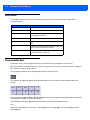
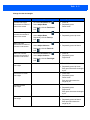
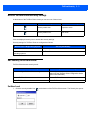
Resetting the session can sometimes free a session that is stuck in a LOCK-H state. This process has the
following effects:
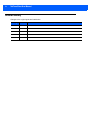
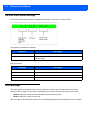
Connection Type
Effect
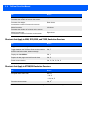
Direct to a host
Resets the connection to the host. You will have to log in again.
Through a TekTerm Server
Resets the connection to the TekTerm Server. You will not have to log
in again.
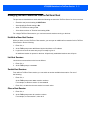
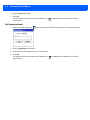
On a Psion mobile device do this:
1. Ensure that the mobile device has Crtl locked on.
2. Press C three times within two seconds.
RESET - User request is displayed.
3. Press Ctrl to unlock it.
4. Press Enter.
On a =HEUD mobile device do this:
1. Press Ctrl, C three times within two seconds.
RESET - User request is displayed.
2. Press Enter.
Local Menu
This feature must be enabled when the session is configured.
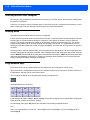
The host can store local procedures in the session for use when the mobile device is off-line. Press Ctrl, L to
display the Local Menu.
Press the function key corresponding to the procedure you want to perform. If there is more that one host associated with the session, press F9 to display a list of these hosts; you can then select another host from the list.
The LOCK-B and LOCK-H messages are replaced with NEXT-B and NEXT-H in this mode.