1
ENG
functions
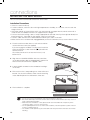
INPUT MODE
You can select D.IN, AUX, HDMI, BT, TV input, or USB.
Press an appropriate button on the remote control to select a desired mode, or press ( ) to select :
D.IN, AUX, HDMI, BT, TV ,or USB mode.
Display
Optical Digital input
D.IN
AUX input
AUX
HDMI input
HDMI
BLUETOOTH mode
BT
TV mode
TV
USB mode
USB
● FUNCTIONS
Input mode
POWER
POWER
TV POWER
TV POWER
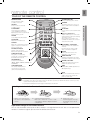
AUTO
SOURCE POWER SPEAKER TV SOURCE
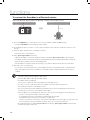
The unit turns off automatically in the following situations:
SoundConnect
• BT/TV MODE
REPEAT
-- If there is not connected for about 25 minutes.
• USB/HDMI/ARC/D.IN MODE
TV VOL
TV CH
AUDIO SYNC
-- If there is no audio signal for about 25 minutes.
• AUX Mode
TV MUTE TV INFO TV PRE-CH TV EXIT
-- When the AUX cable is connected, if no key is pressed on the remote or unit panel for about 8 hours.
-- If the AUX cable is disconnected for about 25 minutes.
SOUND EFFECT
▪▪ The ARC function is activated in D.IN mode if the unit is connected to an ARC supporting TV.
S/W
▪▪ To turn off the ARC function, turn Anynet off.
LEVEL
▪▪ Use the provided cable if a USB flash memory device cannot be connected directly to the unit.
3D
D SOUND LIFT
VOL
SMART VOLUME
MUTE
VOL
S/W
LEVEL
TONE
BLUETOOTH
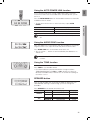
You can use a Bluetooth device to enjoy music with high quality stereo sound, all without wires!
AH59-02612B
What is Bluetooth?
Bluetooth is a technology that enables Bluetooth-compliant devices to interconnect easily with each other using a
short ,wireless connection.
• A Bluetooth device may cause noise or malfunction, depending on usage, when:
-- A part of your body is in contact with the receiving/transmitting system of the Bluetooth device or the Soundbar.
-- It is subject to electrical variation from obstructions caused by a wall, corner, or office partition.
-- It is exposed to electrical interference from same frequency-band devices including medical equipment, microwave
ovens, and wireless LANs.
• Pair the Soundbar with the Bluetooth device while they are close together.
• The further the distance is between Soundbar and Bluetooth device, the worse the quality is.
If the distance exceeds the Bluetooth operational range, the connection is lost.
• In poor reception-sensitivity areas, the Bluetooth connection may not work properly.
• The Bluetooth connection only works when it is close to the set. The connection will be automatically cut off if the Bluetooth
device is out of range. Even within range, the sound quality may be degraded by obstacles such as walls or doors.
• This wireless device may cause electric interference during its operation.
15