1
SIPLUS CMS4000 X-Tools - User Manual - 03 - Main Management System
SIPLUS CMS
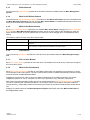
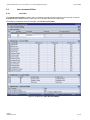
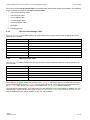
Each control of the User Accounts Editor has a defined task and provides certain functionalities. The following
major controls are provided by the User Accounts Editor:
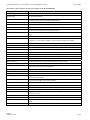
• User Account Settings Table
• User Accounts Table
• Access Rights Table
• Location Rights Table
• Advanced Rights Table
• Menu Bar
• Dropping of Items
2.3.2
User Account Settings Table
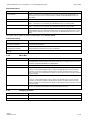
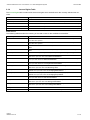
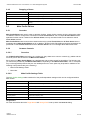
The User Account Settings table contains all of the settings which can be used in order to specify the current
target server of interest:
Parameter
Description
Target Name
contains the name of the X-Tools Server to which the user accounts are stored
Storage Path
contains the path to which the user accounts are stored (absolute or symbolic path)
Creation Date
contains the creation date of the user accounts
Modification Date
contains the last modification date of the user accounts
Accounts Description
contains the description of the user accounts
Company Name
contains the company name
Author Name
contains the author name
2.3.3
User Accounts Table
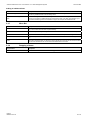
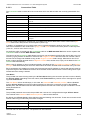
The User Accounts table contains all of the user accounts which are defined within the currently opened User
Accounts File.
Column
Description
No.
contains the row number
Enabled
specifies whether the user account within this row shall be enabled or not
User Name
contains the user name of the user account
Password
contains the password of the user account
Password (confirm)
contains the password of the user account (for confirmation)
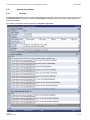
The last row of the User Accounts table always is empty and therefore allows the user to add a new user account definition by typing another user name into the User Name field of this last row. All other cells of the last
row are disabled as long as the User Name field is empty. Whenever a new user name has been entered into
the User Name field, another new, empty row is added to the User Accounts table automatically.
The user names “Administrator” and “Anonymous” are pre-defined and can not be deleted. In addition, the user
“Administrator” always has all access rights, thus the Access Rights, Location Rights and Advanced Rights tables are disabled and can not be modified for the user “Administrator”.
English
Release 2011-09
16 / 28